EOL_CAN_Tool
1.0.0

| date | Revisions | Version | Revised |
|---|---|---|---|
| 2023.12.1 | First Edition | v0.0.1 | Aron |
| 2024.1.29 | Update software update instructions, EOL protocol instructions | v0.0.2 | Aron |
| 2024.2.26 | Added firmware upgrade instructions | v0.0.3 | Aron |
| 2024.3.20 | Instructions for adding can data recharge function | v0.0.4 | Aron |
[toc]
Multi-brand manufacturer can equipment support
CAN data communication test
CAN serial port debugging function
RTS control function (UDP network)
PLC control function (Modbus TCP), will soon support...
Shell interaction function
EOL full functionality
Network debugging function
Firmware upgrade
Curve Chart Function
Software Update
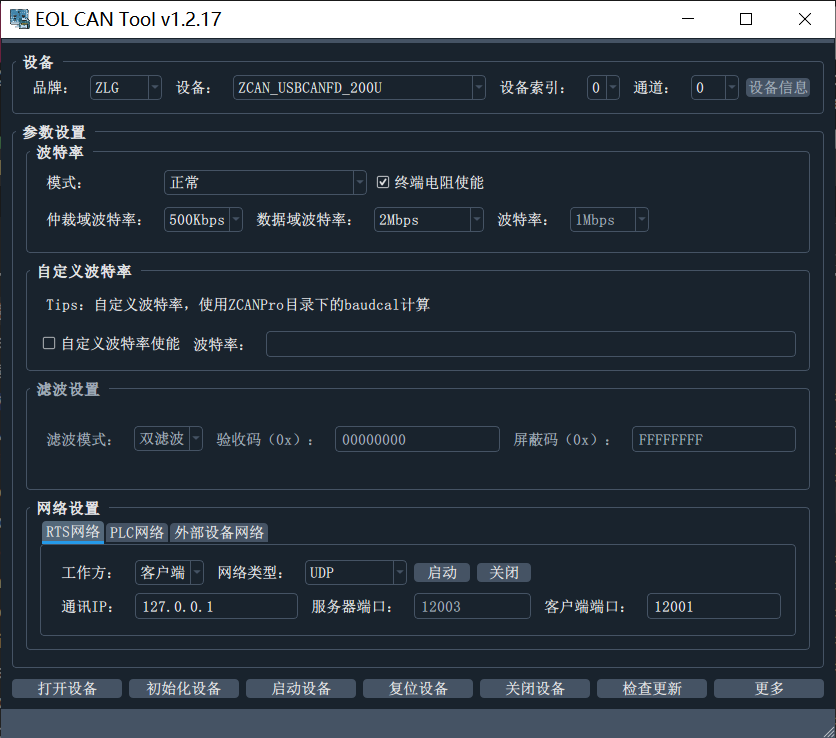
After the device is connected to the computer, select品牌->设备型号->通道in turn (select which channel to open or all open, the number starts from 0)
Device index is used to distinguish multiple devices of the same model can be connected to the computer
Device information is used to read the SN, number of channels and other information of the device. When it is readable, click to display the pop-up window.


Click: Open, Initialize, Start

Click More to enter the can communication test main page. The window above will show whether the device is turned on and started successfully.
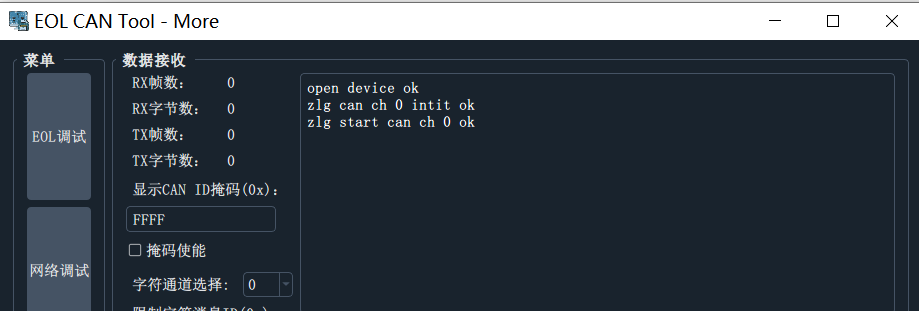
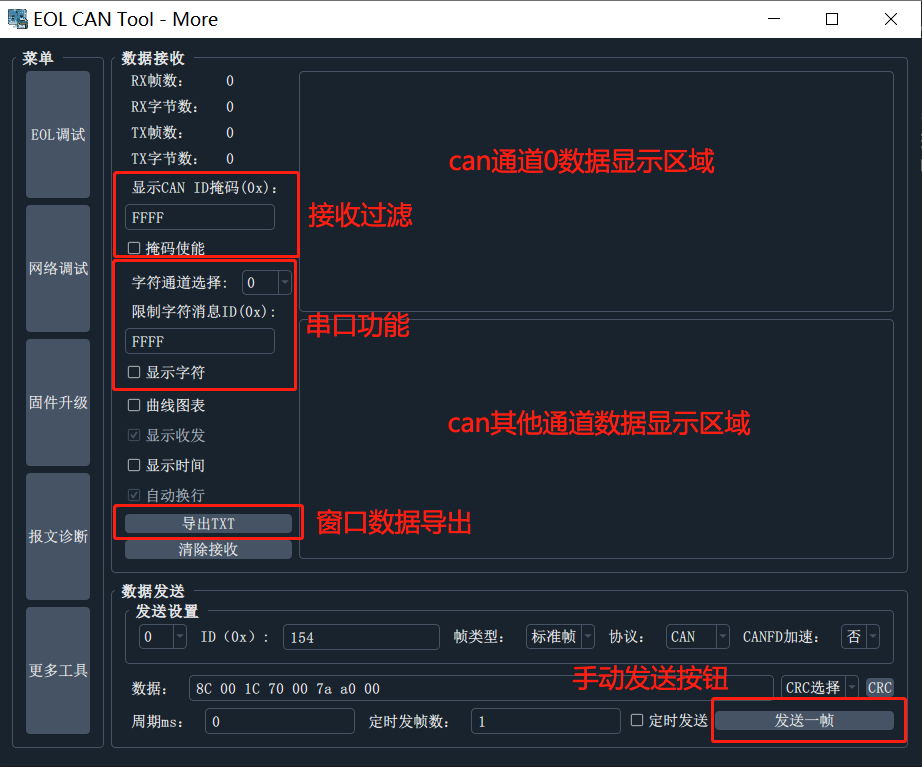
Functions of this page:
Supports the transmission and reception of data of more than two channels
Support mask configuration
Supports the conversion of received data into string output (can be specified to convert can channel and canid to convert)
Send messages manually
Two-color display of message sending and receiving, with time stamp
Provide buttons to enter other menus
The manual sending window can automatically add commonly used crc values to the end of the numerical value. Click the corresponding crc button to automatically calculate the crc values of the data and add them to the end of the data.
Supports regular sending and fixed sending (if the number of frames is not filled in, the number of sending is unlimited, the minimum period is 1ms, even if 0 is written)
Curve chart function, check to forward data to chart curve display
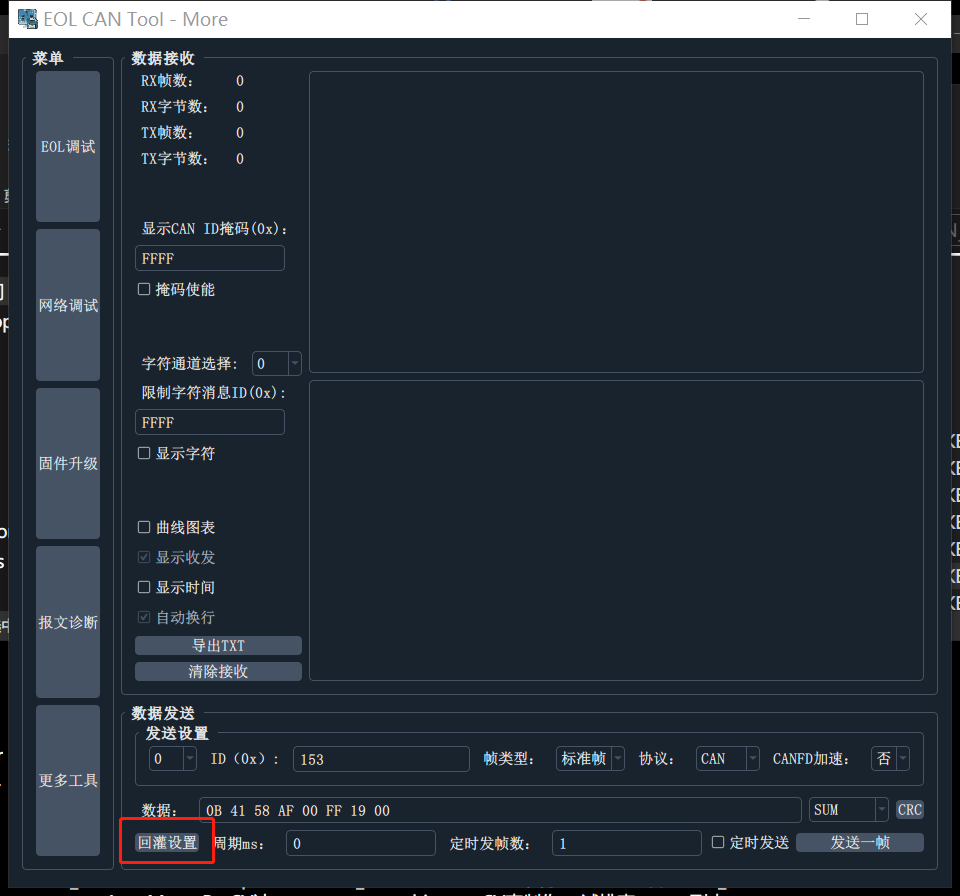
The data refilling function requires setting the data refilling format, usually the file in txt format or csv format is required.
log demo
 Chn Identifier Flg   DLC  D0...1...2...3...4...5...6..D7       Time     Dir
 1    00000116         8  A1  00  00  00  00  00  00  00   31066.395190 R
 1    00000216  FB     8  01  11  11  11  11  11  11  11   31066.571780 R
 1    00000154         8  8D  00  1C  70  00  00  0D  00   31067.082570 R
 1    00000254  FB     8  8D  00  00  00  00  00  00  00   31067.327670 R
 1    00000154         8  81  00  00  00  00  00  00  00   31067.327970 R
 1    00000254  FB     8  81  00  00  00  00  00  00  00   31067.329070 R
 1    00000154         8  07  84  AB  76  F0  75  D0  C8   31067.329330 R
 1    00000154         8  0F  10  26  4D  E8  80  CF  CD   31067.330650 R
 1    00000154         8  17  DA  50  B0  5A  6F  30  3C   31067.332660 R
 1    00000154         8  1F  F1  C2  30  E8  0D  F6  F0   31067.334650 R
 1    00000154         8  27  90  58  FA  50  98  D2  D0   31067.336650 R
 1    00000154         8  2F  F0  5E  A9  58  90  10  0D   31067.338670 R
 1    00000154         8  37  FB  F0  A6  6D  6D  B0  25   31067.340690 R
 1    00000154         8  3F  11  EA  00  DE  AE  11  A0   31067.342670 R
 1    00000154         8  47  46  1E  53  A0  7E  1F  A8   31067.344650 R
 1    00000154         8  4F  80  82  FF  91  D0  75  88   31067.346660 R
 1    00000154         8  57  CA  A0  2E  15  DD  A0  D1   31067.348650 R
 1    00000154         8  5F  F1  DD  B0  B4  FA  61  20   31067.350650 R
 1    00000154         8  67  30  C9  D9  50  D8  C1  E7   31067.352650 R
 1    00000154         8  6F  50  95  79  1B  D0  A6  9A   31067.354640 R
 1    00000154         8  77  91  90  4A  CD  9F  70  F5   31067.356650 R
 1    00000154         8  7F  89  FE  40  A0  D5  56  60   31067.358660 R
 1    00000154         8  07  0A  39  FE  50  0B  0A  01   31067.360650 R
 1    00000154         8  0F  E0  58  DA  8F  60  7F  C7   31067.362660 R
 1    00000154         8  17  E1  50  80  27  E7  D0  7F   31067.364660 R
 1    00000154         8  1F  0C  3E  40  64  F1  3A  C0   31067.366660 R
 1    00000154         8  27  19  55  F5  D0  9C  5A  BE   31067.368650 R
 1    00000154         8  2F  A0  5A  79  6A  30  1D  31   31067.370640 R
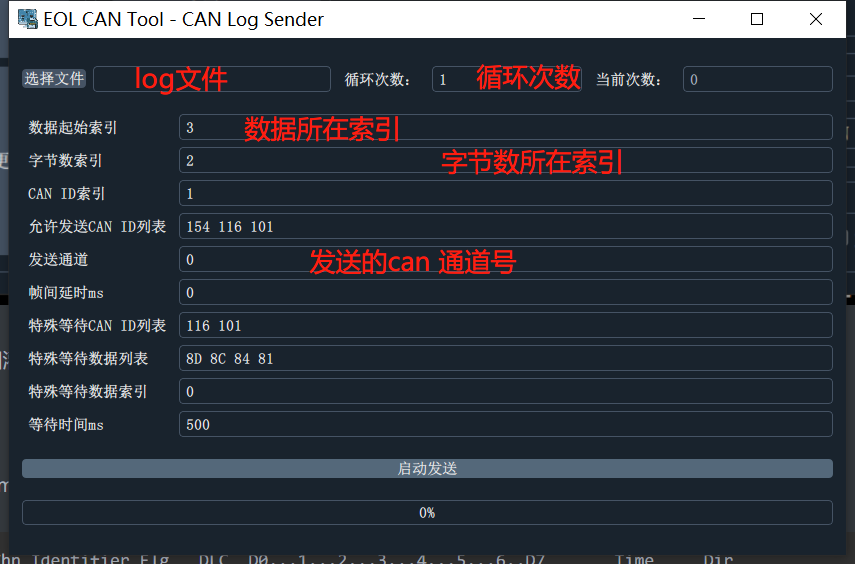
For example, in the above log data, we need to send can id data of 0x154 and 0x116, so we need to set:
13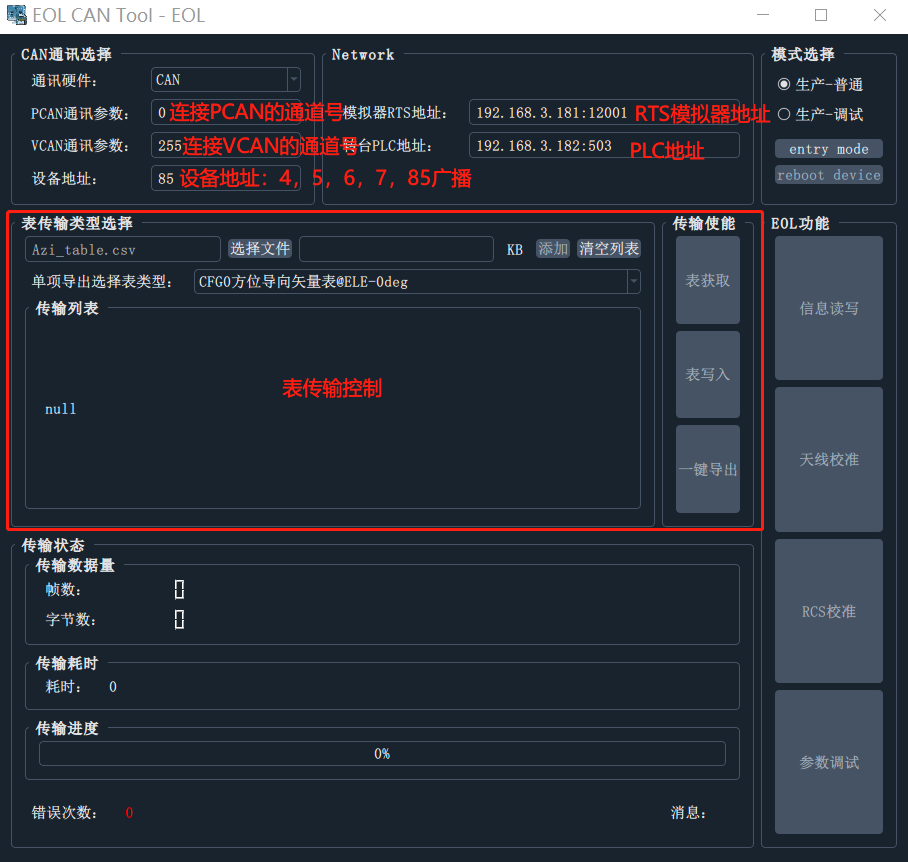
Functions of this page:
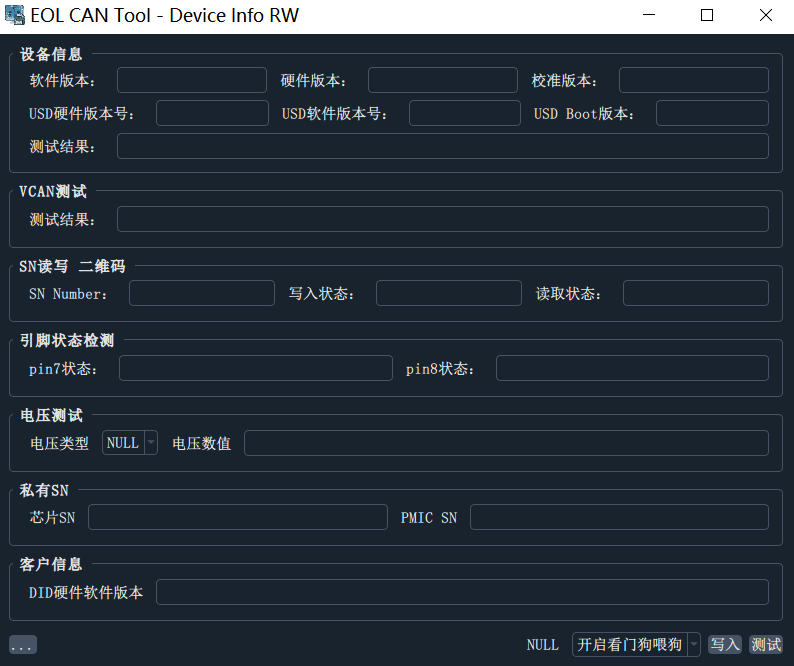
Functions of this page:
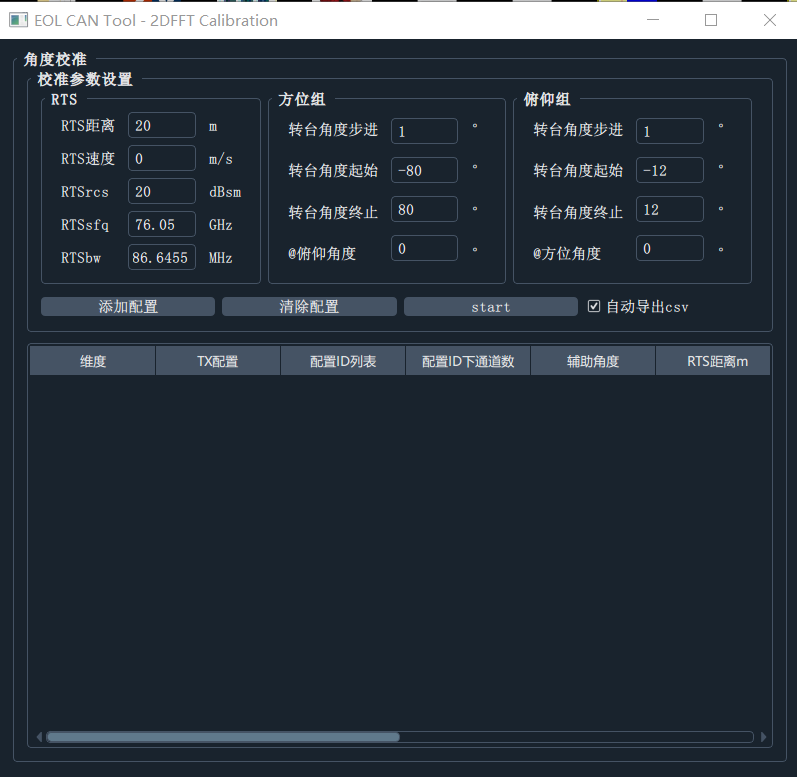
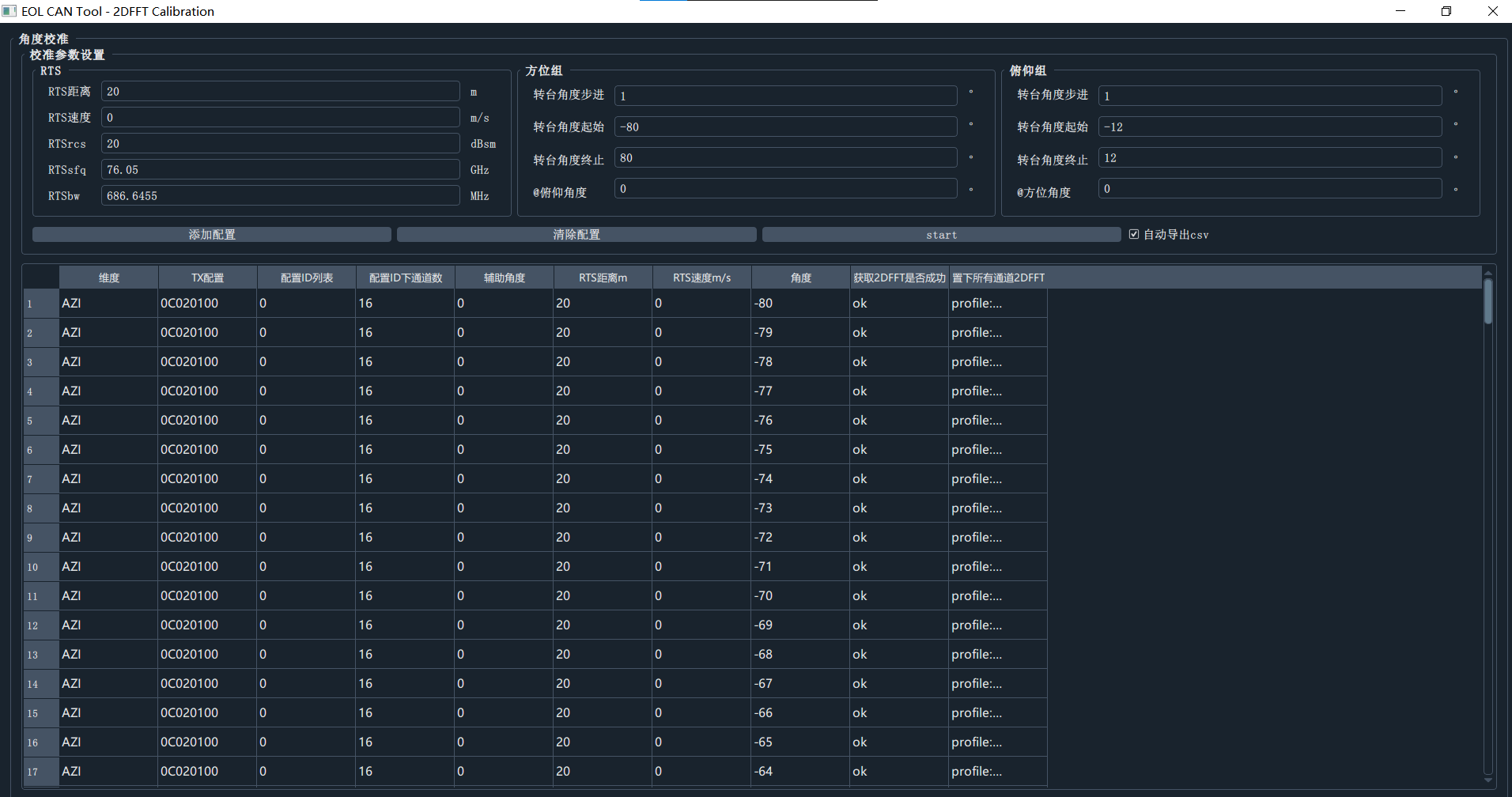
Functions of this page:
The Add Configuration Button is an incremental addition. If you need to reconfigure, you need to clear the configuration first.
When only 2D data in one direction is needed, the conditions in other directions are empty will not be used
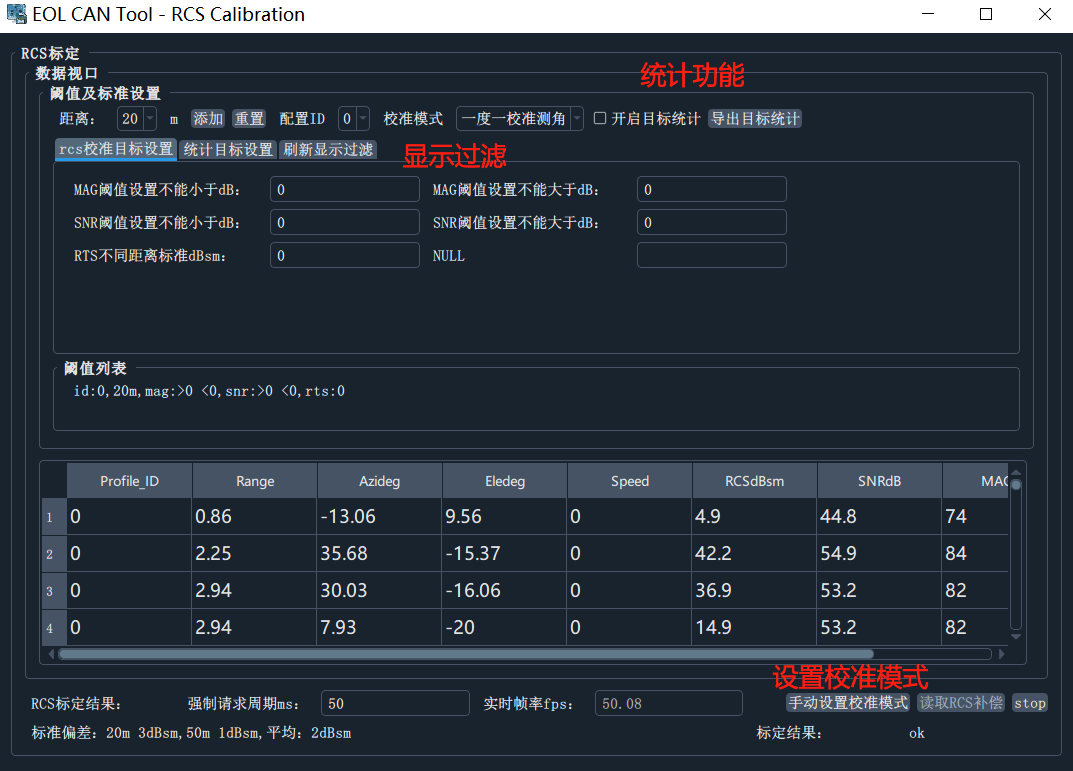
Functions of this page:
Prerequisite: Add a condition to the threshold list before you can start looking at the target
TAB key completion command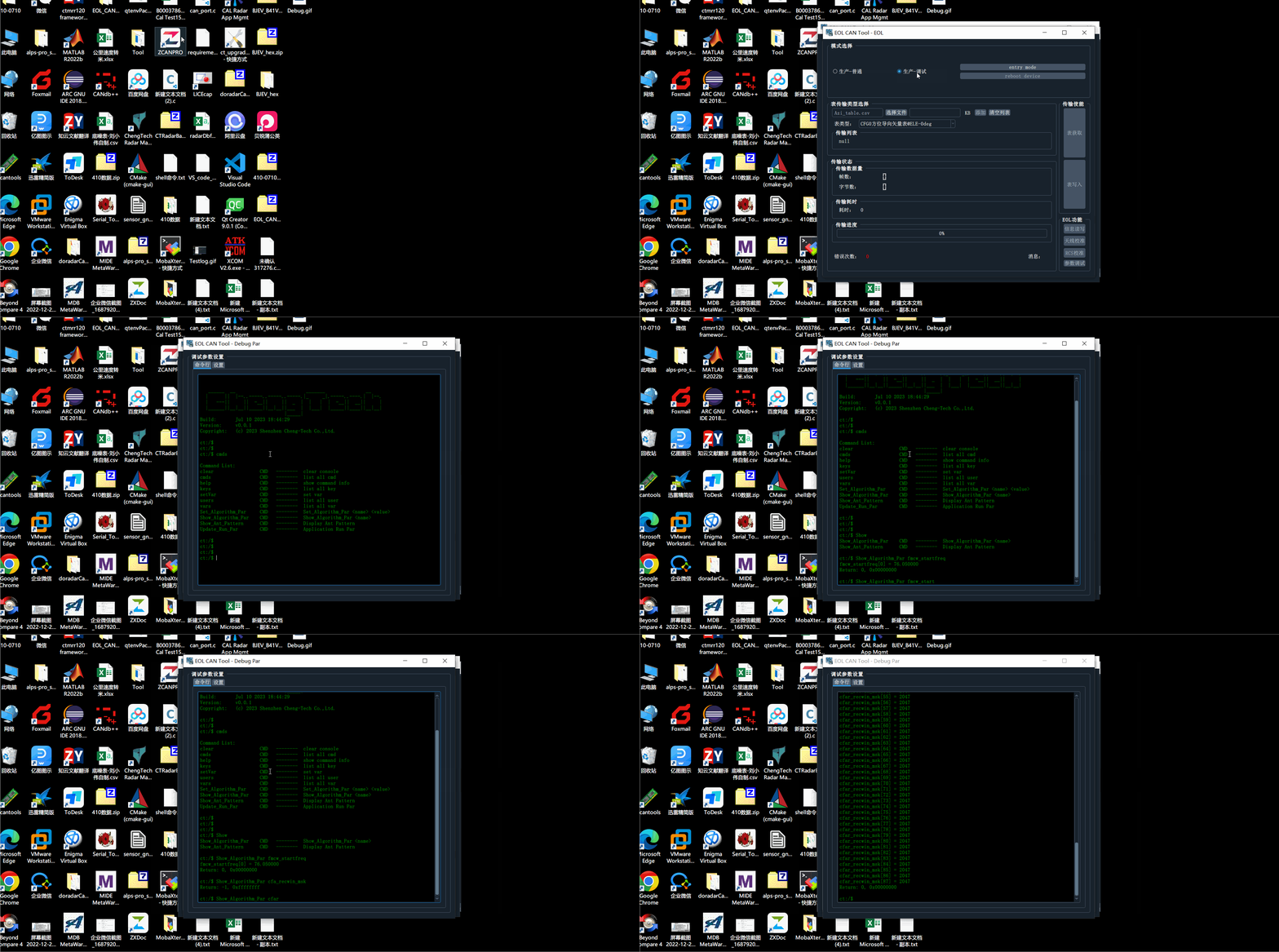
Currently, network debugging provides two network devices to provide debugging functions: RTS, PLC
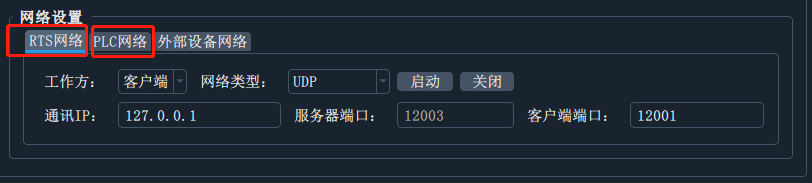
RTS uses UDP communication, which distinguishes the sending and receiving ports , so in the client network, that is, the PC network, two monitoring needs to be enabled for receiving messages sent by RTS, and one for sending and controlling RTS.
RTS network requires two ports: client port (send port) and server port (receive port)
The communication IP is set to the local area network IP address of the machine (on the same subnet as RTS)
Set the working mode to客户端
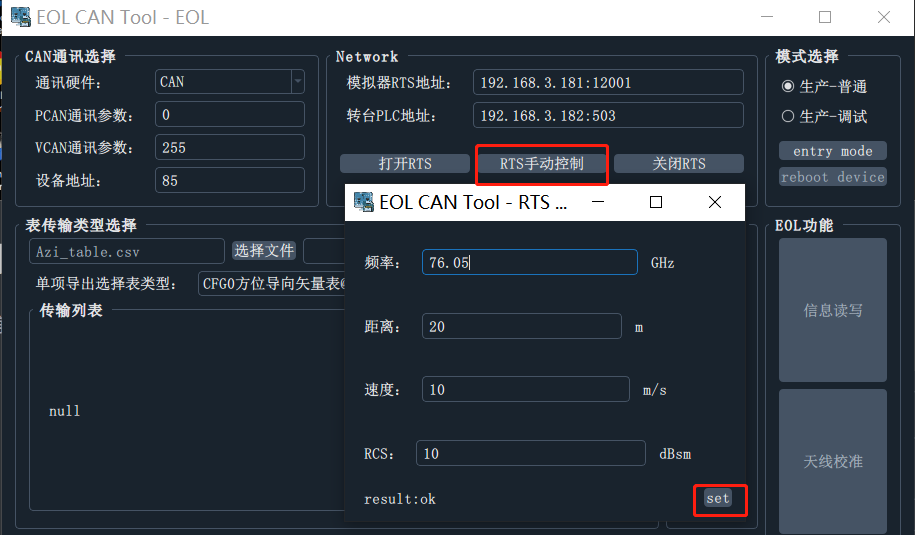
Click the启动button, after the startup is successful, you can see the RTS control button on the More->EOL debug page
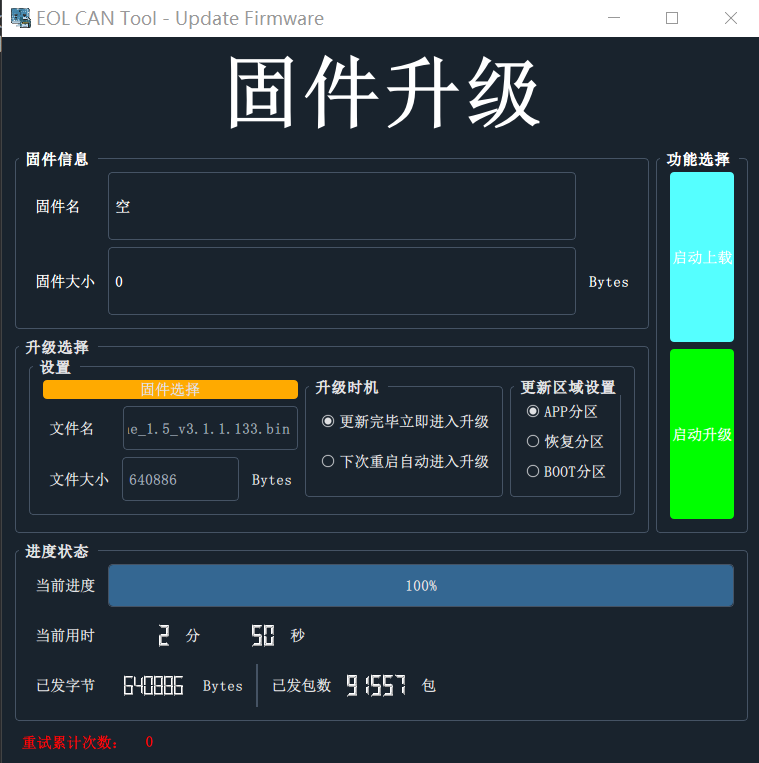
Click on固件选择
Click启动升级and reset the radar ( can enter EOL mode, click to restart the device, and perform soft reset )
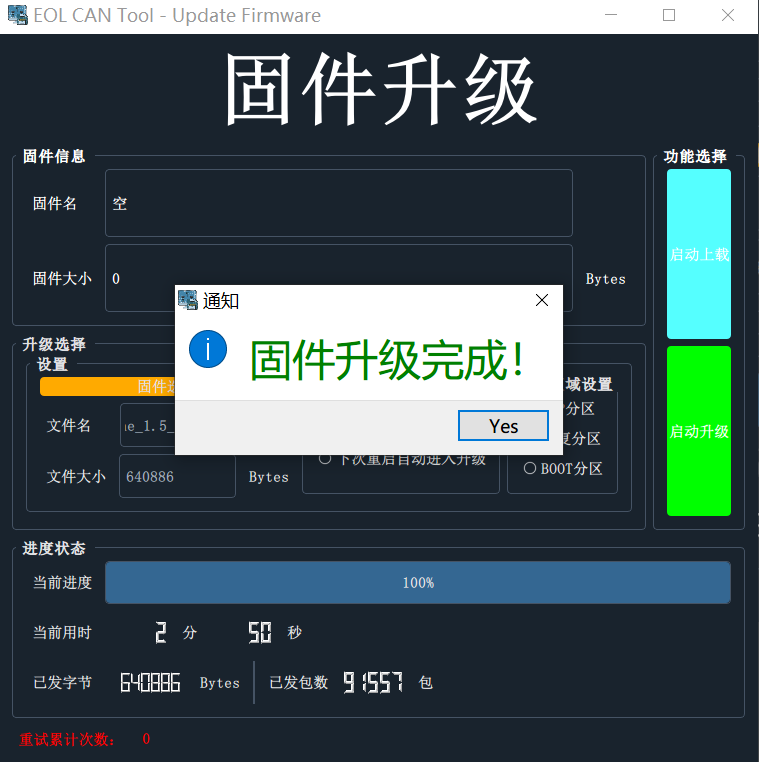
Successful upgrade:
When the page is closed during the upgrade process, the tool will exit the upgrade process
The function of curve chart enters
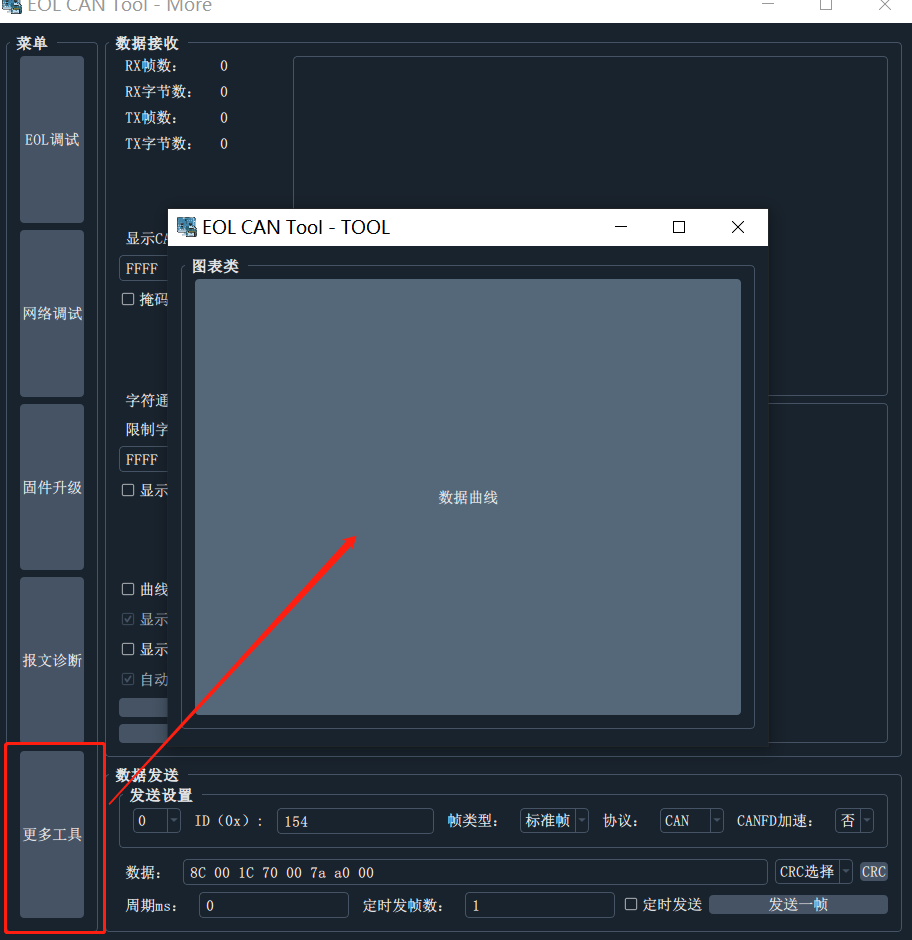
The required input method for curve chart is: $1 2 3;
$;空格The following interfaces can be used in the C program code to realize the drawing and display of multi-channel data:
 /**
 * @brief 格式化时间
 *
 * @param t 时间
 * @param ch 通道号
 * @param size 通道数
 */
void Show_Elapsed_Time ( uint32_t t , uint32_t ch , uint32_t size )
{
  static char time_ms [ 64 ] = { 0 };
  if ( 1 == size )
  {
    EMBARC_PRINTF ( "$%u;rn" , t );
  }
  else
  {
    if ( ch == 0 )
    {
      sprintf ( time_ms , "$%u" , t );
    }
    else
    {
      sprintf ( time_ms + strlen ( time_ms ), " %u" , t );
      if ( ch == size - 1 )
      {
        sprintf ( time_ms + strlen ( time_ms ), ";rn" );
        EMBARC_PRINTF ( time_ms );
      }
    }
  }
}

/* 使用 */
uint32_t S = RTC_TO_MS ( rtc_count ());

track_read ( bb -> track ); //需要测量的时间,通道0中显示

uint32_t E = RTC_TO_MS ( rtc_count ());
Show_Elapsed_Time ( E - S , 0 , 2 );
S = RTC_TO_MS ( rtc_count ());

xxx (); //需要测量的时间,通道1中显示

E = RTC_TO_MS ( rtc_count ());
Show_Elapsed_Time ( E - S , 1 , 2 );
S = RTC_TO_MS ( rtc_count ());

xxx (); //需要测量的时间,通道2中显示

E = RTC_TO_MS ( rtc_count ());
Show_Elapsed_Time ( E - S , 2 , 3 );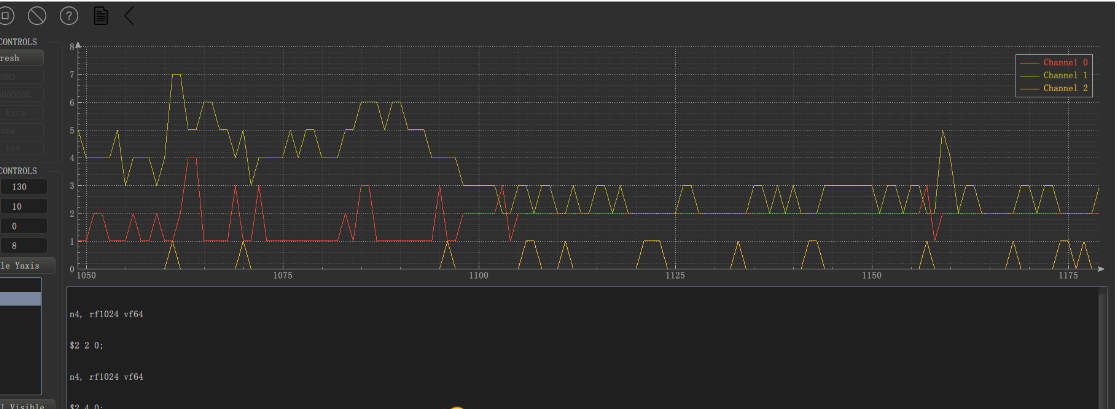

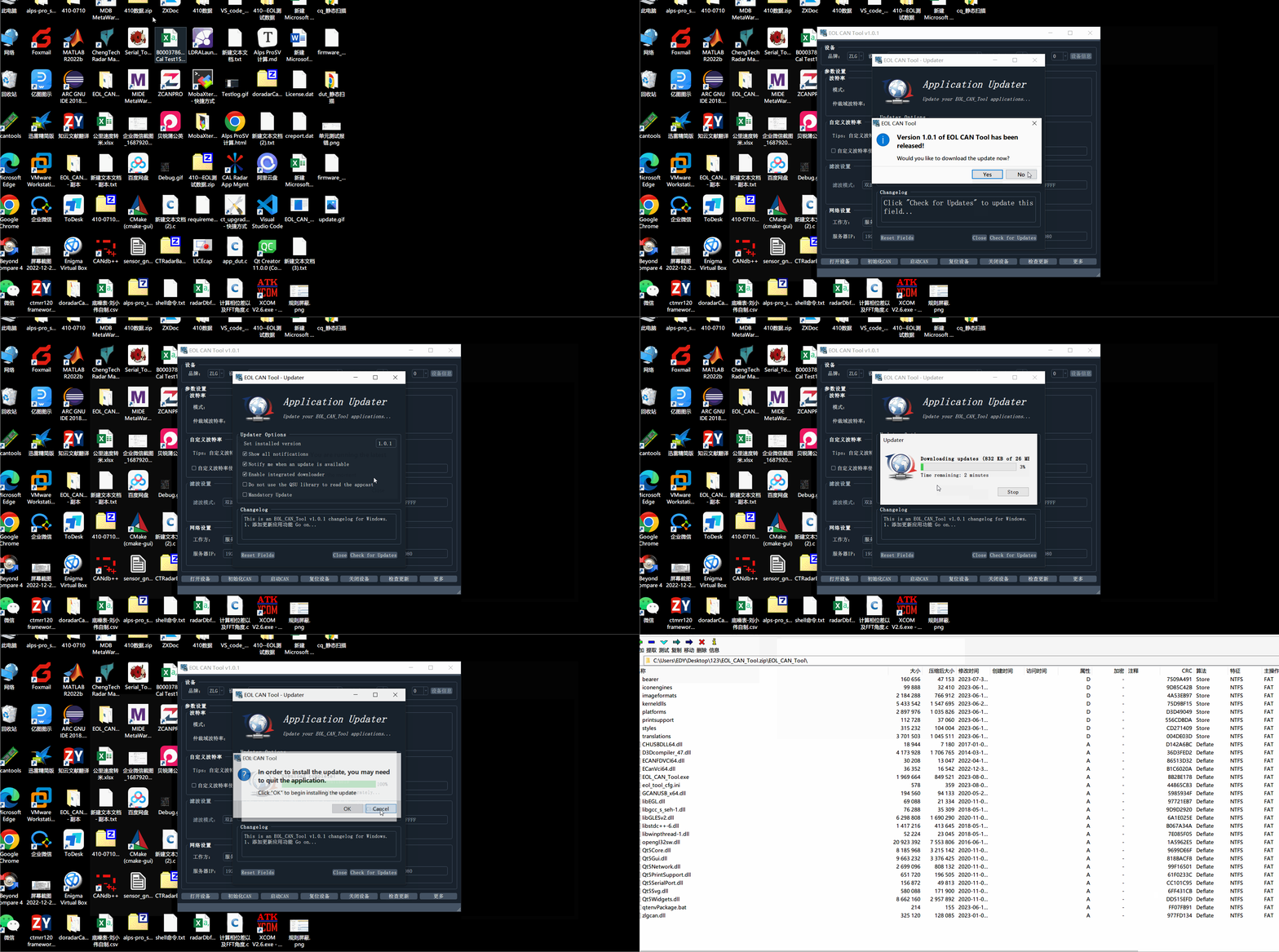
When a new software version is released, the software will be reminded to update every time it is started
QT5.15.2






