DocTalk ?
DocTalk is a Streamlit-based web application that allows users to upload and interact with their documents (PDF, DOCX, TXT) using natural language queries. The application leverages OpenAI's GPT-4o-Mini model for query validation and chatting, and text-embedding-3-small to understand and respond to user queries based on the content of the uploaded documents.
Features
-
Upload and Process Documents: Upload PDF, DOCX, and TXT files for text extraction and processing.
-
Custom Chunking & Token Counting: Custom chunking of documents to improve context retrieval and response generation. Uses NLTK's sentence tokenizer to sentence tokenize the documents, followed by token counting using tiktoken to manage chunk sizes.
-
Chat with Documents: Ask questions about your uploaded documents and receive context-aware responses.
-
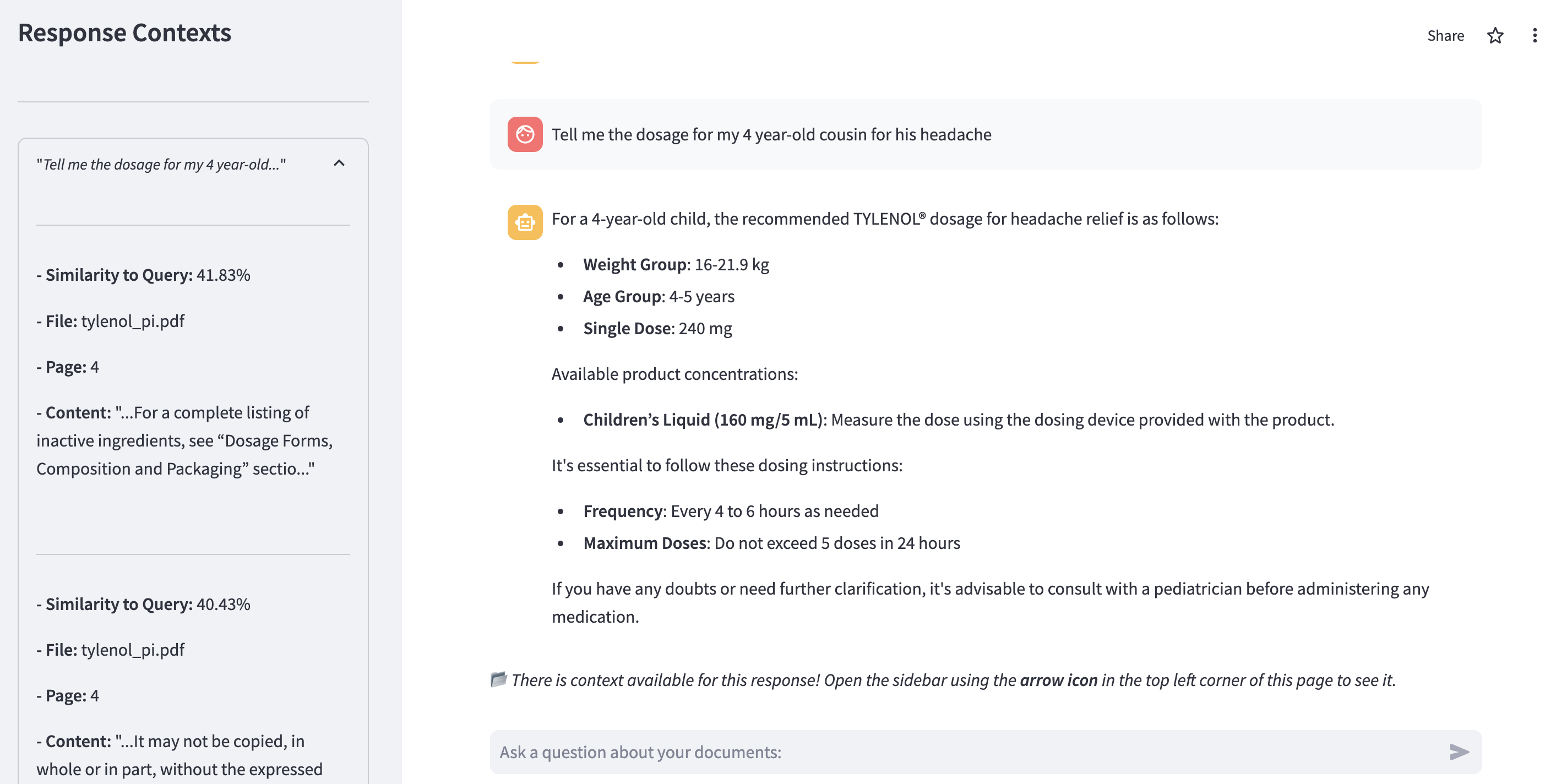
Cosine Similarity for Context Retrieval: Utilizes cosine similarity to find the most relevant document chunks in response to user queries.
-
Query Validation: Uses a secondary API call to validate if a query needs document context, ultimately saving tokens and reducing costs.
-
Simple App Passcode Authentication: Access to the app is protected by a passcode to ensure only authorized users can interact with the documents.
Installation
-
Clone the repository:
git clone https://github.com/kmaurinjones/doc-talk.git
cd doc-talk
-
Create a virtual environment (optional but recommended):
python3 -m venv env
source env/bin/activate
-
Install the required packages:
pip install -r requirements.txt
Environment Variables
Create a .env file in the root of your project and add the following environment variables:
SIMPLE_AUTH_PASSCODE=your_passcode
OPENAI_API_KEY=your_openai_api_key
Running Locally
To run the application locally, use the following command:
This will start the Streamlit server, and you can access the app at http://localhost:8501.
Accessing the Deployed App
The application is also deployed and can be accessed via the following URL:
DocTalk Deployment
Usage
-
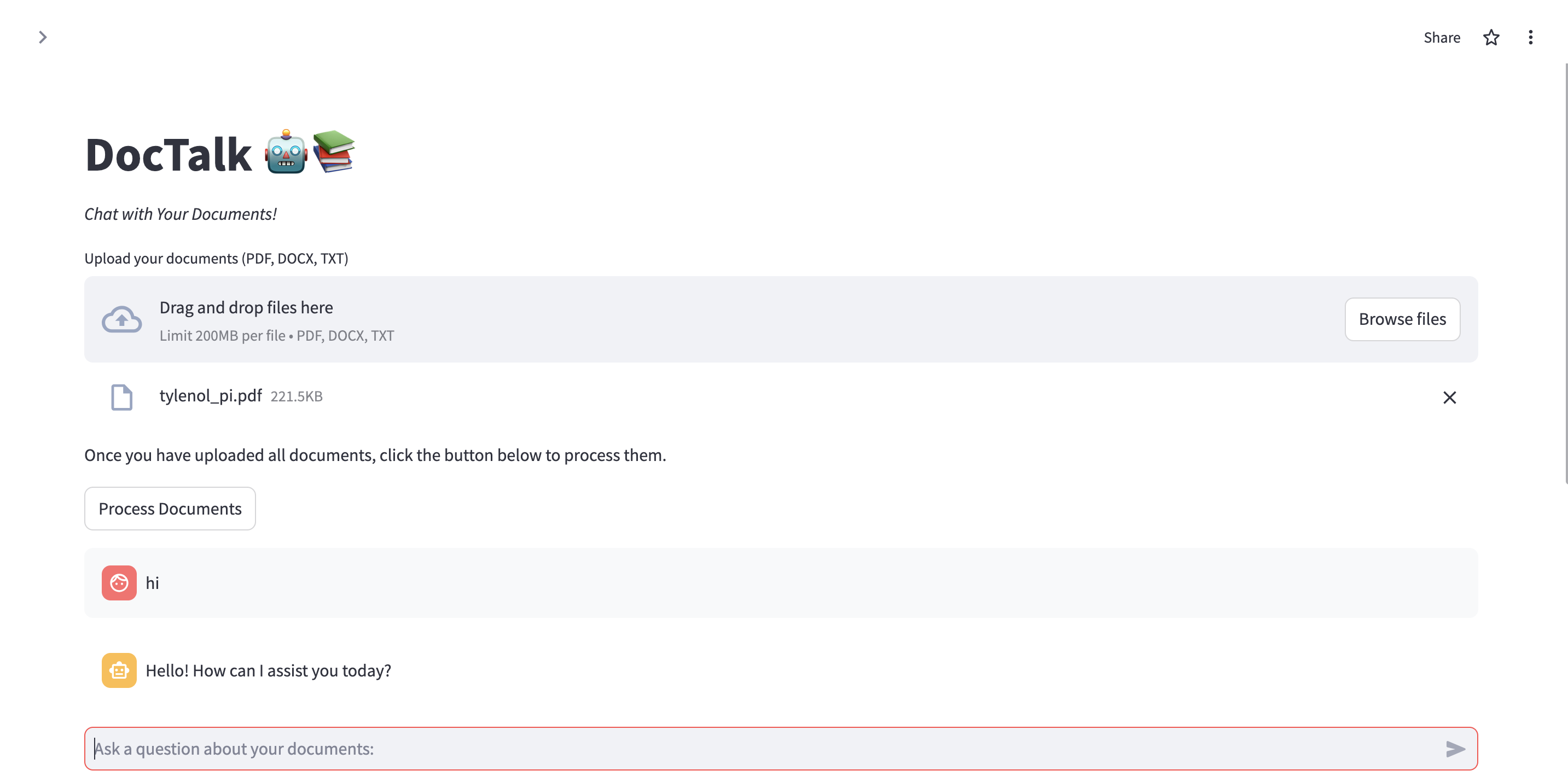
Upload Documents: Upload PDF, DOCX, or TXT files using the file uploader in the app.
-
Process Documents: Click the "Process Documents" button to extract and process the text from the uploaded files.
-
Chat with Documents: Use the chat input to ask questions about the content of the uploaded documents. The app will provide responses based on the processed text and context from the documents.
Examples
Here are some screenshots of the DocTalk application in use:
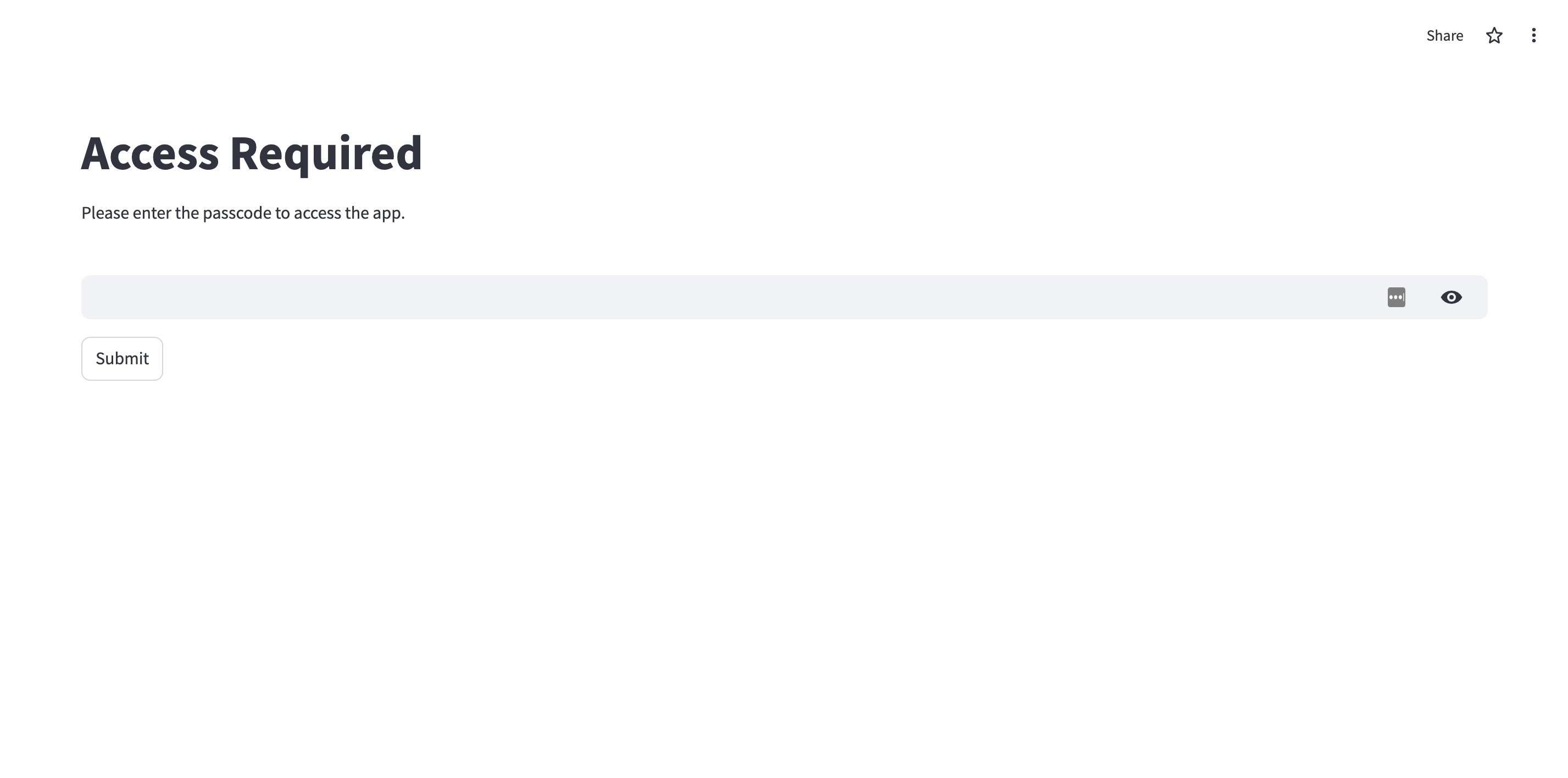
Simple Passcode User Authentication

Uploading and Processing Documents

Query and Response Context

Contributing
Contributions are welcome! Please open an issue or submit a pull request for any improvements or bug fixes.
License
This project is licensed under the MIT License. See the LICENSE file for details.
Contact
For any questions or issues, please contact me at [email protected]