doc-chatbot: GPT x Pinecone x LangChain
Features
- Create multiple topics to chat about
- Store any number of files to each topic
- Create any number of chats (chat windows) for each topic
- Upload files, convert them to embeddings, store the embeddings in a namespace and upload to Pinecone, and delete Pinecone namespaces from within the browser
- Store and automatically retrieve chat history for all chats with local storage
- Supports
.pdf, .docx and .txt
+ LangChain and Pinecone
Note: If you'd like to set this up with google auth and mongoDB (as opposed to no auth and using local storage), have a look at this branch: mongodb-and-auth. However, that repo is several important commits behind this one and lacks certain features, so keep that in mind.
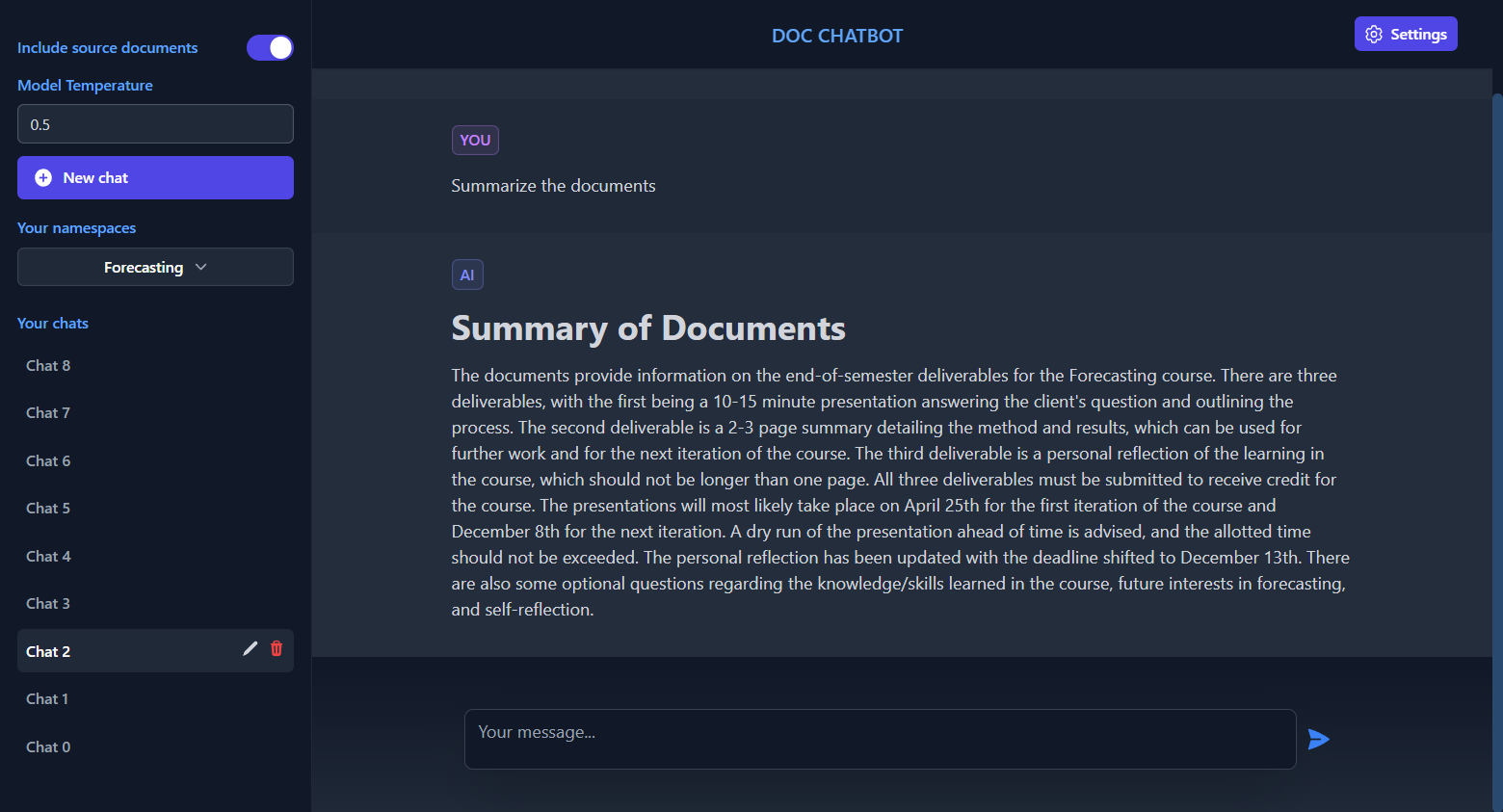
Main chat area
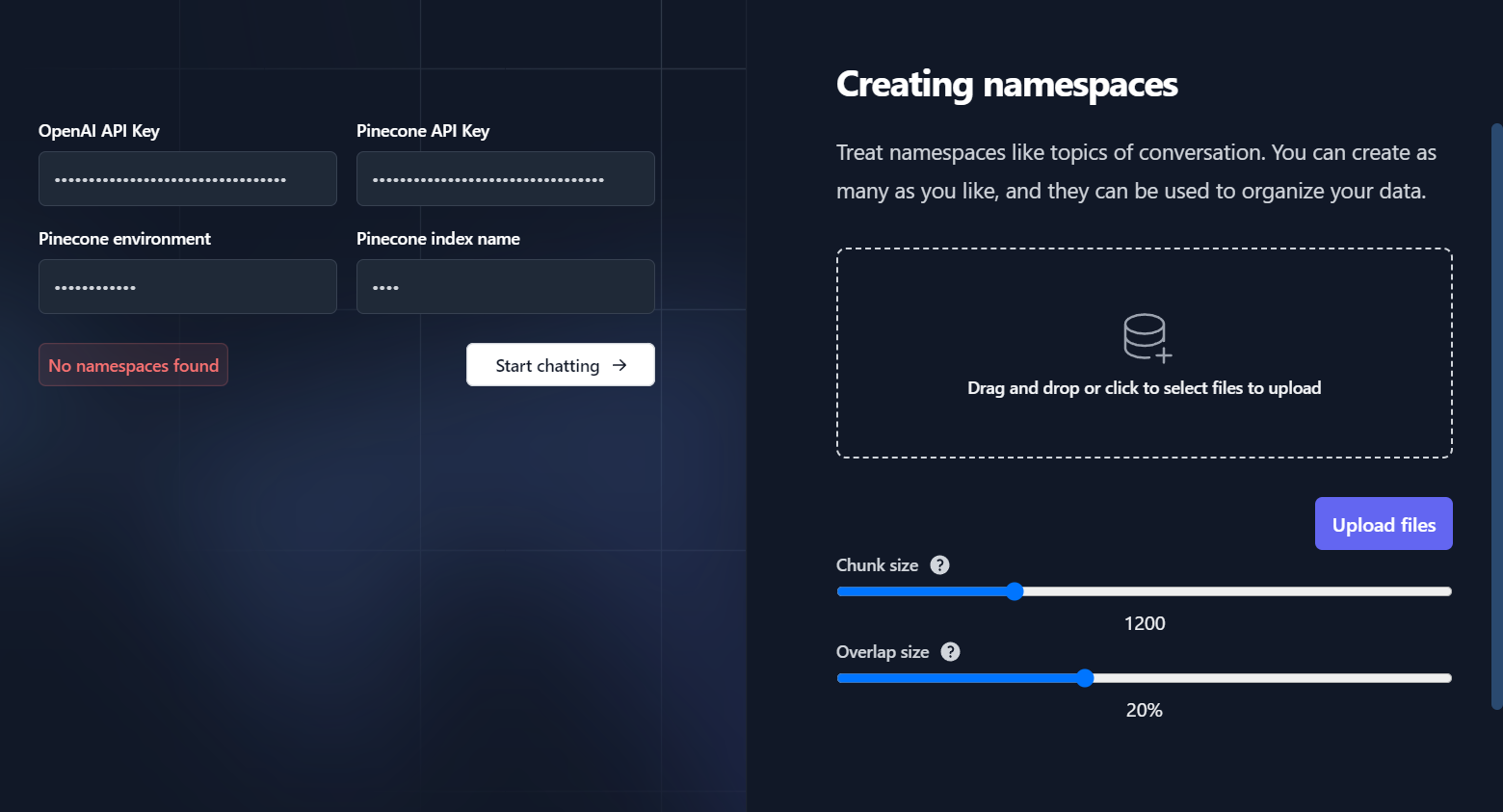
Settings page
Local setup & development
If you'd like to run this locally and deploy your own version, follow the steps below.
Clone the repo
git clone https://github.com/dissorial/doc-chatbot.git
Pinecone setup
API key
Create an account on Pinecone. Go to Indexes and Create index. Enter any name, put 1536 for Dimensions and leave the rest on default. Then go to API keys and Create API key.
Index name
Self-explanatory
Pinecone environment
Right next to your index name, e.g. us-west2-rkw
Install packages
Set up your .env file
- Rename
.env.example to .env
- Your
.env file should look like this:
Node environment
- Development by default. In production, set this to 'production' (without the quotes)
Other
- In
utils/makechain.ts, adjust the QA_PROMPT for your own usecase. Change modelName in new OpenAI to gpt-4, if you have access to it.
Deployment
Add these to your .env file:
NEXTAUTH_URL=http://localhost:3000
NEXTAUTH_SECRET=
JWT_SECRET=
NextAuth Secret
- You can generate this by running
openssl rand -base64 32 in Git Bash.
JWT Secret
- You can generate this by running
openssl rand -base64 32 in Git Bash.
NextAuth URL
- Default is http://localhost:3000. In production, this should be the URL of your deployed app.
Run the app
Troubleshooting
General errors
- Make sure that you are running the latest version of Node. To check your version run node -v.
- If you're encountering issues with a specific file, try converting it to text first or try a different file. It's possible that the file is corrupted, scanned, or requires OCR to be converted to text.
- Confirm that you're using the same versions of LangChain and Pinecone as this repository.
Pinecone errors
- Confirm that you've set the vector dimensions to 1536.
- Note that Pinecone indexes for users on the Starter (free) plan are deleted after 7 days of inactivity. To prevent this, send an API request to Pinecone to reset the counter before 7 days.
- If issues persist, consider starting fresh with a new Pinecone project, index, and cloned repository.
Credit
This repository was originally a fork of GPT-4 & LangChain repository by mayooear but underwent many major changes in this repo.
Frontend of this repo is inspired by ChatGPT.


