mac cleanup py
v3.1.2

Mac-Cleanup-Py是MacOS的強大清潔腳本。
該項目是重寫Python中原始的Mac-Cleanup-SH。
Mac-Cleanup-Py可以幫助您:
adobe清除Adobe緩存文件android清除Android Cachesbrew - 清除自製緩存bun - 清除bun頭緩存cacher清除Cacher日誌chrome清除Google Chrome Cachechromium - 清除鉻高速緩存文件composer - 清除作曲家緩存conan - 清除柯南·卡奇docker清理懸掛的Docker圖像並停止容器dns_cache清除DNS緩存dropbox清除Dropbox緩存ea清除EA應用程序緩存文件gem - 清理任何舊版本的寶石go - 清除緩存google_drive清除Google驅動器緩存gradle清除gradle緩存inactive_memory清除不活動記憶ios_apps清理iOS應用程序ios_backups刪除iOS設備備份java_cache從主目錄中刪除Java頭轉儲jetbrains - 從phpstorm , pycharm等中刪除日誌kite - 刪除風箏日誌lunarclient刪除月球客戶端日誌和緩存minecraft刪除Minecraft日誌和緩存microsoft_teams刪除Microsoft團隊日誌和緩存npm清理NPM緩存obsidian - 清除黑曜石緩存文件nuget清除.nuget軟件包文件pnpm清理PNPM緩存pod清理可可錄像帶緩存文件poetry - 清除詩歌緩存pyenv清理pyenv -virtualenv緩存steam - 卸下蒸汽日誌和緩存system_caches清除系統緩存system_log清除系統日誌文件telegram - 清晰的舊電報緩存trash - 所有安裝量的垃圾和主HDD上的垃圾wget_logs刪除WGET日誌和主機xcode清理XCode派生的數據和檔案xcode_simulators重置iOS模擬器yarn - 清理紗線緩存brew tap mac-cleanup/mac-cleanup-py
brew install mac-cleanup-pypip3 install mac-cleanupbrew uninstall mac-cleanup-py
brew untap mac-cleanup/mac-cleanup-pypip3 uninstall mac-cleanup幫助菜單:
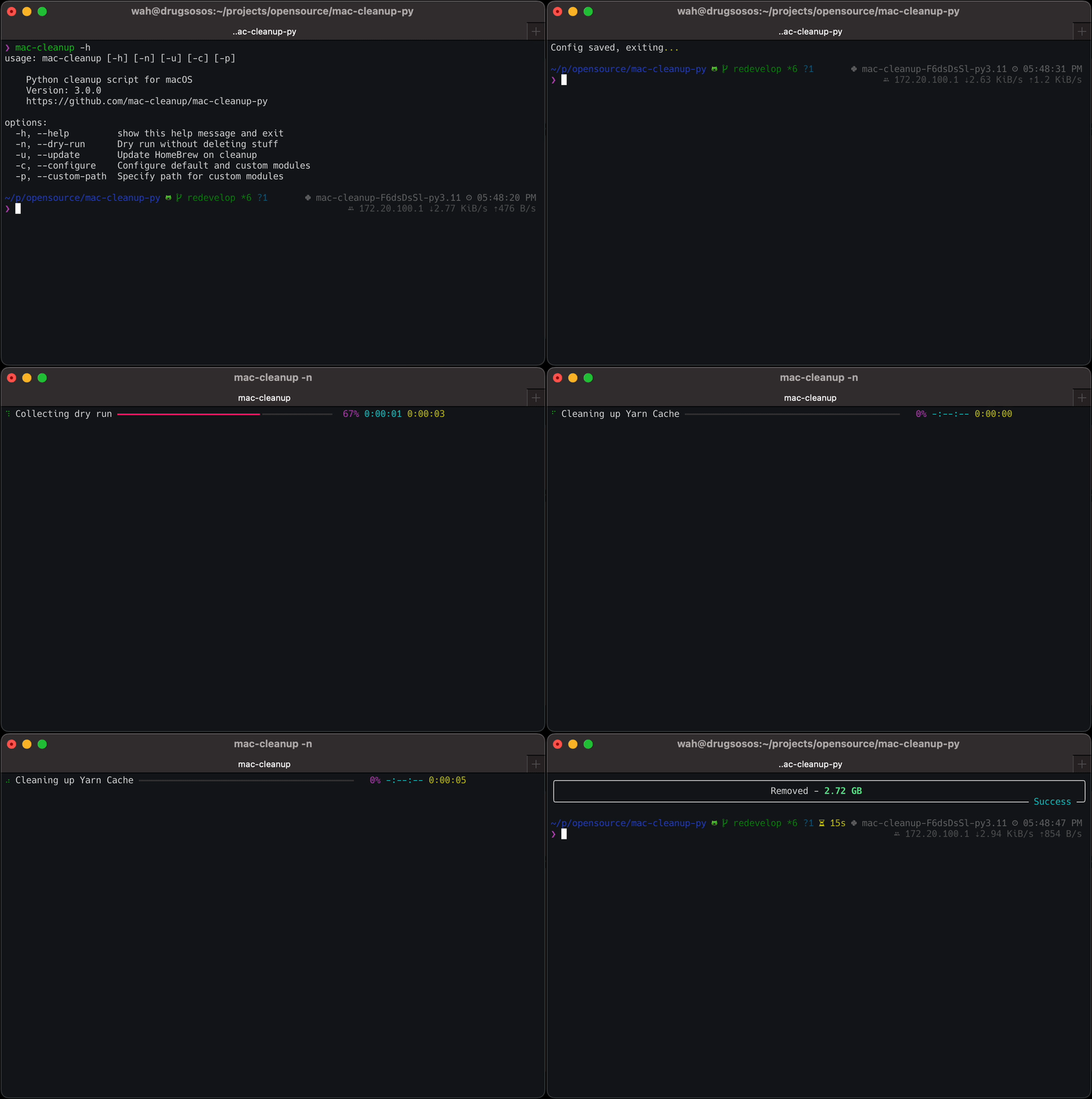
 $ mac-cleanup -h
usage: mac-cleanup [-h] [-n] [-u] [-c] [-p] [-f]

    Python cleanup script for macOS
    Version: 3.1.2
    https://github.com/mac-cleanup/mac-cleanup-py

options:
  -h, --help         show this help message and exit
  -n, --dry-run      Run without deleting stuff
  -u, --update       Update Homebrew on cleanup
  -c, --configure    Open module configuration screen
  -p, --custom-path  Specify path for custom modules
  -f, --force        Accept all warnings
總是歡迎捐款!
如果您有任何想法,建議或錯誤報告,請隨時提交問題或打開拉動請求。
該項目已根據APACHE-2.0許可獲得許可。
該項目是使用Jetbrains Oss開發計劃提供的工具開發的。
在此處了解有關他們的程序以及他們如何支持開源的更多信息。





