mac cleanup py
v3.1.2

Mac-Cleanup-Py 는 MacOS를위한 강력한 청소 스크립트입니다.
이 프로젝트는 Python에서 다시 작성한 원래 Mac-Cleanup-Sh의 재 작성입니다.
Mac-Cleanup-Py가 도움이됩니다.
adobe Adobe 캐시 파일을 지 웁니다android - 안드로이드 캐시를 지 웁니다brew 홈브류 캐시를 지 웁니다bun BUN 캐시를 지 웁니다cacher 캐처 로그를 지 웁니다chrome Google Chrome 캐시를 지 웁니다chromium 크롬 캐시 파일을 제거합니다composer - 작곡가 캐시를 지 웁니다conan - 코난 캐시를 지 웁니다docker Docker 이미지를 매달고 컨테이너를 정지했습니다dns_cache DNS 캐시를 지 웁니다dropbox Dropbox 캐시를 지 웁니다ea -EA 앱 캐시 파일을 지 웁니다gem - 오래된 버전의 보석 을 정리하십시오go 캐시 가 지워집니다google_drive Google 드라이브 캐시를 지우겠습니다gradle Gradle 캐시를 제거합니다inactive_memory 퍼지 비활성 메모리ios_apps iOS 응용 프로그램 정리ios_backups iOS 장치 백업을 제거합니다java_cache 홈 디렉토리에서 Java 헤드 덤프를 제거합니다jetbrains phpstorm , pycharm 등에서 로그를 제거합니다kite - 연 통나무를 삭제합니다lunarclient - 음력 클라이언트 로그 및 캐시를 제거합니다minecraft 마인 크래프트 로그 및 캐시를 제거하십시오microsoft_teams Microsoft Teams 로그 및 캐시를 제거합니다npm 정리 NPM 캐시obsidian 흑요석 캐시 파일을 지 웁니다nuget .Uget 패키지 파일을 지 웁니다pnpm 정리 PNPM 캐시pod - Cocoapods Cache 파일을 정리합니다poetry - 시 캐시를 제거합니다pyenv 정리 Pyenv -Virtualenv 캐시steam - 증기 로그와 캐시를 제거합니다system_caches 정화 시스템 캐시system_log 시스템 로그 파일을 클리어합니다telegram - 오래된 전보 캐시를 제거합니다trash - 모든 장착 된 볼륨과 메인 HDD의 쓰레기를 비우십시오.wget_logs wget 로그 및 호스트를 제거하십시오xcode Xcode 파생 데이터 및 아카이브 정리xcode_simulators iOS 시뮬레이터를 재설정합니다yarn - 정화 원사 캐시 brew tap mac-cleanup/mac-cleanup-py
brew install mac-cleanup-pypip3 install mac-cleanupbrew uninstall mac-cleanup-py
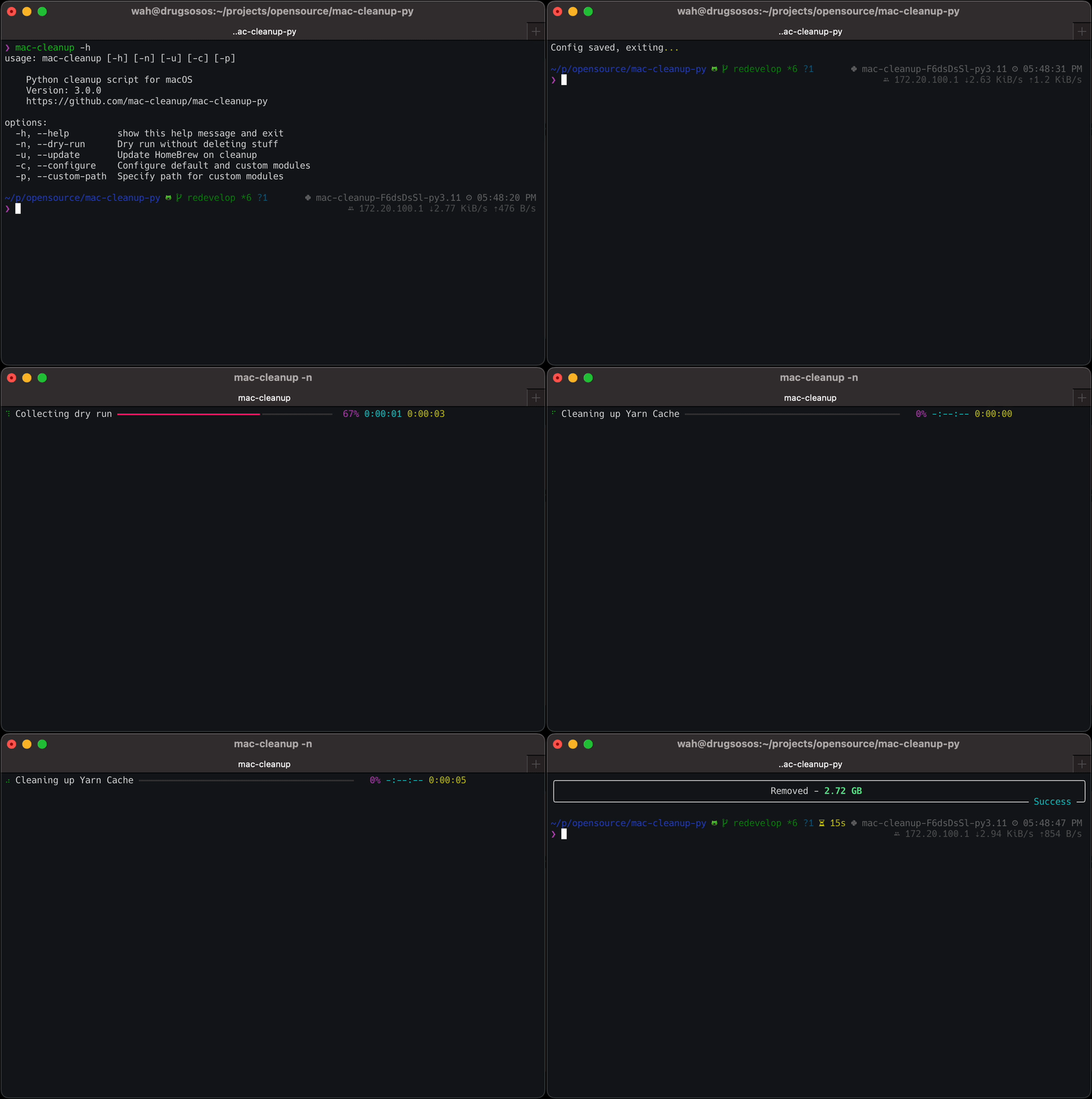
brew untap mac-cleanup/mac-cleanup-pypip3 uninstall mac-cleanup도움말 메뉴 :
 $ mac-cleanup -h
usage: mac-cleanup [-h] [-n] [-u] [-c] [-p] [-f]

    Python cleanup script for macOS
    Version: 3.1.2
    https://github.com/mac-cleanup/mac-cleanup-py

options:
  -h, --help         show this help message and exit
  -n, --dry-run      Run without deleting stuff
  -u, --update       Update Homebrew on cleanup
  -c, --configure    Open module configuration screen
  -p, --custom-path  Specify path for custom modules
  -f, --force        Accept all warnings
기부금은 항상 환영합니다!
아이디어, 제안 또는 버그 보고서가 있으면 언제든지 문제를 제출하거나 풀 요청을 열십시오.
이 프로젝트는 Apache-2.0 라이센스에 따라 라이센스가 부여됩니다.
이 프로젝트는 JetBrains OSS Development Program 에서 제공하는 도구를 사용하여 개발되었습니다.
그들의 프로그램과 그들이 오픈 소스를 지원하는 방법에 대해 자세히 알아보십시오.





