clangd_extensions.nvim
1.0.0

需要Neovim 0.7+
使用任何插件/軟件包管理器安裝此插件,或者查看:h packages
像往常一樣,通過lspconfig/vim.lsp.Start設置clangd。您不需要致電require("clangd_extensions").setup :
require ( " clangd_extensions " ). setup ({
inlay_hints = {
inline = vim . fn . has ( " nvim-0.10 " ) == 1 ,
-- Options other than `highlight' and `priority' only work
-- if `inline' is disabled
-- Only show inlay hints for the current line
only_current_line = false ,
-- Event which triggers a refresh of the inlay hints.
-- You can make this { "CursorMoved" } or { "CursorMoved,CursorMovedI" } but
-- note that this may cause higher CPU usage.
-- This option is only respected when only_current_line is true.
only_current_line_autocmd = { " CursorHold " },
-- whether to show parameter hints with the inlay hints or not
show_parameter_hints = true ,
-- prefix for parameter hints
parameter_hints_prefix = " <- " ,
-- prefix for all the other hints (type, chaining)
other_hints_prefix = " => " ,
-- whether to align to the length of the longest line in the file
max_len_align = false ,
-- padding from the left if max_len_align is true
max_len_align_padding = 1 ,
-- whether to align to the extreme right or not
right_align = false ,
-- padding from the right if right_align is true
right_align_padding = 7 ,
-- The color of the hints
highlight = " Comment " ,
-- The highlight group priority for extmark
priority = 100 ,
},
ast = {
-- These are unicode, should be available in any font
role_icons = {
type = " ? " ,
declaration = " ? " ,
expression = " ? " ,
statement = " ; " ,
specifier = " ? " ,
[ " template argument " ] = " ? " ,
},
kind_icons = {
Compound = " ? " ,
Recovery = " ? " ,
TranslationUnit = " ? " ,
PackExpansion = " ? " ,
TemplateTypeParm = " ? " ,
TemplateTemplateParm = " ? " ,
TemplateParamObject = " ? " ,
},
--[[ These require codicons (https://github.com/microsoft/vscode-codicons)
role_icons = {
type = "",
declaration = "",
expression = "",
specifier = "",
statement = "",
["template argument"] = "",
},
kind_icons = {
Compound = "",
Recovery = "",
TranslationUnit = "",
PackExpansion = "",
TemplateTypeParm = "",
TemplateTemplateParm = "",
TemplateParamObject = "",
}, ]]
highlights = {
detail = " Comment " ,
},
},
memory_usage = {
border = " none " ,
},
symbol_info = {
border = " none " ,
},
}):ClangdSwitchSourceHeader
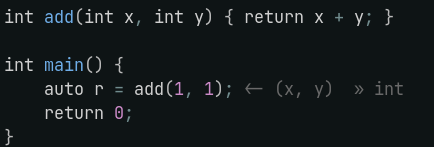
將其添加到您的nvim-lspconfig / vim.lsp.start() 's on_attach :
 require ( " clangd_extensions.inlay_hints " ). setup_autocmd ()
require ( " clangd_extensions.inlay_hints " ). set_inlay_hints ()您還可以使用ClangdSetInlayHints , ClangdDisableInlayHints和ClangdToggleInlayHints啟用,禁用或切換提示。切換返回提示的當前狀態,如果要在切換鑲嵌提示時掛接回調,這很有用:
 if require ( " clangd_extensions.inlay_hints " ). toggle_inlay_hints () then
    -- Inlay hints are enabled
else
    -- Inlay hints are disabled
end
例如,如果您具有與clangd inlay提示有關的自動命令,則可能需要在切換鑲嵌提示時禁用/啟用它們:
 on_attach = function ( _ , buf )
    local group = vim . api . nvim_create_augroup ( " clangd_no_inlay_hints_in_insert " , { clear = true })

    vim . keymap . set ( " n " , " <leader>lh " , function ()
        if require ( " clangd_extensions.inlay_hints " ). toggle_inlay_hints () then
            vim . api . nvim_create_autocmd ( " InsertEnter " , { group = group , buffer = buf ,
                callback = require ( " clangd_extensions.inlay_hints " ). disable_inlay_hints
            })
            vim . api . nvim_create_autocmd ({ " TextChanged " , " InsertLeave " }, { group = group , buffer = buf ,
                callback = require ( " clangd_extensions.inlay_hints " ). set_inlay_hints
            })
        else
            vim . api . nvim_clear_autocmds ({ group = group , buffer = buf })
        end
    end , { buffer = buf , desc = " [l]sp [h]ints toggle " })
end ,
} 您可以使用
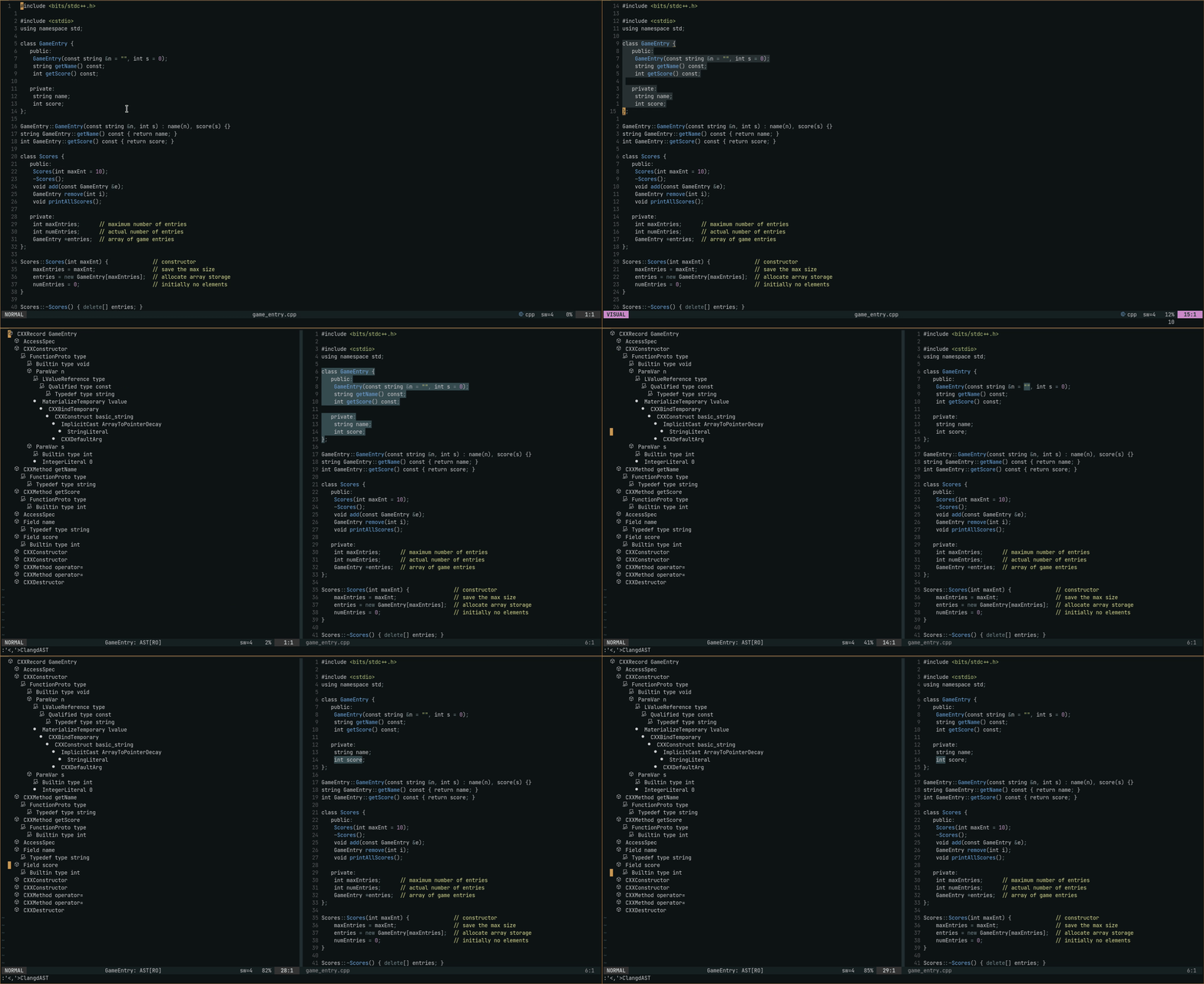
您可以使用zc和Friends折疊節點 - AST窗口的shiftwidth=2 ,而foldmethod=indent 。
:ClangdAST以當前行作為範圍來查看AST, :'<,'>ClangdAST帶有視覺選擇,以使用選定的線作為範圍查看AST。查看範圍如何在https://clangd.llvm.org/extensions#ast上處理
用法:用於NVIM-CMP
 local cmp = require " cmp "
cmp . setup {
    -- ... rest of your cmp setup ...

    sorting = {
        comparators = {
            cmp . config . compare . offset ,
            cmp . config . compare . exact ,
            cmp . config . compare . recently_used ,
            require ( " clangd_extensions.cmp_scores " ),
            cmp . config . compare . kind ,
            cmp . config . compare . sort_text ,
            cmp . config . compare . length ,
            cmp . config . compare . order ,
        },
    },
}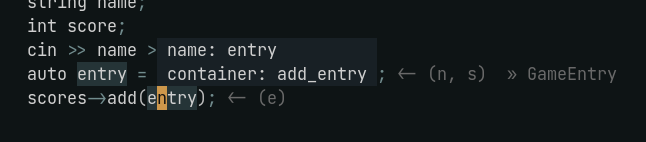
:ClangdSymbolInfo ,帶有光標處於所需符號。
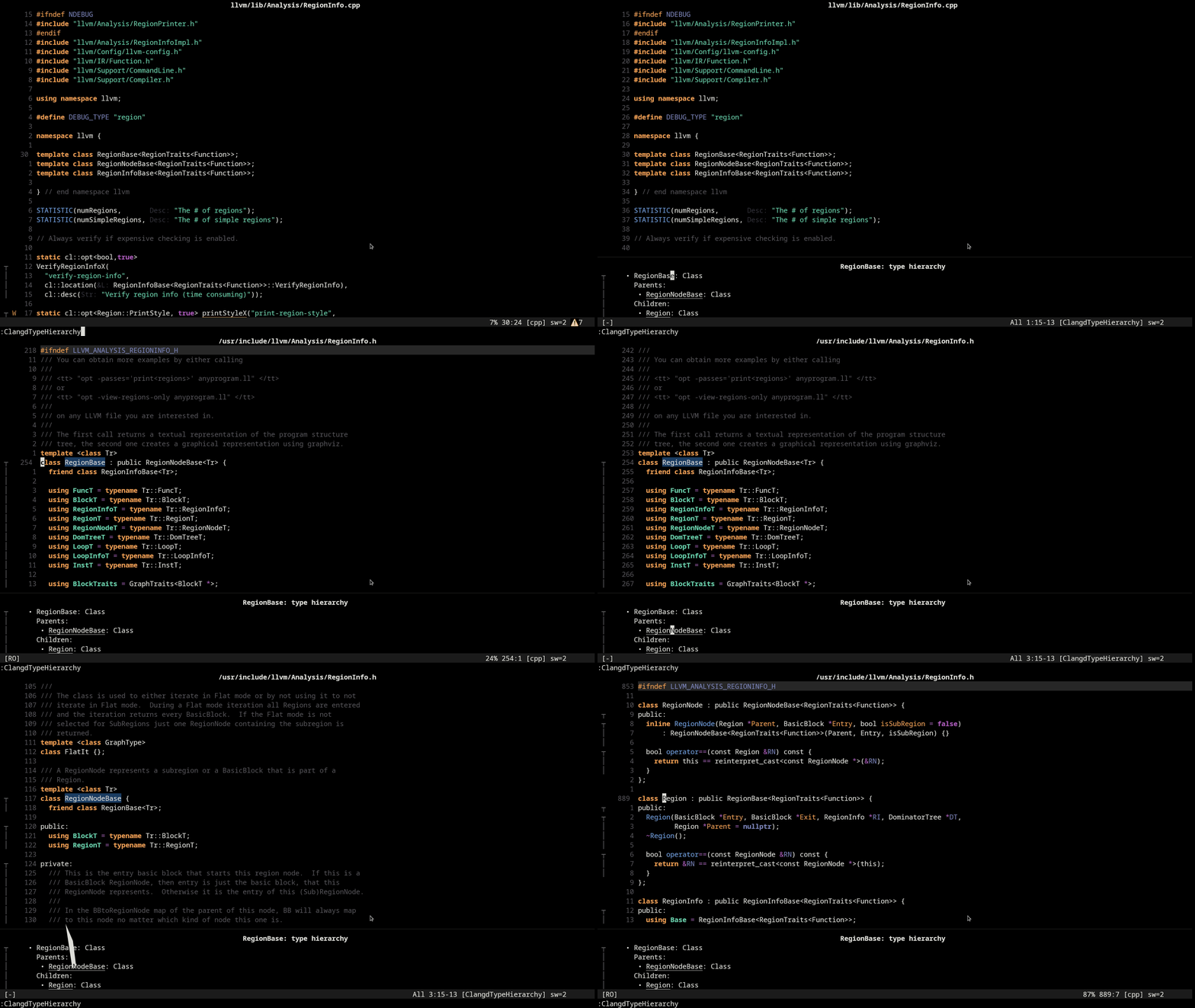
:ClangdTypeHierarchy具有光標,上面是所需類型或該類型的符號。 gd帶有光標窗口中的類型,以轉到其定義。
您可以使用zc和朋友折疊項目 - 內存用法窗口的shiftwidth=2 ,而foldmethod=indent 。 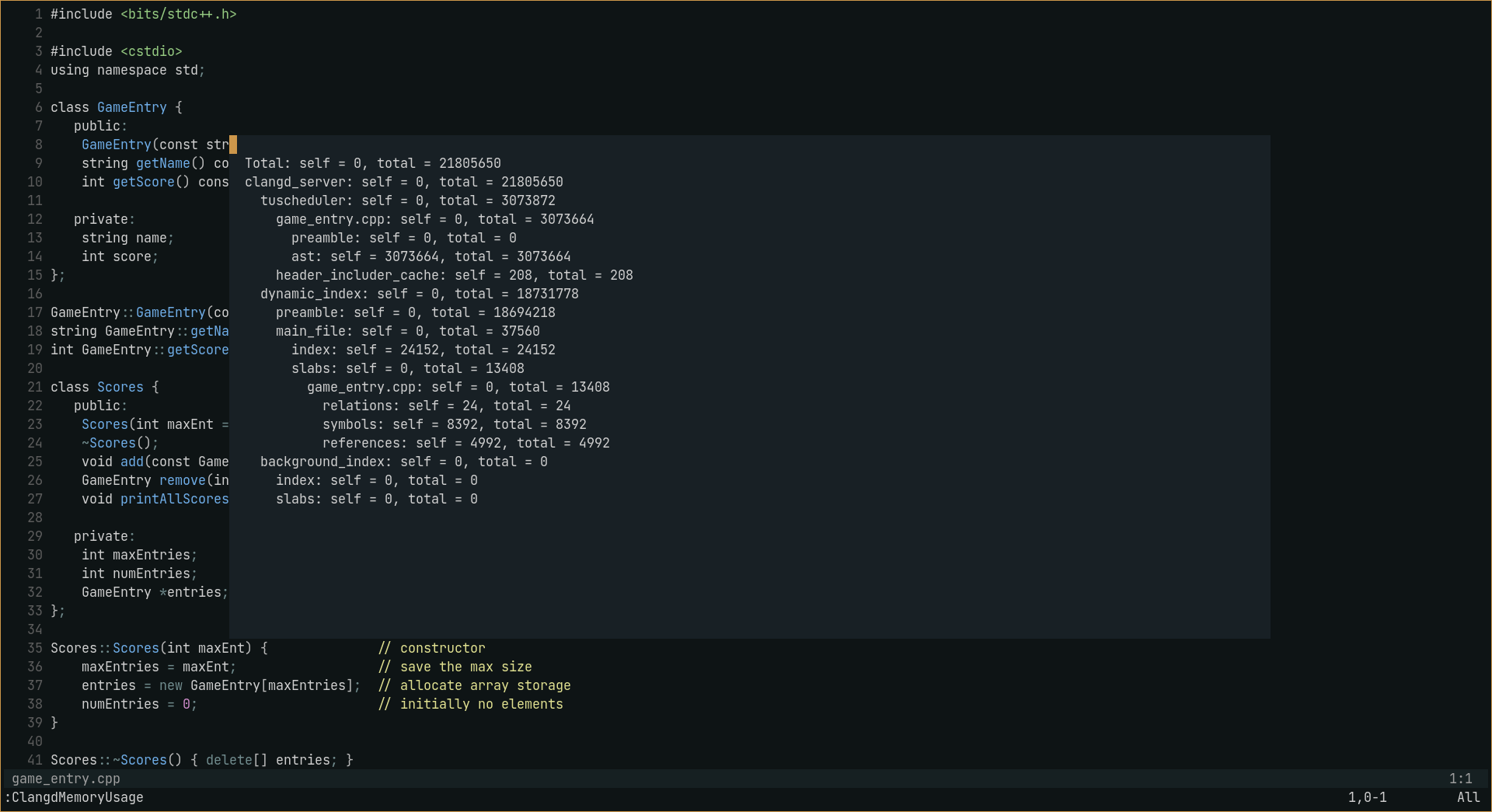
:ClangdMemoryUsage 。序言可能很大,因此默認情況下它會崩潰,以擴展其使用:ClangdMemoryUsage expand_preamble
☑️內存使用情況
☑️AST
☑️符號信息請求
☑️類型層次結構
☑️inlay提示
☑️在源/標頭之間切換
☑️文件狀態(請參閱lsp-status.nvim)
☑️彙編命令(可以在vim.lsp.start() /lspconfig init_options和settings中指定)
☑️代碼完成分數
⬜力量診斷(不確定)
SIMRAT39-鑲嵌提示的代碼取自Rust -tools.nvim,其更改非常小。







