clangd_extensions.nvim
1.0.0

Membutuhkan neovim 0.7+
Instal Plugin ini menggunakan Plugin/Paket Manajer atau lihat :h packages
Siapkan clangd melalui lspconfig/vim.lsp.start, seperti biasa. Anda tidak perlu menelepon require("clangd_extensions").setup jika Anda menyukai default:
require ( " clangd_extensions " ). setup ({
inlay_hints = {
inline = vim . fn . has ( " nvim-0.10 " ) == 1 ,
-- Options other than `highlight' and `priority' only work
-- if `inline' is disabled
-- Only show inlay hints for the current line
only_current_line = false ,
-- Event which triggers a refresh of the inlay hints.
-- You can make this { "CursorMoved" } or { "CursorMoved,CursorMovedI" } but
-- note that this may cause higher CPU usage.
-- This option is only respected when only_current_line is true.
only_current_line_autocmd = { " CursorHold " },
-- whether to show parameter hints with the inlay hints or not
show_parameter_hints = true ,
-- prefix for parameter hints
parameter_hints_prefix = " <- " ,
-- prefix for all the other hints (type, chaining)
other_hints_prefix = " => " ,
-- whether to align to the length of the longest line in the file
max_len_align = false ,
-- padding from the left if max_len_align is true
max_len_align_padding = 1 ,
-- whether to align to the extreme right or not
right_align = false ,
-- padding from the right if right_align is true
right_align_padding = 7 ,
-- The color of the hints
highlight = " Comment " ,
-- The highlight group priority for extmark
priority = 100 ,
},
ast = {
-- These are unicode, should be available in any font
role_icons = {
type = " ? " ,
declaration = " ? " ,
expression = " ? " ,
statement = " ; " ,
specifier = " ? " ,
[ " template argument " ] = " ? " ,
},
kind_icons = {
Compound = " ? " ,
Recovery = " ? " ,
TranslationUnit = " ? " ,
PackExpansion = " ? " ,
TemplateTypeParm = " ? " ,
TemplateTemplateParm = " ? " ,
TemplateParamObject = " ? " ,
},
--[[ These require codicons (https://github.com/microsoft/vscode-codicons)
role_icons = {
type = "",
declaration = "",
expression = "",
specifier = "",
statement = "",
["template argument"] = "",
},
kind_icons = {
Compound = "",
Recovery = "",
TranslationUnit = "",
PackExpansion = "",
TemplateTypeParm = "",
TemplateTemplateParm = "",
TemplateParamObject = "",
}, ]]
highlights = {
detail = " Comment " ,
},
},
memory_usage = {
border = " none " ,
},
symbol_info = {
border = " none " ,
},
}) :ClangdSwitchSourceHeader
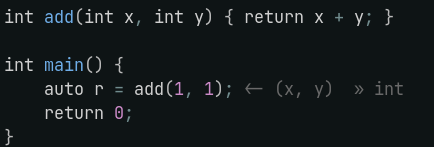
Tambahkan ini ke on_attach NVIM-LSPConfig / vim.lsp.start() Anda:
 require ( " clangd_extensions.inlay_hints " ). setup_autocmd ()
require ( " clangd_extensions.inlay_hints " ). set_inlay_hints ()
Anda juga dapat mengaktifkan, menonaktifkan, atau beralih petunjuk dengan ClangdSetInlayHints , ClangdDisableInlayHints dan ClangdToggleInlayHints . Toggling mengembalikan keadaan petunjuk saat ini, ini berguna jika Anda ingin mengaitkan panggilan balik saat beralih petunjuk inlay:
 if require ( " clangd_extensions.inlay_hints " ). toggle_inlay_hints () then
    -- Inlay hints are enabled
else
    -- Inlay hints are disabled
end
Misalnya jika Anda memiliki perintah autok terkait dengan petunjuk clangd inlay Anda mungkin ingin menonaktifkan/mengaktifkannya saat beralih petunjuk inlay:
 on_attach = function ( _ , buf )
    local group = vim . api . nvim_create_augroup ( " clangd_no_inlay_hints_in_insert " , { clear = true })

    vim . keymap . set ( " n " , " <leader>lh " , function ()
        if require ( " clangd_extensions.inlay_hints " ). toggle_inlay_hints () then
            vim . api . nvim_create_autocmd ( " InsertEnter " , { group = group , buffer = buf ,
                callback = require ( " clangd_extensions.inlay_hints " ). disable_inlay_hints
            })
            vim . api . nvim_create_autocmd ({ " TextChanged " , " InsertLeave " }, { group = group , buffer = buf ,
                callback = require ( " clangd_extensions.inlay_hints " ). set_inlay_hints
            })
        else
            vim . api . nvim_clear_autocmds ({ group = group , buffer = buf })
        end
    end , { buffer = buf , desc = " [l]sp [h]ints toggle " })
end ,
}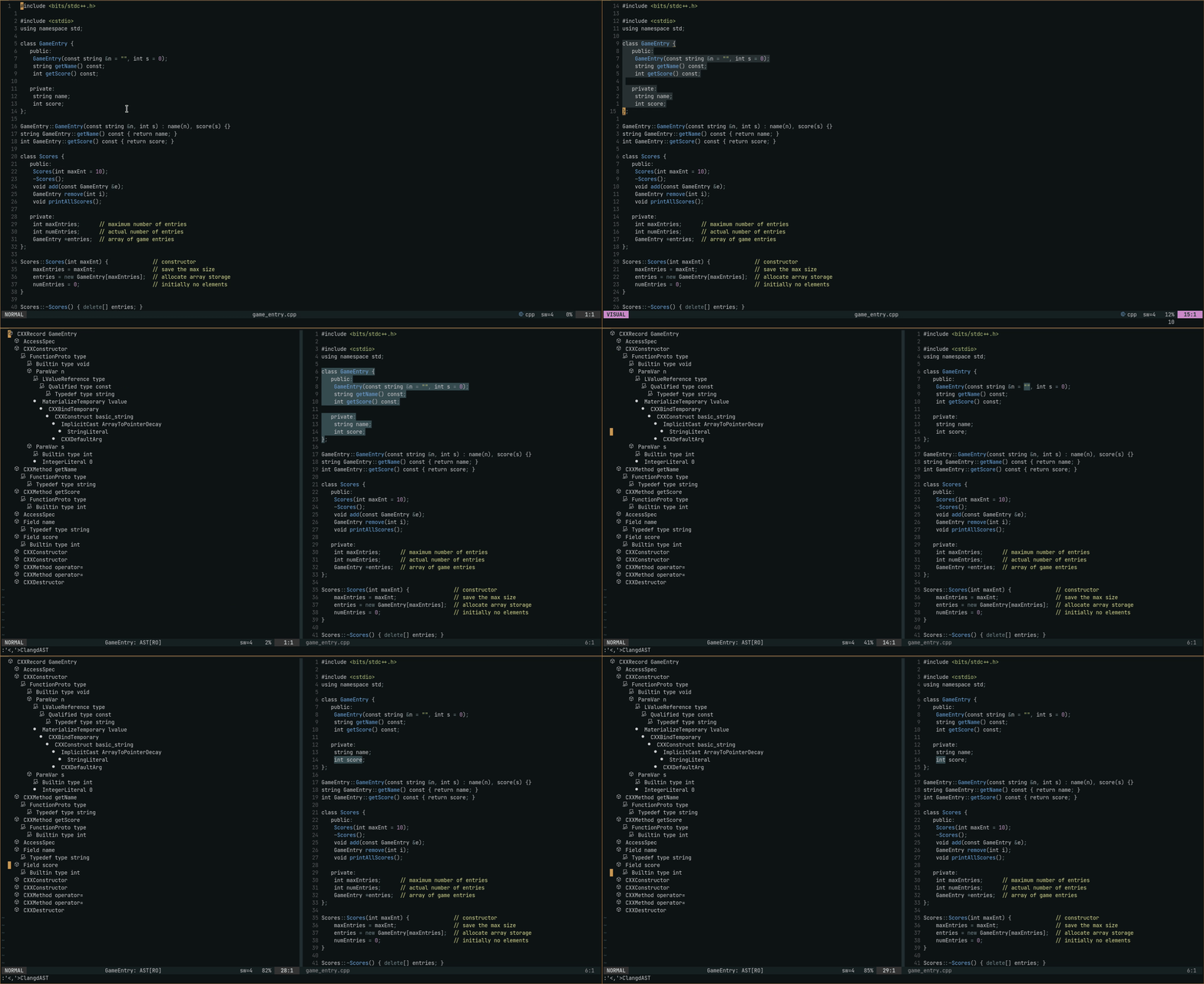 Anda dapat melipat node menggunakan
 zc dan Friends - jendela AST memiliki shiftwidth=2 dan foldmethod=indent .
:ClangdAST untuk melihat AST dengan garis saat ini sebagai rentang , :'<,'>ClangdAST dengan pilihan visual untuk melihat AST dengan garis yang dipilih sebagai rentang. Lihat bagaimana rentang ditangani di https://latd.llvm.org/extensions#ast
Penggunaan: Untuk NVIM-CMP
 local cmp = require " cmp "
cmp . setup {
    -- ... rest of your cmp setup ...

    sorting = {
        comparators = {
            cmp . config . compare . offset ,
            cmp . config . compare . exact ,
            cmp . config . compare . recently_used ,
            require ( " clangd_extensions.cmp_scores " ),
            cmp . config . compare . kind ,
            cmp . config . compare . sort_text ,
            cmp . config . compare . length ,
            cmp . config . compare . order ,
        },
    },
}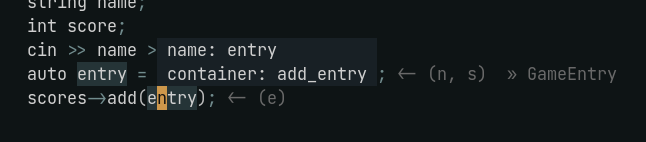
:ClangdSymbolInfo dengan kursor pada simbol yang diinginkan.
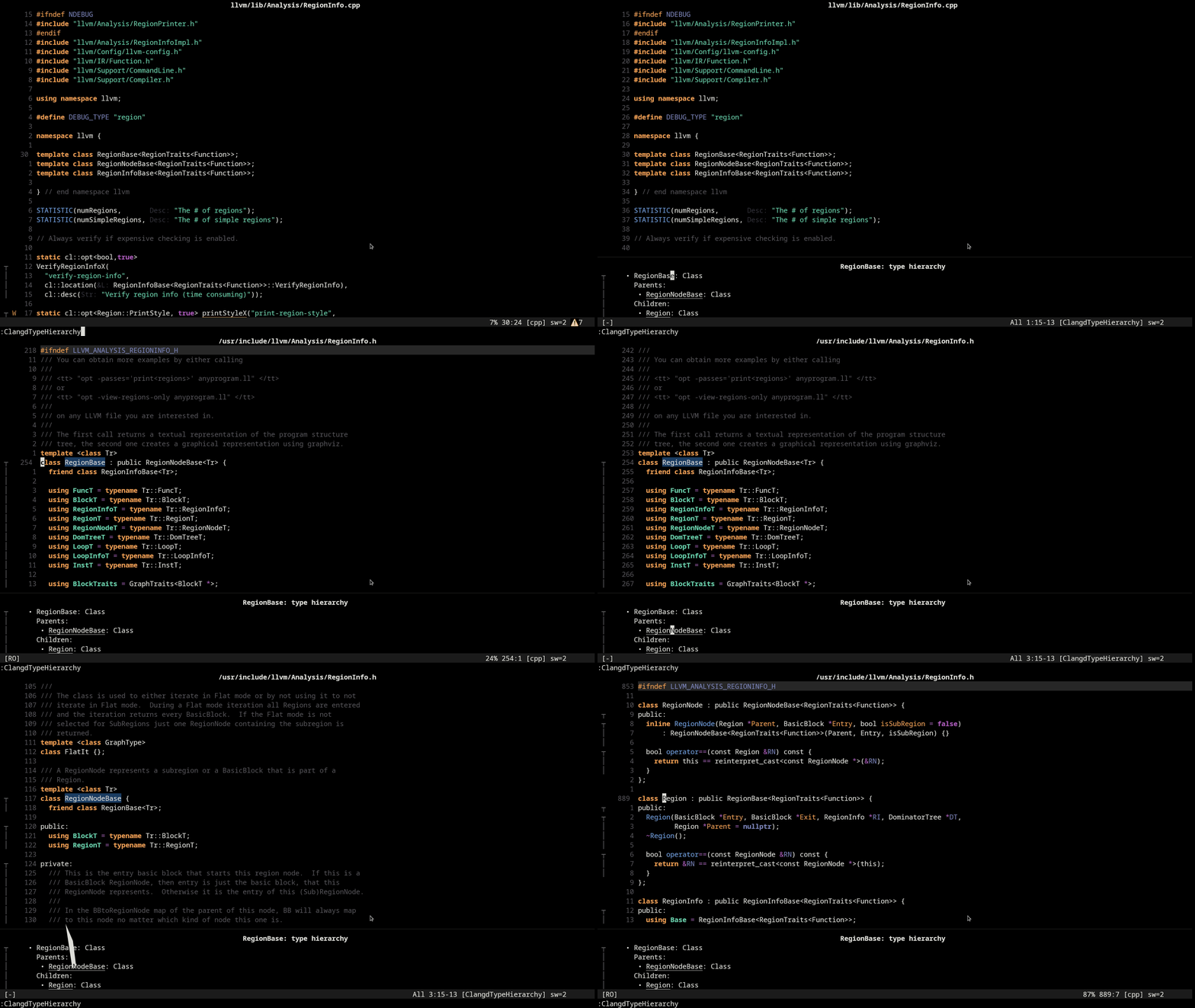
:ClangdTypeHierarchy dengan kursor di atas jenis yang diinginkan atau simbol jenis itu. gd dengan kursor di atas jenis di jendela untuk masuk ke definisinya.
Anda dapat melipat item menggunakan zc dan teman - jendela penggunaan memori memiliki shiftwidth=2 dan foldmethod=indent . 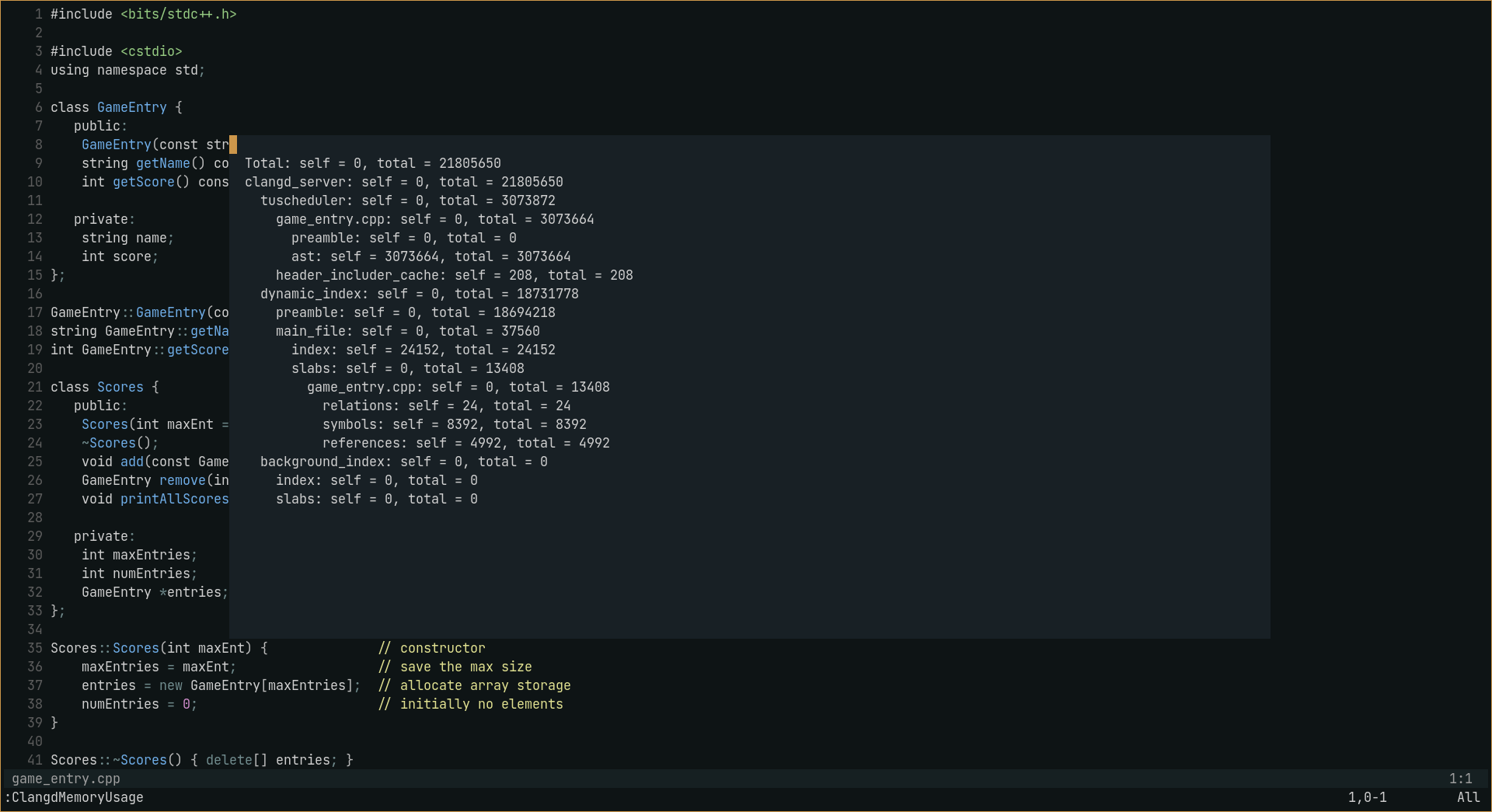
:ClangdMemoryUsage . Pembukaan bisa besar sehingga runtuh secara default, untuk memperluas penggunaannya :ClangdMemoryUsage expand_preamble
☑️ Penggunaan memori
☑️ Ast
☑️ permintaan info simbol
☑️ Jenis hierarki
☑️ Petunjuk Inlay
☑️ Beralih di antara sumber/header
☑️ Status File (lihat LSP-Status.nvim)
☑️ Perintah kompilasi (dapat ditentukan dalam vim.lsp.start() /lspconfig init_options dan settings )
☑️ skor penyelesaian kode
⬜ Generasi Diagnostik Force (tidak yakin)
Simrat39 - Kode untuk petunjuk inlay diambil dari alat karat. NVIM dengan perubahan yang sangat kecil.







