clangd_extensions.nvim
1.0.0

Requiere neovim 0.7+
Instale este complemento con cualquier complemento/Administrador de paquetes o ver :h packages
Configurar clangd a través de LSPConfig/Vim.lsp.Start, como de costumbre. No necesita llamar require("clangd_extensions").setup si desea los valores predeterminados:
require ( " clangd_extensions " ). setup ({
inlay_hints = {
inline = vim . fn . has ( " nvim-0.10 " ) == 1 ,
-- Options other than `highlight' and `priority' only work
-- if `inline' is disabled
-- Only show inlay hints for the current line
only_current_line = false ,
-- Event which triggers a refresh of the inlay hints.
-- You can make this { "CursorMoved" } or { "CursorMoved,CursorMovedI" } but
-- note that this may cause higher CPU usage.
-- This option is only respected when only_current_line is true.
only_current_line_autocmd = { " CursorHold " },
-- whether to show parameter hints with the inlay hints or not
show_parameter_hints = true ,
-- prefix for parameter hints
parameter_hints_prefix = " <- " ,
-- prefix for all the other hints (type, chaining)
other_hints_prefix = " => " ,
-- whether to align to the length of the longest line in the file
max_len_align = false ,
-- padding from the left if max_len_align is true
max_len_align_padding = 1 ,
-- whether to align to the extreme right or not
right_align = false ,
-- padding from the right if right_align is true
right_align_padding = 7 ,
-- The color of the hints
highlight = " Comment " ,
-- The highlight group priority for extmark
priority = 100 ,
},
ast = {
-- These are unicode, should be available in any font
role_icons = {
type = " ? " ,
declaration = " ? " ,
expression = " ? " ,
statement = " ; " ,
specifier = " ? " ,
[ " template argument " ] = " ? " ,
},
kind_icons = {
Compound = " ? " ,
Recovery = " ? " ,
TranslationUnit = " ? " ,
PackExpansion = " ? " ,
TemplateTypeParm = " ? " ,
TemplateTemplateParm = " ? " ,
TemplateParamObject = " ? " ,
},
--[[ These require codicons (https://github.com/microsoft/vscode-codicons)
role_icons = {
type = "",
declaration = "",
expression = "",
specifier = "",
statement = "",
["template argument"] = "",
},
kind_icons = {
Compound = "",
Recovery = "",
TranslationUnit = "",
PackExpansion = "",
TemplateTypeParm = "",
TemplateTemplateParm = "",
TemplateParamObject = "",
}, ]]
highlights = {
detail = " Comment " ,
},
},
memory_usage = {
border = " none " ,
},
symbol_info = {
border = " none " ,
},
}) :ClangdSwitchSourceHeader
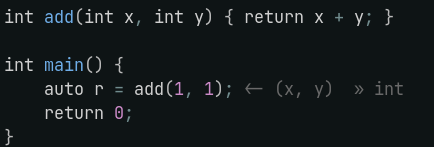
Agregue esto a su NVIM-LSPCONFIG / vim.lsp.start() 's on_attach :
 require ( " clangd_extensions.inlay_hints " ). setup_autocmd ()
require ( " clangd_extensions.inlay_hints " ). set_inlay_hints ()
También puede habilitar, deshabilitar o alternar las sugerencias con ClangdSetInlayHints , ClangdDisableInlayHints y ClangdToggleInlayHints . Toggling Devuelve el estado actual de las sugerencias, esto es útil si desea enganchar una devolución de llamada al alternar las sugerencias de incrustaciones:
 if require ( " clangd_extensions.inlay_hints " ). toggle_inlay_hints () then
    -- Inlay hints are enabled
else
    -- Inlay hints are disabled
end
Por ejemplo, si tiene autocommands relacionados con las sugerencias de incrustaciones de Clangd, es posible que desee deshabilitarlos al alternar sugerencias de incrustaciones:
 on_attach = function ( _ , buf )
    local group = vim . api . nvim_create_augroup ( " clangd_no_inlay_hints_in_insert " , { clear = true })

    vim . keymap . set ( " n " , " <leader>lh " , function ()
        if require ( " clangd_extensions.inlay_hints " ). toggle_inlay_hints () then
            vim . api . nvim_create_autocmd ( " InsertEnter " , { group = group , buffer = buf ,
                callback = require ( " clangd_extensions.inlay_hints " ). disable_inlay_hints
            })
            vim . api . nvim_create_autocmd ({ " TextChanged " , " InsertLeave " }, { group = group , buffer = buf ,
                callback = require ( " clangd_extensions.inlay_hints " ). set_inlay_hints
            })
        else
            vim . api . nvim_clear_autocmds ({ group = group , buffer = buf })
        end
    end , { buffer = buf , desc = " [l]sp [h]ints toggle " })
end ,
} Puede plegar nodos usando
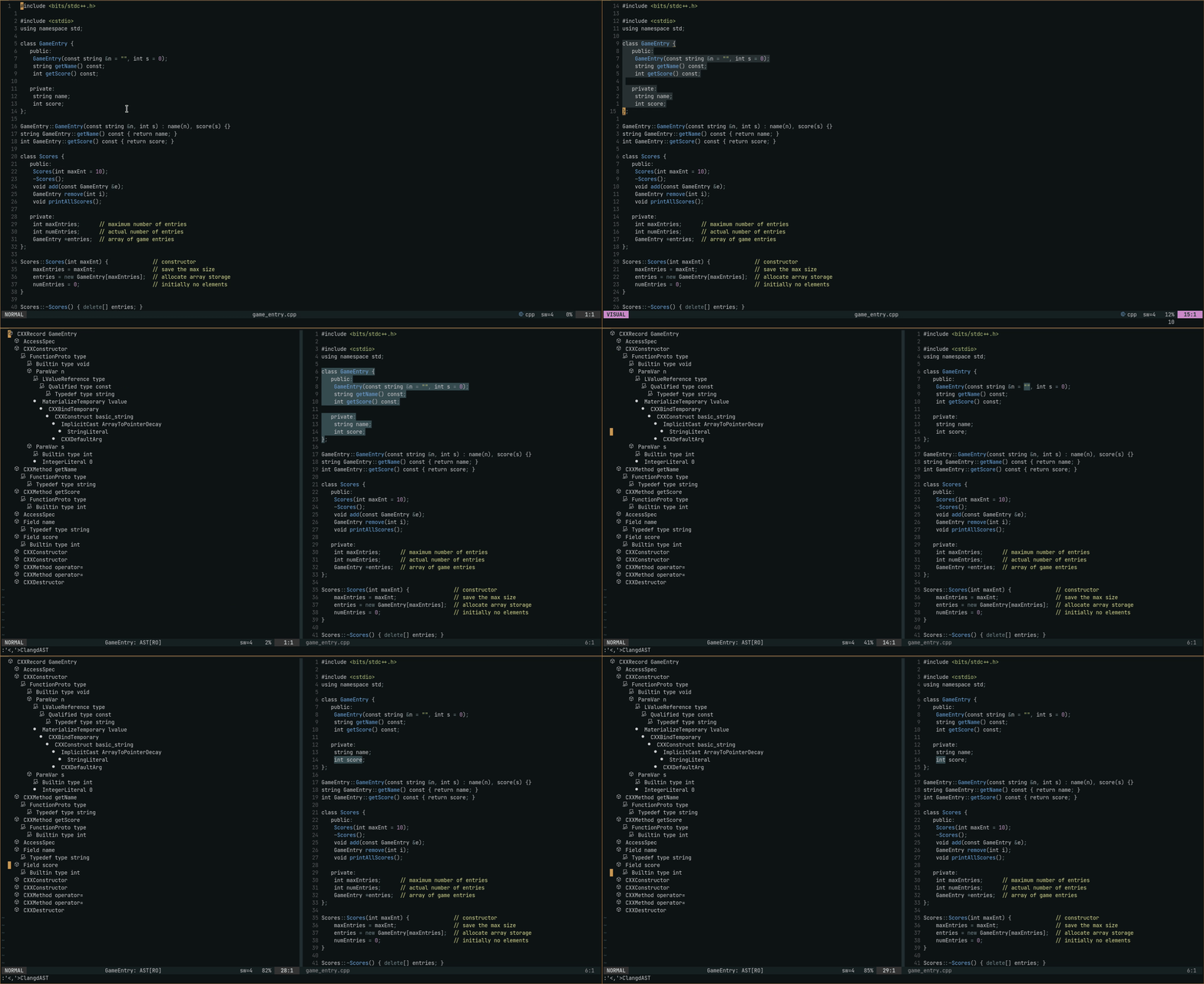
 zc y Friends: la ventana AST foldmethod=indent shiftwidth=2
:ClangdAST para ver el AST con la línea actual como rango,: :'<,'>ClangdAST con una selección visual para ver el AST con las líneas seleccionadas como rango. Vea cómo se manejan los rangos en https://clangd.llvm.org/extensions#ast
Uso: para NVIM-CMP
 local cmp = require " cmp "
cmp . setup {
    -- ... rest of your cmp setup ...

    sorting = {
        comparators = {
            cmp . config . compare . offset ,
            cmp . config . compare . exact ,
            cmp . config . compare . recently_used ,
            require ( " clangd_extensions.cmp_scores " ),
            cmp . config . compare . kind ,
            cmp . config . compare . sort_text ,
            cmp . config . compare . length ,
            cmp . config . compare . order ,
        },
    },
}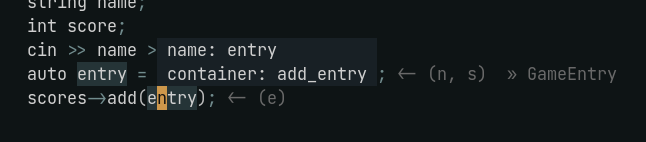
:ClangdSymbolInfo con el cursor en el símbolo deseado.
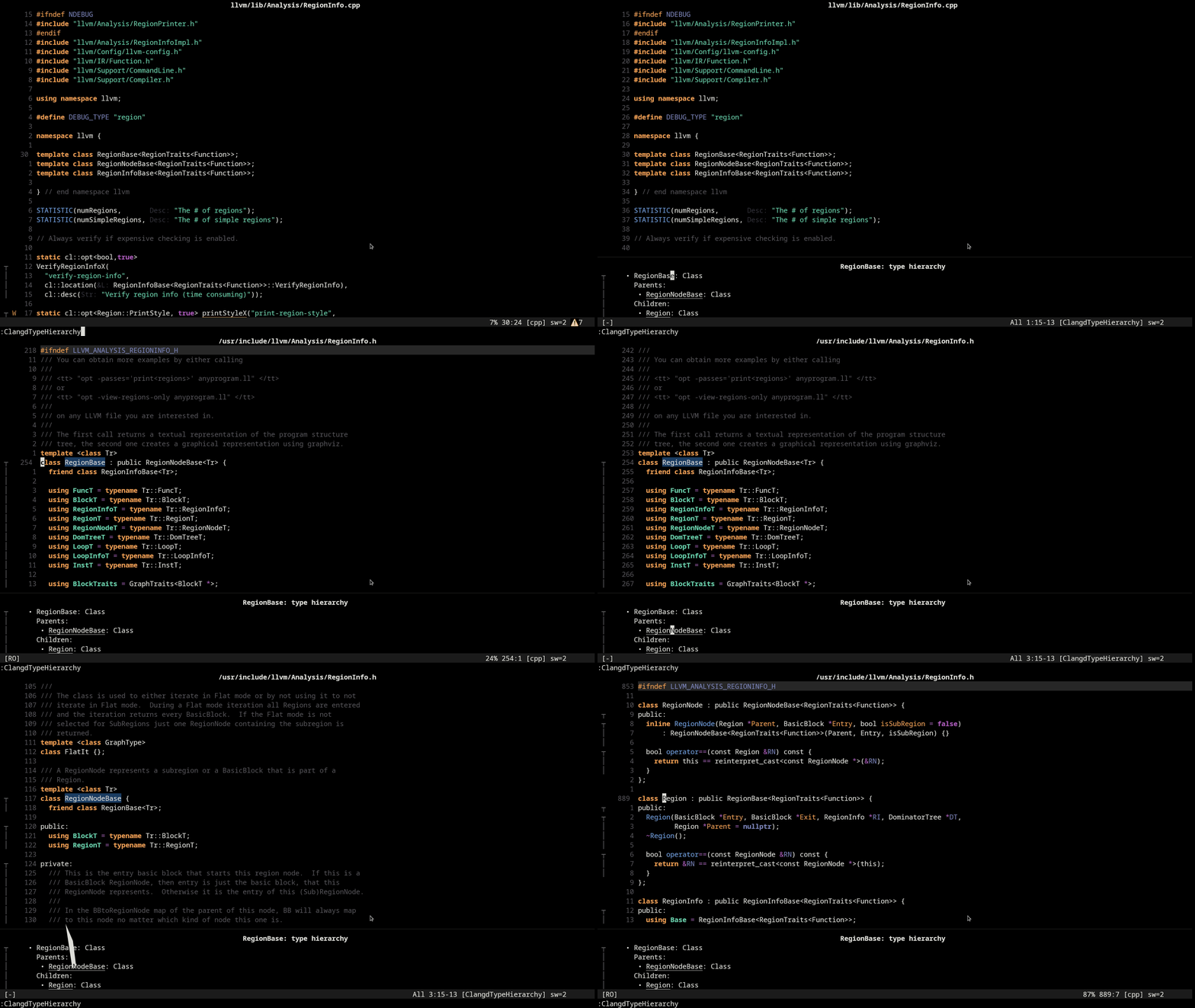
:ClangdTypeHierarchy con el cursor sobre el tipo deseado o un símbolo de ese tipo. gd con el cursor sobre un tipo en una ventana para ir a su definición.
Puede doblar los elementos usando zc y Friends: la ventana de uso de la memoria tiene shiftwidth=2 y foldmethod=indent . 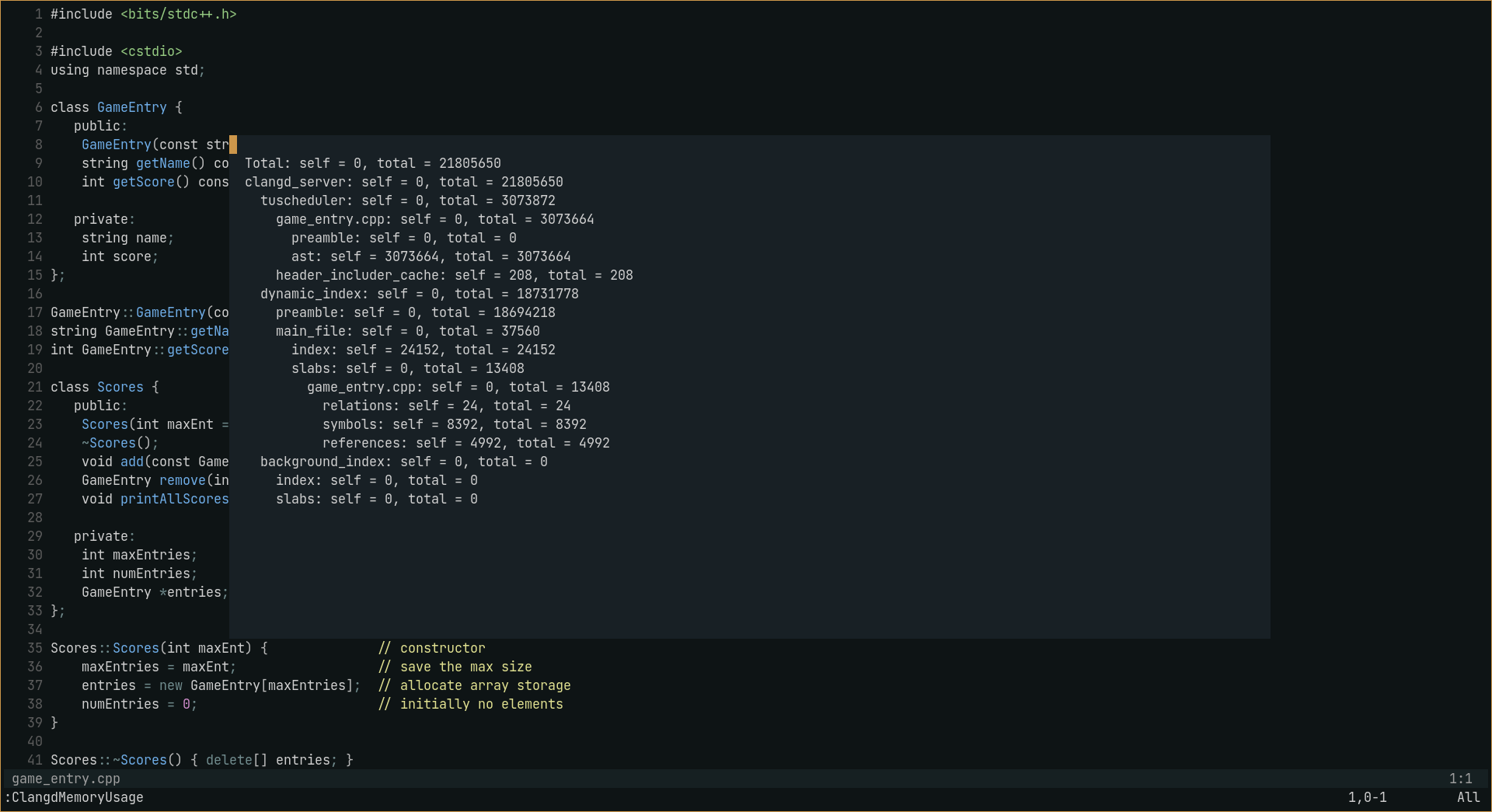
:ClangdMemoryUsage . El preámbulo puede ser grande, por lo que se derrumba de forma predeterminada, para expandirlo :ClangdMemoryUsage expand_preamble
☑️ Uso de la memoria
☑️ AST
Solicitud de información de símbolos ☑️
☑️ Jerarquía de tipo
☑️ Insons Sugers
☑️ Cambio entre fuente/encabezado
☑️ Estado del archivo (ver lsp-status.nvim)
☑️ Comandos de compilación (se puede especificar en vim.lsp.start() /lspconfig init_options y settings )
Puntajes de finalización de código ☑️
⬜ Force la generación de diagnóstico (no estoy seguro)
SIMRAT39 - El código para sugerencias de incrustación fue tomada de óxido.







