ask_chatgpt
0.5.0


AI驅動的助手寶石就在您的欄杆控制台中。
新更新:使用麥克風的語音輸入,演示:https://youtu.be/ubr0wnqvkao
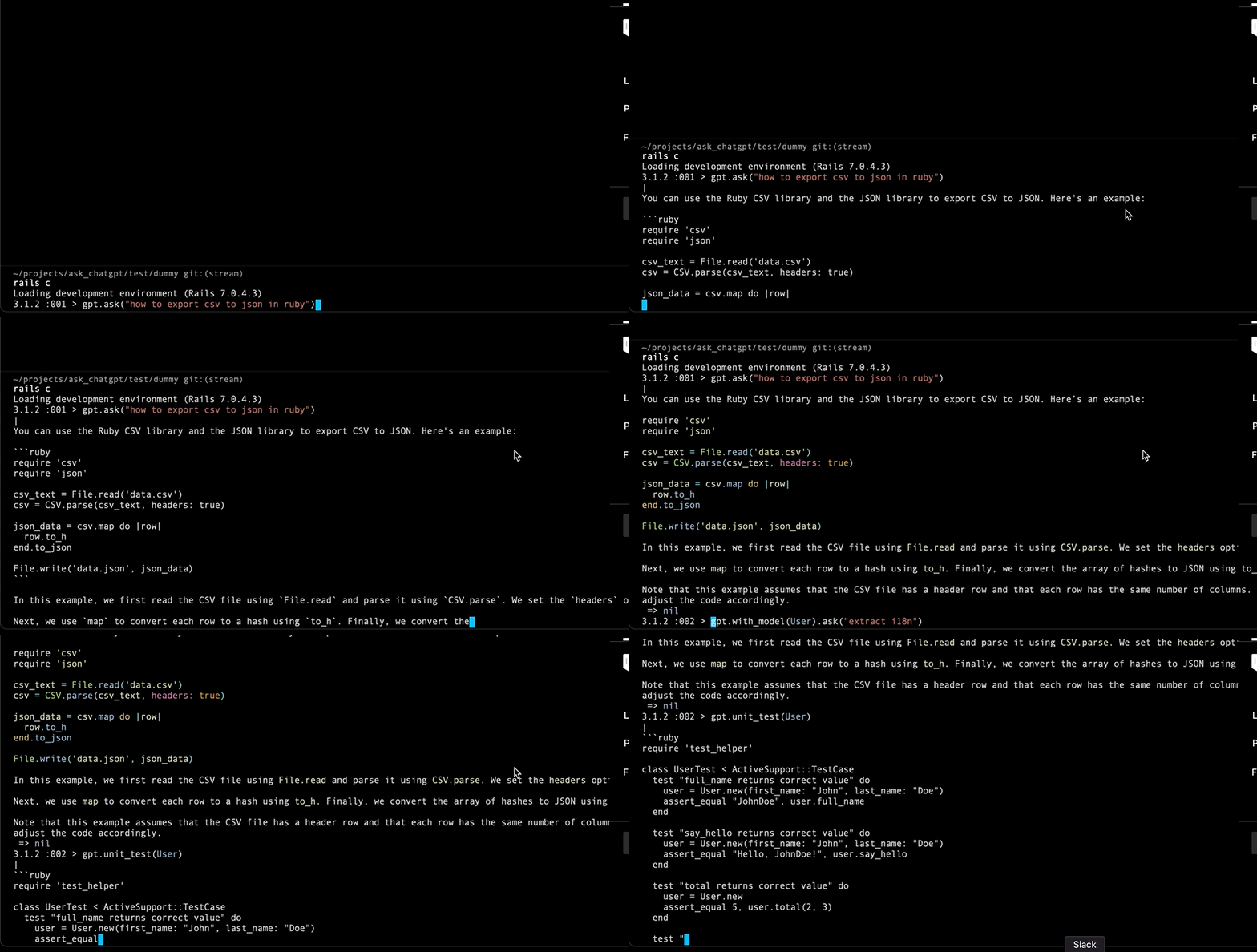
一種利用AI的力量使您的開發體驗更有效和愉快的寶石。使用此寶石,您可以簡化編碼過程,輕鬆地重構並改進代碼,甚至可以隨時生成測試。 +請參見下面的更多示例。
前往Rails Console並運行:
  gpt . ask ( "how to get max age of user with projects from Ukraine" ) . with_model ( User , Project , Country )
  gpt . ask ( "convert json to xml" )
  gpt . with_code ( "User.get_report" , Project ) . ask "make it better" # with_class alias for with_code
  gpt . with_class ( User ) . ask "make it better"
  gpt . payload ( json ) . ask ( "extract emails from json" )
  gpt . refactor ( "User.get_report" )
  gpt . improve ( "User.get_report" )
  gpt . rspec_test ( User )
  gpt . unit_test ( User )
  gpt . code_review ( User . method ( :get_report ) )
  gpt . find_bug ( 'User#full_name' )
  gpt . explain ( User )
  gpt . improve %Q{
    def full_name
      [first_name, last_name].join
    end
  }
  #
  # --- NEW ---
  #
  gpt . speak # or with alias gpt.s
或使用CLI工具:
 > ask_chatgpt -q " 134*1245 "
166830

> ask_chatgpt base64 this string " hello world "
aGVsbG8gd29ybGQ=

> ask_chatgpt decode base64 this string " aGVsbG8gd29ybGQ= "
hello world
ask_chatgpt -s 1#使用CLI開始語音輸入
請參閱下面的一些示例。您還可以在此處使用幾行代碼創建自己的提示。
您也可以使用CLI工具,如何使用它。
典型的用例如何使用此插件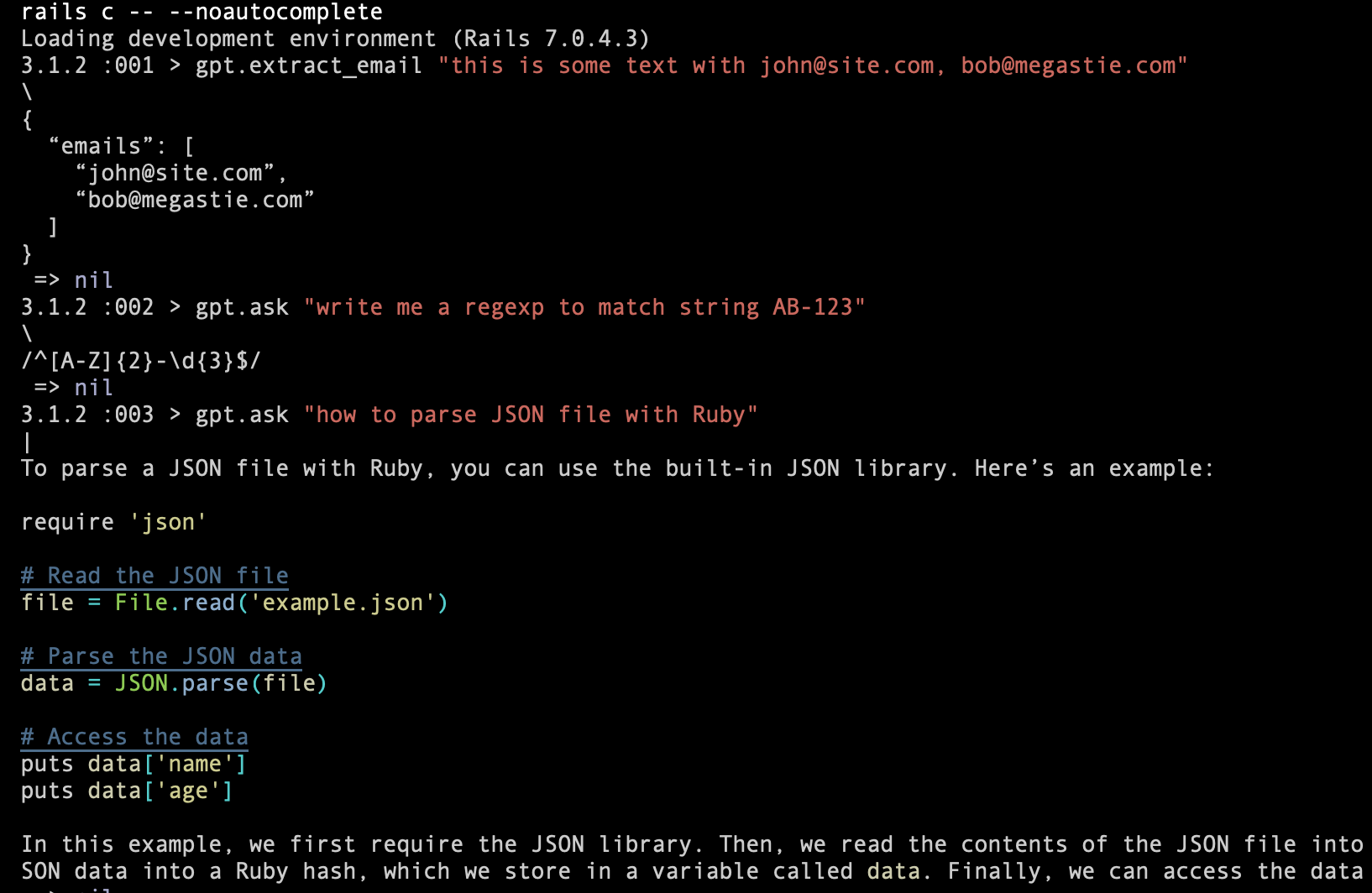
詢問代碼想法: 
您需要幫助來編寫RSPEC測試嗎? 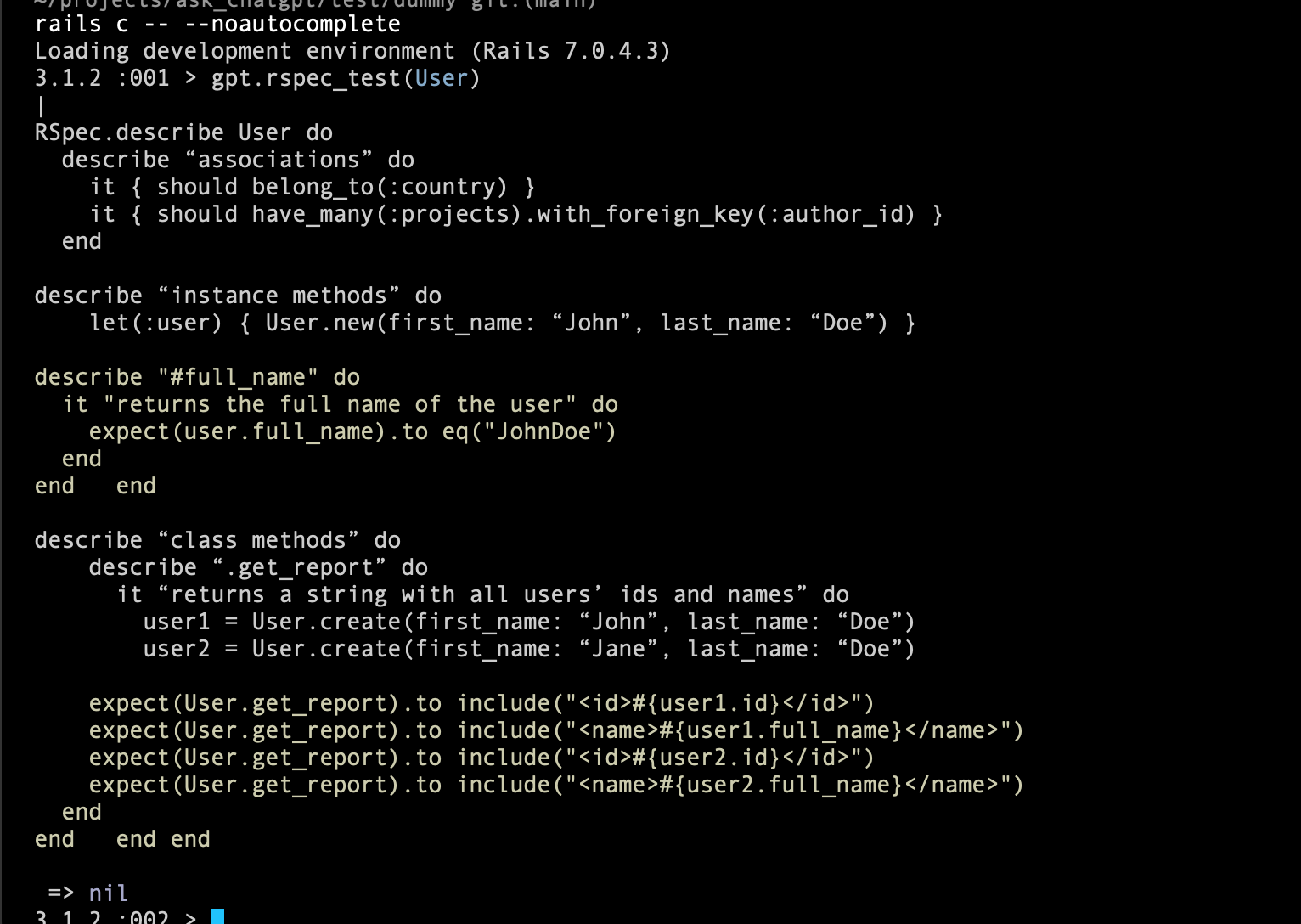
那單位測試呢? 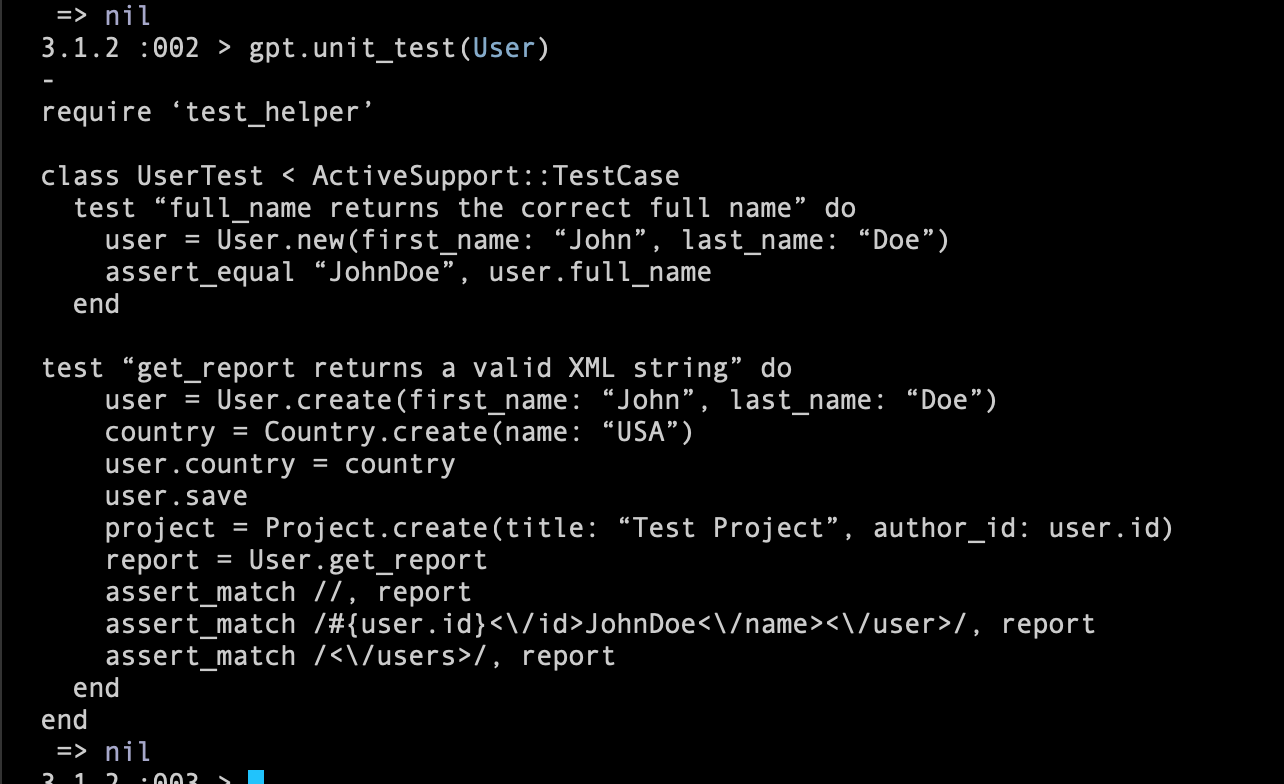
要求ChatGpt改進您的代碼: 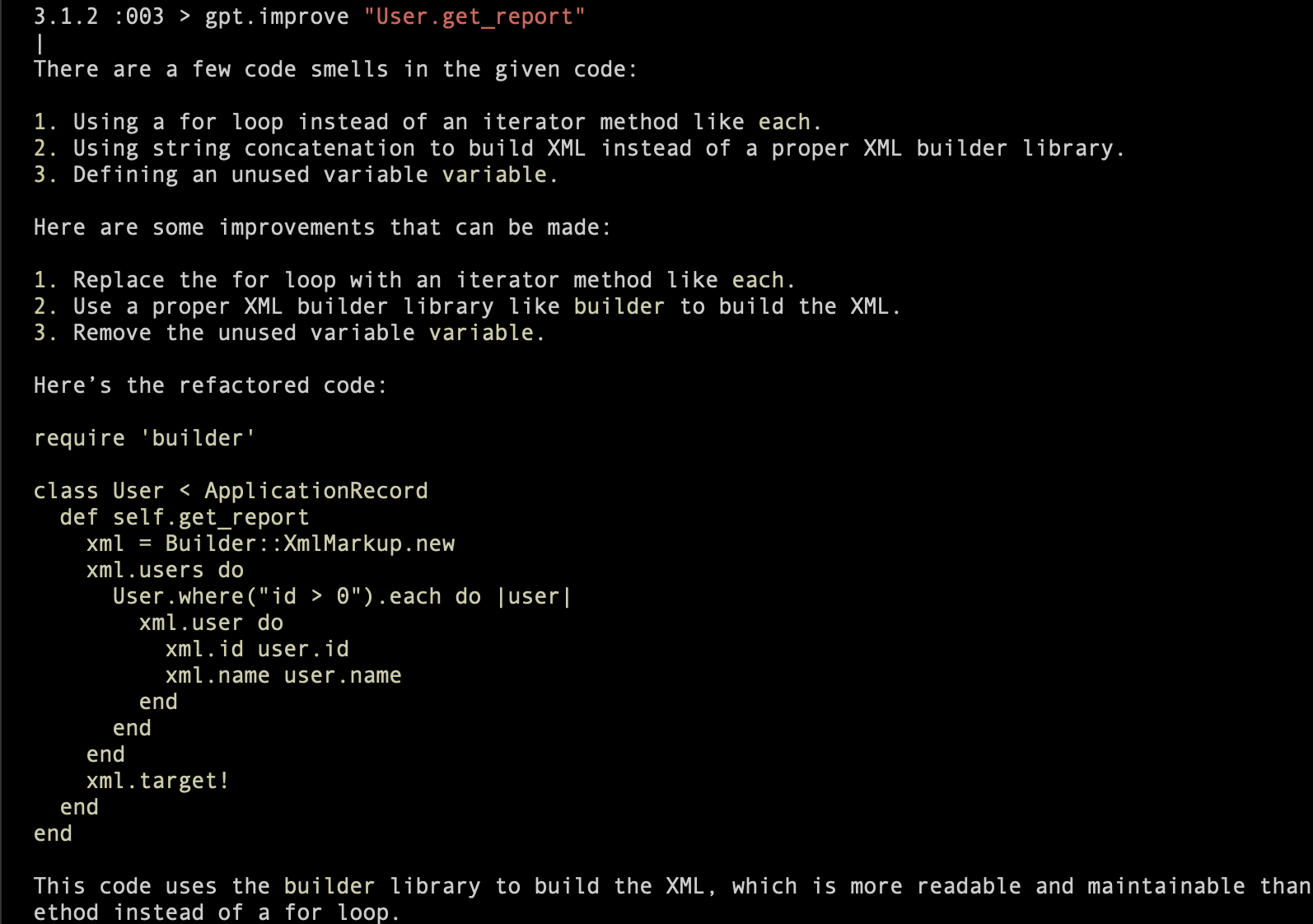
要求chatgpt解析你的json: 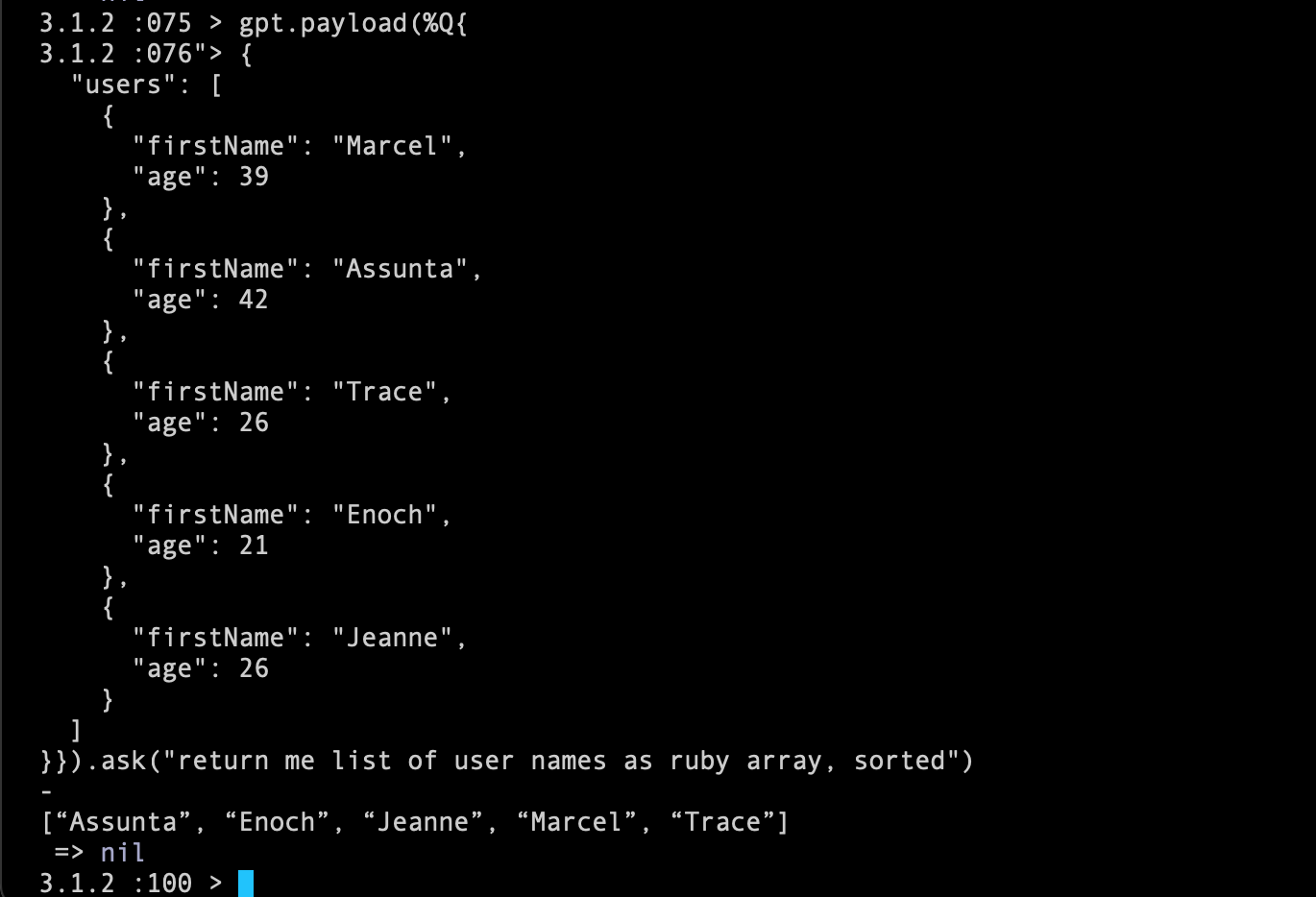
否則可以在base64中編碼您的字符串: 
為您的模型創建I18N YAML(自定義提示): 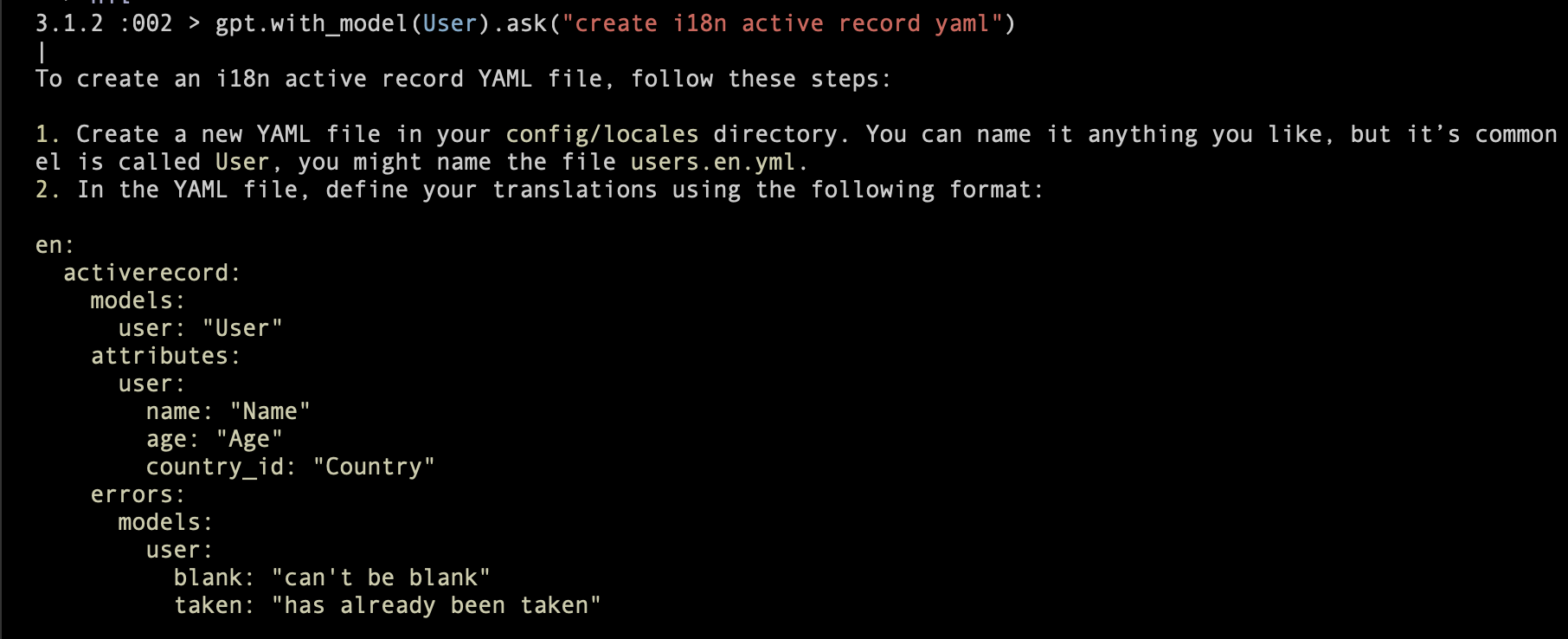
將此行添加到您的應用程序的gemfile:
gem "ask_chatgpt"然後執行:
$ bundle或自行安裝:
$ gem install ask_chatgpt運行rails g ask_chatgpt initializer 。
您可以編輯:
  AskChatGPT . setup do | config |
    # config.access_token    = ENV["OPENAI_API_KEY"]

    # async mode will use OpenAI streamming feature and will return results as they come
    # config.mode             = :async # or :sync
    # config.markdown         = true # try to output nicely Markdown response
    # config.debug            = false
    # config.model            = "gpt-3.5-turbo"
    # config.temperature      = 0.1
    # config.max_tokens       = 3000 # or nil by default
    # config.included_prompts = []

    # enable voice input with `gpt.speak` or `gpt.s`. Note, you also need to configure `audio_device_id`
    # config.voice_enabled = true

    # to get audio device ID (index in the input devices)
    # install ffmpeg, and execute from the console
    # `ffmpeg -f avfoundation -list_devices true -i ""`
    # config.audio_device_id = 1

    # after "voice_max_duration" seconds it will send audio to Open AI
    # config.voice_max_duration = 10 # 10 seconds

    # Examples of custom prompts:
    # you can use them `gpt.extract_email("some string")`

    # config.register_prompt :extract_email do |arg|
    #   "Extract email from: #{arg} as JSON"
    # end

    # config.register_prompt :extract_constants do |arg|
    #   "Extract constants from class: #{AskChatGPT::Helpers.extract_source(arg)}"
    # end

    # config.register_prompt :i18n do |code|
    #   "Use I18n in this code:n#{AskChatGPT::Helpers.extract_source(code)}"
    # end
  end
注意:您需要設置API密鑰https://platform.openai.com/account/api-keys。您可以將其存儲在.env或.bash_profile中。
nano ~/.bash_profile的示例:
export OPENAI_API_KEY=key
但是,請確保不會致力於GitHub。是必須是私人的。
您可以定義自己的提示,並使用.register_prompt使用它們。例如:
  config . register_prompt :extract_email do | arg |
    "Extract email from: #{ arg } as JSON"
end稍後,您可以使用gpt.extract_email("some text with [email protected], [email protected]") 。如果您認為您的自定義提示會很有用 - 為此寶石創建PR。
如果要獲得源代碼,請使用此助手AskChatGPT::Helpers.extract_source(str) 。
您可以通過:
  AskChatGPT :: Helpers . extract_source ( 'User.some_class_method' )
  AskChatGPT :: Helpers . extract_source ( 'User#instance_method' )
  AskChatGPT :: Helpers . extract_source ( 'User' )
  AskChatGPT :: Helpers . extract_source ( User )
  AskChatGPT :: Helpers . extract_source ( "a = b" )
默認情況下,當您在Rails App中使用默認一個提示時( .included_prompts ),該提示正在發送Ruby/Rails版本,以及數據庫適配器的名稱。
您可以啟用調試模式,以兩種方式查看OpenAI的請求/響應:
 AskChatGPT . setup do | config |
  config . debug = false
end

# or

# gpt.on!(:debug)
# gpt.off!(:debug)或直接在控制台gpt.debug! (並完成gpt.debug!(:off) )
演示:https://youtu.be/ubr0wnqvkao
現在,我認為這是一個實驗性和有趣的功能。期待看到您的反饋。
使用命令: gpt.speak或gpt.s (別名)。
此命令立即開始錄製,它將在voice_max_duration秒後停止,或者按下任何鍵。
退出記錄模式按Q
語音使用ffmpeg工具,因此您需要安裝它。這樣的一些指令將起作用:https://www.hostinger.com/tutorials/how-to-now-to-install-ffmpeg。
另外,您需要配置audio_device_id 。運行ffmpeg -f avfoundation -list_devices true -i ""
它將為您提供所有設備的列表,例如:
 ffmpeg - f avfoundation -list_devices true -i ""
ffmpeg version 6 . 0 Copyright (c) 2000-2023 the FFmpeg developers
  built with Apple clang version 14 . 0 . 0 (clang -1400 . 0 . 29 . 202 )
  configuration: --prefix=/usr/local/Cellar/ffmpeg/ 6 . 0 --enable-shared --enable-pthreads --enable-version3 --cc=clang --host-cflags= --host-ldflags= --enable-ffplay --enable-gnutls --enable-gpl --enable-libaom --enable-libaribb24 --enable-libbluray --enable-libdav1d --enable-libmp3lame --enable-libopus --enable-librav1e --enable-librist --enable-librubberband --enable-libsnappy --enable-libsrt --enable-libsvtav1 --enable-libtesseract --enable-libtheora --enable-libvidstab --enable-libvmaf --enable-libvorbis --enable-libvpx --enable-libwebp --enable-libx264 --enable-libx265 --enable-libxml2 --enable-libxvid --enable-lzma --enable-libfontconfig --enable-libfreetype --enable-frei0r --enable-libass --enable-libopencore-amrnb --enable-libopencore-amrwb --enable-libopenjpeg --enable-libspeex --enable-libsoxr --enable-libzmq --enable-libzimg --disable-libjack --disable-indev=jack --enable-videotoolbox
  libavutil      58 .  2 . 100 / 58 .  2 . 100
  libavcodec     60 .  3 . 100 / 60 .  3 . 100
  libavformat    60 .  3 . 100 / 60 .  3 . 100
  libavdevice    60 .  1 . 100 / 60 .  1 . 100
  libavfilter     9 .  3 . 100 /  9 .  3 . 100
  libswscale      7 .  1 . 100 /  7 .  1 . 100
  libswresample   4 . 10 . 100 /  4 . 10 . 100
  libpostproc    57 .  1 . 100 / 57 .  1 . 100
[AVFoundation indev @ 0x7f7fd1a04380] AVFoundation video devices:
[AVFoundation indev @ 0x7f7fd1a04380] [ 0 ] FaceTime HD Camera
[AVFoundation indev @ 0x7f7fd1a04380] [ 1 ] USB Camera VID: 1133 PID: 2085
[AVFoundation indev @ 0x7f7fd1a04380] [ 2 ] Capture screen 0
[AVFoundation indev @ 0x7f7fd1a04380] [ 3 ] Capture screen 1
[AVFoundation indev @ 0x7f7fd1a04380] AVFoundation audio devices:
[AVFoundation indev @ 0x7f7fd1a04380] [ 0 ] Microsoft Teams Audio
[AVFoundation indev @ 0x7f7fd1a04380] [ 1 ] Built-in Microphone
[AVFoundation indev @ 0x7f7fd1a04380] [ 2 ] Unknown USB Audio Device
: Input/output error
就我而言,我使用了“ 1”,因為它是Built-in Microphone 。
您可以從CLI提出問題,甚至可以開始語音輸入。
示例1: 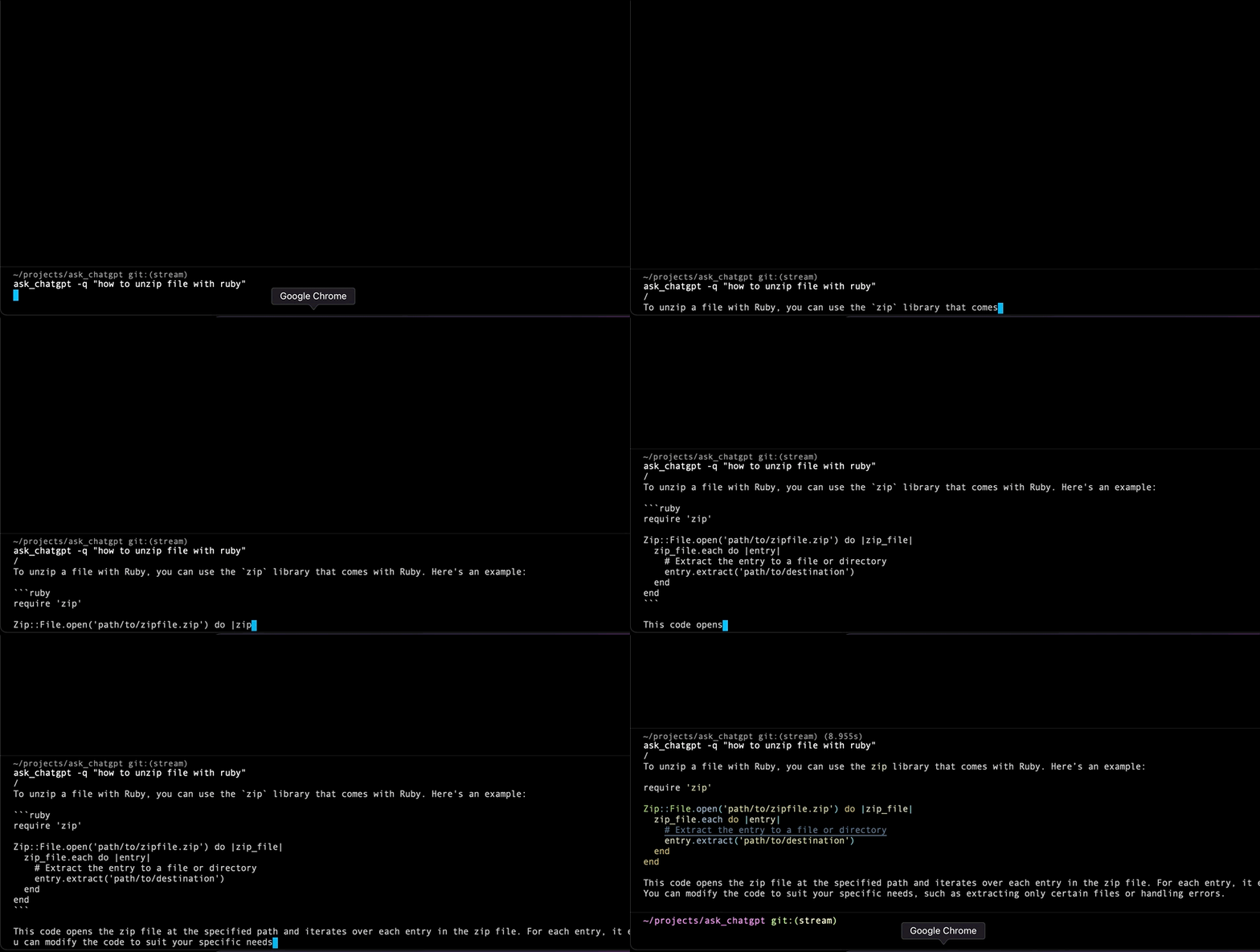
示例2: 
如何使用:
  ask_chatgpt -q "How to parse JSON file in Ruby?"
  ask_chatgpt -t 0.7 -q "How to parse JSON file in Ruby?"
  ask_chatgpt -f app/models/user.rb -q "find a bug in this Rails model"
  ask_chatgpt -f app/models/user.rb -q "create RSpec spec for this model"
  ask_chatgpt -f test/dummy/Gemfile -q "sort Ruby gems alphabetically"
  ask_chatgpt -m 3.5 -q "How to parse JSON file in Ruby?"
  ask_chatgpt -m 4 -q "Why Ruby is the best language?"
例如,您還可以創建一個別名“ A”或“ Q”:
編輯文件: nano ~/.bash_profile
 alias a= ' ask_chatgpt '
alias q= ' ask_chatgpt '現在,您可以使用q "how to unzip file with Ruby"
從控制台控制模式。或者,從初始化器中,使用config.mode = :async (或同步)。
  gpt . async!
gpt . sync! 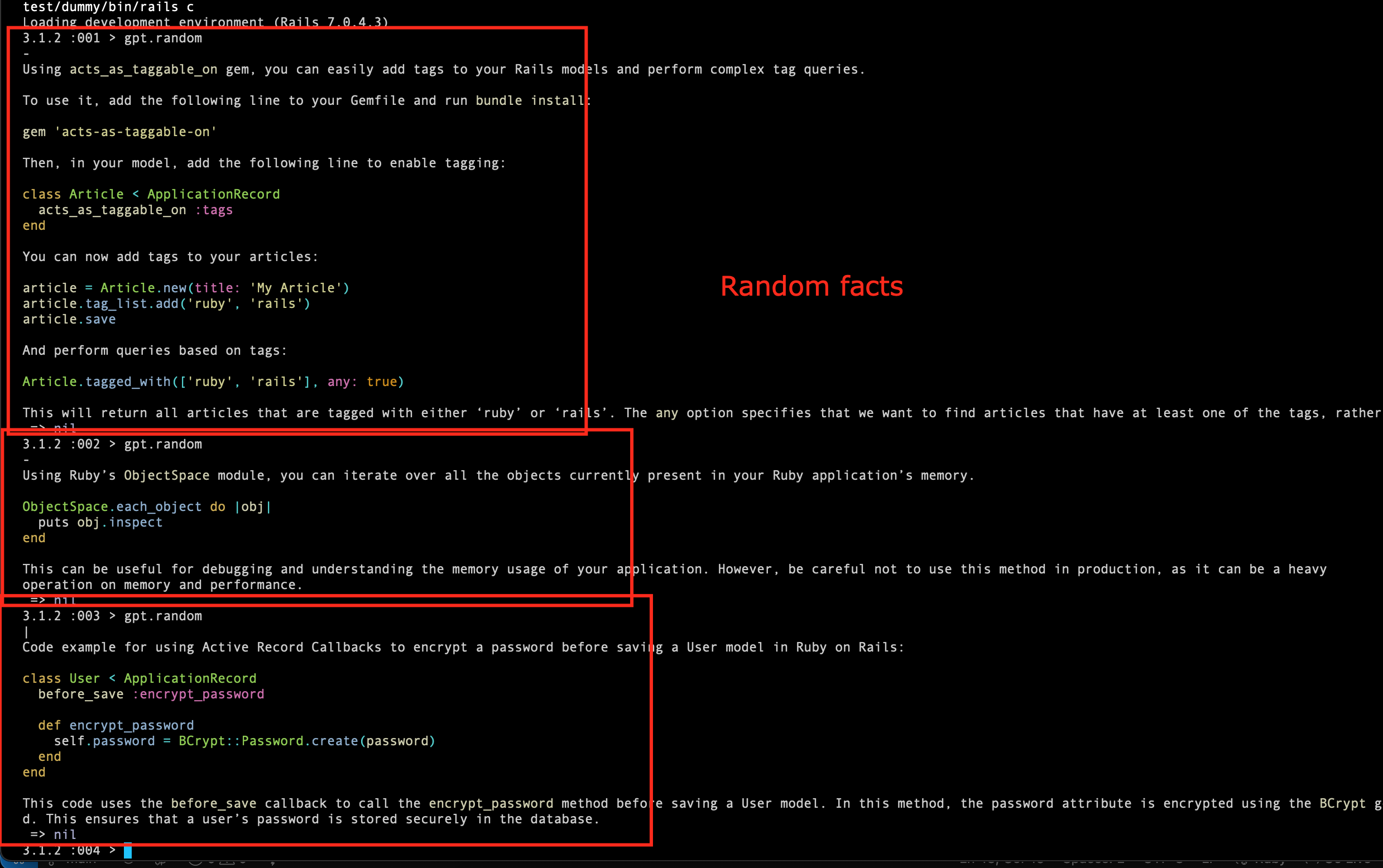
以隨機的事實和有用的提示使自己感到驚訝。要使用只需致電gpt.random (或gpt.tip , gpt.random_tip )即可。
默認情況下,它使用Ruby/Rails主題(請參閱RandomTip類)。
但是您也可以使用其他主題,例如:
  gpt . tip
  gpt . tip ( "active record" )
  gpt . tip ( "sidekiq" )
gpt . tip ( "security" ) 嘗試將Markdown的響應格式化,然後在控制台中很好地打印出來。
 AskChatGPT . setup do | config |
  config . markdown = true
end

# or

# gpt.on!(:markdown)
# gpt.off!(:markdown) with_controller , with_class ,....with_usagegptgpt.with_payload(json).speak我們歡迎您提出新提示或調整現有提示!
要開始克隆這個倉庫。運行捆綁包,然後轉到cd test/dummy/ 。啟動rails c並測試您的提示。
根據MIT許可證的條款,該寶石可作為開源。






