twitch chatlog
v7.0.0

用twitch-chatlog从您的命令行中获取chatlog到Twitch VOD。
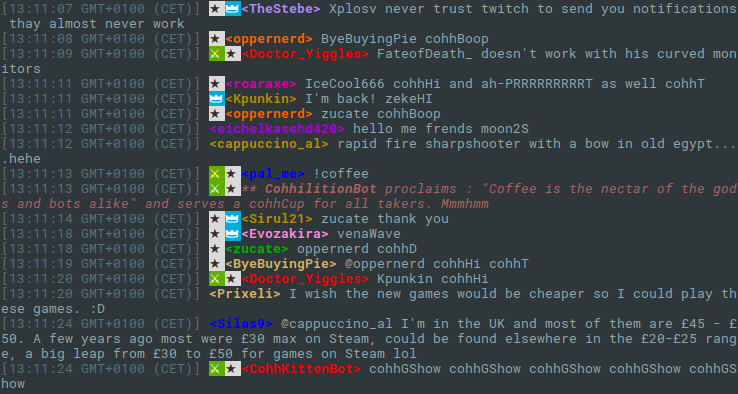
这个小命令可以将整个聊天日志下载到Twitch VOD。它将VOD的ID(1111111或类似)作为参数。要了解命令的使用情况,请使用twitch-chatlog -h 。
可以选择将输出与-c或--color或通过设置环境变量TWITCH_CHATLOG_COLOR 。
要使用自己的Twitch应用程序客户端ID,您可以将其提供为命令行选项-C或--client-id或设置环境变量TWITCH_CHATLOG_CLIENT_ID 。客户ID的默认值不能保证在2016年8月8日以前工作,在这种情况下,您必须提供自己的默认值。
为了控制聊天日志的一部分以获取--start , --length and --end可以使用。请参阅下面的使用部分。默认情况下,命令只会获取聊天日志的前十分钟,以最大程度地减少请求的数量。
npm install -g twitch-chatlog Fetch the chat log to a Twitch VOD.
Usage: twitch-chatlog <vod_id>
vod_id is the ID from the VOD URL, optionally prefixed with v (deprecated).
Options:
-c, --color Colorize output [boolean] [default: false]
-C, --client-id Twitch application client ID [string] [default: (Client-ID)]
-l, --length Amount of time from the log to fetch in seconds. Gets
shortened to the VOD length if bigger. 0 loads everything but
is not recommended. The output will run until the next end of
a log fragment. [number] [default: (10 min)]
-s, --start Start time. Can either be a time relative to the VOD start or
actual time. [string] [default: "00:00:00"]
-e, --end End time. Alternative to specifying a length. A time like for
start. [string]
-r, --raw Print the raw JSON output instead of a formatted chat log.
[boolean] [default: false]
-h, --help Show help [boolean]
-v, --version Show version number [boolean]
Examples:
twitch-chatlog 79240813 Load the first ten minutes of chat
for the VOD
https://twitch.tv/ec0ke/v/79040813
twitch-chatlog -c --end 00:15:00 79240813 Load the first 15 minutes of chat
for the VOD and colorize the output.
twitch-chatlog 79240813 Load the chat log until the given
--end=2016-07-20T20:37:44+0000 date.
该程序使用非官方的抽搐API,该API可能在任何时候停止工作。它也有可能快速连续地发送很多请求,这可能会导致抽搐采取措施,从而减少程序和/或您的抽搐经历。







