svgembed
1.0.0

https://github.com/marionebl/svg-term svg嵌入器
npm install -g git+https://github.com/miraclx/svgembed

# alternatively, with yarn
yarn global add https://github.com/miraclx/svgembed.git<img>标签)上,例如在github上) stdin 由于此脚本仅嵌入您提供的文件以及一些SVG补丁程序,因此文件尺寸是增量的,在某些情况下可能确实很大。尝试使用您嵌入的字体的轻巧版本。或使用所需的字形创建自定义字体。
根据您的浏览器和Internet连接,字体可能需要一段时间才能加载。
$ svgembed --help
 svgembed (c) 2020 Miraculous Owonubi <[email protected]>
------------------------------------------------------------
Usage: svgembed [options]

Options
  -i, --input <VALUE>  the input SVG file
  -o, --output <VALUE> the output file name
  -f, --font <VALUE>   fontfile to be embedded (otf/ttf)
  -t, --title [VALUE]  set terminal window title (default: "Terminal")
  -r, --right          use right-sided window icons
  -v, --hover          dim window icons on hover
  --overwrite          overwrite existing output
  --h, --help          output usage information
svg-term --in media/demo --out demo.svg --window --term konsole --width 78
52.10 KiB501.62 KiBsvgembed -i demo.svg -o final.svg -r -f nerd_fonts.ttf -t "svgembed is cool" --hover
501.62 KiB1007.0 KiB )"svgembed is cool"rightdim (查看原始SVG)1844.76 KiB-v, --hover 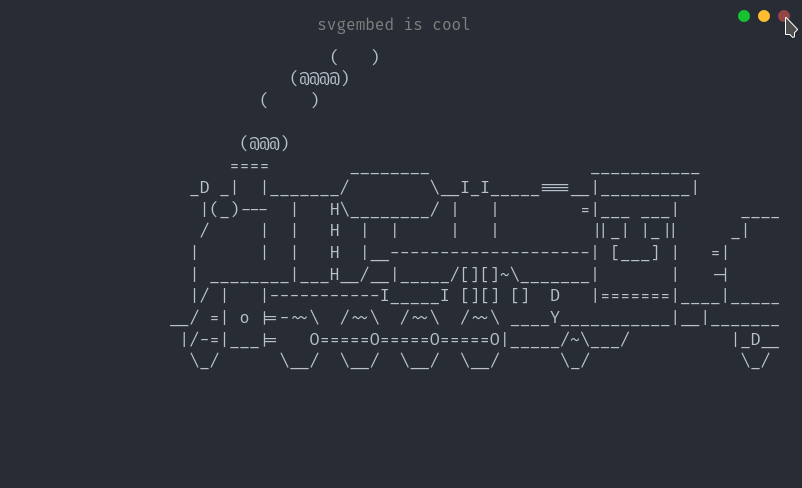
font :<string>:如果有的话,要嵌入的字体。title :<string>:要使用的窗口标题(如果有)。right :<Boolean>:是否将窗口图标移至右侧。hover :<Boolean>:是否要在悬停的窗口图标上变暗。file :<string>:SVG文件的字符串表示。config :<config>file :<string>:SVG文件的字符串表示。config :<config> apache 2.0©奇迹般的Owonubi (@miraclx)<[email protected]>








