svgembed
1.0.0

SVG embedder for https://github.com/marionebl/svg-term
npm install -g git+https://github.com/miraclx/svgembed

# alternatively, with yarn
yarn global add https://github.com/miraclx/svgembed.git<img> tags like on GitHub)stdinSince this script just embeds the files you give it along with some SVG patches, the filesize is incremental and can be really large in some cases. Try using lightweight versions of fonts you embed. Or create custom fonts with the glyphs you need.
Depending on your browser and internet connection, the fonts might take a little while to load.
$ svgembed --help
svgembed (c) 2020 Miraculous Owonubi <[email protected]>
------------------------------------------------------------
Usage: svgembed [options]

Options
  -i, --input <VALUE>  the input SVG file
  -o, --output <VALUE> the output file name
  -f, --font <VALUE>   fontfile to be embedded (otf/ttf)
  -t, --title [VALUE]  set terminal window title (default: "Terminal")
  -r, --right          use right-sided window icons
  -v, --hover          dim window icons on hover
  --overwrite          overwrite existing output
  --h, --help          output usage information
svg-term --in media/demo --out demo.svg --window --term konsole --width 78
52.10 KiB501.62 KiBsvgembed -i demo.svg -o final.svg -r -f nerd_fonts.ttf -t "svgembed is cool" --hover
501.62 KiB1007.0 KiB)"svgembed is cool"rightdim (view the raw SVG to see this)1844.76 KiB-v, --hover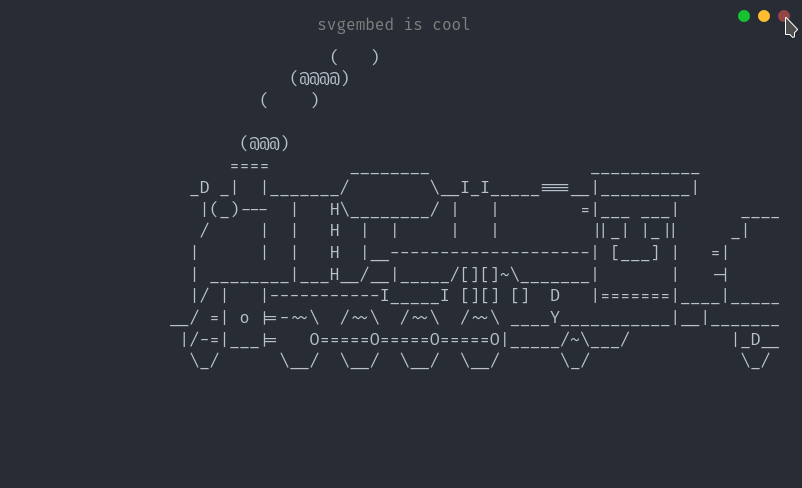
font: <string>: The font to be embedded, if any.title: <string>: The window title to be used, if any.right: <boolean>: Whether or not to move window icons to right side.hover: <boolean>: Whether or not to dim window icons on hover.file: <string>: string representation of the SVG file.config: <config>file: <string>: string representation of the SVG file.config: <config>Apache 2.0 © Miraculous Owonubi (@miraclx) <[email protected]>








