ngx foldable
5.0.0

NGX折叠是一组组件和服务,可帮助您为可折叠或双屏幕设备建立双屏幕体验,例如Surface Duo
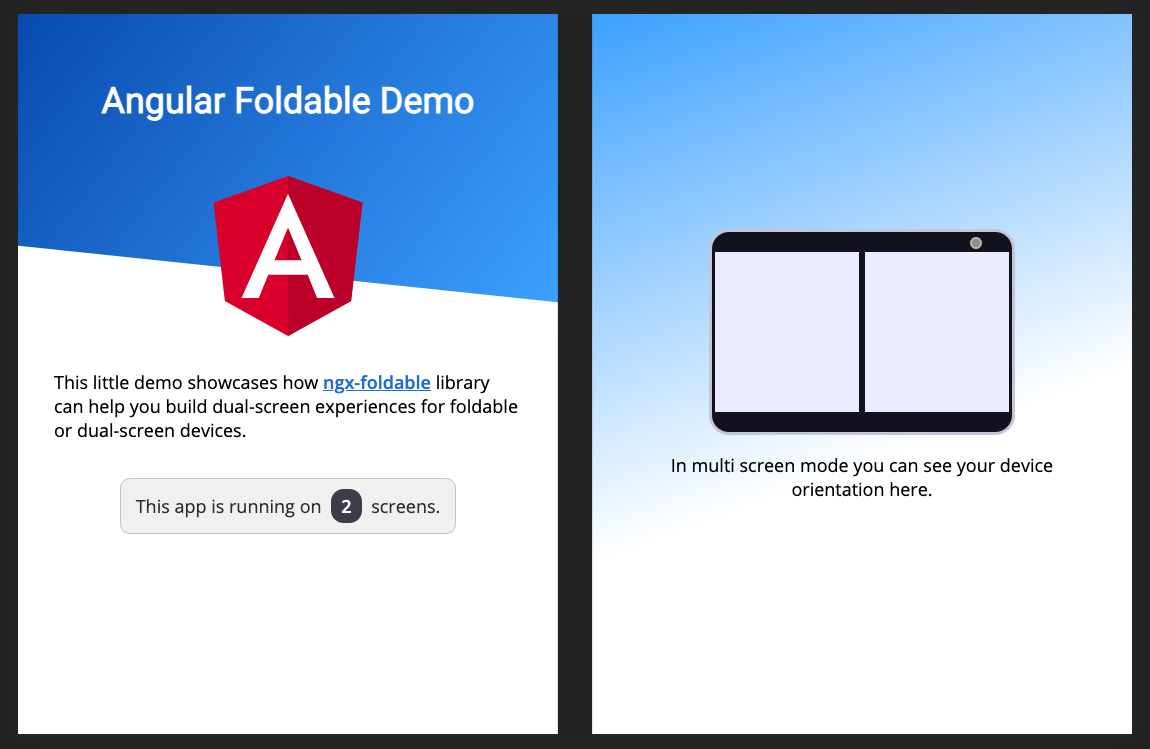
请参阅实时演示或阅读完整文档。
双屏幕仿真功能需要最新的Microsoft Edge或Google Chrome版本(> = 97)。
如果您拥有较旧的浏览器版本,则需要启用实验标志。请按照此处的说明进行操作,以设置您的浏览器以进行双屏幕仿真。
查看演示源代码以查看库的示例用法。
将库添加到您的角度项目中:
npm install ngx-foldable导入您的应用中的库:
 import { FoldableModule } from 'ngx-foldable' ;
...

@ NgModule ( {
  ...
  imports : [
    FoldableModule
    ...
  ] ,
  ...
} )
export class AppModule { }使用提供的fdSplitLayout , fdWindow和fdIfSpan指令来构建您的布局:
 <!--
  SplitLayout supports: flex, grid or absolute
  Styling is only added when a multi screen mode is detected.
-->
< div fdSplitLayout =" grid " >

  <!-- Assign to first window segment -->
  < section fdWindow =" 0 " >
    This will be displayed on the first window segment of a multi screen or single screen device.

    < p *fdIfSpan =" 'none'; else alt " > This is only visible on a single screen device. </ p >
    < ng-template #alt > < p > This is only visible on a multi screen device. </ p > </ ng-template >
  </ section >

  <!-- Assign to second window segment -->
  < section fdWindow =" 1 " >
    This will be displayed on the second window segment of a multi screen device.

    < p *fdIfSpan =" 'multi' " > This is only visible on multi screen device, regardless of the orientation. </ p >
    < p *fdIfSpan =" 'dual-vertical' " > This is only visible on dual vertical viewports. </ p >
    < p *fdIfSpan =" 'dual-horizontal' " > This is only visible on dual horizontal viewports. </ p >
  </ section >
</ div >使用ScreenContext服务,您还可以在屏幕上下文更改时接收更新:
 import { ScreenContext } from 'ngx-foldable' ;
...
export class AppComponent {
  constructor ( private screenContext : ScreenContext ) {
    this . screenContext
      . asObservable ( )
      . subscribe ( ( context ) => {
        console . log ( 'Screen context changed:' , context ) ;
      } ) ;
  }
}
您可以在此处阅读完整的文档。
欢迎您为这个项目做出贡献!在发布问题或拉请请求之前,请确保您已经阅读了行为守则。
请按照以下步骤在本地运行此项目:
npm install以安装软件包npm start使用演示应用程序启动DEV服务器然后,您可以开始在库或演示应用程序代码上进行修改。








