ngx foldable
5.0.0

NGX-Foldable은 Surface Duo와 같은 접이식 또는 이중 스크린 장치에 대한 이중 스크린 경험을 구축하는 데 도움이되는 일련의 구성 요소 및 서비스입니다.
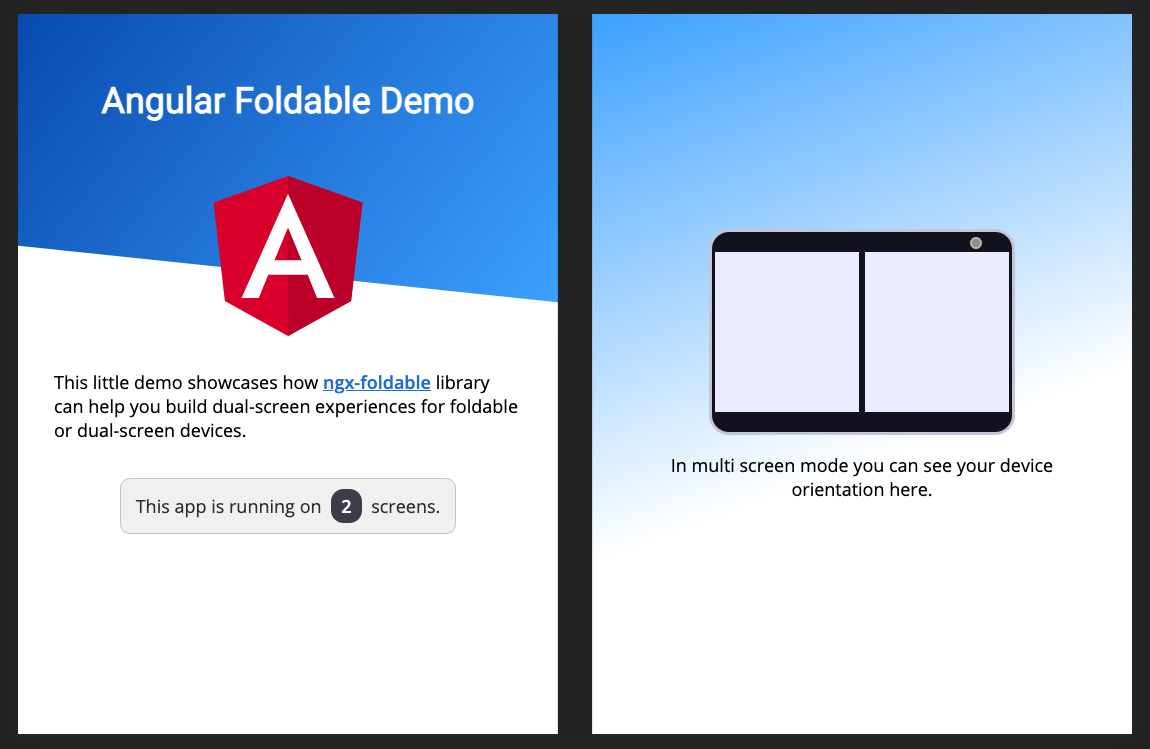
라이브 데모를 보거나 전체 문서를 읽으십시오.
듀얼 스크린 에뮬레이션 기능에는 최신 Microsoft Edge 또는 Google Chrome 버전이 필요합니다 (> = 97).
이전 브라우저 버전이있는 경우 실험 플래그를 활성화해야합니다. 듀얼 스크린 에뮬레이션을 위해 브라우저를 설정하려면 여기에 지침을 따르십시오.
라이브러리의 예제 사용을 보려면 데모 소스 코드를 확인하십시오.
각도 프로젝트에 라이브러리를 추가하십시오.
npm install ngx-foldable앱에서 라이브러리 가져 오기 :
 import { FoldableModule } from 'ngx-foldable' ;
...

@ NgModule ( {
  ...
  imports : [
    FoldableModule
    ...
  ] ,
  ...
} )
export class AppModule { }
제공된 fdSplitLayout , fdWindow 및 fdIfSpan 지시문을 사용하여 레이아웃을 구축하십시오.
 <!--
  SplitLayout supports: flex, grid or absolute
  Styling is only added when a multi screen mode is detected.
-->
< div fdSplitLayout =" grid " >

  <!-- Assign to first window segment -->
  < section fdWindow =" 0 " >
    This will be displayed on the first window segment of a multi screen or single screen device.

    < p *fdIfSpan =" 'none'; else alt " > This is only visible on a single screen device. </ p >
    < ng-template #alt > < p > This is only visible on a multi screen device. </ p > </ ng-template >
  </ section >

  <!-- Assign to second window segment -->
  < section fdWindow =" 1 " >
    This will be displayed on the second window segment of a multi screen device.

    < p *fdIfSpan =" 'multi' " > This is only visible on multi screen device, regardless of the orientation. </ p >
    < p *fdIfSpan =" 'dual-vertical' " > This is only visible on dual vertical viewports. </ p >
    < p *fdIfSpan =" 'dual-horizontal' " > This is only visible on dual horizontal viewports. </ p >
  </ section >
</ div >
ScreenContext 서비스를 사용하면 화면 컨텍스트가 변경되면 업데이트를받을 수도 있습니다.
 import { ScreenContext } from 'ngx-foldable' ;
...
export class AppComponent {
  constructor ( private screenContext : ScreenContext ) {
    this . screenContext
      . asObservable ( )
      . subscribe ( ( context ) => {
        console . log ( 'Screen context changed:' , context ) ;
      } ) ;
  }
}
여기에서 전체 문서를 읽을 수 있습니다.
이 프로젝트에 기여할 수 있습니다! 문제 또는 풀 요청을 게시하기 전에 행동 강령을 읽었는지 확인하십시오.
이 단계를 따라이 프로젝트를 현지에서 실행하십시오.
npm install 실행하십시오npm start그런 다음 라이브러리 또는 데모 앱 코드에서 수정을 시작할 수 있습니다.








