ctower
1.0.0

CTOWER เป็นแอปพลิเคชั่น CLI สำหรับการจัดการการควบคุม Guardrail ในหน่วยองค์กรบนหอควบคุม AWS
pip3 install ctower # export your aws cli profile and region
export AWS_REGION=eu-west-1
export AWS_PROFILE=default
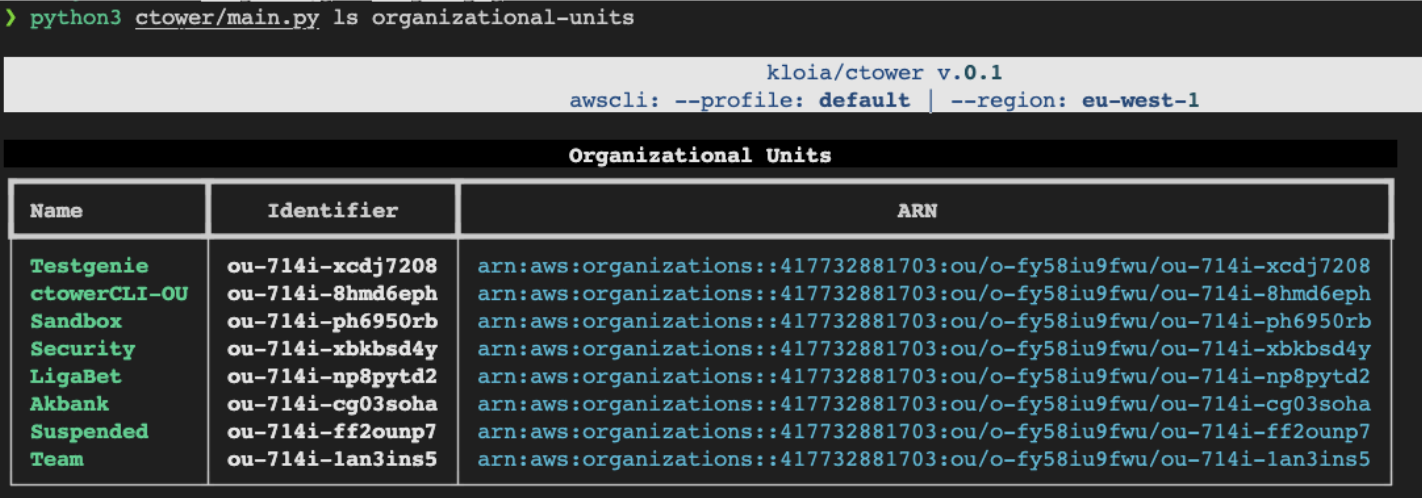
# list organizational units in your AWS Organization
ctower ls organizational-units
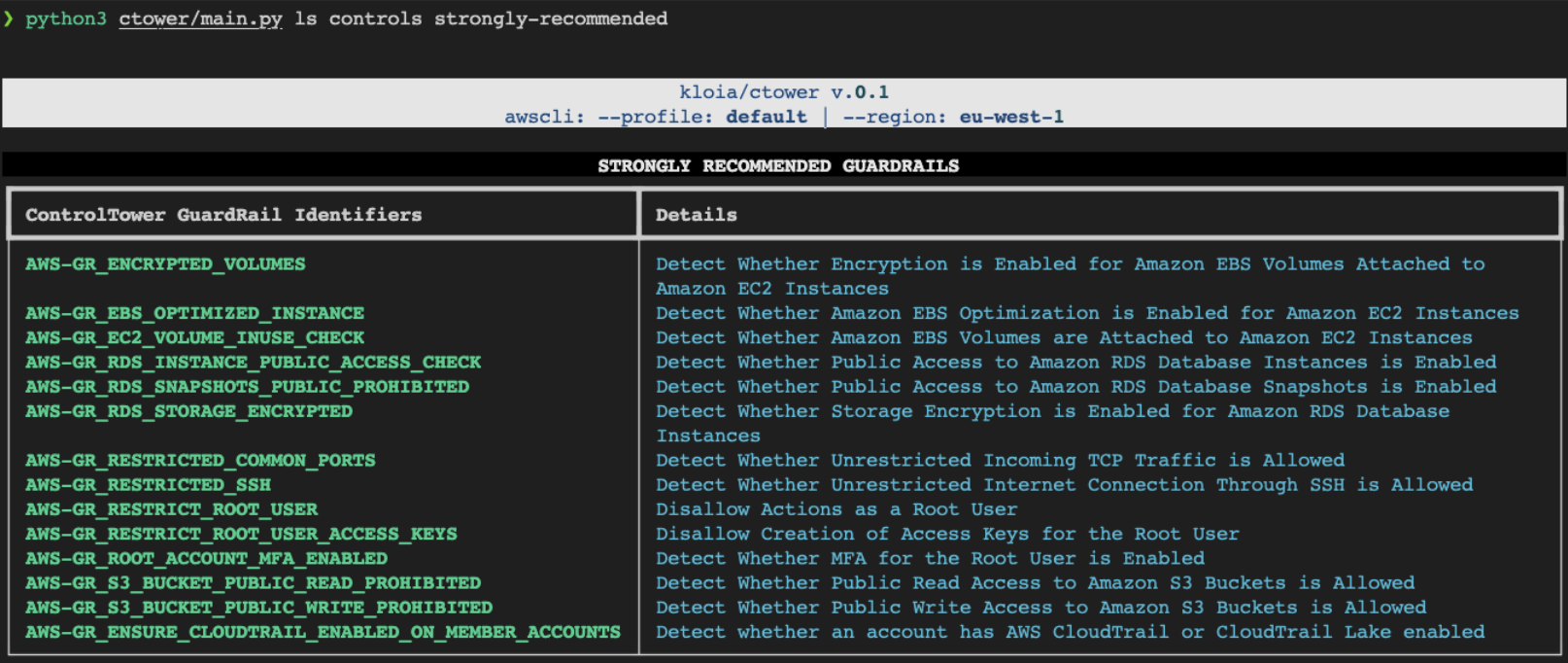
# List all available GuardRail Controls
ctower ls controls all
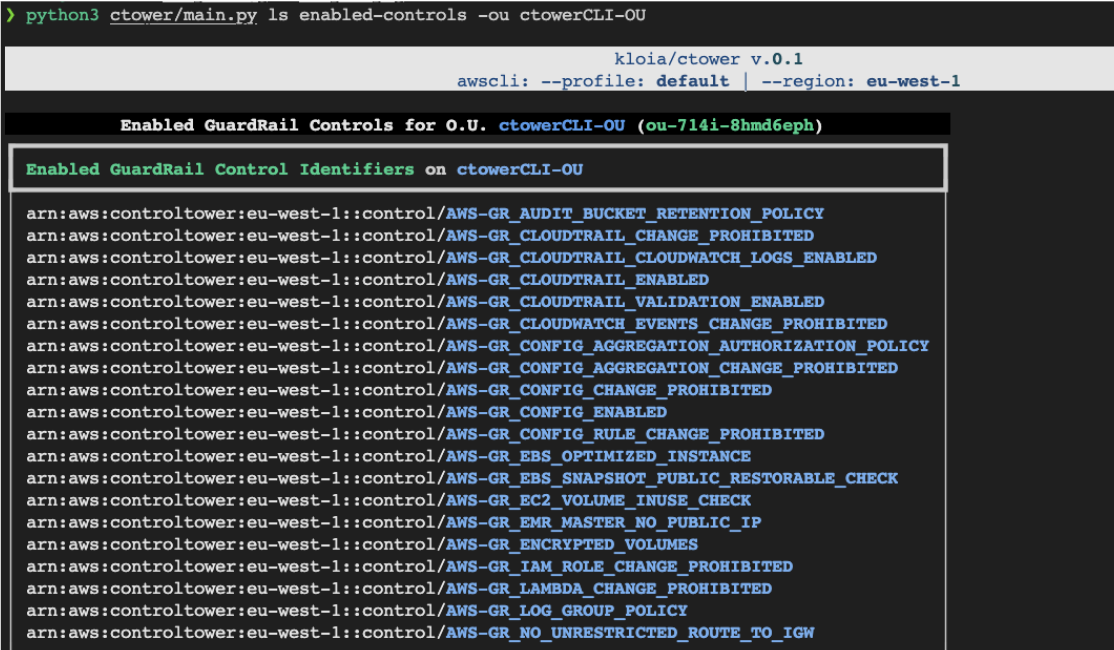
# List enabled controls for an organizational unit
ctower ls enabled-controls -ou < organizational-unit-name >
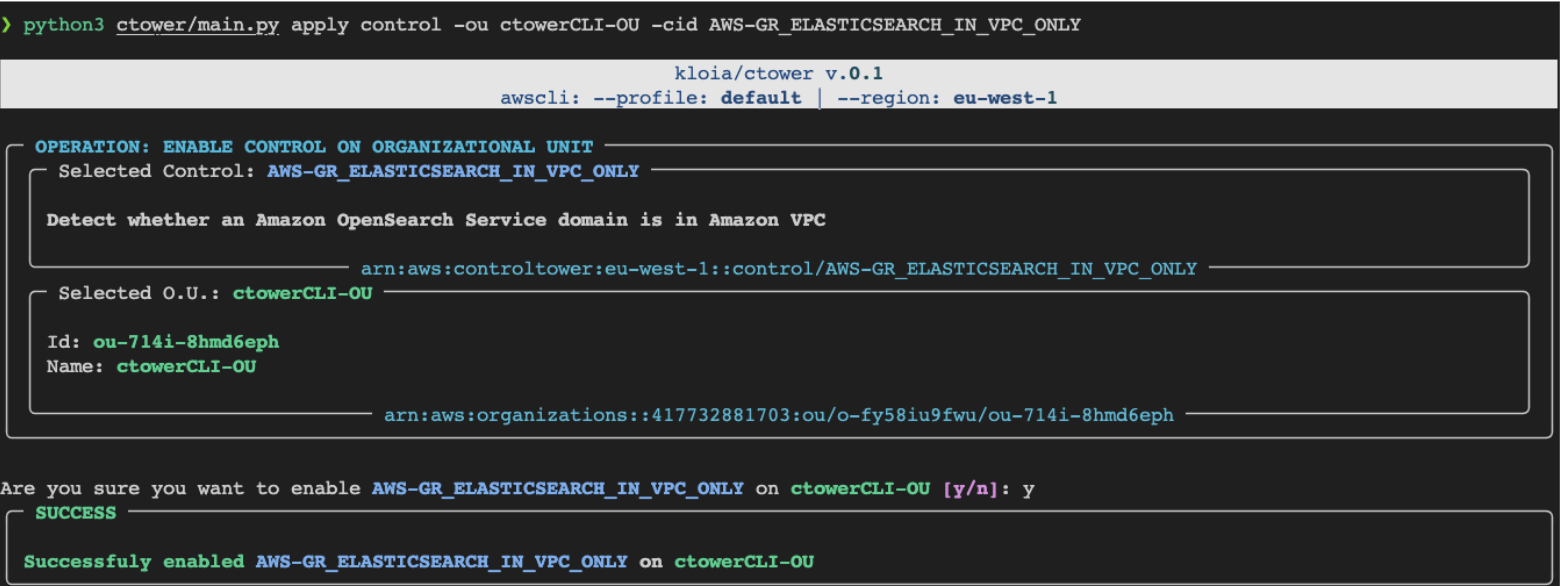
# Apply a singular GuardRail Control to an organizational unit
ctower apply control --to-organizational-unit < ou-name > --control-id < control-id >
# Apply `Strongly Recommended` GuardRail Controls to specified Organizational Unit
ctower apply strongly-recommended -ou < organizational-unit-name >
# Remove a GuardRail Control from an organizational unit
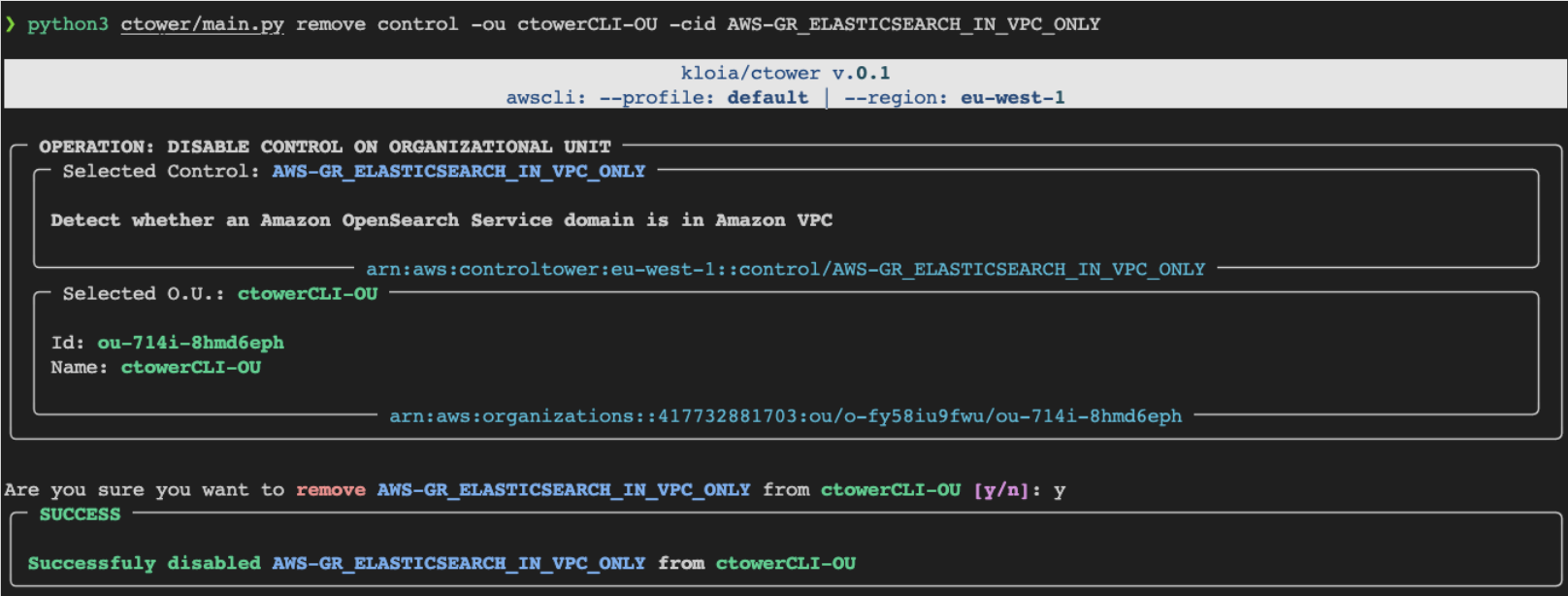
ctower remove control --to-organizational-unit < ou-name > --control-id < control-id >
# Sync(mirror) `--from-organizational-unit` controls to `--to-organizational-unit`
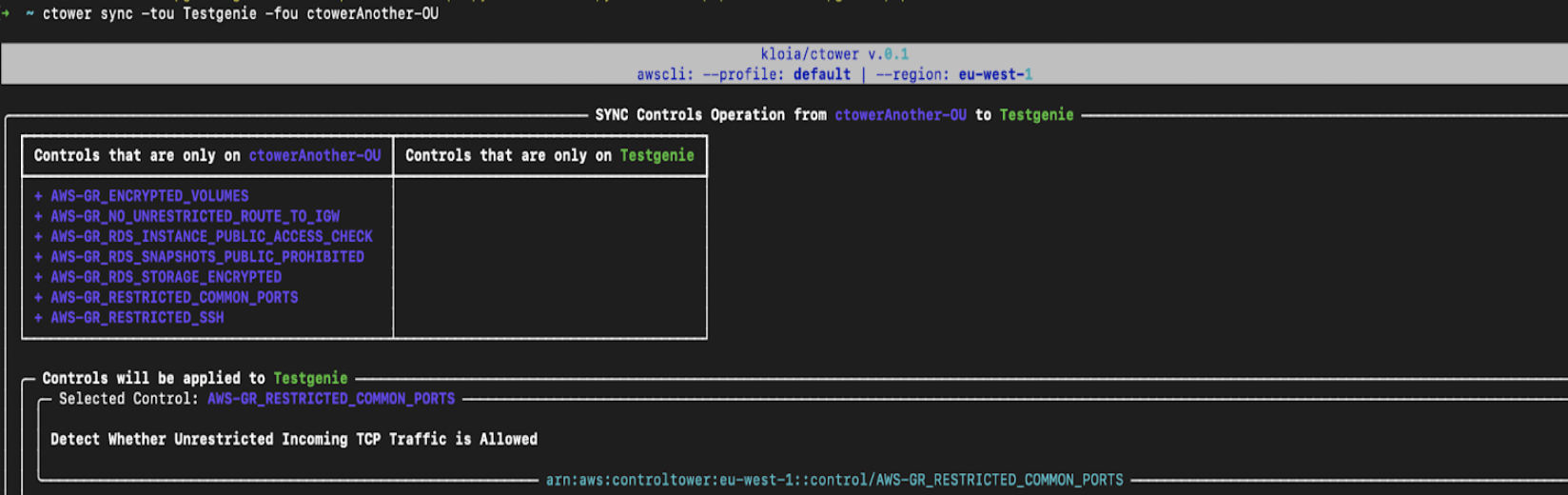
ctower sync --from-organizational-unit < ou-from > --to-organizational-unit < ou-to > # get and set the PYPI_USERNAME, PYPI_PASSWORD
poetry publish --build --username $PYPI_USERNAME --password $PYPI_PASSWORD # generate CLI application documentation
poetry shell
typer ctower.main utils docs --name ctower --output CLI-README.mdctowerการใช้งาน :
$ ctower [OPTIONS] COMMAND [ARGS]...ตัวเลือก :
--install-completion : ติดตั้งเสร็จสมบูรณ์สำหรับเชลล์ปัจจุบัน--show-completion : แสดงให้เสร็จสมบูรณ์สำหรับเชลล์ปัจจุบันเพื่อคัดลอกหรือปรับแต่งการติดตั้ง--help : แสดงข้อความนี้และออกคำสั่ง :
applylsremovesyncctower applyการใช้งาน :
$ ctower apply [OPTIONS] COMMAND [ARGS]...ตัวเลือก :
--help : แสดงข้อความนี้และออกคำสั่ง :
controlstrongly-recommended ctower apply controlการใช้งาน :
$ ctower apply control [OPTIONS]ตัวเลือก :
-ou, --organizational-unit TEXT : id หรือชื่อของหน่วยองค์กรเพื่อรับการควบคุมจาก [ที่จำเป็น]-cid, --control-id TEXT : ตัวระบุการควบคุม ลอง: ls controls all [จำเป็น]--help : แสดงข้อความนี้และออก ctower apply strongly-recommendedการใช้งาน :
$ ctower apply strongly-recommended [OPTIONS]ตัวเลือก :
-ou, --organizational-unit TEXT : id หรือชื่อของหน่วยองค์กรเพื่อใช้การควบคุม Guardrail ลอง: คำสั่ง ls organizational-units [จำเป็น]--help : แสดงข้อความนี้และออกctower lsการใช้งาน :
$ ctower ls [OPTIONS] COMMAND [ARGS]...ตัวเลือก :
--help : แสดงข้อความนี้และออกคำสั่ง :
controlsenabled-controlsorganizational-units ctower ls controlsการใช้งาน :
$ ctower ls controls [OPTIONS] COMMAND [ARGS]...ตัวเลือก :
--help : แสดงข้อความนี้และออกคำสั่ง :
alldata-residencyelectivestrongly-recommended ctower ls controls allการใช้งาน :
$ ctower ls controls all [OPTIONS]ตัวเลือก :
--help : แสดงข้อความนี้และออก ctower ls controls data-residencyการใช้งาน :
$ ctower ls controls data-residency [OPTIONS]ตัวเลือก :
--help : แสดงข้อความนี้และออก ctower ls controls electiveการใช้งาน :
$ ctower ls controls elective [OPTIONS]ตัวเลือก :
--help : แสดงข้อความนี้และออก ctower ls controls strongly-recommendedการใช้งาน :
$ ctower ls controls strongly-recommended [OPTIONS]ตัวเลือก :
--help : แสดงข้อความนี้และออก ctower ls enabled-controlsการใช้งาน :
$ ctower ls enabled-controls [OPTIONS]ตัวเลือก :
-ou, --organizational-unit TEXT : id หรือชื่อของหน่วยองค์กรเพื่อแสดงรายการการควบคุมที่เปิดใช้งาน ลอง: คำสั่ง ls organizational-units [จำเป็น]--help : แสดงข้อความนี้และออก ctower ls organizational-unitsการใช้งาน :
$ ctower ls organizational-units [OPTIONS]ตัวเลือก :
--help : แสดงข้อความนี้และออกctower removeการใช้งาน :
$ ctower remove [OPTIONS] COMMAND [ARGS]...ตัวเลือก :
--help : แสดงข้อความนี้และออกctower syncการใช้งาน :
$ ctower sync [OPTIONS]ตัวเลือก :
-fou, --from-organizational-unit TEXT : ID หรือชื่อของหน่วยองค์กรเพื่อรับการควบคุมจาก [ที่จำเป็น]-tou, --to-organizational-unit TEXT : ID หรือชื่อของหน่วยองค์กรเพื่อใช้การควบคุม Guardrail กับ [ที่จำเป็น]--help : แสดงข้อความนี้และออกภาพหน้าจอ :