ctower
1.0.0

CTOWER ist eine CLI -Anwendung für die Verwaltung von Leitplanken über Organisationseinheiten im AWS Control Tower.
pip3 install ctower # export your aws cli profile and region
export AWS_REGION=eu-west-1
export AWS_PROFILE=default
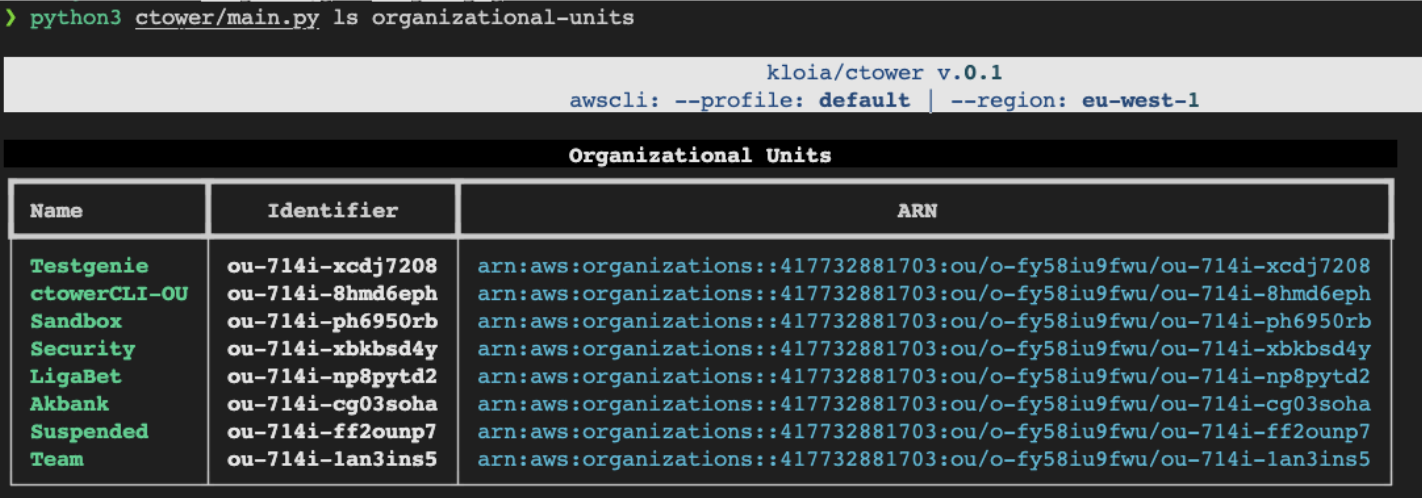
# list organizational units in your AWS Organization
ctower ls organizational-units
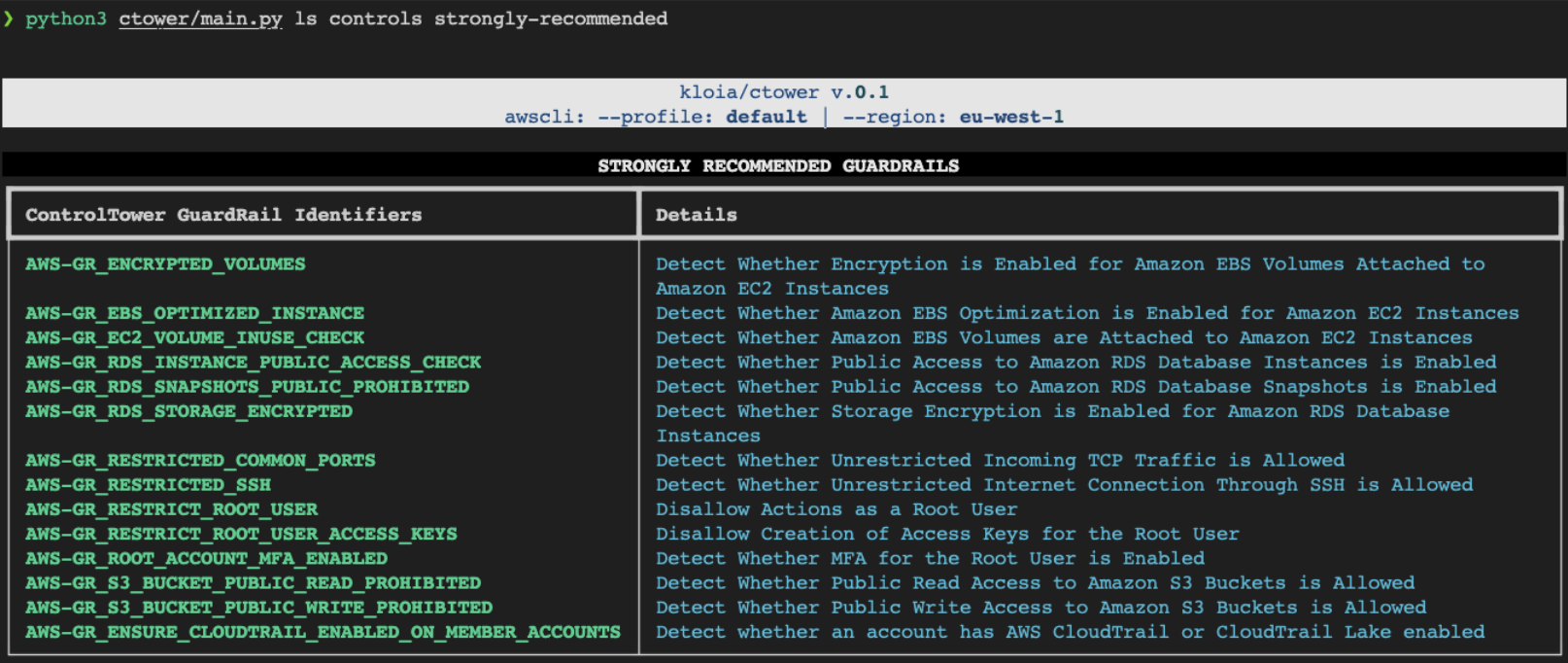
# List all available GuardRail Controls
ctower ls controls all
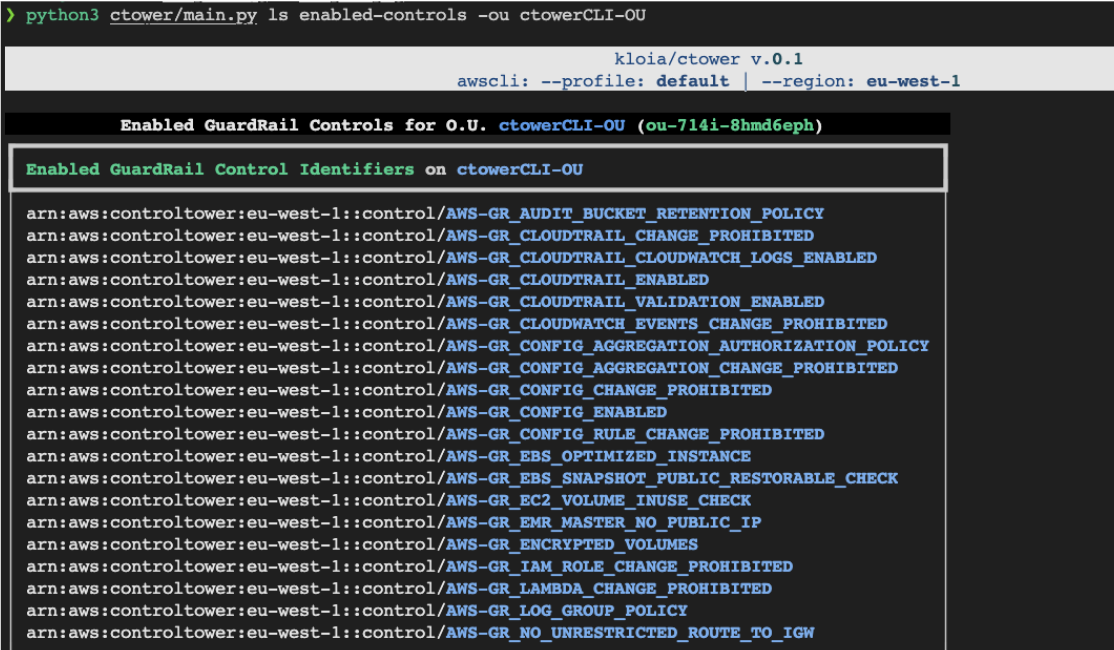
# List enabled controls for an organizational unit
ctower ls enabled-controls -ou < organizational-unit-name >
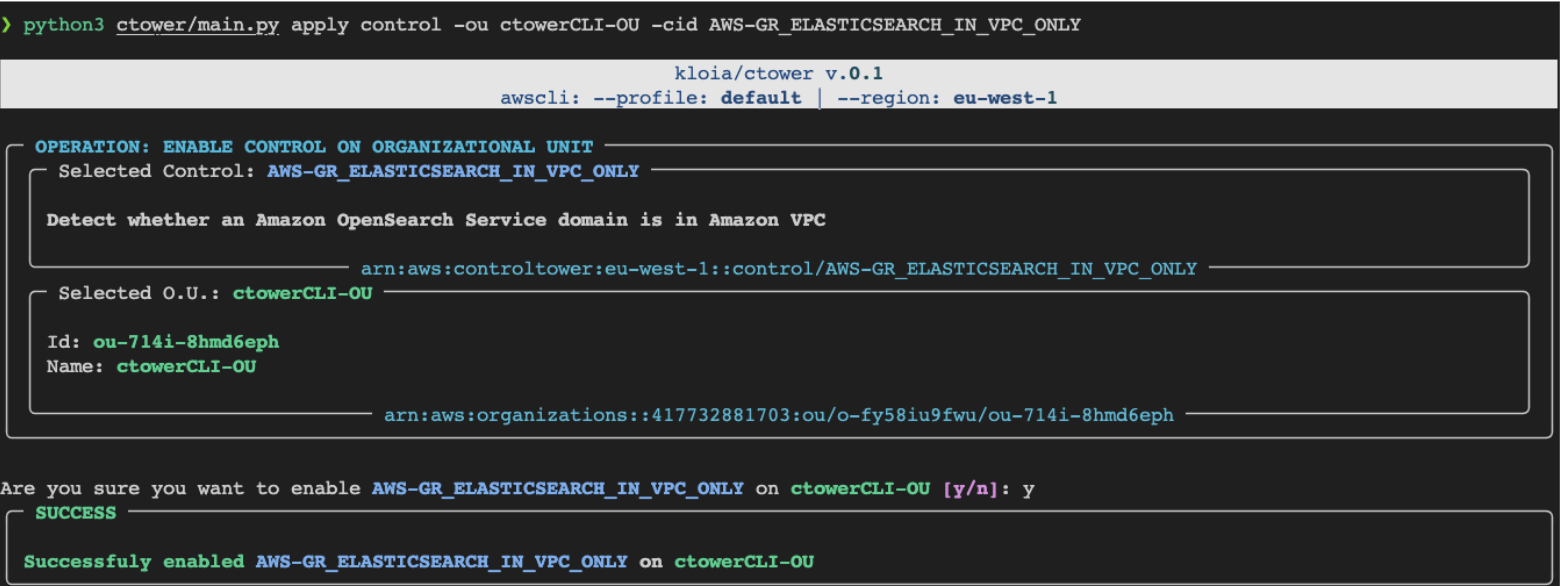
# Apply a singular GuardRail Control to an organizational unit
ctower apply control --to-organizational-unit < ou-name > --control-id < control-id >
# Apply `Strongly Recommended` GuardRail Controls to specified Organizational Unit
ctower apply strongly-recommended -ou < organizational-unit-name >
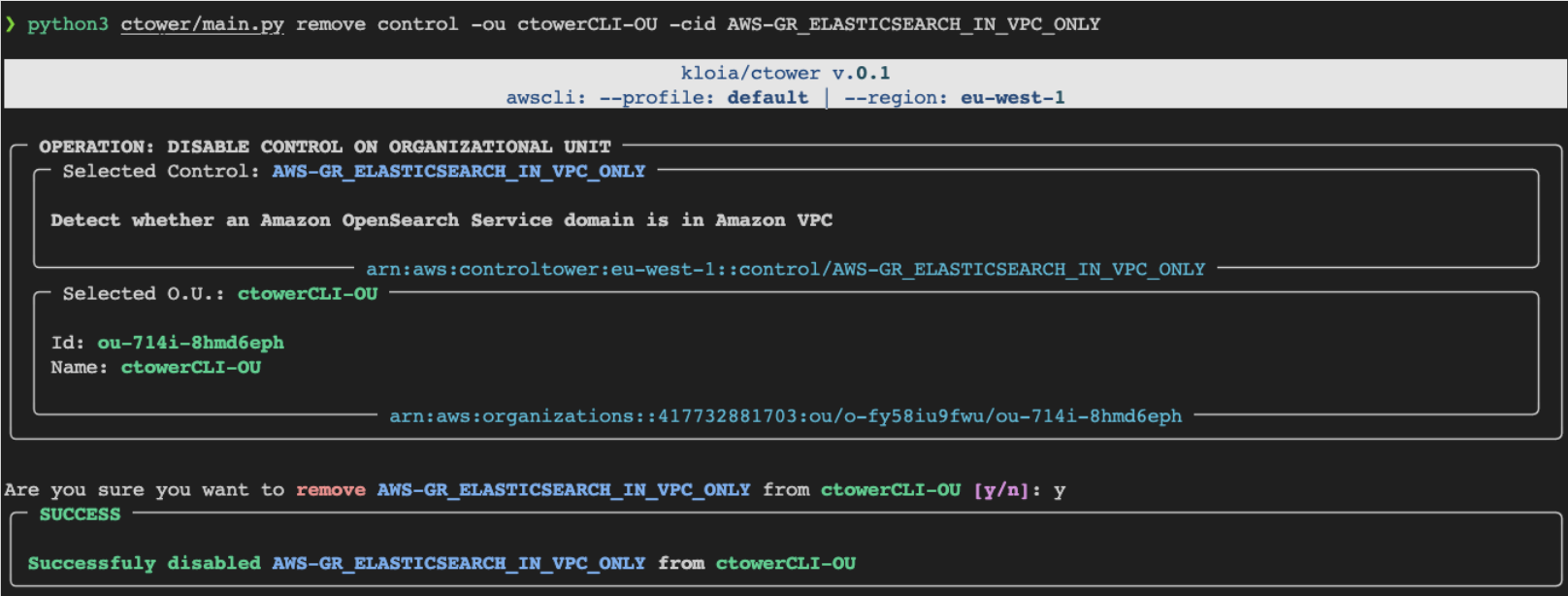
# Remove a GuardRail Control from an organizational unit
ctower remove control --to-organizational-unit < ou-name > --control-id < control-id >
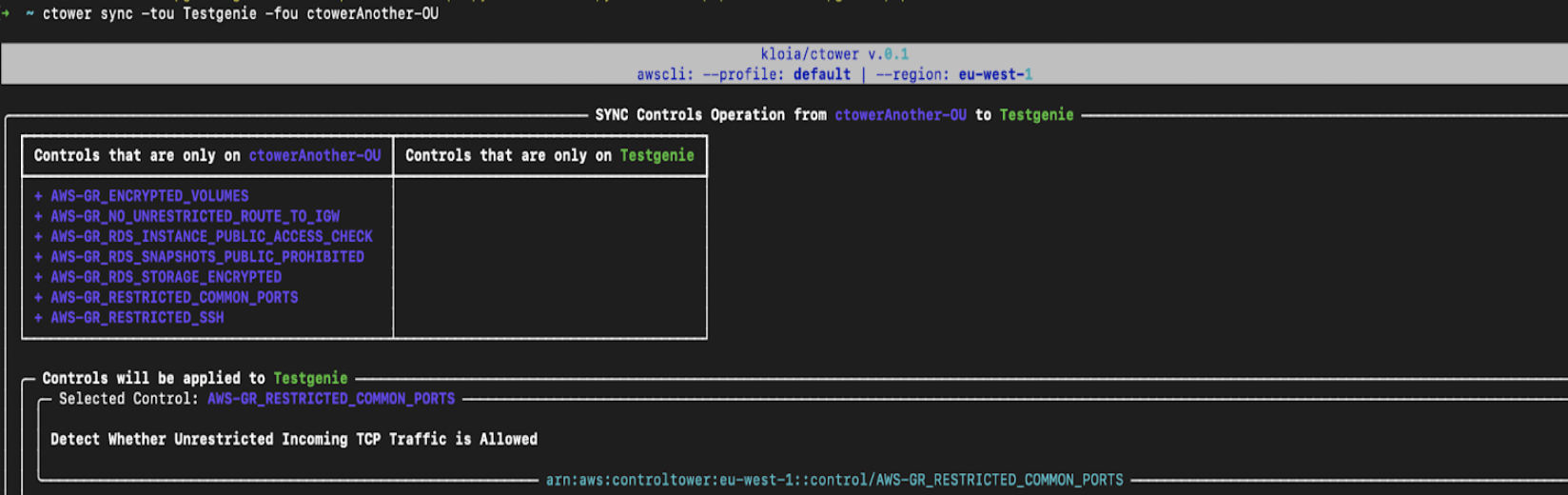
# Sync(mirror) `--from-organizational-unit` controls to `--to-organizational-unit`
ctower sync --from-organizational-unit < ou-from > --to-organizational-unit < ou-to > # get and set the PYPI_USERNAME, PYPI_PASSWORD
poetry publish --build --username $PYPI_USERNAME --password $PYPI_PASSWORD # generate CLI application documentation
poetry shell
typer ctower.main utils docs --name ctower --output CLI-README.mdctowerVerwendung :
$ ctower [OPTIONS] COMMAND [ARGS]...Optionen :
--install-completion : Installieren Sie die Fertigstellung für die aktuelle Hülle.--show-completion : Zeigen Sie die Fertigstellung für die aktuelle Shell an, um sie zu kopieren oder die Installation anzupassen.--help : Zeigen Sie diese Nachricht und beenden Sie.Befehle :
applylsremovesyncctower applyVerwendung :
$ ctower apply [OPTIONS] COMMAND [ARGS]...Optionen :
--help : Zeigen Sie diese Nachricht und beenden Sie.Befehle :
controlstrongly-recommended ctower apply controlVerwendung :
$ ctower apply control [OPTIONS]Optionen :
-ou, --organizational-unit TEXT : ID oder Name der Organisationseinheit, um die Steuerelemente zu erhalten. [erforderlich]-cid, --control-id TEXT : Kontrollkennung. Versuchen Sie: ls controls all Befehl [Erforderlich]--help : Zeigen Sie diese Nachricht und beenden Sie. ctower apply strongly-recommendedVerwendung :
$ ctower apply strongly-recommended [OPTIONS]Optionen :
-ou, --organizational-unit TEXT : ID oder Name der Organisationseinheit, um Leitkontrollen anzuwenden. Versuchen Sie: Befehl ls organizational-units [Erforderlich]--help : Zeigen Sie diese Nachricht und beenden Sie.ctower lsVerwendung :
$ ctower ls [OPTIONS] COMMAND [ARGS]...Optionen :
--help : Zeigen Sie diese Nachricht und beenden Sie.Befehle :
controlsenabled-controlsorganizational-units ctower ls controlsVerwendung :
$ ctower ls controls [OPTIONS] COMMAND [ARGS]...Optionen :
--help : Zeigen Sie diese Nachricht und beenden Sie.Befehle :
alldata-residencyelectivestrongly-recommended ctower ls controls allVerwendung :
$ ctower ls controls all [OPTIONS]Optionen :
--help : Zeigen Sie diese Nachricht und beenden Sie. ctower ls controls data-residencyVerwendung :
$ ctower ls controls data-residency [OPTIONS]Optionen :
--help : Zeigen Sie diese Nachricht und beenden Sie. ctower ls controls electiveVerwendung :
$ ctower ls controls elective [OPTIONS]Optionen :
--help : Zeigen Sie diese Nachricht und beenden Sie. ctower ls controls strongly-recommendedVerwendung :
$ ctower ls controls strongly-recommended [OPTIONS]Optionen :
--help : Zeigen Sie diese Nachricht und beenden Sie. ctower ls enabled-controlsVerwendung :
$ ctower ls enabled-controls [OPTIONS]Optionen :
-ou, --organizational-unit TEXT : ID oder Name der Organisationseinheit zur Auflistung der aktivierten Steuerelemente. Versuchen Sie: Befehl ls organizational-units [Erforderlich]--help : Zeigen Sie diese Nachricht und beenden Sie. ctower ls organizational-unitsVerwendung :
$ ctower ls organizational-units [OPTIONS]Optionen :
--help : Zeigen Sie diese Nachricht und beenden Sie.ctower removeVerwendung :
$ ctower remove [OPTIONS] COMMAND [ARGS]...Optionen :
--help : Zeigen Sie diese Nachricht und beenden Sie.ctower syncVerwendung :
$ ctower sync [OPTIONS]Optionen :
-fou, --from-organizational-unit TEXT : ID oder Name der Organisationseinheit, um die Steuerelemente zu erhalten. [erforderlich]-tou, --to-organizational-unit TEXT : ID oder Name der Organisationseinheit, um Leitplankenkontrollen auf anzuwenden. [erforderlich]--help : Zeigen Sie diese Nachricht und beenden Sie.Screenshots :