ctower
1.0.0

CTOWER는 AWS Control Tower의 조직 단위에서 Guardrail 컨트롤을 관리하기위한 CLI 응용 프로그램입니다.
pip3 install ctower # export your aws cli profile and region
export AWS_REGION=eu-west-1
export AWS_PROFILE=default
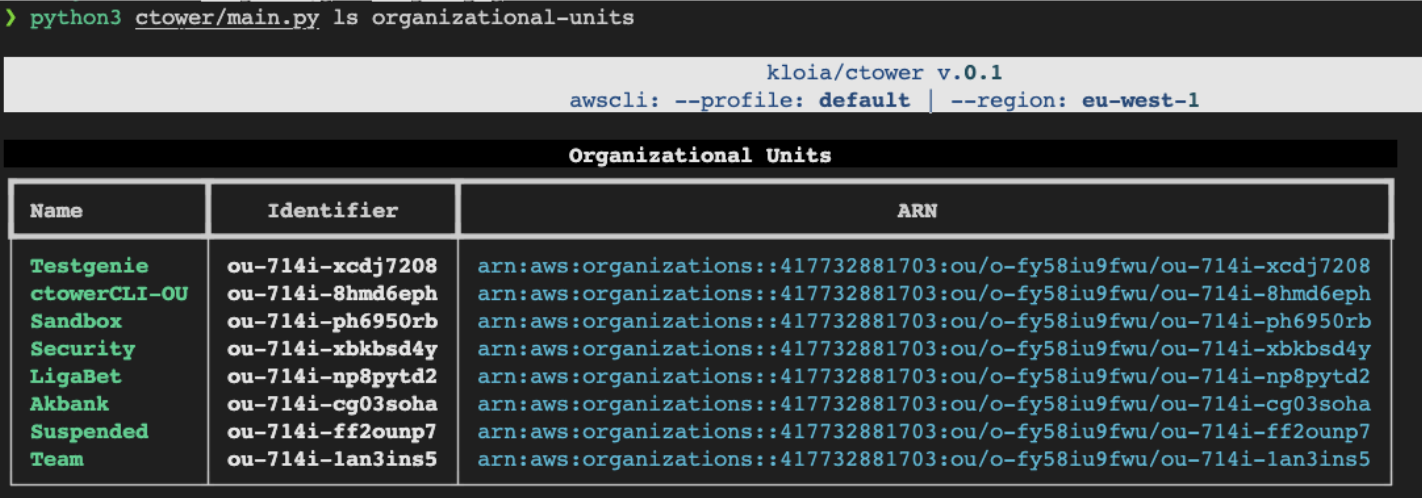
# list organizational units in your AWS Organization
ctower ls organizational-units
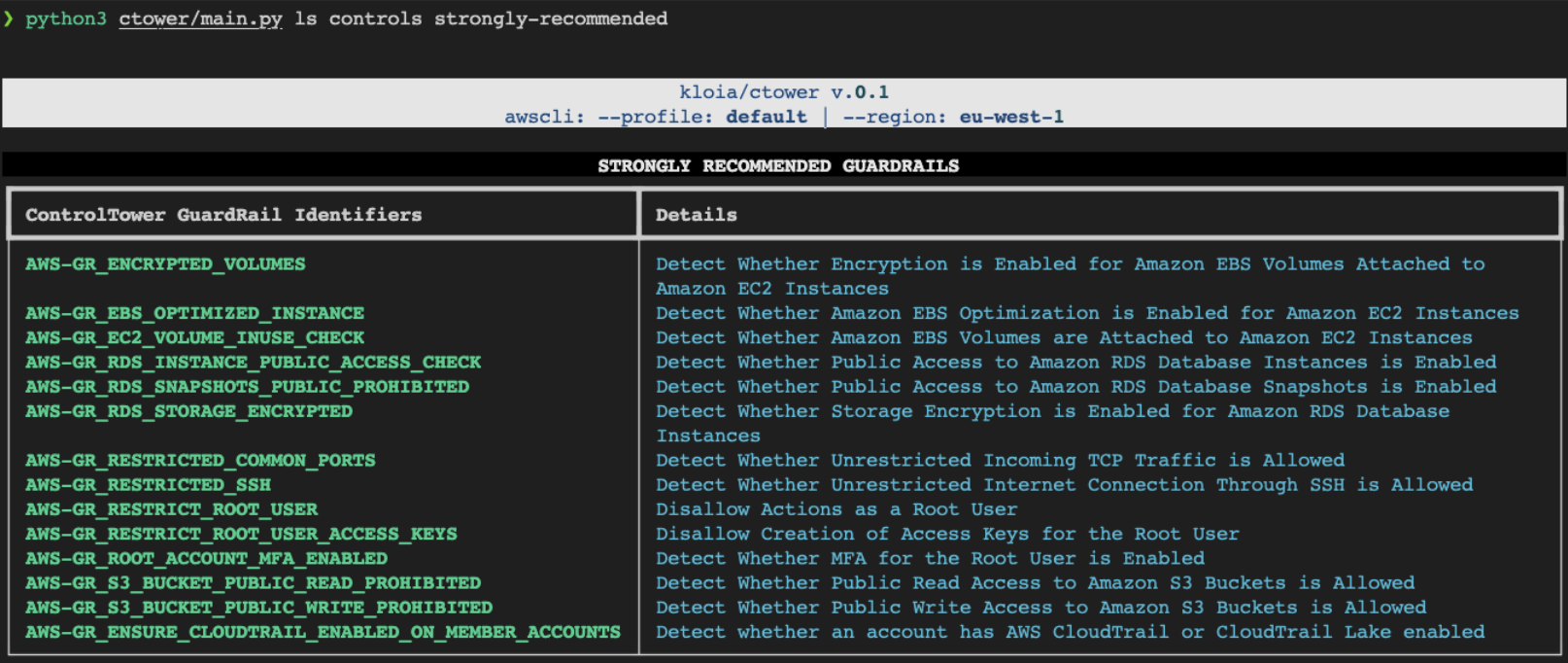
# List all available GuardRail Controls
ctower ls controls all
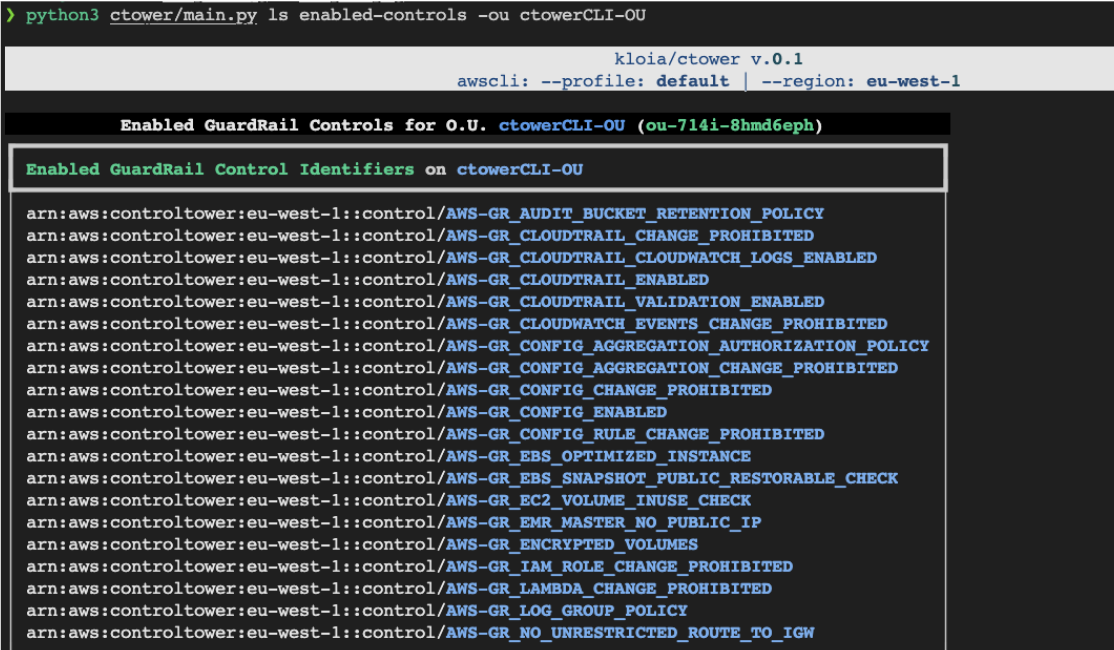
# List enabled controls for an organizational unit
ctower ls enabled-controls -ou < organizational-unit-name >
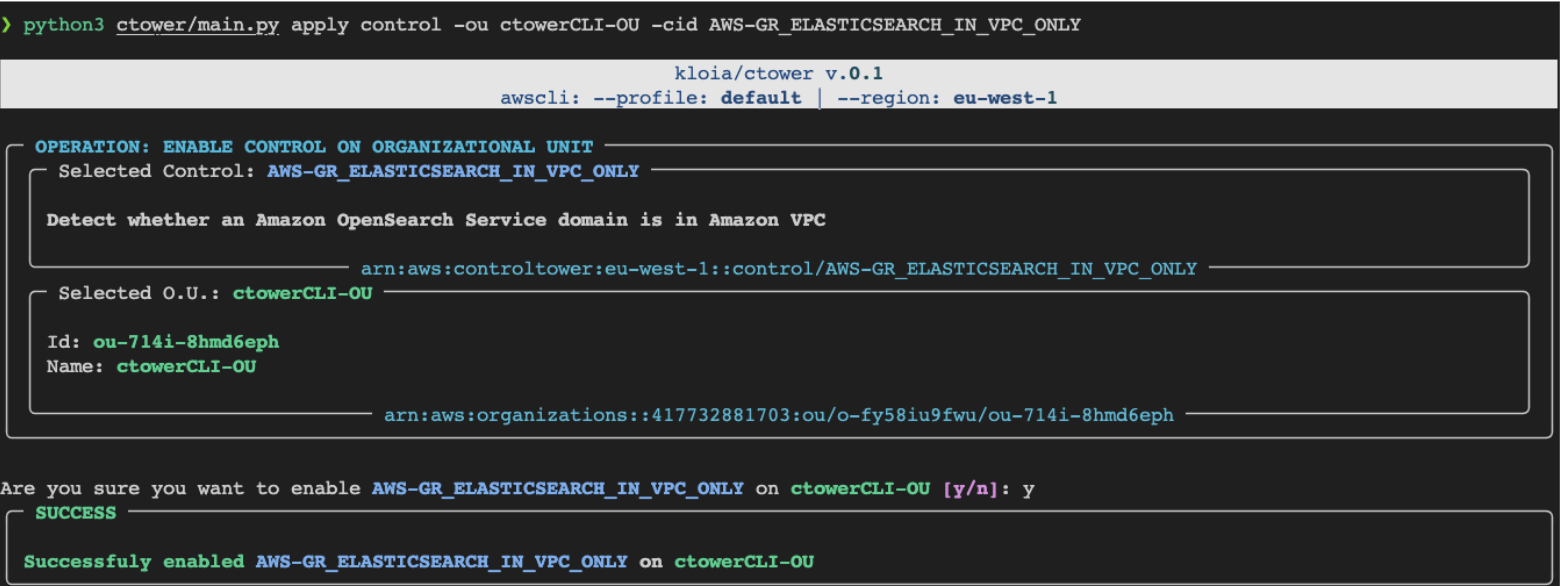
# Apply a singular GuardRail Control to an organizational unit
ctower apply control --to-organizational-unit < ou-name > --control-id < control-id >
# Apply `Strongly Recommended` GuardRail Controls to specified Organizational Unit
ctower apply strongly-recommended -ou < organizational-unit-name >
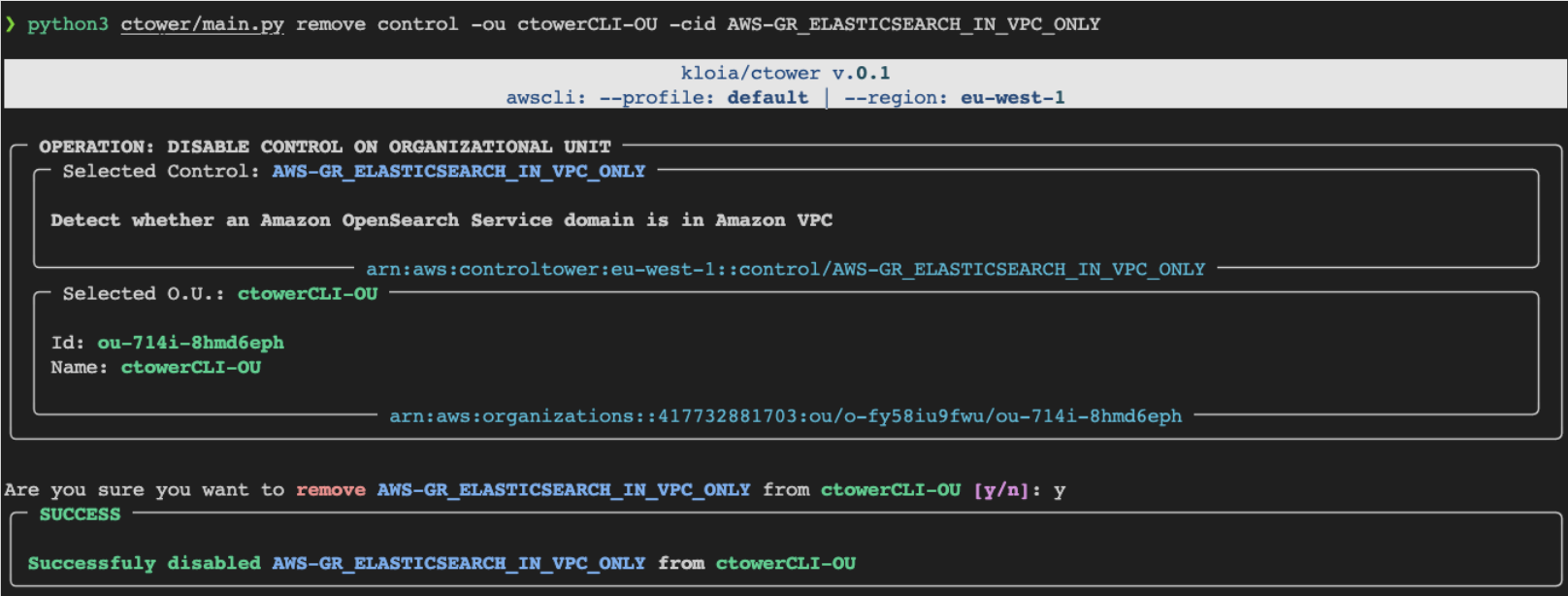
# Remove a GuardRail Control from an organizational unit
ctower remove control --to-organizational-unit < ou-name > --control-id < control-id >
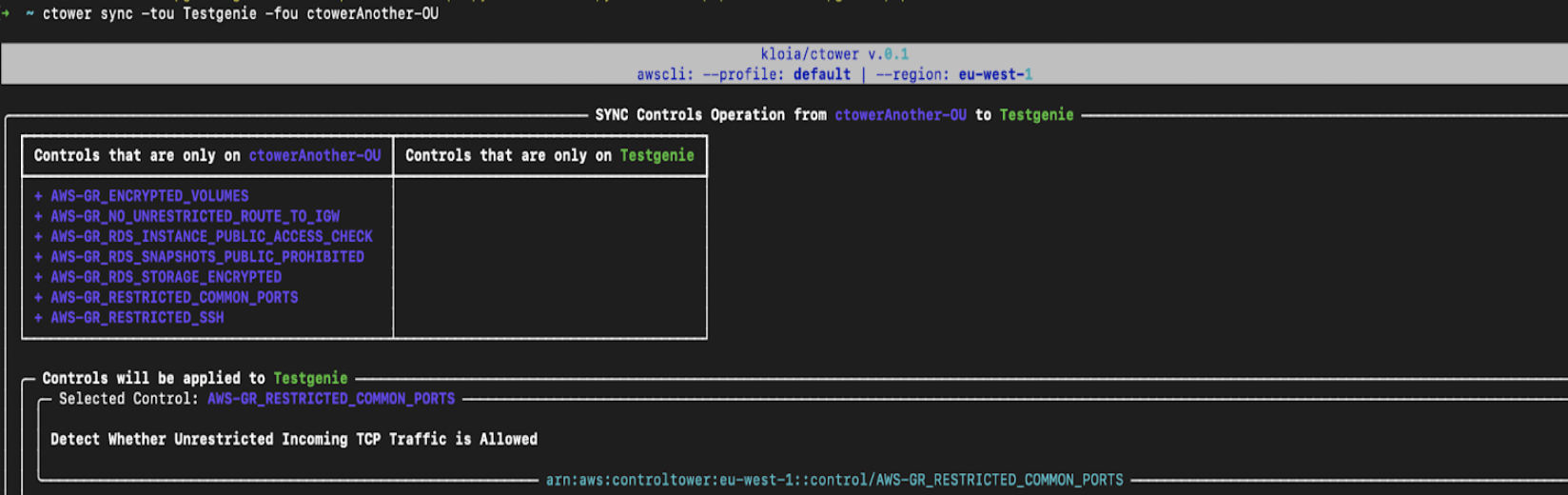
# Sync(mirror) `--from-organizational-unit` controls to `--to-organizational-unit`
ctower sync --from-organizational-unit < ou-from > --to-organizational-unit < ou-to > # get and set the PYPI_USERNAME, PYPI_PASSWORD
poetry publish --build --username $PYPI_USERNAME --password $PYPI_PASSWORD # generate CLI application documentation
poetry shell
typer ctower.main utils docs --name ctower --output CLI-README.mdctower용법 :
$ ctower [OPTIONS] COMMAND [ARGS]...옵션 :
--install-completion : 현재 쉘의 완료를 설치하십시오.--show-completion : 현재 쉘에 대한 완료를 표시하여 복사하거나 설치를 사용자 정의하십시오.--help :이 메시지를 보여주고 종료하십시오.명령 :
applylsremovesyncctower apply용법 :
$ ctower apply [OPTIONS] COMMAND [ARGS]...옵션 :
--help :이 메시지를 보여주고 종료하십시오.명령 :
controlstrongly-recommended ctower apply control용법 :
$ ctower apply control [OPTIONS]옵션 :
-ou, --organizational-unit TEXT : 컨트롤을 얻기위한 조직 단위의 ID 또는 이름. [필수의]-cid, --control-id TEXT : 제어 식별자. 시도 : ls controls all [필수]--help :이 메시지를 보여주고 종료하십시오. ctower apply strongly-recommended용법 :
$ ctower apply strongly-recommended [OPTIONS]옵션 :
-ou, --organizational-unit TEXT : GuardRail 컨트롤을 적용하기위한 조직 단위의 ID 또는 이름. 시도 : ls organizational-units 명령 [필수]--help :이 메시지를 보여주고 종료하십시오.ctower ls용법 :
$ ctower ls [OPTIONS] COMMAND [ARGS]...옵션 :
--help :이 메시지를 보여주고 종료하십시오.명령 :
controlsenabled-controlsorganizational-units ctower ls controls용법 :
$ ctower ls controls [OPTIONS] COMMAND [ARGS]...옵션 :
--help :이 메시지를 보여주고 종료하십시오.명령 :
alldata-residencyelectivestrongly-recommended ctower ls controls all용법 :
$ ctower ls controls all [OPTIONS]옵션 :
--help :이 메시지를 보여주고 종료하십시오. ctower ls controls data-residency용법 :
$ ctower ls controls data-residency [OPTIONS]옵션 :
--help :이 메시지를 보여주고 종료하십시오. ctower ls controls elective용법 :
$ ctower ls controls elective [OPTIONS]옵션 :
--help :이 메시지를 보여주고 종료하십시오. ctower ls controls strongly-recommended용법 :
$ ctower ls controls strongly-recommended [OPTIONS]옵션 :
--help :이 메시지를 보여주고 종료하십시오. ctower ls enabled-controls용법 :
$ ctower ls enabled-controls [OPTIONS]옵션 :
-ou, --organizational-unit TEXT : 사용 가능한 컨트롤을 나열하는 조직 단위의 ID 또는 이름. 시도 : ls organizational-units 명령 [필수]--help :이 메시지를 보여주고 종료하십시오. ctower ls organizational-units용법 :
$ ctower ls organizational-units [OPTIONS]옵션 :
--help :이 메시지를 보여주고 종료하십시오.ctower remove용법 :
$ ctower remove [OPTIONS] COMMAND [ARGS]...옵션 :
--help :이 메시지를 보여주고 종료하십시오.ctower sync용법 :
$ ctower sync [OPTIONS]옵션 :
-fou, --from-organizational-unit TEXT : 컨트롤을 얻기위한 조직 단위의 ID 또는 이름. [필수의]-tou, --to-organizational-unit TEXT : GuardRail 컨트롤을 적용하기위한 조직 단위의 ID 또는 이름. [필수의]--help :이 메시지를 보여주고 종료하십시오.스크린 샷 :