react native calendars
1.1307.0

โมดูลนี้มีข้อมูลเกี่ยวกับวิธีการใช้ส่วนประกอบปฏิทิน ดั้งเดิม ที่ปรับแต่งได้นี้
แพ็คเกจนี้เข้ากันได้กับทั้ง Android และ iOS
เอกสารอย่างเป็นทางการ
readme นี้ให้ตัวอย่างพื้นฐานของวิธีการเริ่มต้นด้วย
react-native-calendarsสำหรับข้อมูลโดยละเอียดโปรดดูเว็บไซต์เอกสารอย่างเป็นทางการ
คุณสามารถเรียกใช้โมดูลตัวอย่างโดยใช้ขั้นตอนเหล่านี้:
 $ git clone [email protected]:wix/react-native-calendars.git

$ cd react-native-calendars

$ yarn install

$ cd ios && pod install && cd ..

$ react-native run-ios
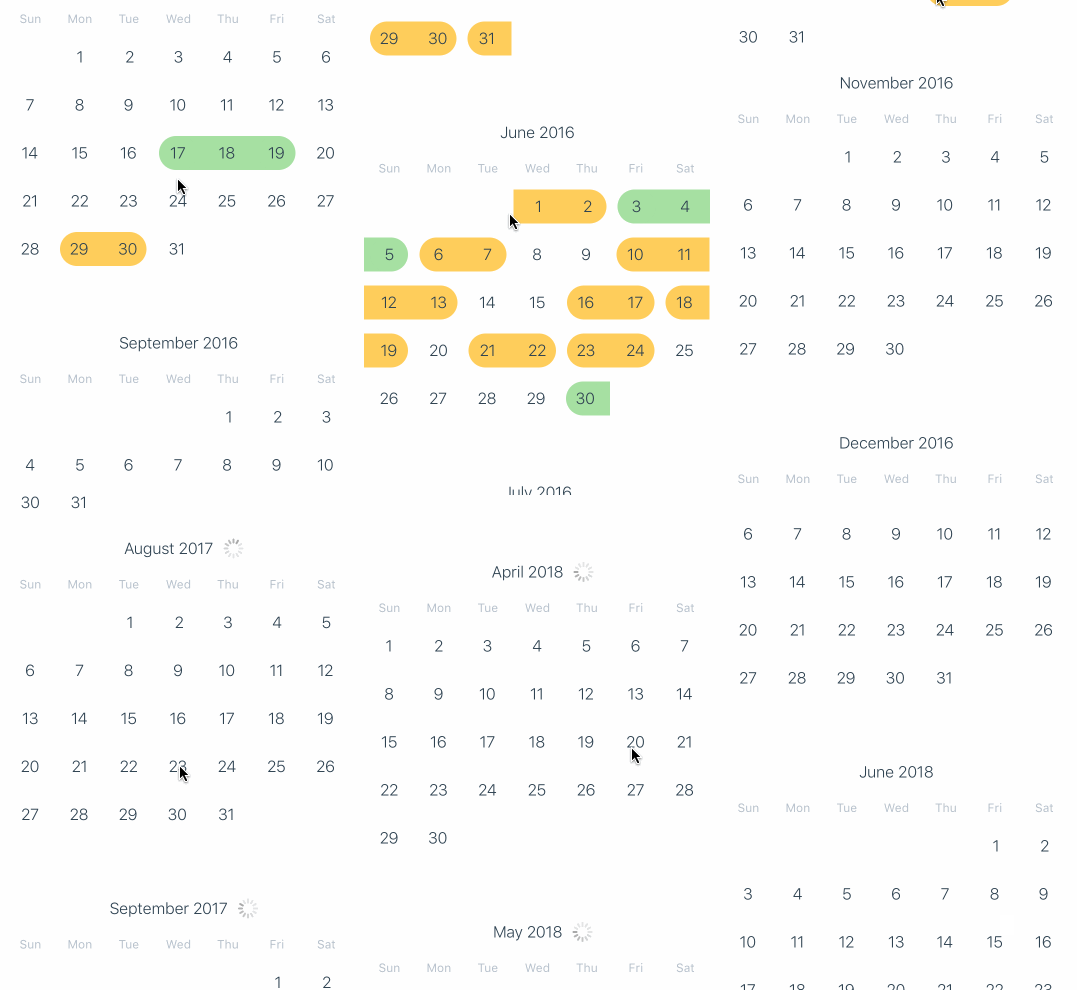
คุณสามารถตรวจสอบตัวอย่างหน้าจอซอร์สโค้ดในหน้าจอโมดูลตัวอย่าง
โครงการนี้เข้ากันได้กับ Expo/CRNA (โดยไม่ต้องออก) และตัวอย่างได้รับการเผยแพร่ในงานแสดงสินค้า
นี่คือวิธีเริ่มต้นใช้งาน React-Native-Calendars ในโครงการ React Native ของคุณ:
$ yarn add react-native-calendars
ปฏิทิน RN ถูกนำไปใช้ใน JavaScript ดังนั้นจึงไม่จำเป็นต้องมีการเชื่อมโยงโมดูลดั้งเดิม
ตัวอย่างการใช้งานขั้นพื้นฐานของห้องสมุด
Calendar import { Calendar , CalendarList , Agenda } from 'react-native-calendars' ;Calendar ในแอพของคุณ: < Calendar
onDayPress = { day => {
console . log ( 'selected day' , day ) ;
} }
/> นี่คือตัวอย่างโค้ดสองสามตัวอย่างที่แสดงให้เห็นถึงวิธีการใช้คุณสมบัติที่สำคัญบางอย่างของ React-Native-Calendars:
 import React , { useState } from 'react' ;
import { Calendar , LocaleConfig } from 'react-native-calendars' ;

const App = ( ) => {
  const [ selected , setSelected ] = useState ( '' ) ;

  return (
    < Calendar
      onDayPress = { day => {
        setSelected ( day . dateString ) ;
      } }
      markedDates = { {
        [ selected ] : { selected : true , disableTouchEvent : true , selectedDotColor : 'orange' }
      } }
    />
  ) ;
} ;

export default App ; < Calendar
// Customize the appearance of the calendar
style = { {
borderWidth : 1 ,
borderColor : 'gray' ,
height : 350
} }
// Specify the current date
current = { '2012-03-01' }
// Callback that gets called when the user selects a day
onDayPress = { day => {
console . log ( 'selected day' , day ) ;
} }
// Mark specific dates as marked
markedDates = { {
'2012-03-01' : { selected : true , marked : true , selectedColor : 'blue' } ,
'2012-03-02' : { marked : true } ,
'2012-03-03' : { selected : true , marked : true , selectedColor : 'blue' }
} }
/> import { LocaleConfig } from 'react-native-calendars' ;
import React , { useState } from 'react' ;
import { Calendar , LocaleConfig } from 'react-native-calendars' ;
LocaleConfig . locales [ 'fr' ] = {
monthNames : [
'Janvier' ,
'Février' ,
'Mars' ,
'Avril' ,
'Mai' ,
'Juin' ,
'Juillet' ,
'Août' ,
'Septembre' ,
'Octobre' ,
'Novembre' ,
'Décembre'
] ,
monthNamesShort : [ 'Janv.' , 'Févr.' , 'Mars' , 'Avril' , 'Mai' , 'Juin' , 'Juil.' , 'Août' , 'Sept.' , 'Oct.' , 'Nov.' , 'Déc.' ] ,
dayNames : [ 'Dimanche' , 'Lundi' , 'Mardi' , 'Mercredi' , 'Jeudi' , 'Vendredi' , 'Samedi' ] ,
dayNamesShort : [ 'Dim.' , 'Lun.' , 'Mar.' , 'Mer.' , 'Jeu.' , 'Ven.' , 'Sam.' ] ,
today : "Aujourd'hui"
} ;
LocaleConfig . defaultLocale = 'fr' ;
const App = ( ) => {
const [ selected , setSelected ] = useState ( '' ) ;
return (
< Calendar
onDayPress = { day => {
setSelected ( day . dateString ) ;
} }
markedDates = { {
[ selected ] : { selected : true , disableTouchEvent : true , selectedDotColor : 'orange' }
} }
/>
) ;
} ;
export default App ; < Calendar
style = { {
borderWidth : 1 ,
borderColor : 'gray' ,
height : 350 ,
} }
theme = { {
backgroundColor : '#ffffff' ,
calendarBackground : '#ffffff' ,
textSectionTitleColor : '#b6c1cd' ,
selectedDayBackgroundColor : '#00adf5' ,
selectedDayTextColor : '#ffffff' ,
todayTextColor : '#00adf5' ,
dayTextColor : '#2d4150' ,
textDisabledColor : '#dd99ee'
} }
</ Calendar > 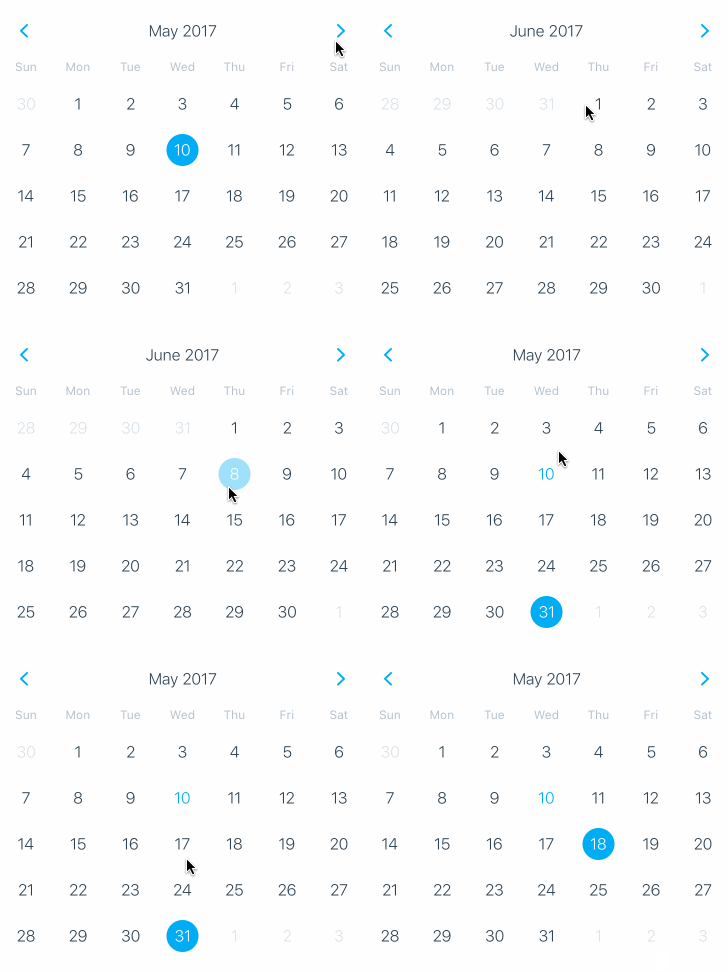







ดูรายชื่อผู้สนับสนุนที่เข้าร่วมในโครงการนี้
เรายินดีต้อนรับการมีส่วนร่วมในการตอบโต้-ท้องถิ่น
หากคุณมีความคิดสำหรับคุณสมบัติใหม่หรือค้นพบข้อผิดพลาดโปรดเปิดปัญหา
โปรด yarn test และ yarn lint ก่อนที่จะผลักดันการเปลี่ยนแปลง
อย่าลืมเพิ่ม ชื่อ และ คำอธิบาย อธิบายปัญหาที่คุณพยายามแก้ไขและโซลูชันที่คุณเสนอ
ภาพหน้าจอและ GIF มีประโยชน์มากในการเพิ่ม PR สำหรับบทวิจารณ์
โปรดอย่าจัดรูปแบบไฟล์ - เรากำลังพยายามรักษาไวยากรณ์แบบครบวงจรและทำให้กระบวนการตรวจสอบรวดเร็วและรวดเร็ว
ปฏิทินพื้นเมืองได้รับอนุญาต MIT





