Mittelbot
vice Release


โครงการนี้ ไม่ สนับสนุนโฮสติ้งโดยไม่มี Docker หรือบริการโฮสติ้งฟรีอื่น ๆ เช่น Heroku หรือ Netlify ในปัจจุบัน
ในการโฮสต์โครงการนี้คุณต้องมีความเข้าใจพื้นฐานเกี่ยวกับ Docker และ NodeJS ทุกคนยินดีที่จะมีส่วนร่วมในโครงการนี้และเพิ่มคำแนะนำ "วิธีโฮสต์" ในไฟล์ readme นี้สำหรับบริการโฮสติ้งอื่น ๆ
โครงการนี้ออกแบบมาเพื่อทำงานบนเซิร์ฟเวอร์ที่มี RAM อย่างน้อย 4GB และ 2 CPU CORES
Mittelbot บอทอเนกประสงค์อเนกประสงค์ที่มีคุณสมบัติมากมาย
ด้วยการแจ้งเตือนการกลั่นกรองด้วยบทบาทเตือนคำสั่งความสนุกการแปลอัตโนมัติ banappeals การปรับเปลี่ยนอัตโนมัติระบบตั๋วการตรวจจับการหลอกลวงปฏิกิริยา reactionroles ระดับระบบดนตรีคำสั่งยูทิลิตี้และอื่น ๆ !
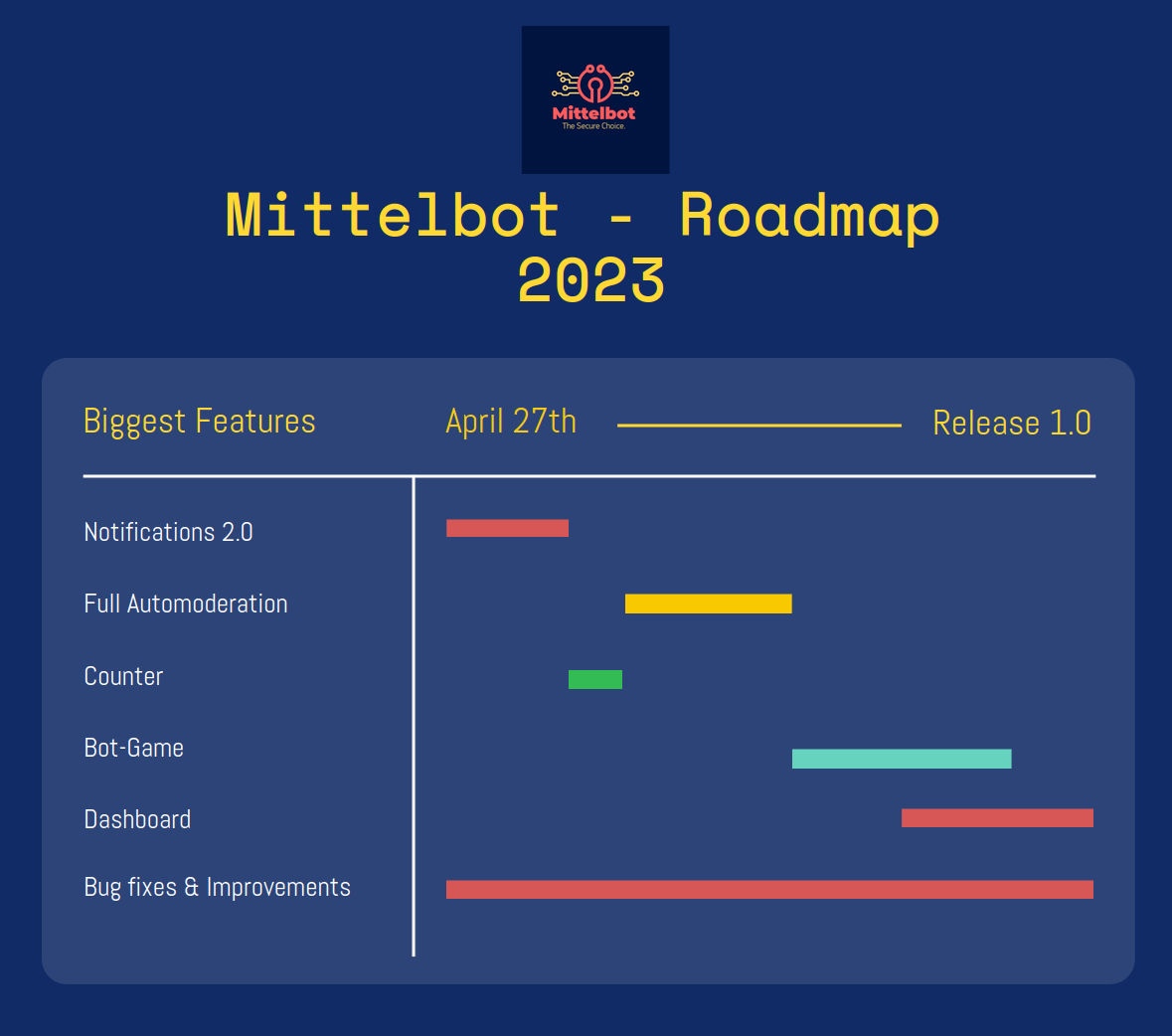
ขอบคุณที่พิจารณาการมีส่วนร่วมกับ Mittelbot!
หากคุณต้องการมีส่วนร่วมใน Mittelbot คุณสามารถทำได้โดยการสร้างคำขอดึง
หากคุณต้องการเพิ่มคุณสมบัติใหม่โปรดเปิดปัญหาก่อน
คุณอาจถามว่าคุณควรเปลี่ยนตัวแปรฐานข้อมูลใน. ENV หรือไม่ แน่นอนคุณสามารถ แต่ค่าเริ่มต้นนั้นสมบูรณ์แบบสำหรับการพัฒนา
วิธีติดตั้ง Docker บน Linux: https://www.digitalocean.com/community/tutorials/how-to-install-and-use-docker-on-ubuntu-22-04
วิธีติดตั้ง Docker บน Windows: https://docs.docker.com/desktop/install/windows-install/
วิธีติดตั้ง Docker บน Mac: https://docs.docker.com/desktop/mac/install/
git clone https://github.com/Mittelbots/Mittelbot.git DISCORD_SECRET = #Your bot secret (Visit the Discord Developer Portal for your token)
DISCORD_TOKEN = #Your bot token (Visit the Discord Developer Portal for your token)
DISCORD_APPLICATION_ID = #Your Bot Application ID (Also known as User ID)
DEVELOPER_DISCORD_GUILD_ID = #The Guild were all commands should load on (When NODE_ENV is development)
# DEVELOPER CHANNELS
DC_DEBUG = # The Channel ID for the debug channel where discords debug messages will be sent
DC_DISCONNECT = # The Channel ID for the disconnect channel where discords disconnect messages will be sent
DC_ERROR = # The Channel ID for the error channel where discords error messages will be sent
DC_WARN = # The Channel ID for the warn channel where discords warn messages will be sent
DC_RECONNECT = # The Channel ID for the reconnect channel where discords reconnect messages will be sent
DC_SCAMMANAGE = # The Channel ID where all scam link requests will be sent
# DATABASE
DB_DEBUG = false # debug mode for the database
DB_HOST = mysql # default
DB_USER = mittelbot # default
DB_PASSWORD = root # default
DB_DATABASE = mittelbot # default
# MISC
OWNER_ID = # Your Discord User ID to use the owner commands
# ====== OPTIONAL ====== #
# TWITCH
TT_CLIENT_ID = #Your Twitch Client ID to run the twitch notifier
TT_SECRET = #Your Twitch Secret
# IMGUR
IMGUR_CLIENT_ID = #Your Imgur Client ID to run the imgur uploader
IMGUR_CLIENT_SECRET = #Your Imgur Client Secret
# YOUTUBE
YT_KEY = #Your Youtube API Key to run the youtube notifiernpm run start ไปที่ข้อความโดยตรงบอทของคุณและส่ง deploycommands คุณจะสังเกตเห็นว่าในคอนโซลของคุณคำสั่งจะถูกปรับใช้และอัปเดต





