AlbumCameraRecorder
1.1.80X

Uma biblioteca de operações de suporte multimídia eficiente pode ser uma variedade de fotos simples de operação de configuração, álbum, gravação, gravação e outras funções.
Suporta também o suporte ao uso da exibição de imagens, vídeo, função de grade de áudio 9.
Uma versão não-X da biblioteca, não mantida mais (https://github.com/zhongjhatc/albumcamerarecorder/tree/master)
 allprojects {
	repositories {
		...
		maven { url 'https://www.jitpack.io' }
	}
}
 dependencies {
     // if you want to simplify the code and at the same time use multilibrary and progresslibrary, albumCameraRecorderCommon, can directly use the combined library
     implementation 'com.github.zhongjhATC.AlbumCameraRecorder:combined:1.1.104X'

     // Public library, if not using the combined library above
     implementation 'com.github.zhongjhATC.AlbumCameraRecorder:common:1.1.104X'
     // core lib, call display album, screen recording, recording, etc
     implementation 'com.github.zhongjhATC.AlbumCameraRecorder:multilibrary:1.1.104X'
     // It is mainly used to display the relevant upload progress after obtaining data. If you only need to obtain photos, videos and recordings, you don't need to use this
     implementation 'com.github.zhongjhATC.AlbumCameraRecorder:progresslibrary:1.1.104X'

     // use it with editing pictures
     implementation 'com.github.zhongjhATC.AlbumCameraRecorder:imageedit:1.1.104X'
     // Supporting editing video use, currently only compression function, continue to add related functions, because the library uses ffmpeg, occupies a file size of 25M, according to the actual situation to choose whether to use
     implementation 'com.github.zhongjhATC.AlbumCameraRecorder:videoedit:1.1.104X'
     // Because the library uses mp4parser, which takes up a file size of about 300kb, choose whether to use it according to the actual situation
     implementation 'com.github.zhongjhATC.AlbumCameraRecorder:videomerge:1.1.104X'
}
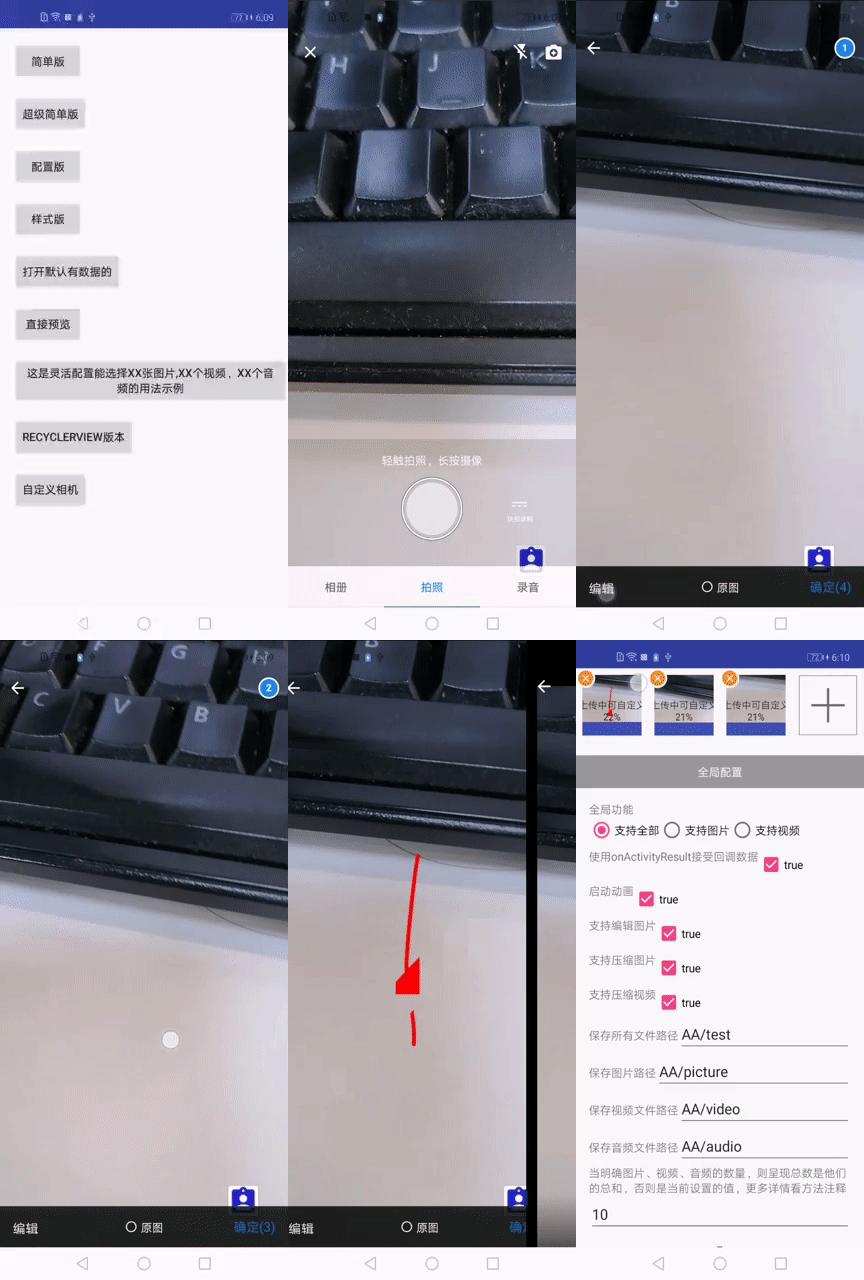
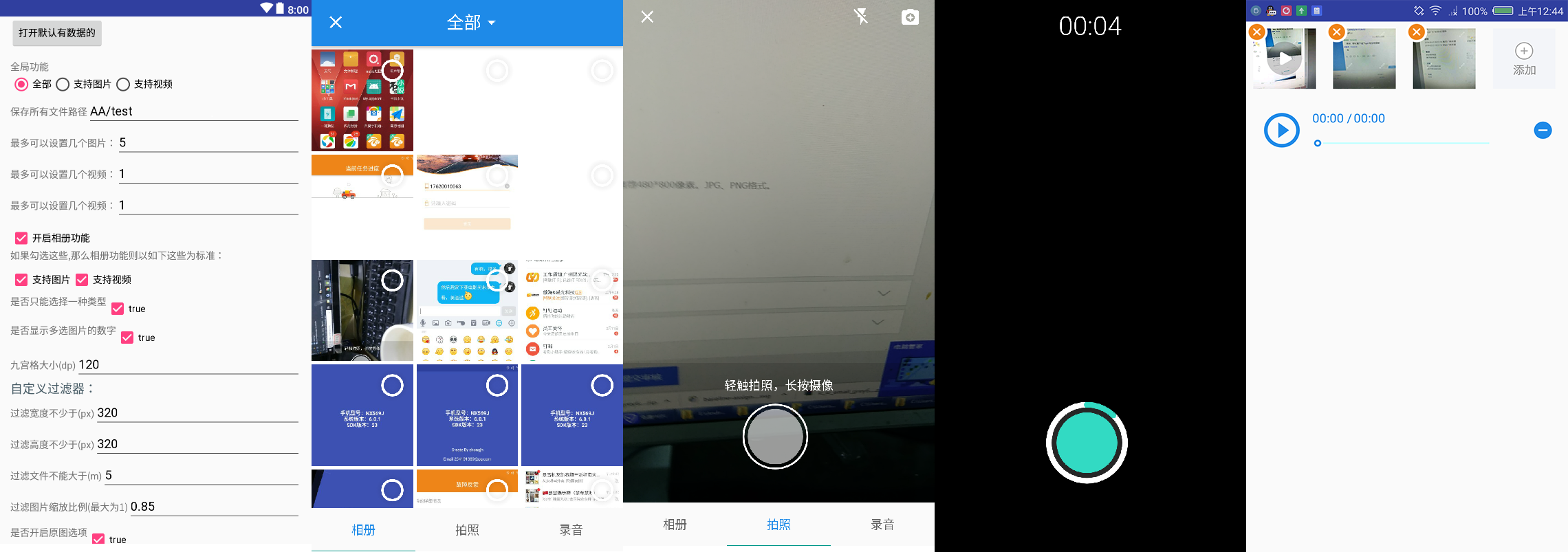
Relatório de teste 100% através da compatibilidade.
    // Shooting Related Settings
    CameraSetting cameraSetting = new CameraSetting();
    // Types supported: picture, video
    cameraSetting.mimeTypeSet(MimeType.ofAll());

    // album
    mAlbumSetting = new AlbumSetting(false)
            // Types supported: picture, video
            .mimeTypeSet(MimeType.ofAll())
            // Whether to display the number of multiple selected images
            .countable(true)
            // Custom filter
            .addFilter(new GifSizeFilter(320, 320, 5 * BaseFilter.K * BaseFilter.K))
            // Open the original
            .originalEnable(true)
            // Maximum original size, valid only if originalEnable is true
            .maxOriginalSize(10);

    // recorder
    RecorderSetting recorderSetting = new RecorderSetting();

    // globalSetting
    GlobalSetting globalSetting = MultiMediaSetting.from(MainActivity.this).choose(MimeType.ofAll());
    globalSetting.cameraSetting(cameraSetting);
    globalSetting.albumSetting(albumSetting);
    globalSetting.recorderSetting(recorderSetting);

    mGlobalSetting
            .setOnMainListener(errorMessage -> {
                Log.d(TAG, errorMessage);
                Toast.makeText(MainSimpleActivity.this.getApplicationContext(), errorMessage, Toast.LENGTH_LONG).show();
            })
            // Set paths and 7.0 protection paths, and so on
            .allStrategy(new SaveStrategy(true, "com.zhongjh.cameraapp.fileprovider", "aabb"))
            // for glide-V4
            .imageEngine(new Glide4Engine())
            // Maximum 5 images or maximum 3 video
            .maxSelectablePerMediaType(null,
                                    5,
                                    3,
                                    3,
                                    alreadyImageCount,
                                    alreadyVideoCount,
                                    alreadyAudioCount)
                            .forResult(REQUEST_CODE_CHOOSE);
 @Override
protected void onActivityResult(int requestCode, int resultCode, Intent data) {
    super.onActivityResult(requestCode, resultCode, data);
    if (resultCode != RESULT_OK)
        return;
    List<LocalFile> result = MultiMediaSetting.obtainLocalFileResult(data);
}
 <provider
    android:name="androidx.core.content.FileProvider"
    android:authorities="${applicationId}.fileProvider"
    android:exported="false"
    android:grantUriPermissions="true">
    <meta-data
        android:name="android.support.FILE_PROVIDER_PATHS"
        android:resource="@xml/file_paths_public" />
</provider>
Consulte a demonstração para obter extensões simples. Se você precisar se aprofundar para aprender mais sobre extensões de arquitetura simples do Camerafragment
Como o interior da câmera do [CameraView] (https://github.com/natario1/cameraView), então altere a resolução, fechada quando a gravação de fita e outras funções podem acessar para ver mais interfaces, por isso, como obtemos a cameraview da nossa biblioteca que podemos usar em nossa instância de demonstração
Se você usar a biblioteca mostrada, as seguintes APIs também serão úteis para você
Atualização do histórico.
Se você acha que funciona, dê -me uma estrela (Github)
Se você encontrar algum bug, deixe um comentário ou deixe um problema (Problemas)
Qualquer reimpressão, por favor, indique a fonte






