AlbumCameraRecorder
1.1.80X

Una eficiente biblioteca de operación de soporte multimedia puede ser una variedad de simples fotos de operación de configuración, álbum, grabación, grabación y otras funciones.
También admite admitir el uso de la pantalla de imágenes, video, función de cuadrícula Audio 9.
Una versión de biblioteca que no es X, que ya no se mantuvo (https://github.com/zhongjhatc/albumcamerarecorder/tree/master)
 allprojects {
	repositories {
		...
		maven { url 'https://www.jitpack.io' }
	}
}
 dependencies {
     // if you want to simplify the code and at the same time use multilibrary and progresslibrary, albumCameraRecorderCommon, can directly use the combined library
     implementation 'com.github.zhongjhATC.AlbumCameraRecorder:combined:1.1.104X'

     // Public library, if not using the combined library above
     implementation 'com.github.zhongjhATC.AlbumCameraRecorder:common:1.1.104X'
     // core lib, call display album, screen recording, recording, etc
     implementation 'com.github.zhongjhATC.AlbumCameraRecorder:multilibrary:1.1.104X'
     // It is mainly used to display the relevant upload progress after obtaining data. If you only need to obtain photos, videos and recordings, you don't need to use this
     implementation 'com.github.zhongjhATC.AlbumCameraRecorder:progresslibrary:1.1.104X'

     // use it with editing pictures
     implementation 'com.github.zhongjhATC.AlbumCameraRecorder:imageedit:1.1.104X'
     // Supporting editing video use, currently only compression function, continue to add related functions, because the library uses ffmpeg, occupies a file size of 25M, according to the actual situation to choose whether to use
     implementation 'com.github.zhongjhATC.AlbumCameraRecorder:videoedit:1.1.104X'
     // Because the library uses mp4parser, which takes up a file size of about 300kb, choose whether to use it according to the actual situation
     implementation 'com.github.zhongjhATC.AlbumCameraRecorder:videomerge:1.1.104X'
}
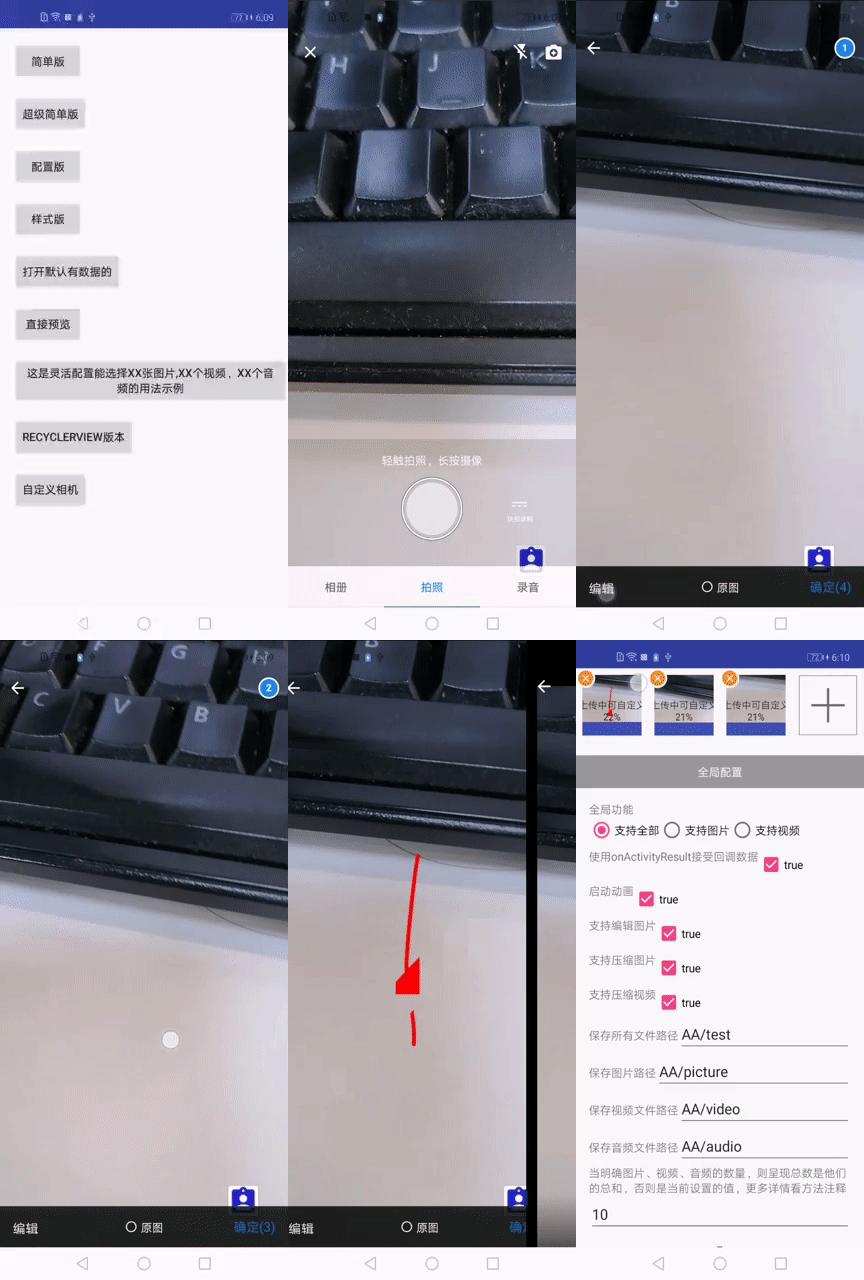
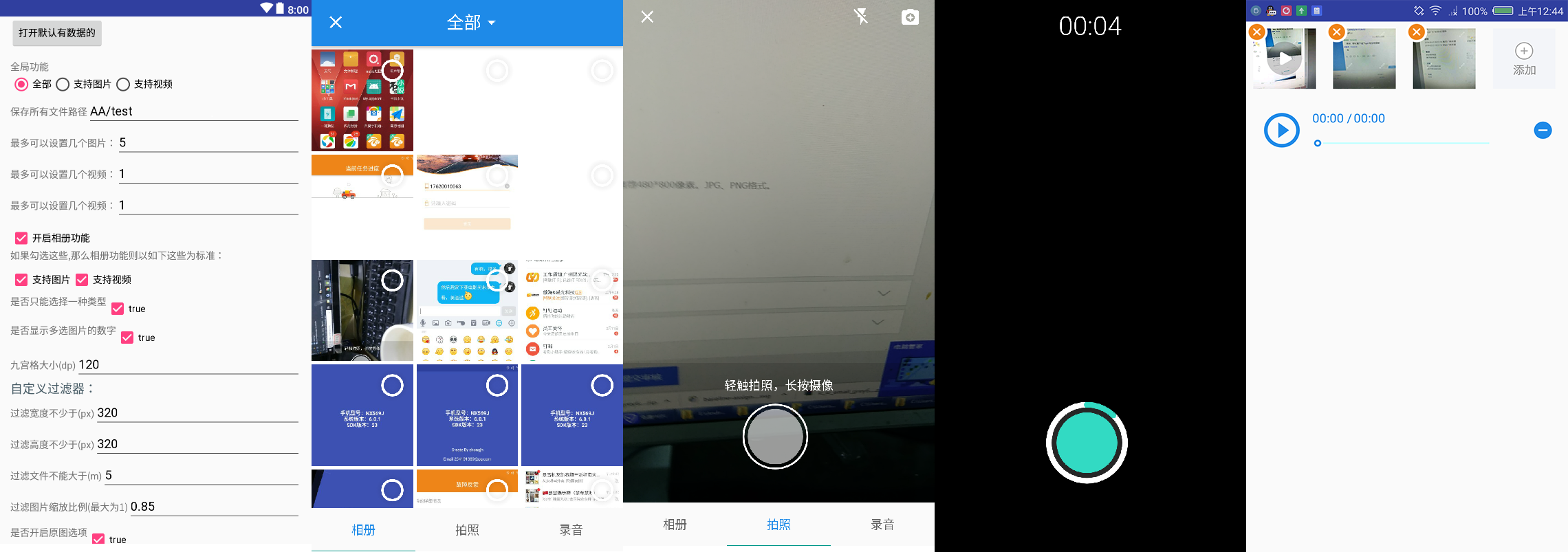
100% a través del informe de prueba de competencia.
    // Shooting Related Settings
    CameraSetting cameraSetting = new CameraSetting();
    // Types supported: picture, video
    cameraSetting.mimeTypeSet(MimeType.ofAll());

    // album
    mAlbumSetting = new AlbumSetting(false)
            // Types supported: picture, video
            .mimeTypeSet(MimeType.ofAll())
            // Whether to display the number of multiple selected images
            .countable(true)
            // Custom filter
            .addFilter(new GifSizeFilter(320, 320, 5 * BaseFilter.K * BaseFilter.K))
            // Open the original
            .originalEnable(true)
            // Maximum original size, valid only if originalEnable is true
            .maxOriginalSize(10);

    // recorder
    RecorderSetting recorderSetting = new RecorderSetting();

    // globalSetting
    GlobalSetting globalSetting = MultiMediaSetting.from(MainActivity.this).choose(MimeType.ofAll());
    globalSetting.cameraSetting(cameraSetting);
    globalSetting.albumSetting(albumSetting);
    globalSetting.recorderSetting(recorderSetting);

    mGlobalSetting
            .setOnMainListener(errorMessage -> {
                Log.d(TAG, errorMessage);
                Toast.makeText(MainSimpleActivity.this.getApplicationContext(), errorMessage, Toast.LENGTH_LONG).show();
            })
            // Set paths and 7.0 protection paths, and so on
            .allStrategy(new SaveStrategy(true, "com.zhongjh.cameraapp.fileprovider", "aabb"))
            // for glide-V4
            .imageEngine(new Glide4Engine())
            // Maximum 5 images or maximum 3 video
            .maxSelectablePerMediaType(null,
                                    5,
                                    3,
                                    3,
                                    alreadyImageCount,
                                    alreadyVideoCount,
                                    alreadyAudioCount)
                            .forResult(REQUEST_CODE_CHOOSE);
 @Override
protected void onActivityResult(int requestCode, int resultCode, Intent data) {
    super.onActivityResult(requestCode, resultCode, data);
    if (resultCode != RESULT_OK)
        return;
    List<LocalFile> result = MultiMediaSetting.obtainLocalFileResult(data);
}
 <provider
    android:name="androidx.core.content.FileProvider"
    android:authorities="${applicationId}.fileProvider"
    android:exported="false"
    android:grantUriPermissions="true">
    <meta-data
        android:name="android.support.FILE_PROVIDER_PATHS"
        android:resource="@xml/file_paths_public" />
</provider>
Consulte la demostración de extensiones simples. Si necesita profundizar para obtener más información sobre extensiones Arquitectura simple de CameraFragment
Debido a que el interior de la cámara desde [CamerView] (https://github.com/natario1/cameraview), así que cambie la resolución, se cierre cuando la grabación de cinta y otras funciones pueden acceder para ver más interfaces, así que cómo obtenemos la visión de cámara de nuestra biblioteca que podemos usar en nuestra instancia de DEMO
Si usa la biblioteca mostrada, las siguientes API también son útiles para usted
Actualización del historial.
Si crees que funciona, dame una estrella (github)
Si encuentra algún error, deje un comentario o deje un problema (Problemas)
Cualquier reimpresión, indique la fuente






