AlbumCameraRecorder
1.1.80X

Eine effiziente Multimedia -Support -Operation -Bibliothek kann eine Vielzahl von einfachem Konfigurationsbetriebsfoto, Album, Aufnahme, Aufnahme und anderen Funktionen sein.
Unterstützen Sie auch die Verwendung der Verwendung von Bildern, Video, Audio 9 Grid -Funktion.
Eine Nicht-X-Bibliotheksversion, die nicht mehr gepflegt wurde (https://github.com/zhongjhatc/albumcamerarecorder/tree/master)
 allprojects {
	repositories {
		...
		maven { url 'https://www.jitpack.io' }
	}
}
 dependencies {
     // if you want to simplify the code and at the same time use multilibrary and progresslibrary, albumCameraRecorderCommon, can directly use the combined library
     implementation 'com.github.zhongjhATC.AlbumCameraRecorder:combined:1.1.104X'

     // Public library, if not using the combined library above
     implementation 'com.github.zhongjhATC.AlbumCameraRecorder:common:1.1.104X'
     // core lib, call display album, screen recording, recording, etc
     implementation 'com.github.zhongjhATC.AlbumCameraRecorder:multilibrary:1.1.104X'
     // It is mainly used to display the relevant upload progress after obtaining data. If you only need to obtain photos, videos and recordings, you don't need to use this
     implementation 'com.github.zhongjhATC.AlbumCameraRecorder:progresslibrary:1.1.104X'

     // use it with editing pictures
     implementation 'com.github.zhongjhATC.AlbumCameraRecorder:imageedit:1.1.104X'
     // Supporting editing video use, currently only compression function, continue to add related functions, because the library uses ffmpeg, occupies a file size of 25M, according to the actual situation to choose whether to use
     implementation 'com.github.zhongjhATC.AlbumCameraRecorder:videoedit:1.1.104X'
     // Because the library uses mp4parser, which takes up a file size of about 300kb, choose whether to use it according to the actual situation
     implementation 'com.github.zhongjhATC.AlbumCameraRecorder:videomerge:1.1.104X'
}
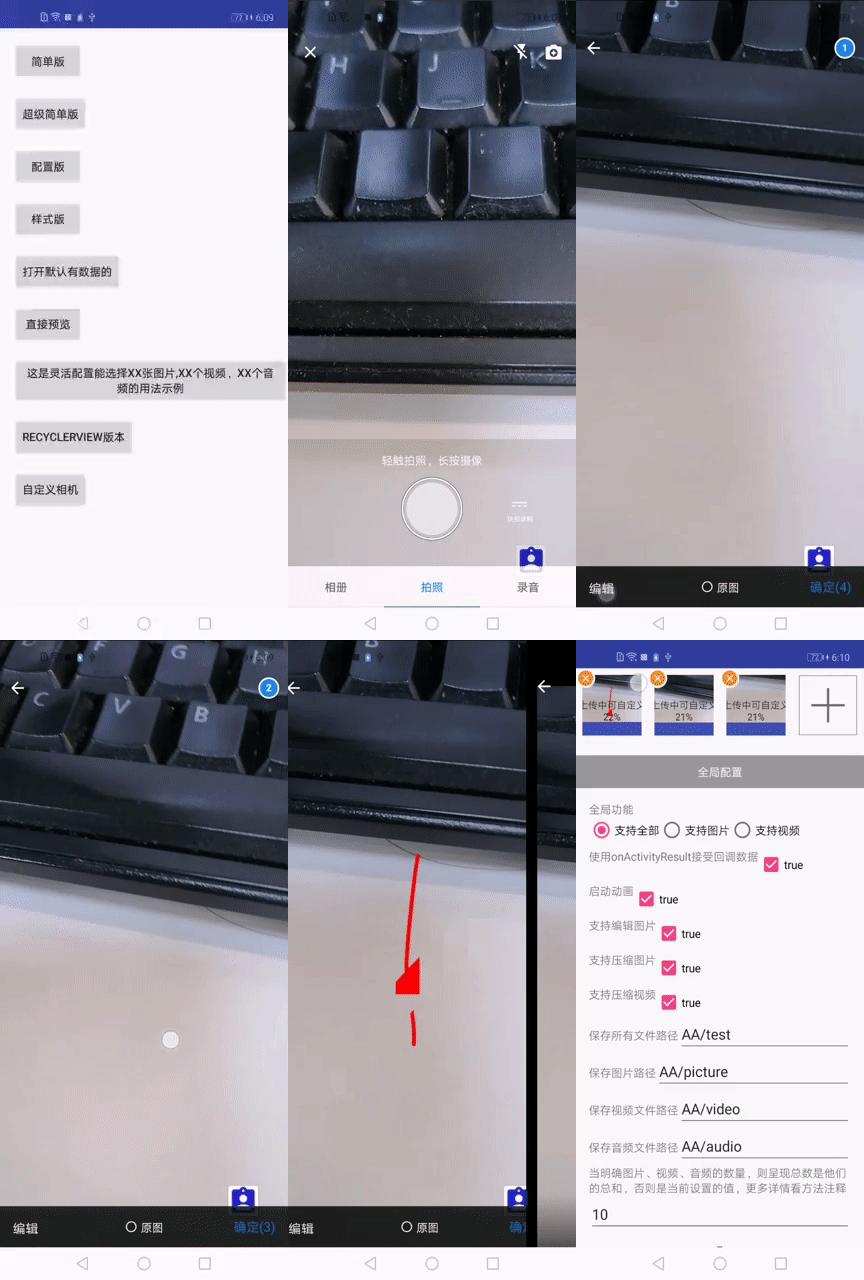
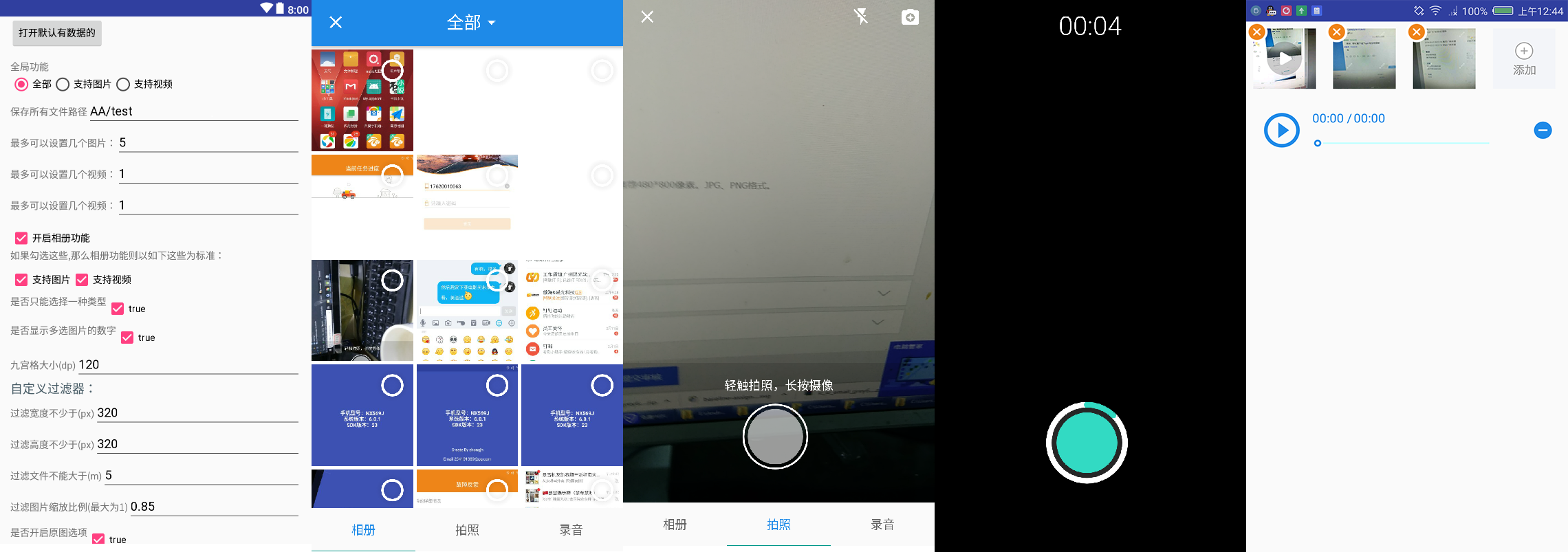
100% Durchkompatibilitätstestbericht.
    // Shooting Related Settings
    CameraSetting cameraSetting = new CameraSetting();
    // Types supported: picture, video
    cameraSetting.mimeTypeSet(MimeType.ofAll());

    // album
    mAlbumSetting = new AlbumSetting(false)
            // Types supported: picture, video
            .mimeTypeSet(MimeType.ofAll())
            // Whether to display the number of multiple selected images
            .countable(true)
            // Custom filter
            .addFilter(new GifSizeFilter(320, 320, 5 * BaseFilter.K * BaseFilter.K))
            // Open the original
            .originalEnable(true)
            // Maximum original size, valid only if originalEnable is true
            .maxOriginalSize(10);

    // recorder
    RecorderSetting recorderSetting = new RecorderSetting();

    // globalSetting
    GlobalSetting globalSetting = MultiMediaSetting.from(MainActivity.this).choose(MimeType.ofAll());
    globalSetting.cameraSetting(cameraSetting);
    globalSetting.albumSetting(albumSetting);
    globalSetting.recorderSetting(recorderSetting);

    mGlobalSetting
            .setOnMainListener(errorMessage -> {
                Log.d(TAG, errorMessage);
                Toast.makeText(MainSimpleActivity.this.getApplicationContext(), errorMessage, Toast.LENGTH_LONG).show();
            })
            // Set paths and 7.0 protection paths, and so on
            .allStrategy(new SaveStrategy(true, "com.zhongjh.cameraapp.fileprovider", "aabb"))
            // for glide-V4
            .imageEngine(new Glide4Engine())
            // Maximum 5 images or maximum 3 video
            .maxSelectablePerMediaType(null,
                                    5,
                                    3,
                                    3,
                                    alreadyImageCount,
                                    alreadyVideoCount,
                                    alreadyAudioCount)
                            .forResult(REQUEST_CODE_CHOOSE);
 @Override
protected void onActivityResult(int requestCode, int resultCode, Intent data) {
    super.onActivityResult(requestCode, resultCode, data);
    if (resultCode != RESULT_OK)
        return;
    List<LocalFile> result = MultiMediaSetting.obtainLocalFileResult(data);
}
 <provider
    android:name="androidx.core.content.FileProvider"
    android:authorities="${applicationId}.fileProvider"
    android:exported="false"
    android:grantUriPermissions="true">
    <meta-data
        android:name="android.support.FILE_PROVIDER_PATHS"
        android:resource="@xml/file_paths_public" />
</provider>
Weitere Erweiterungen finden Sie in der Demo. Wenn Sie tiefer gehen müssen, um mehr über Erweiterungen einfacher Architektur von CameraFragment zu erfahren
Weil die Innenseite der Kamera aus der [Cameraview] (https://github.com/natario1/cameraview) also die Auflösung ändern, geschlossen werden, wenn die Klebebandaufzeichnung und andere Funktionen auf mehr Schnittstellen zugreifen können.
Wenn Sie die gezeigte Bibliothek verwenden, sind die folgenden APIs auch für Sie nützlich
History Update.
Wenn du denkst, es funktioniert, gib mir einen Stern (Github)
Wenn Sie einen Fehler finden, hinterlassen Sie bitte einen Kommentar oder hinterlassen Sie Probleme (())
Jeder Nachdruck, bitte geben Sie die Quelle an






