litegraph.js
LiteGraph 1.0

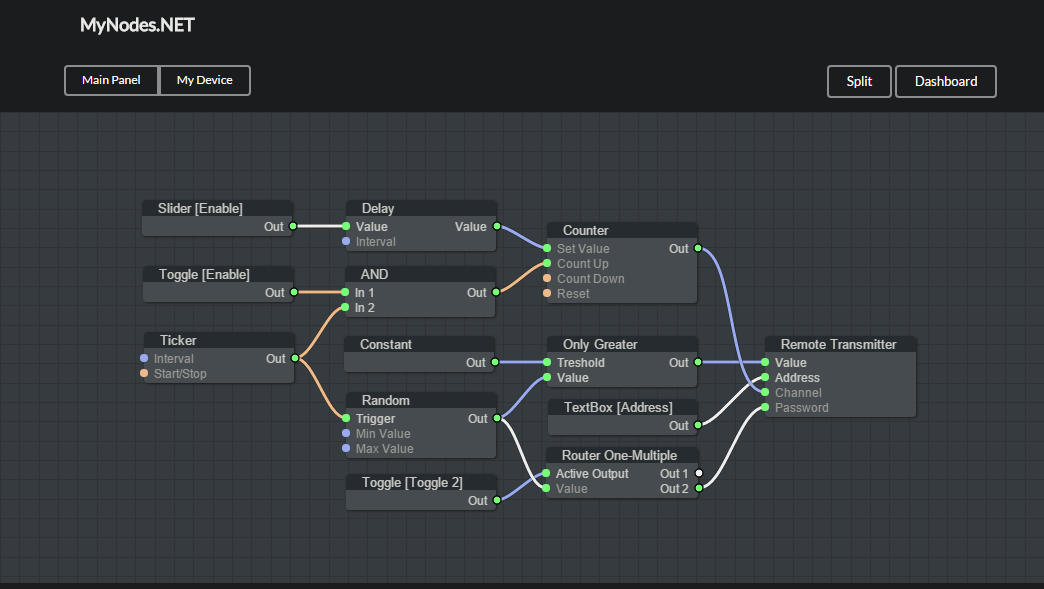
비현실적인 청사진과 유사한 브라우저에서 그래프를 생성하는 JavaScript의 라이브러리. 노드는 쉽게 프로그래밍 될 수 있으며 그래프를 구성하고 테스트하기위한 편집기가 포함되어 있습니다.
기존 웹 애플리케이션에 쉽게 통합 될 수 있으며 편집기가 없으면 그래프를 실행할 수 있습니다.
데모 사이트에서 시도하십시오.
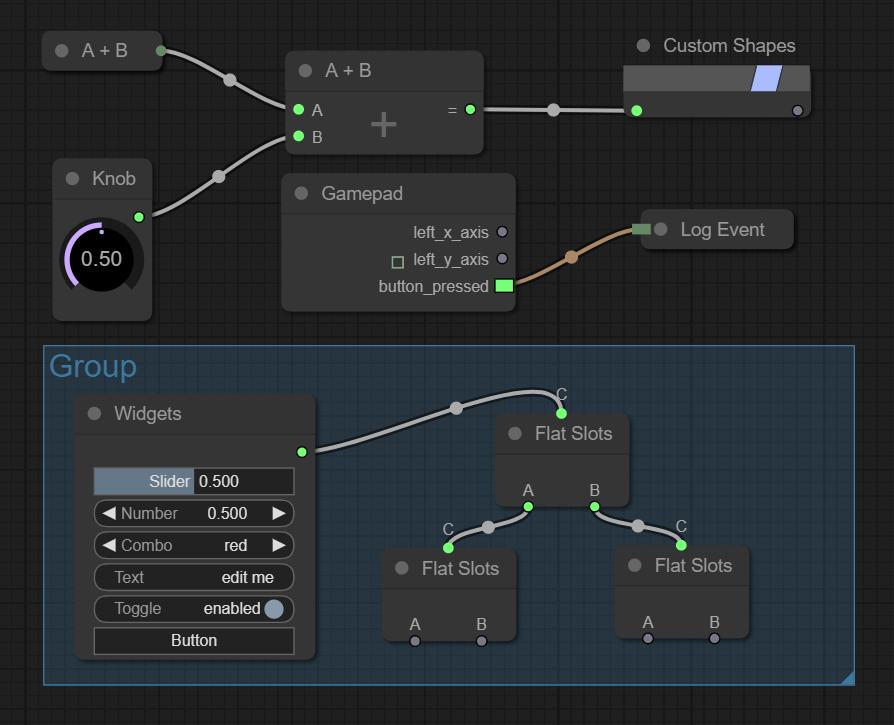
새로운 노드 유형을 쉽게 만들 수는 있지만 LiteGraph는 많은 경우에 유용 할 수있는 기본 노드가 제공됩니다.
NPM을 사용하여 설치할 수 있습니다
npm install litegraph.js
또는이 저장소에서 build/litegraph.js 및 css/litegraph.css 버전을 다운로드합니다.
 < html >
< head >
	< link rel =" stylesheet " type =" text/css " href =" litegraph.css " >
	< script type =" text/javascript " src =" litegraph.js " > </ script >
</ head >
< body style =' width:100%; height:100% ' >
< canvas id =' mycanvas ' width =' 1024 ' height =' 720 ' style =' border: 1px solid ' > </ canvas >
< script >
var graph = new LGraph ( ) ;

var canvas = new LGraphCanvas ( "#mycanvas" , graph ) ;

var node_const = LiteGraph . createNode ( "basic/const" ) ;
node_const . pos = [ 200 , 200 ] ;
graph . add ( node_const ) ;
node_const . setValue ( 4.5 ) ;

var node_watch = LiteGraph . createNode ( "basic/watch" ) ;
node_watch . pos = [ 700 , 200 ] ;
graph . add ( node_watch ) ;

node_const . connect ( 0 , node_watch , 0 ) ;

graph . start ( )
</ script >
</ body >
</ html > 다음은 두 가지 입력을 합산하는 노드를 작성하는 방법의 예입니다.
 //node constructor class
function MyAddNode ( )
{
  this . addInput ( "A" , "number" ) ;
  this . addInput ( "B" , "number" ) ;
  this . addOutput ( "A+B" , "number" ) ;
  this . properties = { precision : 1 } ;
}

//name to show
MyAddNode . title = "Sum" ;

//function to call when the node is executed
MyAddNode . prototype . onExecute = function ( )
{
  var A = this . getInputData ( 0 ) ;
  if ( A === undefined )
    A = 0 ;
  var B = this . getInputData ( 1 ) ;
  if ( B === undefined )
    B = 0 ;
  this . setOutputData ( 0 , A + B ) ;
}

//register in the system
LiteGraph . registerNodeType ( "basic/sum" , MyAddNode ) ;
또는 기존 기능을 래핑 할 수 있습니다.
 function sum ( a , b )
{
   return a + b ;
}

LiteGraph . wrapFunctionAsNode ( "math/sum" , sum , [ "Number" , "Number" ] , "Number" ) ; 또한 일부 노드는 서버 (오디오, 그래픽, 입력 등)에서 작동하지 않지만 Nodejs를 사용하여 서버 측 사용합니다.
 var LiteGraph = require ( "./litegraph.js" ) . LiteGraph ;

var graph = new LiteGraph . LGraph ( ) ;

var node_time = LiteGraph . createNode ( "basic/time" ) ;
graph . add ( node_time ) ;

var node_console = LiteGraph . createNode ( "basic/console" ) ;
node_console . mode = LiteGraph . ALWAYS ;
graph . add ( node_console ) ;

node_time . connect ( 0 , node_console , 1 ) ;

graph . start ( ) 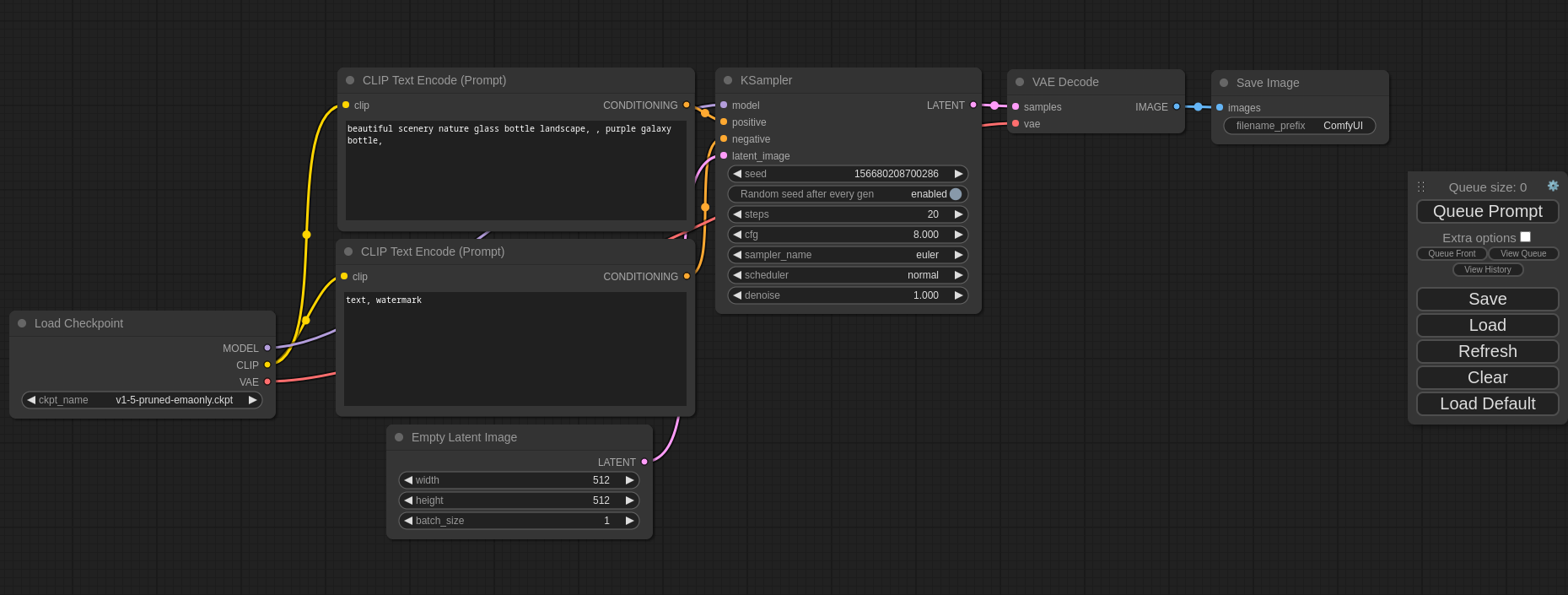
UTILS 폴더의 여러 명령이 포함되어 문서를 생성하고 오류를 확인하고 미수판을 작성합니다.
데모에는 그래프의 몇 가지 예가 포함되어 있습니다. 시도해 보려면 데모 사이트를 방문하거나 로컬 컴퓨터에 설치할 수 있으므로 git , node 및 npm 필요합니다. 해당 종속성이 설치되면 다음 명령을 실행하여 사용해보십시오.
$ git clone https://github.com/jagenjo/litegraph.js.git
$ cd litegraph.js
$ npm install
$ node utils/server.js
Example app listening on port 80 !
브라우저를 열고 http : // localhost : 8000/로 가리 킵니다. 페이지 상단의 드롭 다운에서 데모를 선택할 수 있습니다.
[email protected]에 피드백을 작성할 수 있습니다






