rich textarea
0.26.4

텍스트를 채색하고, 강조하고, 장식하고, 자동 완성 등을 제공하기위한 작은 맞춤형 텍스트 주레아.
메모
https://github.com/inokawa/edix를 좋아할 수도 있습니다
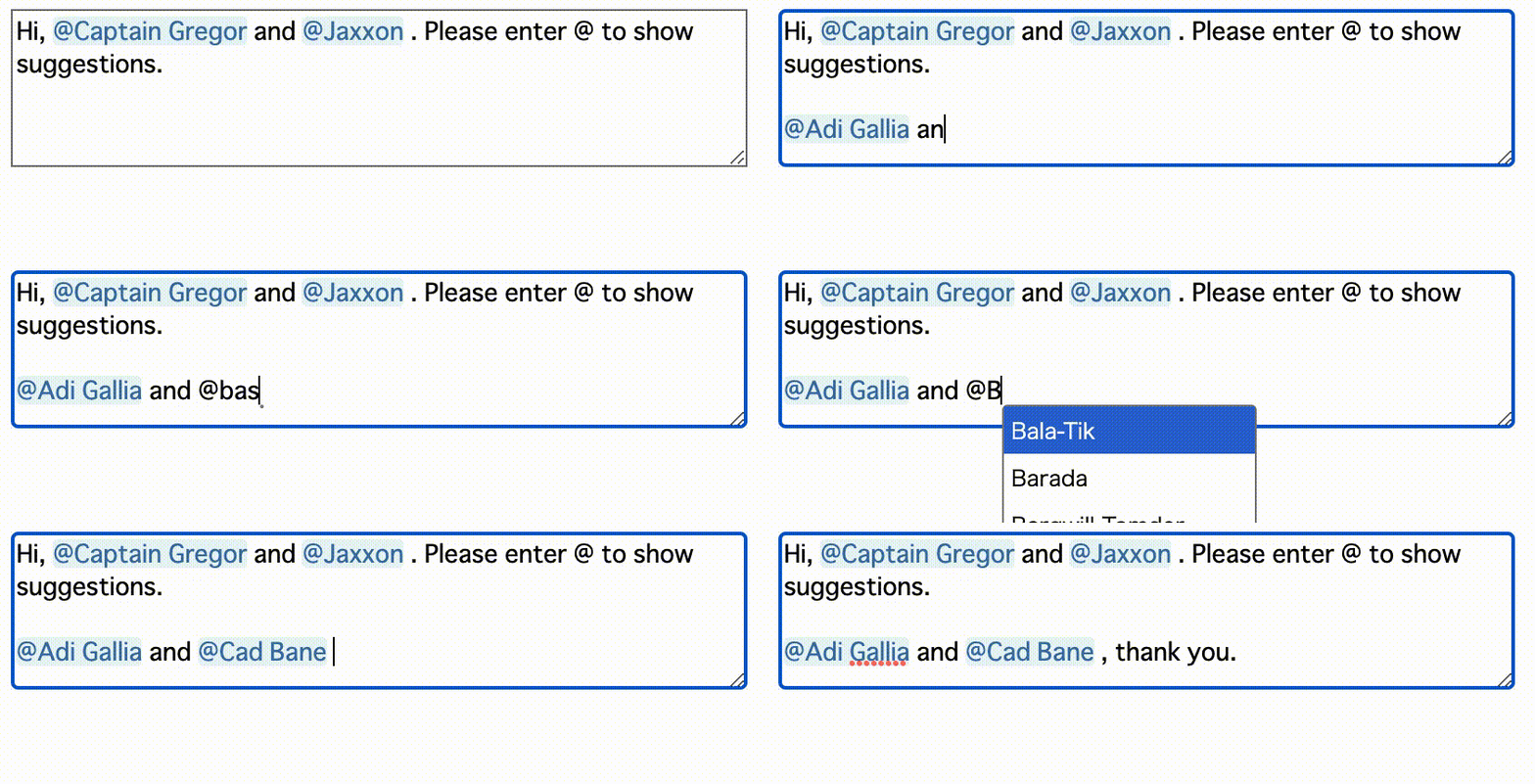
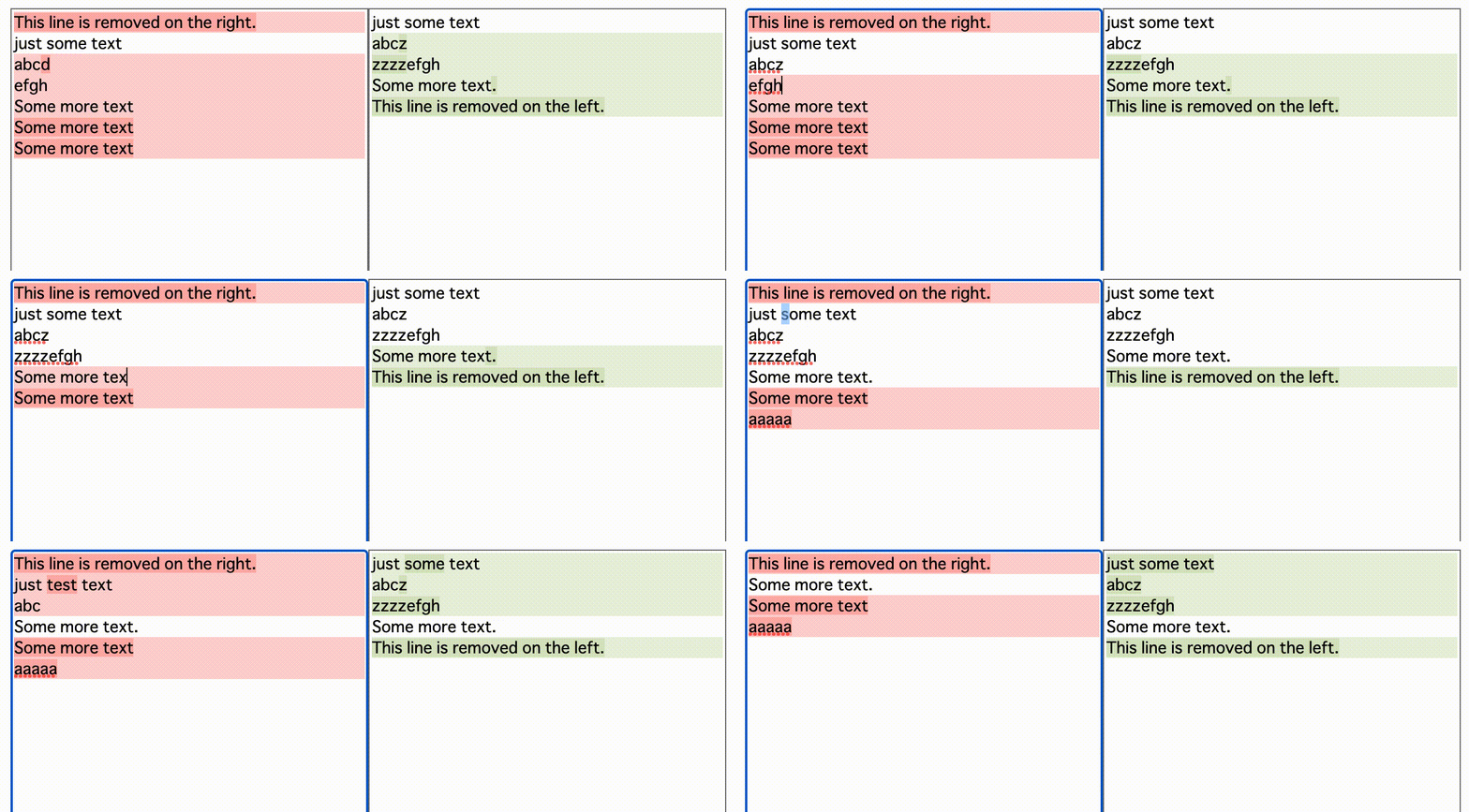
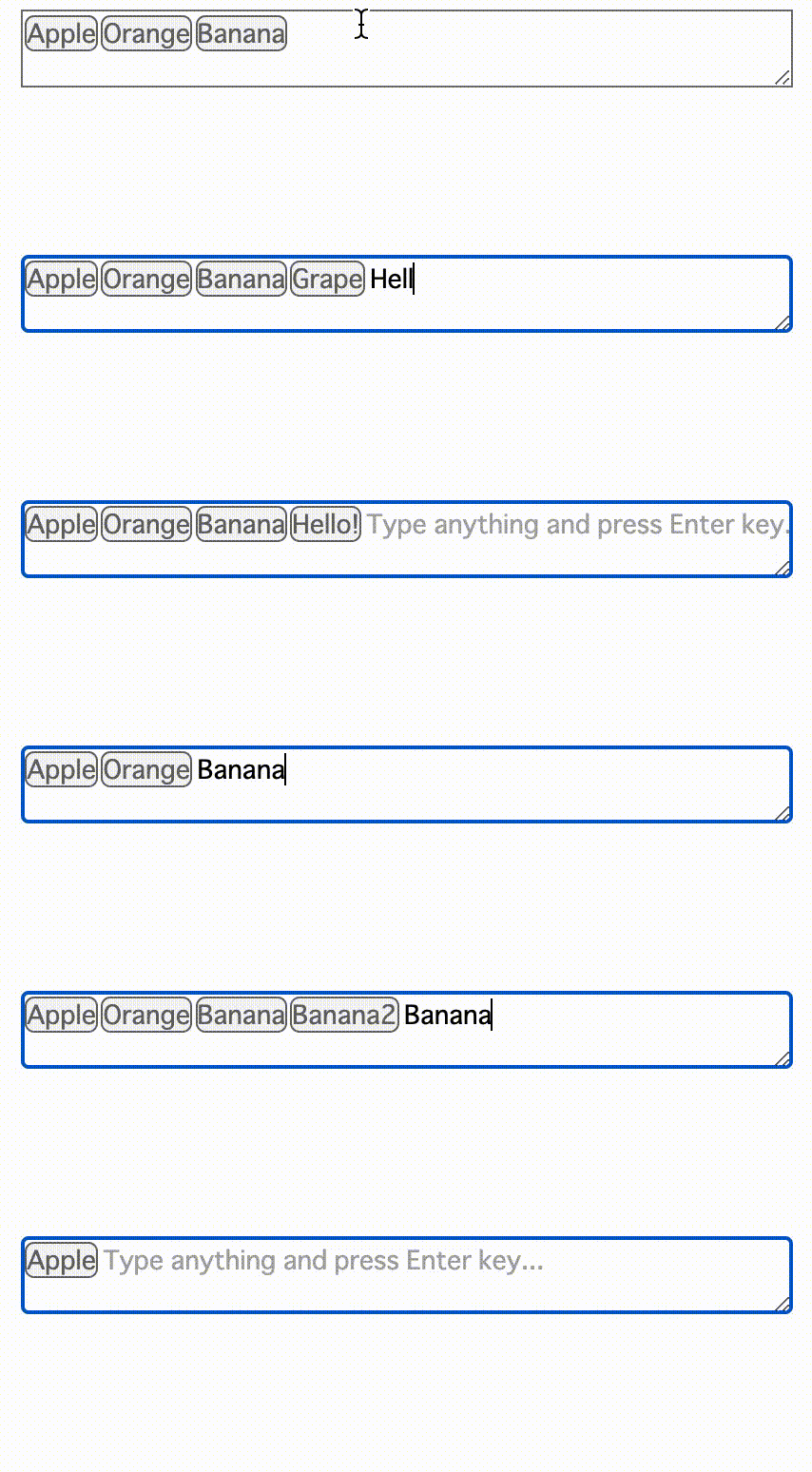

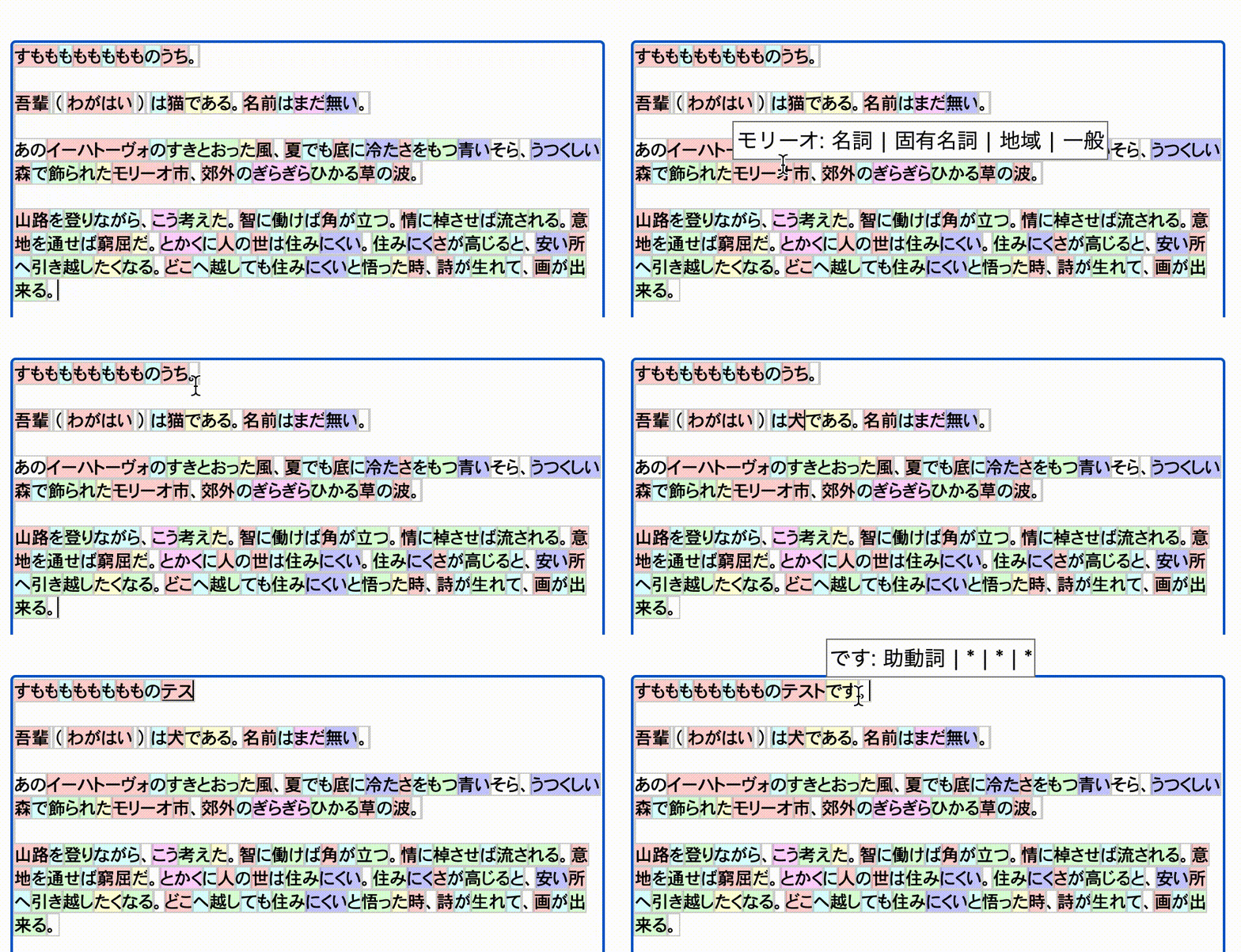
https://inokawa.github.io/rich-textarea/
때로는 웹에서 맞춤형 텍스트 편집기가 필요합니다. 그러나 원시 만족 조정 가능성으로 만들기가 너무 어렵고 편집기 프레임 워크는 일반적으로 너무 무거워 ... 어쩌면 당신은 정말로 필요할 수도 있습니다. 아마도 당신은 정말로 필요할 것입니다. 강조 표시와 일부 메뉴가있는 텍스토리 일뿐입니다. 이 라이브러리는 문제를 해결하는 것을 목표로합니다.
npm install rich-textarea ESM과 Webpack 5를 사용하는 경우 React> = 18을 사용하여 react/jsx-runtime 오류를 해결할 수 없습니다.
 import { useState } from "react" ;
import { RichTextarea } from "rich-textarea" ;

export const App = ( ) => {
  const [ text , setText ] = useState ( "Lorem ipsum" ) ;

  return (
    < RichTextarea
      value = { text }
      style = { { width : "600px" , height : "400px" } }
      onChange = { ( e ) => setText ( e . target . value ) }
    >
      { ( v ) => {
        return v . split ( "" ) . map ( ( t , i ) => (
          < span key = { i } style = { { color : i % 2 === 0 ? "red" : undefined } } >
            { t }
          </ span >
        ) ) ;
      } }
    </ RichTextarea >
  ) ;
} ; import { RichTextarea } from "rich-textarea" ;
export const App = ( ) => {
return (
< RichTextarea
defaultValue = "Lorem ipsum"
style = { { width : "600px" , height : "400px" } }
>
{ ( v ) => {
return v . split ( "" ) . map ( ( t , i ) => (
< span key = { i } style = { { color : i % 2 === 0 ? "red" : undefined } } >
{ t }
</ span >
) ) ;
} }
</ RichTextarea >
) ;
} ;자신만의 렌더링 함수를 만들고 싶지 않은 경우 Regex에 헬퍼를 사용할 수 있습니다.
 import { useState } from "react" ;
import { RichTextarea , createRegexRenderer } from "rich-textarea" ;

const renderer = createRegexRenderer ( [
  [ / [A-Z][a-z]+ / g , { borderRadius : "3px" , backgroundColor : "#d0bfff" } ] ,
] ) ;

export const App = ( ) => {
  const [ text , setText ] = useState ( "Lorem ipsum" ) ;

  return (
    < RichTextarea
      value = { text }
      style = { { width : "600px" , height : "400px" } }
      onChange = { ( e ) => setText ( e . target . value ) }
    >
      { renderer }
    </ RichTextarea >
  ) ;
} ; // _components/Textarea.tsx
"use client" ;
import { RichTextarea , RichTextareaProps } from "rich-textarea" ;
export const Textarea = (
props : Omit < RichTextareaProps , "children" | "ref" >
) => {
return (
< RichTextarea { ... props } >
{ ( v ) => {
return v . split ( "" ) . map ( ( t , i ) => (
< span key = { i } style = { { color : i % 2 === 0 ? "red" : undefined } } >
{ t }
</ span >
) ) ;
} }
</ RichTextarea >
) ;
} ;
// page.tsx in App Router of Next.js
import { Textarea } from "../_components/Textarea" ;
async function hello ( formData : FormData ) {
"use server" ;
console . log ( formData . get ( "hello" ) ) ;
}
export default ( ) => {
return (
< div >
< div > this is server! </ div >
< form action = { hello } >
< Textarea defaultValue = "Lorem ipsum" name = "hello" />
< button type = "submit" > submit </ button >
</ form >
</ div >
) ;
} ; import type { ActionFunction } from "@remix-run/node" ;
import { Form } from "@remix-run/react" ;
import { RichTextarea , RichTextareaProps } from "rich-textarea" ;
const Textarea = ( props : Omit < RichTextareaProps , "children" | "ref" > ) => {
return (
< RichTextarea { ... props } >
{ ( v ) => {
return v . split ( "" ) . map ( ( t , i ) => (
< span key = { i } style = { { color : i % 2 === 0 ? "red" : undefined } } >
{ t }
</ span >
) ) ;
} }
</ RichTextarea >
) ;
} ;
export const action : ActionFunction = async ( { request } ) => {
console . log ( ( await request . formData ( ) ) . get ( "hello" ) ) ;
} ;
export default ( ) => {
return (
< Form method = "post" >
< Textarea defaultValue = "Lorem ipsum" name = "hello" />
< button type = "submit" > submit </ button >
</ Form >
) ;
} ; 모든 기부금을 환영합니다. 문제를 발견하면 문제 나 PR을 자유롭게 만들 수 있습니다.
npm install 실행하십시오.





