rich textarea
0.26.4

カスタマイズ可能な小さなテキストアレアは、テキストを色付けし、ハイライトし、テキストを飾り、オートコンプリートなどを提供します。
注記
https://github.com/inokawa/edixも好きです
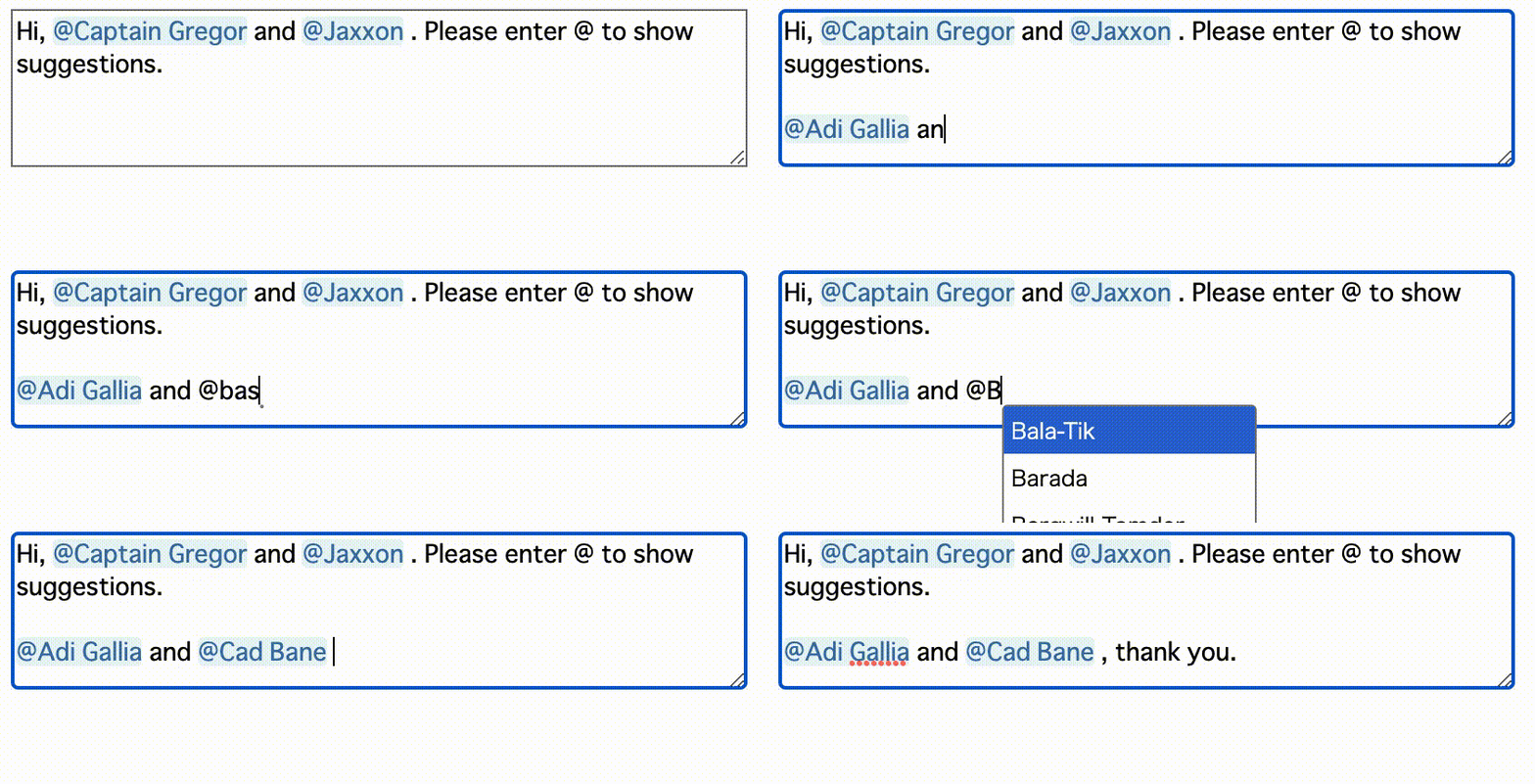
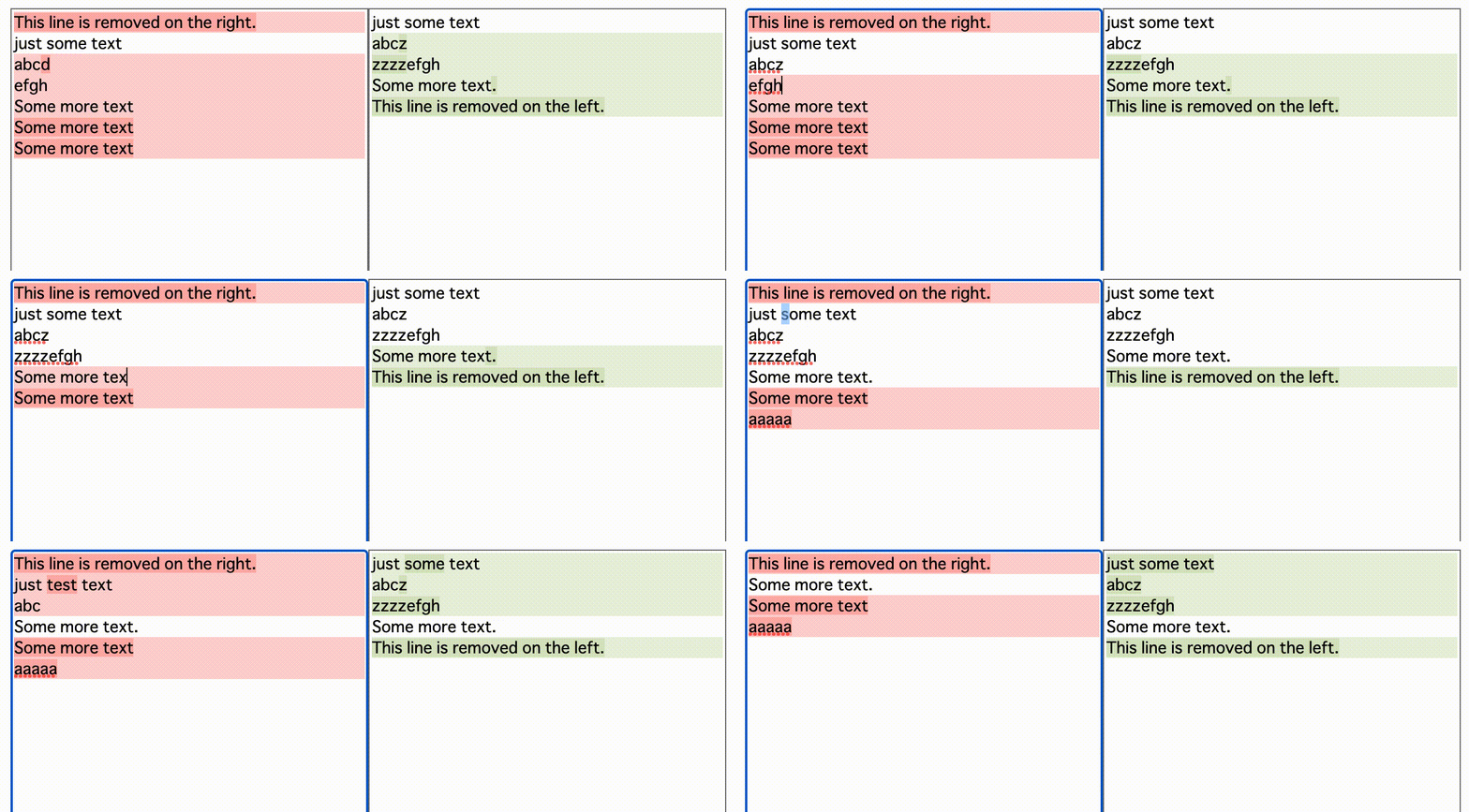
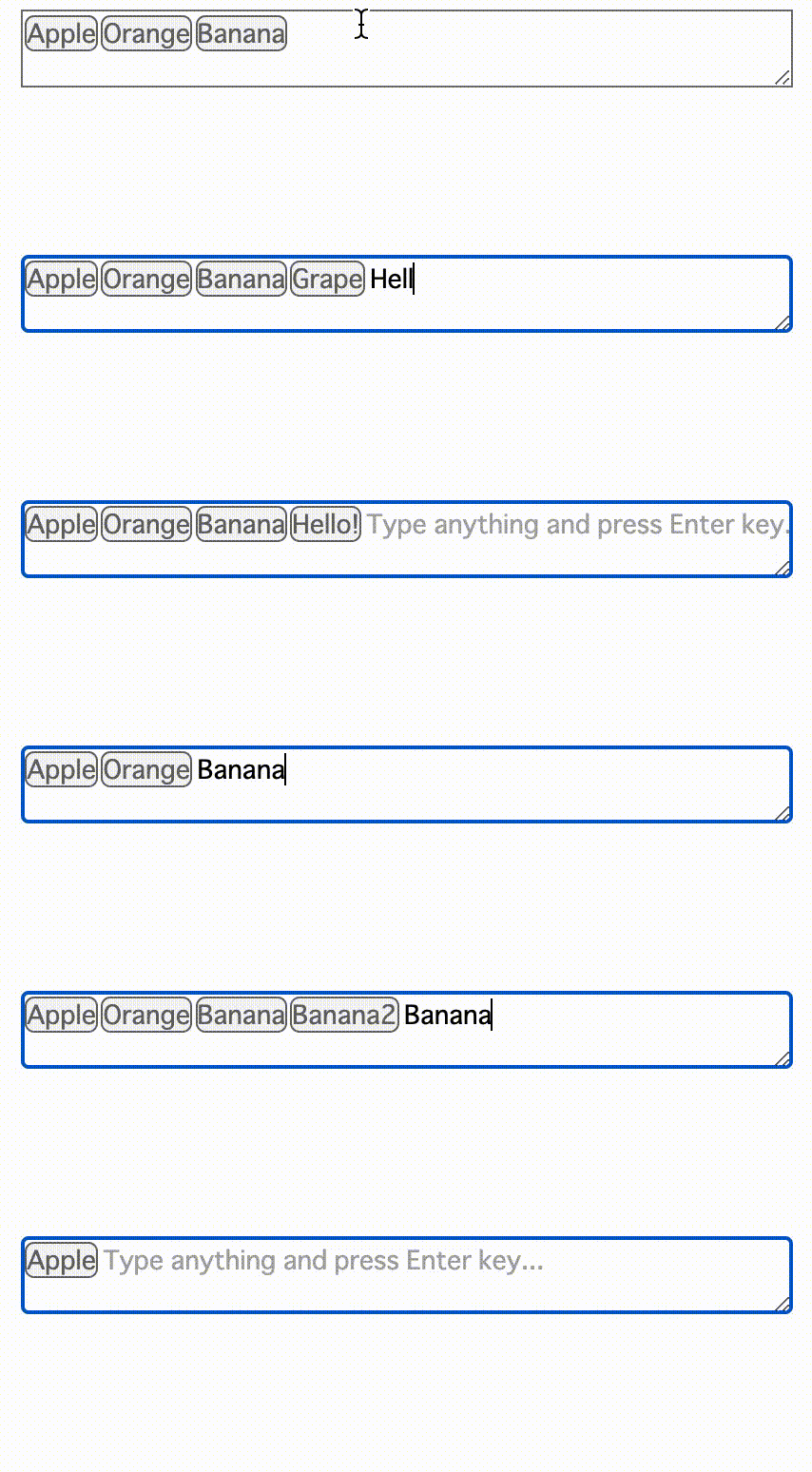

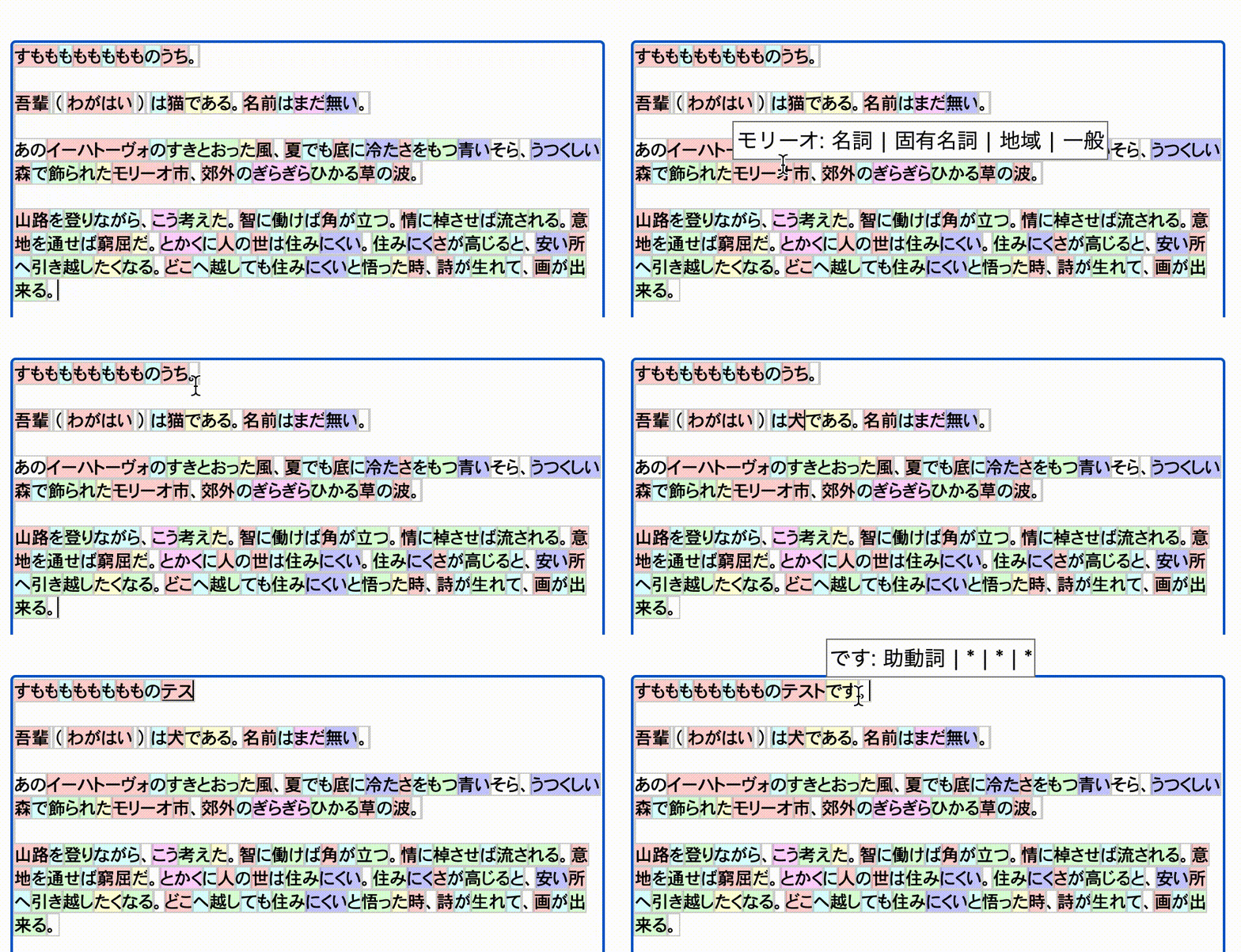
https://inokawa.github.io/rich-textarea/
Webでカスタマイズされたテキストエディターが必要な場合があります。ただし、RAW満足できるものでそれを作成することは、適切に行うのが非常に難しく、エディターフレームワークは通常重すぎます...多分あなたは本当に必要なテキストアレアとホバリングされたメニューですが、ネイティブのテキストレアとテキストレアライブラリの多くは、カスタマイズが限られているため、それとはほど遠いものです。このライブラリは、問題を解決することを目指しています。
npm install rich-textarea ESMとWebPack 5を使用する場合、React> = 18を使用してreact/jsx-runtimeエラーを解決できません。
 import { useState } from "react" ;
import { RichTextarea } from "rich-textarea" ;

export const App = ( ) => {
  const [ text , setText ] = useState ( "Lorem ipsum" ) ;

  return (
    < RichTextarea
      value = { text }
      style = { { width : "600px" , height : "400px" } }
      onChange = { ( e ) => setText ( e . target . value ) }
    >
      { ( v ) => {
        return v . split ( "" ) . map ( ( t , i ) => (
          < span key = { i } style = { { color : i % 2 === 0 ? "red" : undefined } } >
            { t }
          </ span >
        ) ) ;
      } }
    </ RichTextarea >
  ) ;
} ; import { RichTextarea } from "rich-textarea" ;
export const App = ( ) => {
return (
< RichTextarea
defaultValue = "Lorem ipsum"
style = { { width : "600px" , height : "400px" } }
>
{ ( v ) => {
return v . split ( "" ) . map ( ( t , i ) => (
< span key = { i } style = { { color : i % 2 === 0 ? "red" : undefined } } >
{ t }
</ span >
) ) ;
} }
</ RichTextarea >
) ;
} ;独自のレンダリング関数を作成したくない場合は、ヘルパーにRegexを使用できます。
 import { useState } from "react" ;
import { RichTextarea , createRegexRenderer } from "rich-textarea" ;

const renderer = createRegexRenderer ( [
  [ / [A-Z][a-z]+ / g , { borderRadius : "3px" , backgroundColor : "#d0bfff" } ] ,
] ) ;

export const App = ( ) => {
  const [ text , setText ] = useState ( "Lorem ipsum" ) ;

  return (
    < RichTextarea
      value = { text }
      style = { { width : "600px" , height : "400px" } }
      onChange = { ( e ) => setText ( e . target . value ) }
    >
      { renderer }
    </ RichTextarea >
  ) ;
} ; // _components/Textarea.tsx
"use client" ;
import { RichTextarea , RichTextareaProps } from "rich-textarea" ;
export const Textarea = (
props : Omit < RichTextareaProps , "children" | "ref" >
) => {
return (
< RichTextarea { ... props } >
{ ( v ) => {
return v . split ( "" ) . map ( ( t , i ) => (
< span key = { i } style = { { color : i % 2 === 0 ? "red" : undefined } } >
{ t }
</ span >
) ) ;
} }
</ RichTextarea >
) ;
} ;
// page.tsx in App Router of Next.js
import { Textarea } from "../_components/Textarea" ;
async function hello ( formData : FormData ) {
"use server" ;
console . log ( formData . get ( "hello" ) ) ;
}
export default ( ) => {
return (
< div >
< div > this is server! </ div >
< form action = { hello } >
< Textarea defaultValue = "Lorem ipsum" name = "hello" />
< button type = "submit" > submit </ button >
</ form >
</ div >
) ;
} ; import type { ActionFunction } from "@remix-run/node" ;
import { Form } from "@remix-run/react" ;
import { RichTextarea , RichTextareaProps } from "rich-textarea" ;
const Textarea = ( props : Omit < RichTextareaProps , "children" | "ref" > ) => {
return (
< RichTextarea { ... props } >
{ ( v ) => {
return v . split ( "" ) . map ( ( t , i ) => (
< span key = { i } style = { { color : i % 2 === 0 ? "red" : undefined } } >
{ t }
</ span >
) ) ;
} }
</ RichTextarea >
) ;
} ;
export const action : ActionFunction = async ( { request } ) => {
console . log ( ( await request . formData ( ) ) . get ( "hello" ) ) ;
} ;
export default ( ) => {
return (
< Form method = "post" >
< Textarea defaultValue = "Lorem ipsum" name = "hello" />
< button type = "submit" > submit </ button >
</ Form >
) ;
} ; すべての貢献は大歓迎です。問題が見つかった場合は、お気軽に問題またはPRを作成してください。
npm installを実行します。





