rich textarea
0.26.4

Una pequeña textura personalizable para reaccionar a colorear, resaltar, decorar textos, ofrecer autocompletos y mucho más.
Nota
También puede gustarle https://github.com/inokawa/edix
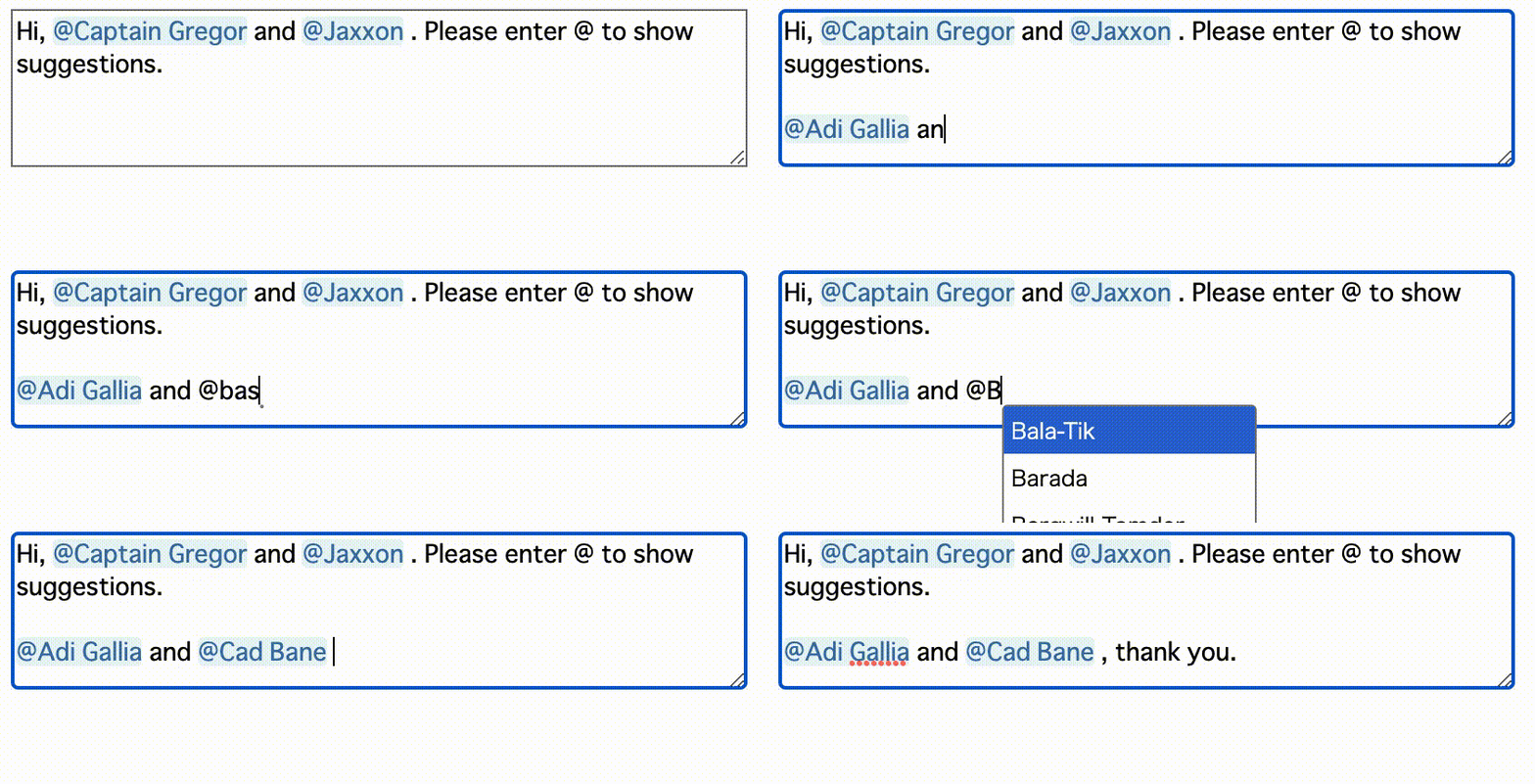
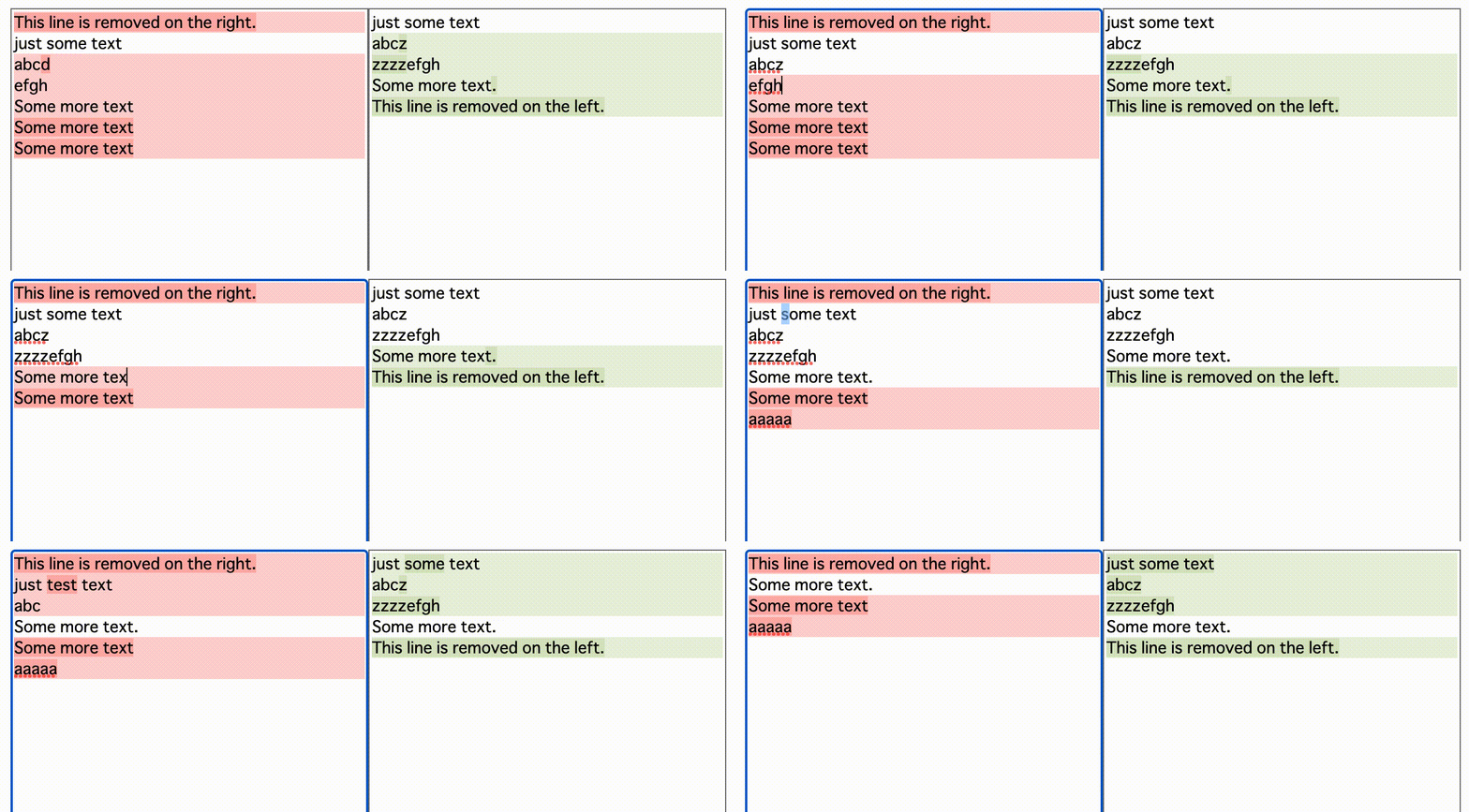
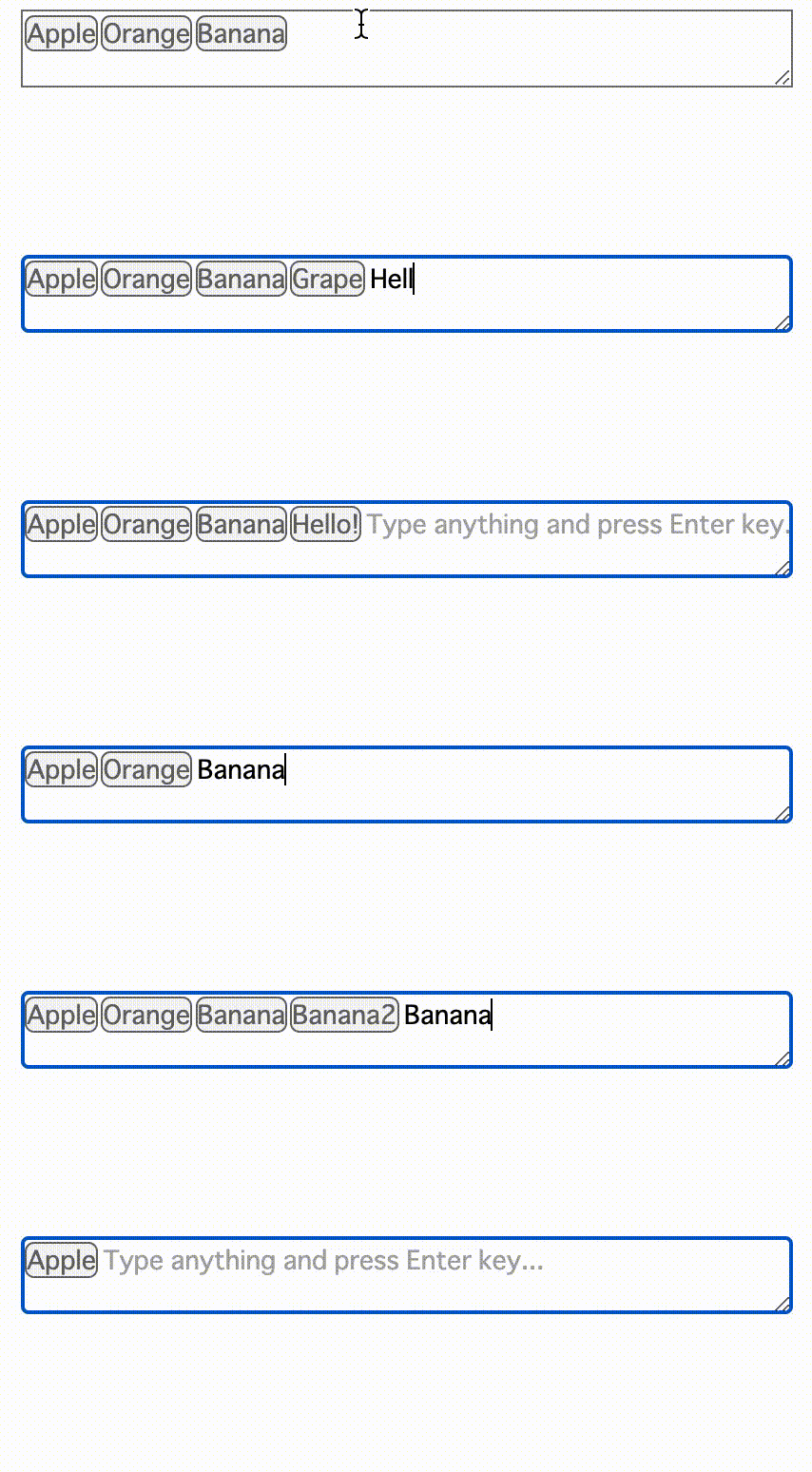

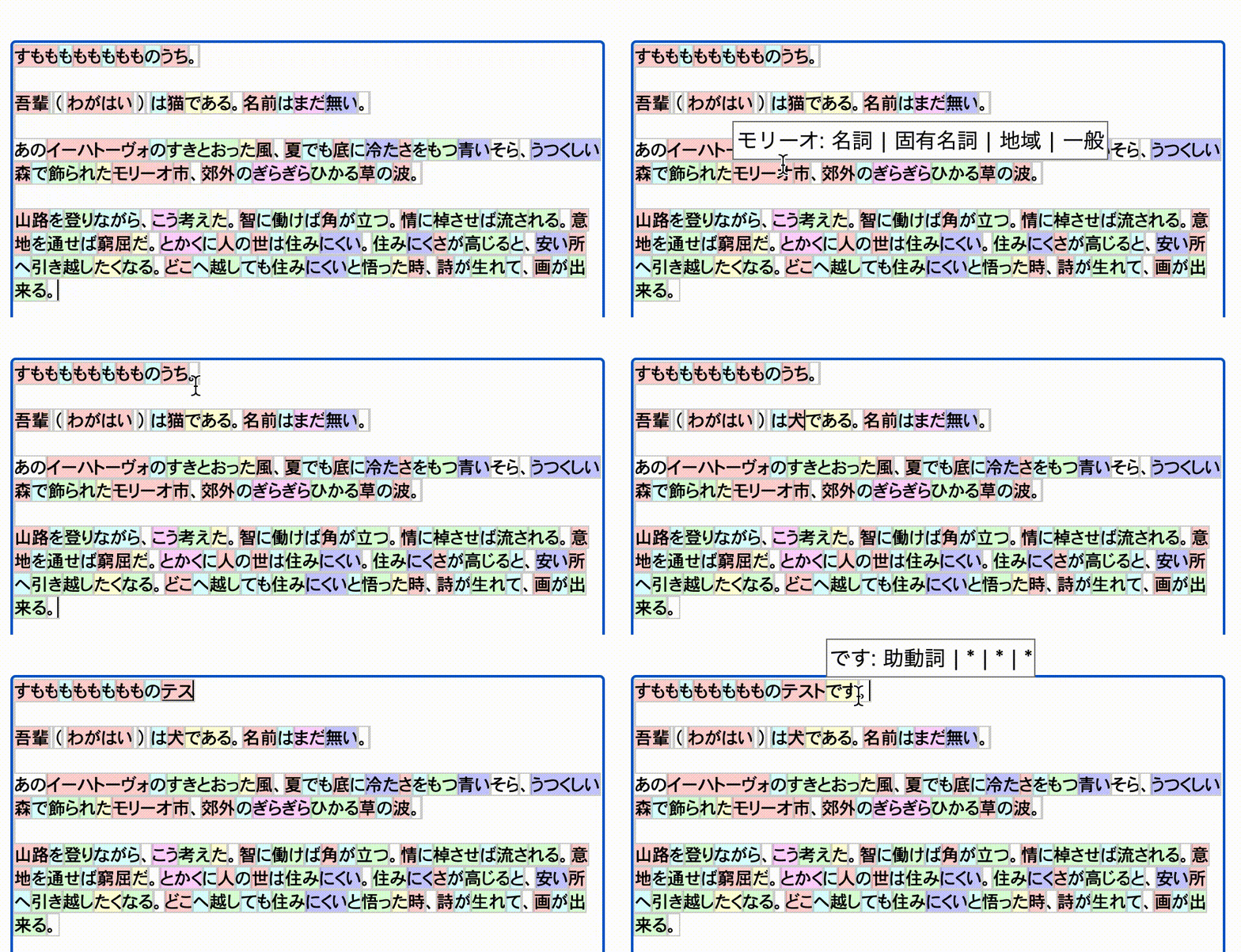
https://inokawa.github.io/rich-textarea/
A veces necesitamos un editor de texto personalizado en la web. Sin embargo, crearlo con contentable en bruto es tan difícil de hacer correctamente y los marcos de editor generalmente son demasiado pesados ... Tal vez realmente necesite es solo un textea con resaltamiento y algunos menús flotados, pero el textura nativa y muchas de las bibliotecas de Textea están lejos de él debido a la personalización limitada. Esta biblioteca tiene como objetivo resolver el problema.
npm install rich-textarea Si usa ESM y Webpack 5, use React> = 18 para evitar no poder resolver el error react/jsx-runtime .
 import { useState } from "react" ;
import { RichTextarea } from "rich-textarea" ;

export const App = ( ) => {
  const [ text , setText ] = useState ( "Lorem ipsum" ) ;

  return (
    < RichTextarea
      value = { text }
      style = { { width : "600px" , height : "400px" } }
      onChange = { ( e ) => setText ( e . target . value ) }
    >
      { ( v ) => {
        return v . split ( "" ) . map ( ( t , i ) => (
          < span key = { i } style = { { color : i % 2 === 0 ? "red" : undefined } } >
            { t }
          </ span >
        ) ) ;
      } }
    </ RichTextarea >
  ) ;
} ; import { RichTextarea } from "rich-textarea" ;
export const App = ( ) => {
return (
< RichTextarea
defaultValue = "Lorem ipsum"
style = { { width : "600px" , height : "400px" } }
>
{ ( v ) => {
return v . split ( "" ) . map ( ( t , i ) => (
< span key = { i } style = { { color : i % 2 === 0 ? "red" : undefined } } >
{ t }
</ span >
) ) ;
} }
</ RichTextarea >
) ;
} ;Puede usar Helper for Regex si no desea crear su propia función de renderizado.
 import { useState } from "react" ;
import { RichTextarea , createRegexRenderer } from "rich-textarea" ;

const renderer = createRegexRenderer ( [
  [ / [A-Z][a-z]+ / g , { borderRadius : "3px" , backgroundColor : "#d0bfff" } ] ,
] ) ;

export const App = ( ) => {
  const [ text , setText ] = useState ( "Lorem ipsum" ) ;

  return (
    < RichTextarea
      value = { text }
      style = { { width : "600px" , height : "400px" } }
      onChange = { ( e ) => setText ( e . target . value ) }
    >
      { renderer }
    </ RichTextarea >
  ) ;
} ; // _components/Textarea.tsx
"use client" ;
import { RichTextarea , RichTextareaProps } from "rich-textarea" ;
export const Textarea = (
props : Omit < RichTextareaProps , "children" | "ref" >
) => {
return (
< RichTextarea { ... props } >
{ ( v ) => {
return v . split ( "" ) . map ( ( t , i ) => (
< span key = { i } style = { { color : i % 2 === 0 ? "red" : undefined } } >
{ t }
</ span >
) ) ;
} }
</ RichTextarea >
) ;
} ;
// page.tsx in App Router of Next.js
import { Textarea } from "../_components/Textarea" ;
async function hello ( formData : FormData ) {
"use server" ;
console . log ( formData . get ( "hello" ) ) ;
}
export default ( ) => {
return (
< div >
< div > this is server! </ div >
< form action = { hello } >
< Textarea defaultValue = "Lorem ipsum" name = "hello" />
< button type = "submit" > submit </ button >
</ form >
</ div >
) ;
} ; import type { ActionFunction } from "@remix-run/node" ;
import { Form } from "@remix-run/react" ;
import { RichTextarea , RichTextareaProps } from "rich-textarea" ;
const Textarea = ( props : Omit < RichTextareaProps , "children" | "ref" > ) => {
return (
< RichTextarea { ... props } >
{ ( v ) => {
return v . split ( "" ) . map ( ( t , i ) => (
< span key = { i } style = { { color : i % 2 === 0 ? "red" : undefined } } >
{ t }
</ span >
) ) ;
} }
</ RichTextarea >
) ;
} ;
export const action : ActionFunction = async ( { request } ) => {
console . log ( ( await request . formData ( ) ) . get ( "hello" ) ) ;
} ;
export default ( ) => {
return (
< Form method = "post" >
< Textarea defaultValue = "Lorem ipsum" name = "hello" />
< button type = "submit" > submit </ button >
</ Form >
) ;
} ; Todas las contribuciones son bienvenidas. Si encuentra un problema, no dude en crear un problema o un PR.
npm install .





