clickstream android
2.0.0-alpha-1

ClickStream은 이벤트 Agnostic, 실시간 데이터 수집 플랫폼입니다. ClickStream을 사용하면 앱이 장기 실행 연결을 유지하여 데이터를 실시간으로 전송할 수 있습니다.
"ClickStream"이라는 단어는 웹 사이트 나 모바일 앱을 클릭 할 때 사용자가 남긴 디지털 빵 부스러기의 흔적입니다. 비즈니스를위한 귀중한 고객 정보가 장착되어 있으며 분석 및 사용법은 강력한 데이터 소스로 등장했습니다.
ClickStream에 대해 자세히 알아 보려면 중간 게시물을 읽을 수 있습니다.
ClickStream은 이벤트 섭취를위한 엔드 투 엔드 솔루션을 제공합니다. 백엔드 인프라를 설정하려면 너구리를 확인하십시오.
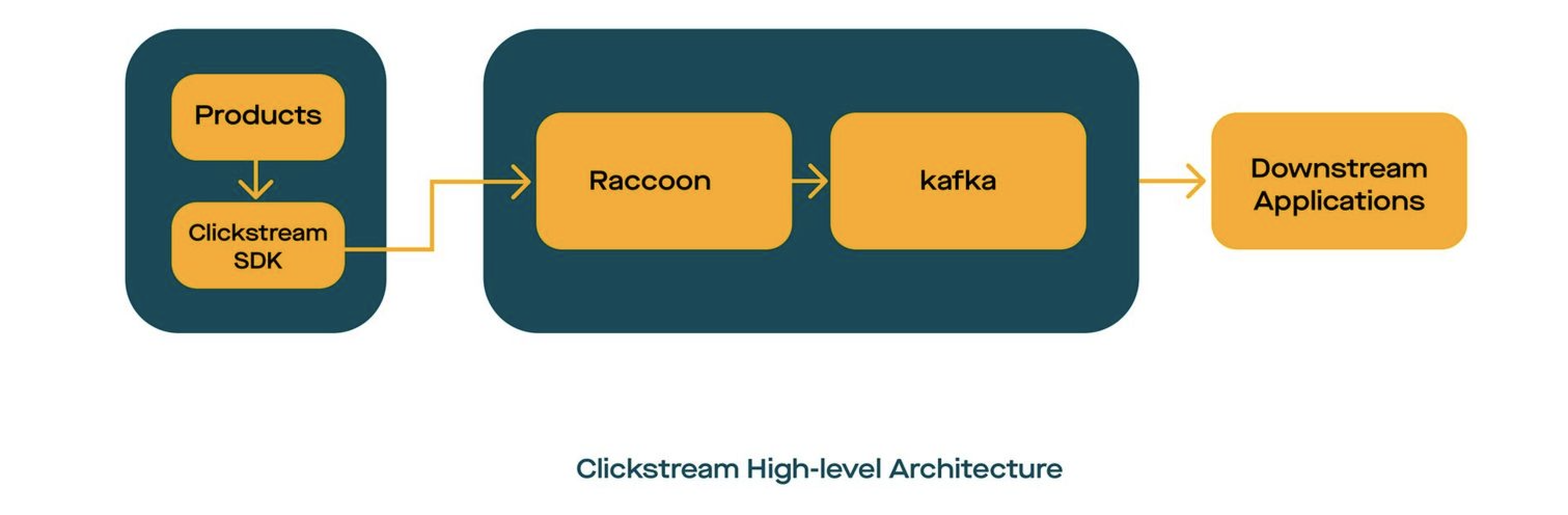
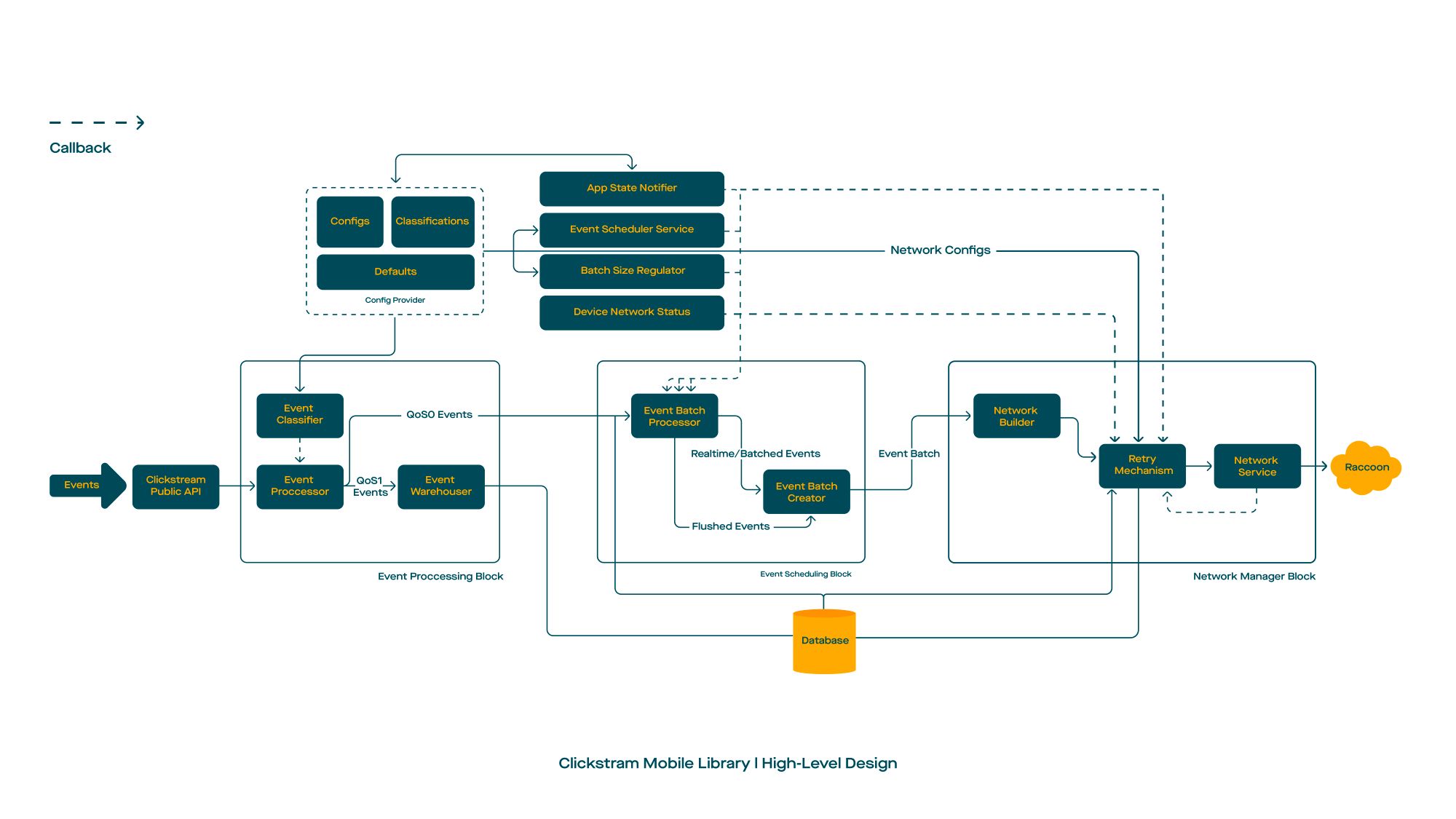
build.gradle 에 추가하십시오. 프로젝트의 Gradle. buildscript {
repositories {
mavenCentral()
}
}build.gradle 에 다음 종속성을 추가하십시오 dependencies {
val version = " x.y.z "
// Required
implementation ' com.gojek.clickstream:clickstream-android:[latest_version] '
implementation ' com.gojek.clickstream:clickstream-lifecycle:[latest_version] '
// Optional
implementation ' com.gojek.clickstream:clickstream-health-metrics:[latest_version] '
}기본적으로 ClickStream이 규칙을 포함하므로 필요한 클라이언트가 규칙을 명시 적으로 추가했습니다.
 -keep class * extends com.google.protobuf.GeneratedMessageLite { *; }

# Scarlet
-if interface * { @com.tinder.scarlet.ws.* <methods>; }
-keep,allowobfuscation interface <1>
-keepclassmembers,allowshrinking,allowobfuscation interface * {
    @com.tinder.scarlet.ws.* <methods>;
}

# Keep the ProcessLifecycleInitializer meta
-keepresourcexmlelements manifest/application/provider/meta-data@name=androidx.lifecycle.ProcessLifecycleInitializer
-keepresourcexmlelements manifest/application/provider/meta-data@value=androidx.startup
종속성을 추가하고 Gradle 프로젝트를 동기화 한 후 다음 단계는 ClickStream을 초기화하는 것입니다.
클릭 스트림의 초기화는 배경 스레드 또는 메인 스레드에서 수행 할 수 있으며 응용 프로그램 클래스에서 호출을 수행해야합니다. 초기화는 한 번만 발생합니다.
ClickStream 인스턴스를 만들려면 다음 설정을 수행 할 수 있습니다.
 class App : Application () {

    override fun onCreate () {
        initClickStream()
    }

    private fun initClickStream () {
        ClickStream .initialize(
            configuration = CSConfiguration . Builder (
                context = context,
                info = CSInfo (
                    appInfo = appInfo,
                    locationInfo = locationInfo,
                    deviceInfo = csDeviceInfo,
                    customerInfo = customerInfo,
                    sessionInfo = sessionInfo
                ),
                config = getBuildConfig(config),
                appLifeCycle = DefaultCSAppLifeCycleObserver (context),
                healthGateway = DefaultOpCSHealthGateway .factory( /* args */ )
            ). apply {
                setLogLevel( DEBUG )
                /* */
                setCSSocketConnectionListener(connectionListener())
            }.build())
    }

    /* *
    * @see [CSConnectionEvent] for more detail explanation
    */
    private fun onConnectionListener (): CSSocketConnectionListener {
        return object : CSSocketConnectionListener {
            override fun onEventChanged ( event : CSConnectionEvent ) {
                is OnConnectionConnecting -> {}
                is OnConnectionConnected -> {}
                is OnMessageReceived -> {}
                is OnConnectionClosing -> {}
                is OnConnectionClosed -> {}
                is OnConnectionFailed -> {}
 			}
    	}
    }
}ClickStream의 구성을 보유합니다. 이러한 제약 조건을 통해 리트리 사이의 지속 시간, 앱이 백그라운드에 들어갈 때 플러시 이벤트 등과 같은 라이브러리 동작을 세밀하게 제어 할 수 있습니다.
| 설명 | 변하기 쉬운 | 유형 | 기본값 |
|---|---|---|---|
| 단일 요청에 결합 할 이벤트 수 | EventsPerbatch | int | 20 |
| 두 요청 사이의 지연 (Millis) | Batchperiod | 긴 | 10000 |
| 강제 이벤트 플러싱을 가능하게하는 플래그 | Flushonbackground | 부울 | 거짓 |
| 소켓이 연결이 끊어진 대기 시간 | Connection TherminationTimerWaitTimeInmillis | 긴 | 5000 |
| 백그라운드 작업으로 이벤트를 플러시 할 수있는 플래그 | BuckgrendStaskElabled | 부울 | 거짓 |
| 백그라운드 작업의 초기 지연 (시간) | WorkRequestDelayinhr | 긴 | 1 |
네트워크 관련 구성을 보유합니다. 예를 들어 네트워크 채널의 타임 아웃을 구성합니다.
| 설명 | 변하기 쉬운 | 유형 | 기본값 |
|---|---|---|---|
| 웹 소켓 서버의 엔드 포인트 | 엔드 포인트 | 끈 | 기본값이 없습니다 |
| OKHTTP에서 사용할 시간 초과 연결 (초) | ConnectTimeout | 긴 | 10 |
| OKHTTP에서 사용할 시간 초과를 읽으십시오 (몇 초) | 읽기 시간 | 긴 | 10 |
| OKHTTP에서 사용할 시간 초과 쓰기 (초) | WriteTimeout | 긴 | 10 |
| 클라이언트가 시작한 핑 사이의 간격 (초) | Pinginterval | 긴 | 1 |
| 재 시도 백 오프 전략에 사용되는 초기 재시도 기간 (밀리 초) | InitialRetryDurationInms | 긴 | 1000 |
| 재 시도 백 오프 전략에 대한 최대 재 시도 기간 (밀리 초) | maxconnectionretryDurationInms | 긴 | 6000 |
| 배치 요청 당 최대 검토 | Maxretriesperbatch | 긴 | 20 |
| ACK 수신 요청에 대한 최대 시간 초과 (밀리 초) | MaxRequestackTimeout | 긴 | 10000 |
| 클라이언트로부터 전달 된 OKHTTPCLIENT 인스턴스 | okhttpclient | okhttpclient | 기본값이 없습니다 |
클래스 이름을 InstantEvent (QoS) 또는 RealTimeevent (QOS1)로 분류합니다.
| 설명 | 변하기 쉬운 | 유형 | 기본값 |
|---|---|---|---|
| 모든 이벤트 유형을 보유합니다 | 이벤트 타입 | 이벤트 분류기 | [EventClassifier (식별자 : "실시간", 이벤트 이름 : []), EventClassifier (식별자 : "Instant", EventNames : [])] |
예를 들어 사용자가 앱에서 로그 아웃 할 때 ClickStream의 인스턴스를 파괴 할 수 있습니다.
ClickStream .release()ClickStream은 클라이언트 측에서 프로토 정의를 사용하므로 Messagelite를 구축하여 ClickStreamsDK를 통해 직접 보낼 수 있습니다.
예를 들어, 다음 속성이있는 Rating.java 라는 프로토 정의를 정의했습니다.
 rating: Float
reason: String
따라서 빌더 패턴을 사용하여 등급 객체를 구축 할 수 있습니다.
 val event = Rating .newBuilder()
    .setRating( 4.5 )
    .setReason( " nice! " )
    .build()

// wrap event in CSEvent
val csEvent = CSEvent (
    guid = UUID .randomUUID().toString(),
    timestamp = Timestamp .getDefaultInstance(),
    message = event
)

// track the event
ClickStream .getInstance().trackEvent(csEvent)
축하해요! 끝났어!.
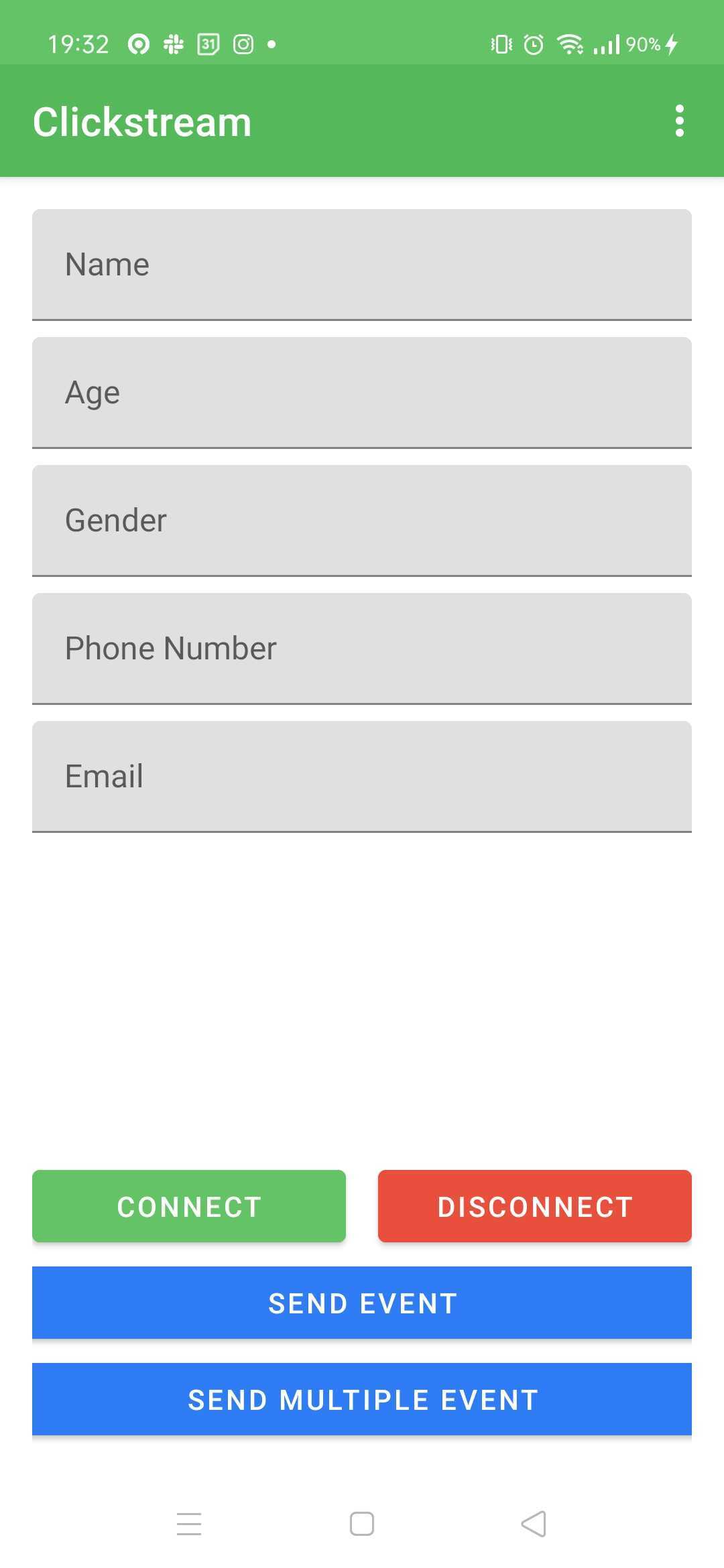
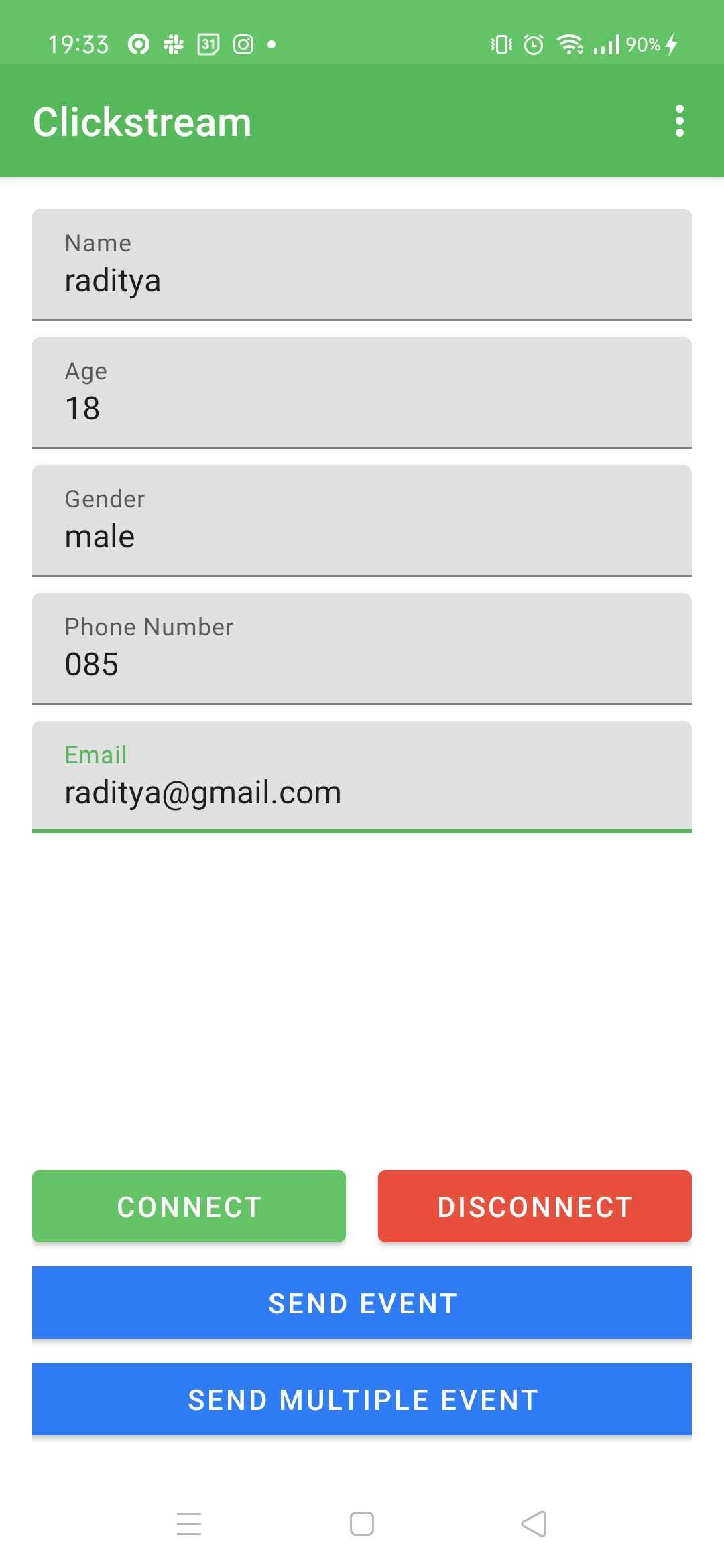
샘플 앱을 실행하려면이 명령어를 따르십시오.
./gradlew :app:installDebug 또는 재생 버튼을 통해| 그림 1 | 그림 2 |
|---|---|
 |  |
Event VisualISER는 ClickStream으로 전송되는 클라이언트 이벤트를 시각화하는 Android 도구입니다.
모듈의 build.gradle 에 팔로우를 추가하십시오.
dependencies {
    val latest_version = " x.y.z "
    implementation( " com.gojek.clickstream:clickstream-event-visualiser: $latest_version " )
    implementation( " com.gojek.clickstream:clickstream-event-visualiser-ui: $latest_version " )
}CSEventVisualiserListener ClickStream에 추가하십시오.CSEventVisualiserUI.initialise(this) 로 전화하십시오. class App : Application () {
/* */
private fun initClickStream () {
ClickStream .initialize( /* */ ). apply {
/* */
addEventListener( CSEventVisualiserListener .getInstance())
}.build()
CSEventVisualiserUI .initialise( this )
}
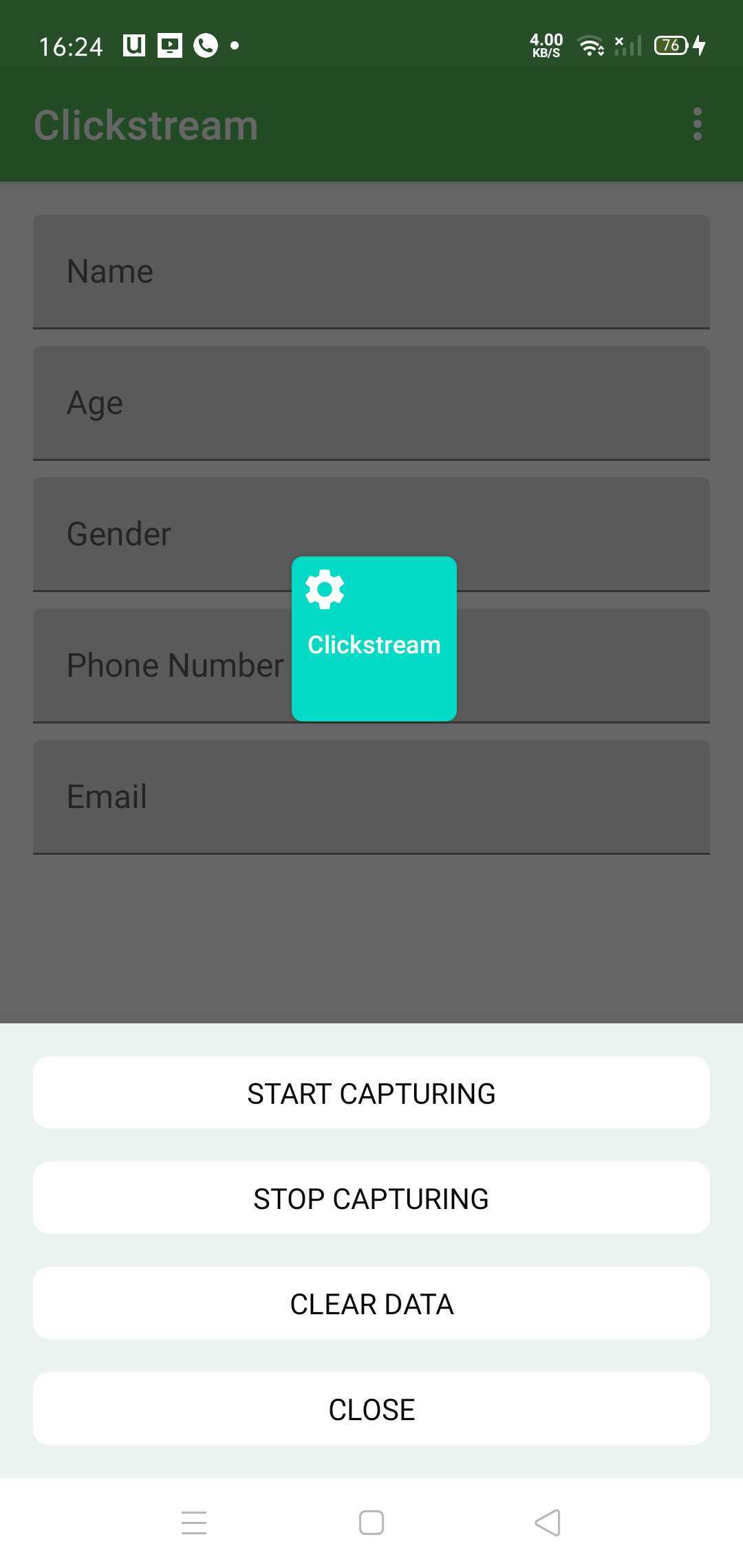
}CSEventVisualiserUI.getInstance().show() 로 전화하여 떠 다니는 창을 보여주고 ClickStream에서 모든 이벤트를 녹화하십시오. 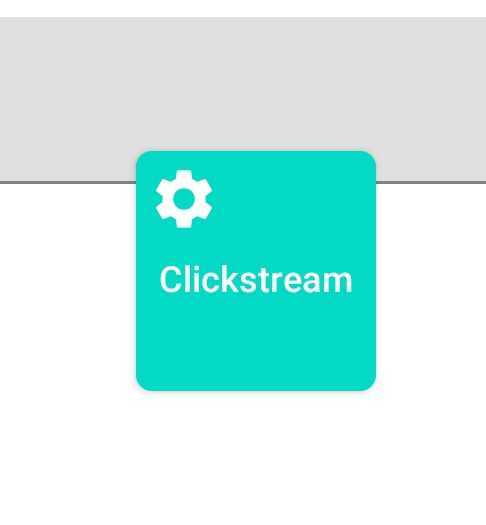
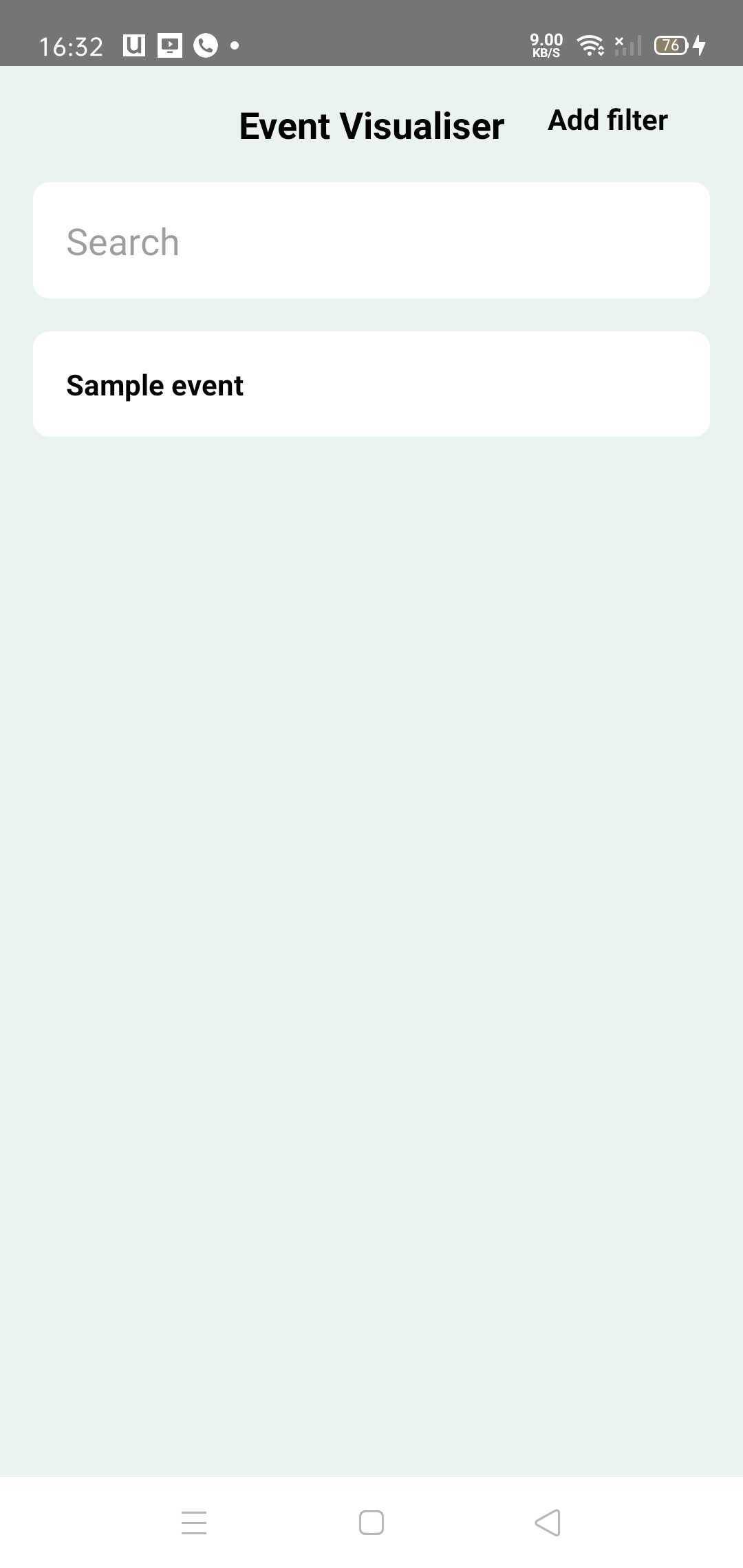
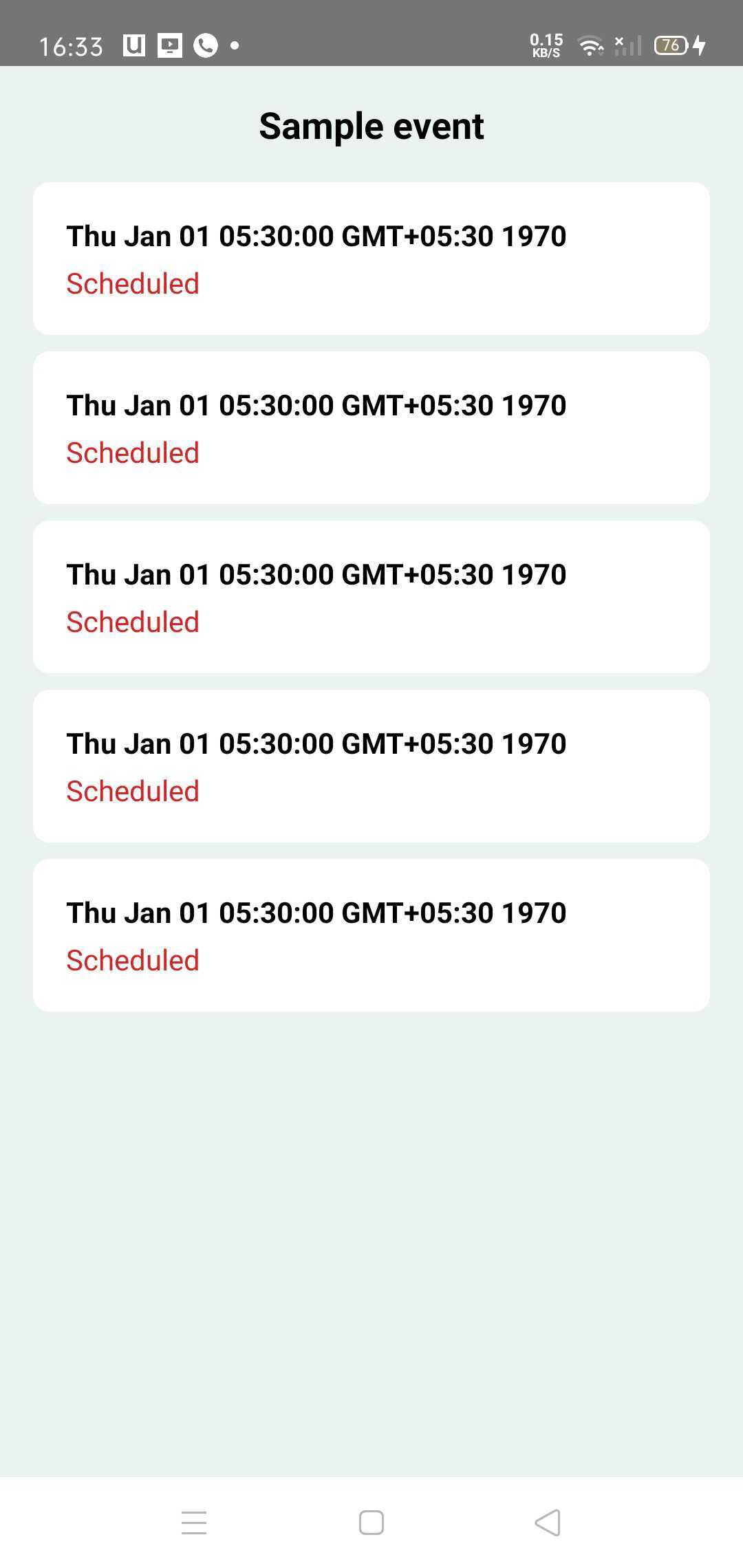
창문을 클릭하면 모든 고유 한 이벤트가 나열된 이벤트 홈 화면이됩니다. 모든 이벤트를 클릭하여 이벤트 세부 정보를 확인할 수 있습니다.
이벤트는 다음 상태를 가질 수 있습니다.
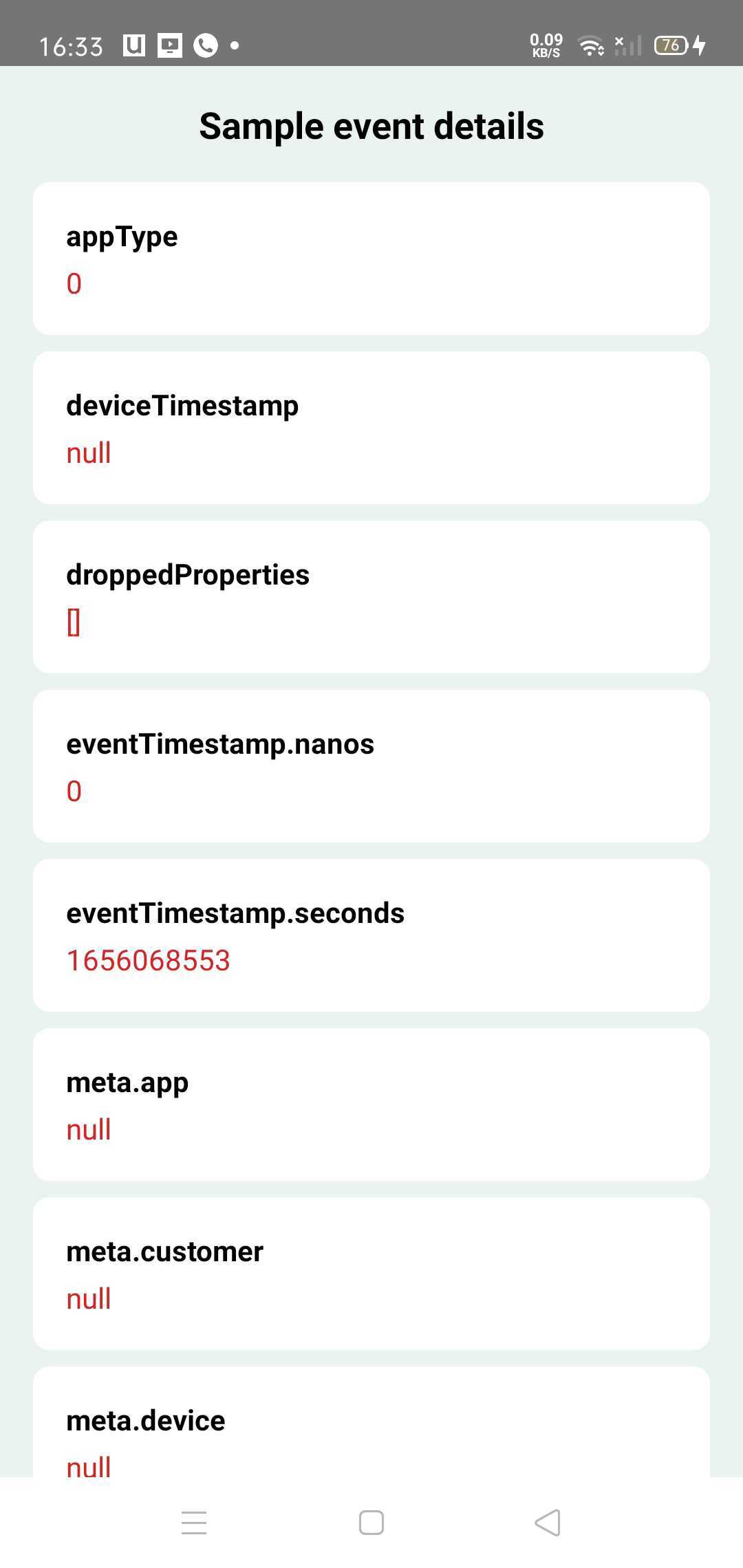
Event Visualiser는 개발자와 테스트 팀에서만 사용될 디버그 도구이므로 릴리스 빌드와 함께 번들로 번들링되지 않아야 합니다.
이를 위해 경량, 대체 노프 (작동 없음) 종속성이 있습니다.
dependencies {
    val latest_version = " x.y.z "
    // Use main dependency for debug build types
    debugImplementation( " com.gojek.clickstream:clickstream-event-visualiser: $latest_version " )
    debugImplementation( " com.gojek.clickstream:clickstream-event-visualiser-ui: $latest_version " )

    // Use NoOp dependency for release build types
    releaseImplementation( " com.gojek.clickstream:clickstream-event-visualiser-noop: $latest_version " )
    releaseImplementation( " com.gojek.clickstream:clickstream-event-visualiser-ui-noop: $latest_version " )

} Copyright 2022 GOJEK
Licensed under the Apache License, Version 2.0 (the "License");
you may not use this file except in compliance with the License.
You may obtain a copy of the License at
http://www.apache.org/licenses/LICENSE-2.0
Unless required by applicable law or agreed to in writing, software
distributed under the License is distributed on an "AS IS" BASIS,
WITHOUT WARRANTIES OR CONDITIONS OF ANY KIND, either express or implied.
See the License for the specific language governing permissions and
limitations under the License.





