uncover
v1.0.9


특징 • 설치 • 사용법 • 구성 • 실행 업무 • Discord 가입
Uncover 는 잘 알려진 검색 엔진의 API를 사용하는 Go 래퍼로 인터넷에서 노출 된 호스트를 빠르게 발견합니다. 자동화를 염두에두고 구축되므로 현재 파이프 라인 도구와 함께 결과를 쿼리하고 결과를 활용할 수 있습니다.
Uncover는 GO1.21이 성공적으로 설치해야합니다. 리포지션을 얻으려면 다음 명령을 실행하십시오.
go install -v github.com/projectdiscovery/uncover/cmd/uncover@latestuncover -h도구에 대한 도움이 표시됩니다. 다음은 지원하는 모든 깃발입니다.
 Usage:
  ./uncover [flags]

Flags:
INPUT:
   -q, -query string[]   search query, supports: stdin,file,config input (example: -q 'example query', -q 'query.txt')
   -e, -engine string[]  search engine to query (shodan,shodan-idb,fofa,censys,quake,hunter,zoomeye,netlas,criminalip,publicwww,hunterhow,google) (default shodan)

SEARCH-ENGINE:
   -s, -shodan string[]       search query for shodan (example: -shodan 'query.txt')
   -sd, -shodan-idb string[]  search query for shodan-idb (example: -shodan-idb 'query.txt')
   -ff, -fofa string[]        search query for fofa (example: -fofa 'query.txt')
   -cs, -censys string[]      search query for censys (example: -censys 'query.txt')
   -qk, -quake string[]       search query for quake (example: -quake 'query.txt')
   -ht, -hunter string[]      search query for hunter (example: -hunter 'query.txt')
   -ze, -zoomeye string[]     search query for zoomeye (example: -zoomeye 'query.txt')
   -ne, -netlas string[]      search query for netlas (example: -netlas 'query.txt')
   -cl, -criminalip string[]  search query for criminalip (example: -criminalip 'query.txt')
   -pw, -publicwww string[]   search query for publicwww (example: -publicwww 'query.txt')
   -hh, -hunterhow string[]   search query for hunterhow (example: -hunterhow 'query.txt')
   -gg, -google string[]       search query for google (example: -google 'query.txt')

CONFIG:
   -pc, -provider string         provider configuration file (default "$CONFIG/uncover/provider-config.yaml")
   -config string                flag configuration file (default "$CONFIG/uncover/config.yaml")
   -timeout int                  timeout in seconds (default 30)
   -rl, -rate-limit int          maximum number of http requests to send per second
   -rlm, -rate-limit-minute int  maximum number of requests to send per minute
   -retry int                    number of times to retry a failed request (default 2)

OUTPUT:
   -o, -output string  output file to write found results
   -f, -field string   field to display in output (ip,port,host) (default "ip:port")
   -j, -json           write output in JSONL(ines) format
   -r, -raw            write raw output as received by the remote api
   -l, -limit int      limit the number of results to return (default 100)
   -nc, -no-color      disable colors in output

DEBUG:
   -silent   show only results in output
   -version  show version of the project
   -v        show verbose output
Uncover를 라이브러리로 사용하는 예는 예제 디렉토리에 제공됩니다.
기본 공급자 구성 파일은 $CONFIG/uncover/provider-config.yaml 에 위치해야하며 다음과 같은 내용이 있습니다.
참고 : API 키가 필요하며 Uncover를 실행하기 전에 구성해야합니다.
 shodan :
  - SHODAN_API_KEY_1
  - SHODAN_API_KEY_2
censys :
  - CENSYS_API_ID_1:CENSYS_API_SECRET_1
  - CENSYS_API_ID_2:CENSYS_API_SECRET_2
fofa :
  - FOFA_EMAIL_1:FOFA_KEY_1
  - FOFA_EMAIL_2:FOFA_KEY_2
quake :
  - QUAKE_TOKEN_1
  - QUAKE_TOKEN_2
hunter :
  - HUNTER_API_KEY_1
  - HUNTER_API_KEY_2
zoomeye :
  - ZOOMEYE_API_KEY_1
  - ZOOMEYE_API_KEY_2
netlas :
  - NETLAS_API_KEY_1
  - NETLAS_API_KEY_2
criminalip :
  - CRIMINALIP_API_KEY_1
  - CRIMINALIP_API_KEY_2
publicwww :
  - PUBLICWWW_API_KEY_1
  - PUBLICWWW_API_KEY_2
hunterhow :
  - HUNTERHOW_API_KEY_1
  - HUNTERHOW_API_KEY_2
google :
  - GOOGLE_API_KEY_1:Google_API_CX_1
  - GOOGLE_API_KEY_2:Google_API_CX_2
구성 파일의 동일한 공급자에 대해 여러 키/자격 증명이 지정되면 각 실행에 임의 키가 사용됩니다.
또는 BASH 프로필에서 API 키를 환경 변수로 설정할 수도 있습니다.
 export SHODAN_API_KEY=xxx
export CENSYS_API_ID=xxx
export CENSYS_API_SECRET=xxx
export FOFA_EMAIL=xxx
export FOFA_KEY=xxx
export QUAKE_TOKEN=xxx
export HUNTER_API_KEY=xxx
export ZOOMEYE_API_KEY=xxx
export NETLAS_API_KEY=xxx
export CRIMINALIP_API_KEY=xxx
export PUBLICWWW_API_KEY=xxx
export HUNTERHOW_API_KEY=xxx
export GOOGLE_API_KEY=xxx
export GOOGLE_API_CX=xxx
필수 API 키는 다음 플랫폼 Shodan, Fofa, Quake, Hunter, Zetlas, Netlas, Criminalip, Publicwww 및 Google [1], [2]에 가입하여 얻을 수 있습니다.
기본 shodan 엔진이 엔진이 지정되지 않은 경우 검색에 사용되므로 STDIN 또는 q 플래그를 포함하여 쿼리를 만드는 여러 가지 방법을 지원 합니다 .
 echo 'ssl:"Uber Technologies, Inc."' | uncover

  __  ______  _________ _   _____  _____
 / / / / __ / ___/ __  | / / _ / ___/
/ /_/ / / / / /__/ /_/ / |/ /  __/ /
__,_/_/ /_/___/____/|___/___/_/ v0.0.9


		projectdiscovery.io

[WRN] Use with caution. You are responsible for your actions
[WRN] Developers assume no liability and are not responsible for any misuse or damage.
[WRN] By using uncover, you also agree to the terms of the APIs used.

107.180.12.116:993
107.180.26.155:443
104.244.99.31:443
161.28.20.79:443
104.21.8.108:443
198.71.233.203:443
104.17.237.13:443
162.255.165.171:443
12.237.119.61:443
192.169.250.211:443
104.16.251.50:443
라인 당 여러 검색 쿼리가 포함 된 파일 입력으로 실행되지 않습니다 .
 cat dorks.txt

ssl:"Uber Technologies, Inc."
title:"Grafana"
uncover -q dorks.txt
__ ______ _________ _ _____ _____
/ / / / __ / ___/ __ | / / _ / ___/
/ /_/ / / / / /__/ /_/ / |/ / __/ /
__,_/_/ /_/___/____/|___/___/_/ v0.0.9
projectdiscovery.io
[WRN] Use with caution. You are responsible for your actions
[WRN] Developers assume no liability and are not responsible for any misuse or damage.
[WRN] By using uncover, you also agree to the terms of the APIs used.
107.180.12.116:993
107.180.26.155:443
104.244.99.31:443
161.28.20.79:443
104.21.8.108:443
198.71.233.203:443
2607:7c80:54:3::74:3001
104.198.55.35:80
46.101.82.244:3000
34.147.126.112:80
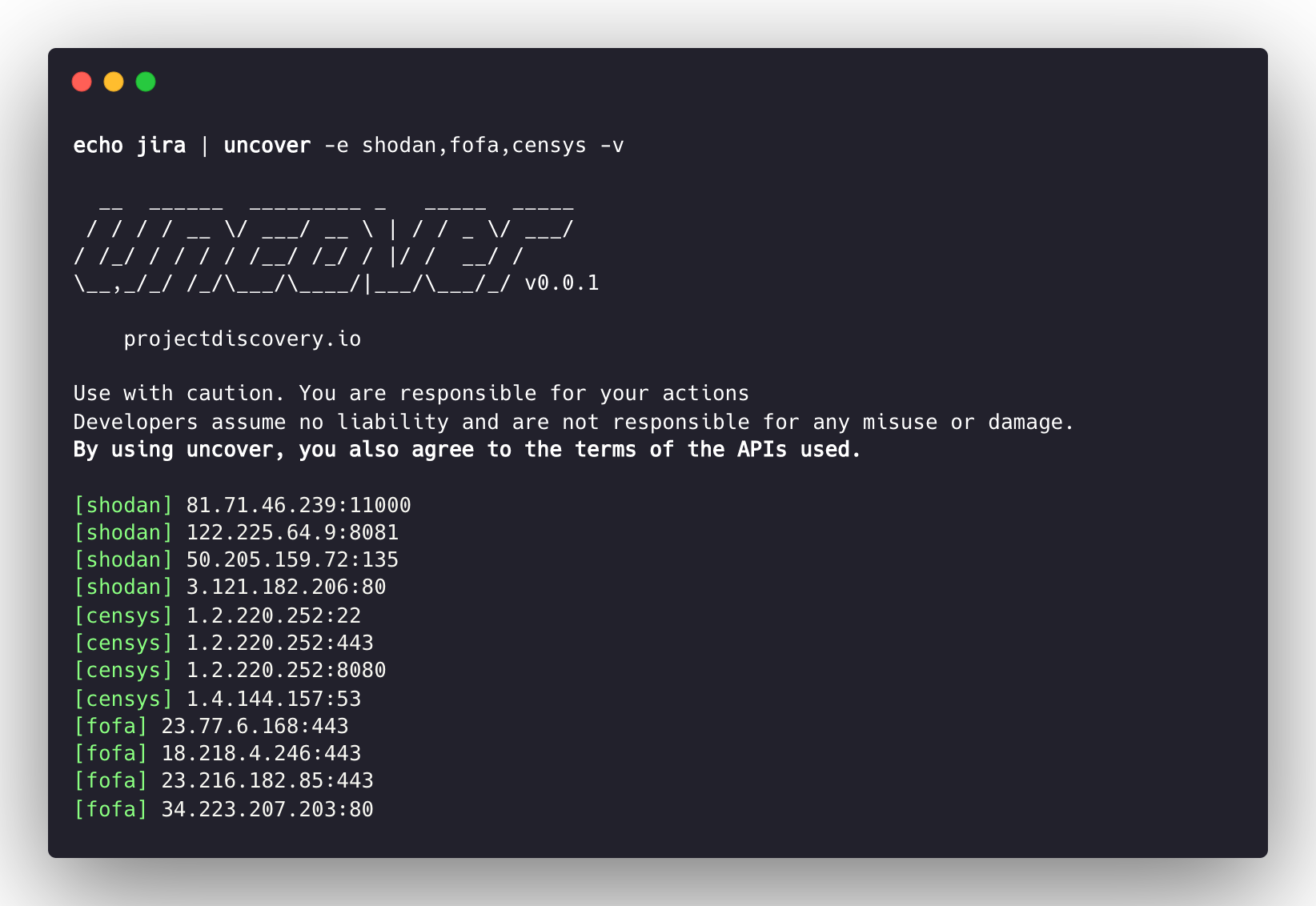
138.197.147.213:8086 기본 Shodan을 사용하기 때문에 여러 검색 엔진을 지원 합니다 . -e 플래그를 사용하여 모든 검색 엔진에 대해 동일한 쿼리를 실행할 수 있습니다.
 echo jira | uncover -e shodan,censys,fofa,quake,hunter,zoomeye,netlas,criminalip

  __  ______  _________ _   _____  _____
 / / / / __ / ___/ __  | / / _ / ___/
/ /_/ / / / / /__/ /_/ / |/ /  __/ /
__,_/_/ /_/___/____/|___/___/_/ v0.0.9


    projectdiscovery.io

[WRN] Use with caution. You are responsible for your actions
[WRN] Developers assume no liability and are not responsible for any misuse or damage.
[WRN] By using uncover, you also agree to the terms of the APIs used.

176.31.249.189:5001
13.211.116.80:443
43.130.1.221:631
192.195.70.29:443
52.27.22.181:443
117.48.120.226:8889
106.52.115.145:49153
13.69.135.128:443
193.35.99.158:443
18.202.109.218:8089
101.36.105.97:21379
42.194.226.30:2626 uncover -shodan 'http.component:"Atlassian Jira"' -censys 'services.software.product=`Jira`' -fofa 'app="ATLASSIAN-JIRA"' -quake 'Jira' -hunter 'Jira' -zoomeye 'app:"Atlassian JIRA"' -netlas 'jira' -criminalip 'Jira'
__ ______ _________ _ _____ _____
/ / / / __ / ___/ __ | / / _ / ___/
/ /_/ / / / / /__/ /_/ / |/ / __/ /
__,_/_/ /_/___/____/|___/___/_/ v0.0.9
projectdiscovery.io
[WRN] Use with caution. You are responsible for your actions
[WRN] Developers assume no liability and are not responsible for any misuse or damage.
[WRN] By using uncover, you also agree to the terms of the APIs used.
104.68.37.129:443
162.222.160.42:443
34.255.84.133:443
52.204.121.166:443
23.198.29.120:443
136.156.180.95:443
54.194.233.15:443
104.117.55.155:443
149.81.4.6:443
54.255.218.95:443
3.223.137.57:443
83.228.124.171:443
23.202.195.82:443
52.16.59.25:443
18.159.145.227:443
104.105.53.236:443Uncover는 Shodan-Internetdb API를 지원하여 주어진 IP/CIDR 입력에 사용 가능한 포트를 가져옵니다.
IP/CIDR이 입력으로 제공 될 때 기본 엔진으로 사용되는 shodan-idb shodan 검색 엔진을 사용합니다.
 echo 51.83.59.99/24 | uncover

  __  ______  _________ _   _____  _____
 / / / / __ / ___/ __  | / / _ / ___/
/ /_/ / / / / /__/ /_/ / |/ /  __/ /
__,_/_/ /_/___/____/|___/___/_/ v0.0.9


    projectdiscovery.io

[WRN] Use with caution. You are responsible for your actions
[WRN] Developers assume no liability and are not responsible for any misuse or damage.
[WRN] By using uncover, you also agree to the terms of the APIs used.

51.83.59.1:53
51.83.59.1:10000
51.83.59.2:53
51.83.59.3:25
51.83.59.3:80
51.83.59.3:389
51.83.59.3:443
51.83.59.3:465
51.83.59.3:587
51.83.59.3:993 -f, -field 플래그를 사용하여 현재, 현재, ip , port 및 host 반환 할 필드를 지원하고 원하는 필드를 반환하는 데 사용할 수 있습니다.
 uncover -q jira -f host -silent

ec2-44-198-22-253.compute-1.amazonaws.com
ec2-18-246-31-139.us-west-2.compute.amazonaws.com
tasks.devrtb.com
leased-line-91-149-128-229.telecom.by
74.242.203.213.static.inetbone.net
ec2-52-211-7-108.eu-west-1.compute.amazonaws.com
ec2-54-187-161-180.us-west-2.compute.amazonaws.com
185-2-52-226.static.nucleus.be
ec2-34-241-80-255.eu-west-1.compute.amazonaws.com Uncover에는 출력 형식을 사용자 정의하는 데 사용할 수있는 -f, -field 플래그가 있습니다. 예를 들어, uncover -f https://ip:port/version , ip : 포트가 출력의 결과로 대체됩니다. 형식을 정의한 상태로 유지하면 알려진 체계/path/를 지정하는 데 사용될 수도 있습니다. 파일 출력을 준비하여 파이프 라인의 다른 도구에 대한 입력으로 즉시 전달할 수 있도록 출력을 준비합니다.
 echo kubernetes | uncover -f https://ip:port/version -silent

https://35.222.229.38:443/version
https://52.11.181.228:443/version
https://35.239.255.1:443/version
https://34.71.48.11:443/version
https://130.211.54.173:443/version
https://54.184.250.232:443/version
Uncover 의 출력은 예를 들어 STDIN을 입력으로 수락하는 워크 플로에서 다른 프로젝트에 추가로 파이프 할 수 있습니다.
uncover -q example -f ip | naabu 발견 된 호스트에서 포트 스캔을 위해 Naabu를 실행합니다.uncover -q title:GitLab | httpx 발견 된 결과를 조사하는 웹 서버를 위해 HTTPX를 실행합니다.uncover -q 51.83.59.99/24 | httpx Shodan -Internetdb에서 얻은 호스트/포트에서 HTTPX를 실행합니다. uncover -q http.title:GitLab -silent | httpx -silent
https://15.185.150.109
https://139.162.137.16
https://164.68.115.243
https://135.125.215.186
https://163.172.59.119
http://15.236.10.197
https://129.206.117.248uncover -q 'org:"Example Inc."' | httpx | nuclei - 취약성 평가를 위해 httpx / nuclei를 실행합니다. 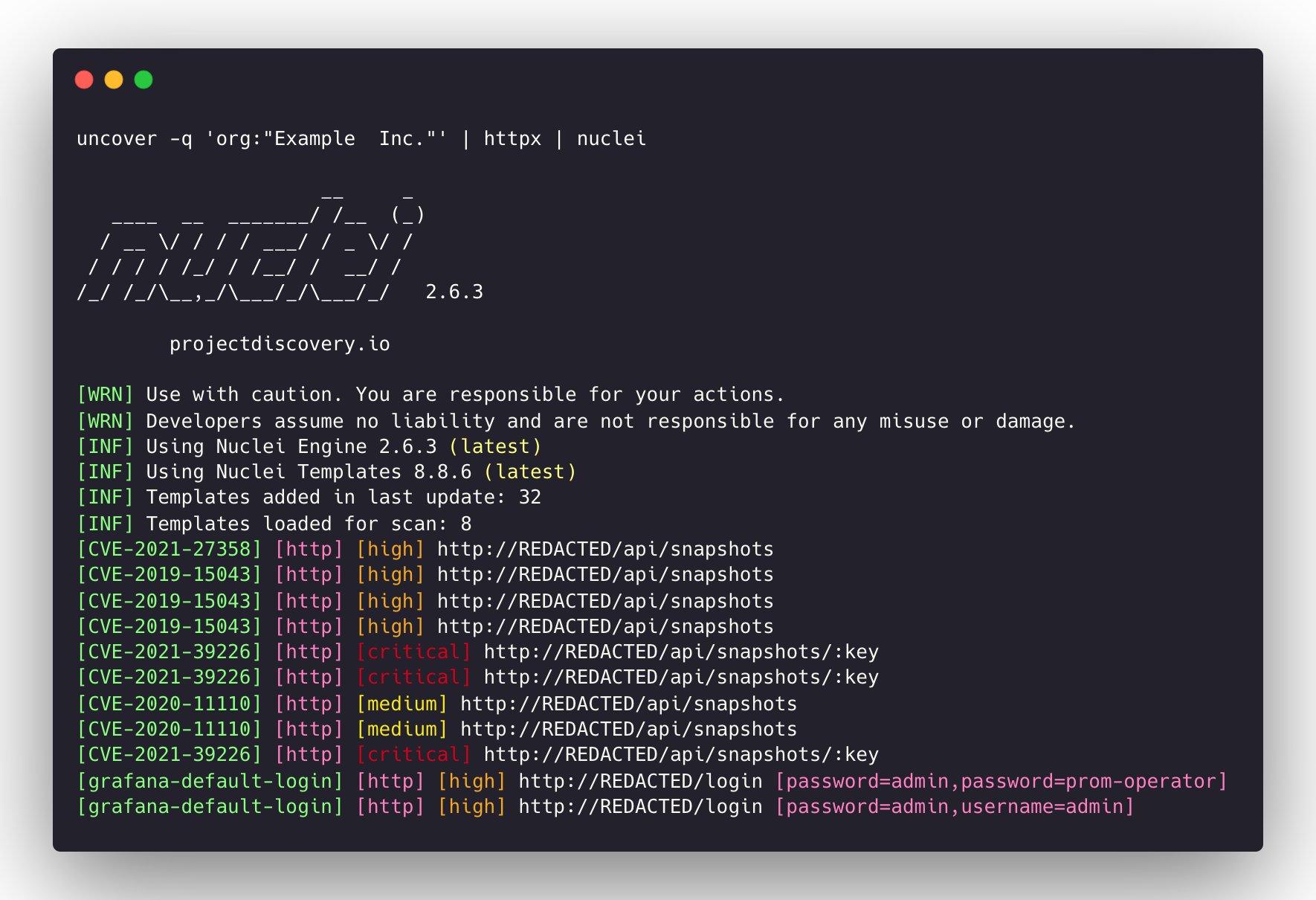
query 플래그는 검색 엔진에서 지원하는 모든 필터를 지원합니다.100 으로 제한되며 limit 플래그로 증가 할 수 있습니다.shodan-idb API에는 API 키가 필요하지 않으며 상자에서 작동합니다.shodan-idb API는 기본 엔진으로 사용됩니다.발견 되지 않았습니까? ProjectDiscovery 팀에 의해.





