uncover
v1.0.9


機能•インストール•使用法•構成•実行の実行•不一致に参加する
uncoverは、よく知られている検索エンジンのAPIを使用して、インターネット上の露出したホストを迅速に発見するGoラッパーです。自動化を念頭に置いて構築されているため、現在のパイプラインツールで結果を利用して結果を利用できます。
Uncoverには、正常にインストールするにはGo1.21が必要です。次のコマンドを実行してレポを取得します -
go install -v github.com/projectdiscovery/uncover/cmd/uncover@latestuncover -hこれにより、ツールのヘルプが表示されます。これがサポートするすべてのフラグです:
 Usage:
  ./uncover [flags]

Flags:
INPUT:
   -q, -query string[]   search query, supports: stdin,file,config input (example: -q 'example query', -q 'query.txt')
   -e, -engine string[]  search engine to query (shodan,shodan-idb,fofa,censys,quake,hunter,zoomeye,netlas,criminalip,publicwww,hunterhow,google) (default shodan)

SEARCH-ENGINE:
   -s, -shodan string[]       search query for shodan (example: -shodan 'query.txt')
   -sd, -shodan-idb string[]  search query for shodan-idb (example: -shodan-idb 'query.txt')
   -ff, -fofa string[]        search query for fofa (example: -fofa 'query.txt')
   -cs, -censys string[]      search query for censys (example: -censys 'query.txt')
   -qk, -quake string[]       search query for quake (example: -quake 'query.txt')
   -ht, -hunter string[]      search query for hunter (example: -hunter 'query.txt')
   -ze, -zoomeye string[]     search query for zoomeye (example: -zoomeye 'query.txt')
   -ne, -netlas string[]      search query for netlas (example: -netlas 'query.txt')
   -cl, -criminalip string[]  search query for criminalip (example: -criminalip 'query.txt')
   -pw, -publicwww string[]   search query for publicwww (example: -publicwww 'query.txt')
   -hh, -hunterhow string[]   search query for hunterhow (example: -hunterhow 'query.txt')
   -gg, -google string[]       search query for google (example: -google 'query.txt')

CONFIG:
   -pc, -provider string         provider configuration file (default "$CONFIG/uncover/provider-config.yaml")
   -config string                flag configuration file (default "$CONFIG/uncover/config.yaml")
   -timeout int                  timeout in seconds (default 30)
   -rl, -rate-limit int          maximum number of http requests to send per second
   -rlm, -rate-limit-minute int  maximum number of requests to send per minute
   -retry int                    number of times to retry a failed request (default 2)

OUTPUT:
   -o, -output string  output file to write found results
   -f, -field string   field to display in output (ip,port,host) (default "ip:port")
   -j, -json           write output in JSONL(ines) format
   -r, -raw            write raw output as received by the remote api
   -l, -limit int      limit the number of results to return (default 100)
   -nc, -no-color      disable colors in output

DEBUG:
   -silent   show only results in output
   -version  show version of the project
-v show verbose output ライブラリとしてcuntoverを使用する例は、例ディレクトリに記載されています。
デフォルトのプロバイダー構成ファイルは$CONFIG/uncover/provider-config.yamlに配置する必要があり、例として次の内容があります。
注:APIキーが必要であり、実行する前に構成する必要があります。
 shodan :
  - SHODAN_API_KEY_1
  - SHODAN_API_KEY_2
censys :
  - CENSYS_API_ID_1:CENSYS_API_SECRET_1
  - CENSYS_API_ID_2:CENSYS_API_SECRET_2
fofa :
  - FOFA_EMAIL_1:FOFA_KEY_1
  - FOFA_EMAIL_2:FOFA_KEY_2
quake :
  - QUAKE_TOKEN_1
  - QUAKE_TOKEN_2
hunter :
  - HUNTER_API_KEY_1
  - HUNTER_API_KEY_2
zoomeye :
  - ZOOMEYE_API_KEY_1
  - ZOOMEYE_API_KEY_2
netlas :
  - NETLAS_API_KEY_1
  - NETLAS_API_KEY_2
criminalip :
  - CRIMINALIP_API_KEY_1
  - CRIMINALIP_API_KEY_2
publicwww :
  - PUBLICWWW_API_KEY_1
  - PUBLICWWW_API_KEY_2
hunterhow :
  - HUNTERHOW_API_KEY_1
  - HUNTERHOW_API_KEY_2
google :
  - GOOGLE_API_KEY_1:Google_API_CX_1
  - GOOGLE_API_KEY_2:Google_API_CX_2
構成ファイルの同じプロバイダーに対して複数のキー/資格情報が指定されている場合、各実行にランダムキーが使用されます。
または、BASHプロファイルのAPIキーを環境変数として設定することもできます。
 export SHODAN_API_KEY=xxx
export CENSYS_API_ID=xxx
export CENSYS_API_SECRET=xxx
export FOFA_EMAIL=xxx
export FOFA_KEY=xxx
export QUAKE_TOKEN=xxx
export HUNTER_API_KEY=xxx
export ZOOMEYE_API_KEY=xxx
export NETLAS_API_KEY=xxx
export CRIMINALIP_API_KEY=xxx
export PUBLICWWW_API_KEY=xxx
export HUNTERHOW_API_KEY=xxx
export GOOGLE_API_KEY=xxx
export GOOGLE_API_CX=xxx
必要なAPIキーは、プラットフォームShodan、Censys、Fofa、Quake、Hunter、Zoomeye、Netlas、CriminalIp、PublicWWW、Google [1]、[2]にサインアップすることで取得できます。
Engineが指定されていない場合は、デフォルトのshodanエンジンが検索に使用されるため、 Stdinまたはqフラグを含むクエリを作成するための複数の方法をサポートします。
 echo 'ssl:"Uber Technologies, Inc."' | uncover

  __  ______  _________ _   _____  _____
 / / / / __ / ___/ __  | / / _ / ___/
/ /_/ / / / / /__/ /_/ / |/ /  __/ /
__,_/_/ /_/___/____/|___/___/_/ v0.0.9


		projectdiscovery.io

[WRN] Use with caution. You are responsible for your actions
[WRN] Developers assume no liability and are not responsible for any misuse or damage.
[WRN] By using uncover, you also agree to the terms of the APIs used.

107.180.12.116:993
107.180.26.155:443
104.244.99.31:443
161.28.20.79:443
104.21.8.108:443
198.71.233.203:443
104.17.237.13:443
162.255.165.171:443
12.237.119.61:443
192.169.250.211:443
104.16.251.50:443ランニングして、1行あたり複数の検索クエリを含むファイル入力で除外します。
 cat dorks.txt

ssl:"Uber Technologies, Inc."
title:"Grafana"
uncover -q dorks.txt
__ ______ _________ _ _____ _____
/ / / / __ / ___/ __ | / / _ / ___/
/ /_/ / / / / /__/ /_/ / |/ / __/ /
__,_/_/ /_/___/____/|___/___/_/ v0.0.9
projectdiscovery.io
[WRN] Use with caution. You are responsible for your actions
[WRN] Developers assume no liability and are not responsible for any misuse or damage.
[WRN] By using uncover, you also agree to the terms of the APIs used.
107.180.12.116:993
107.180.26.155:443
104.244.99.31:443
161.28.20.79:443
104.21.8.108:443
198.71.233.203:443
2607:7c80:54:3::74:3001
104.198.55.35:80
46.101.82.244:3000
34.147.126.112:80
138.197.147.213:8086uncoverは、デフォルトのShodanが使用されるため、複数の検索エンジンをサポートします。 -eフラグを使用して、任意またはすべての検索エンジンに対して同じクエリを実行できます。
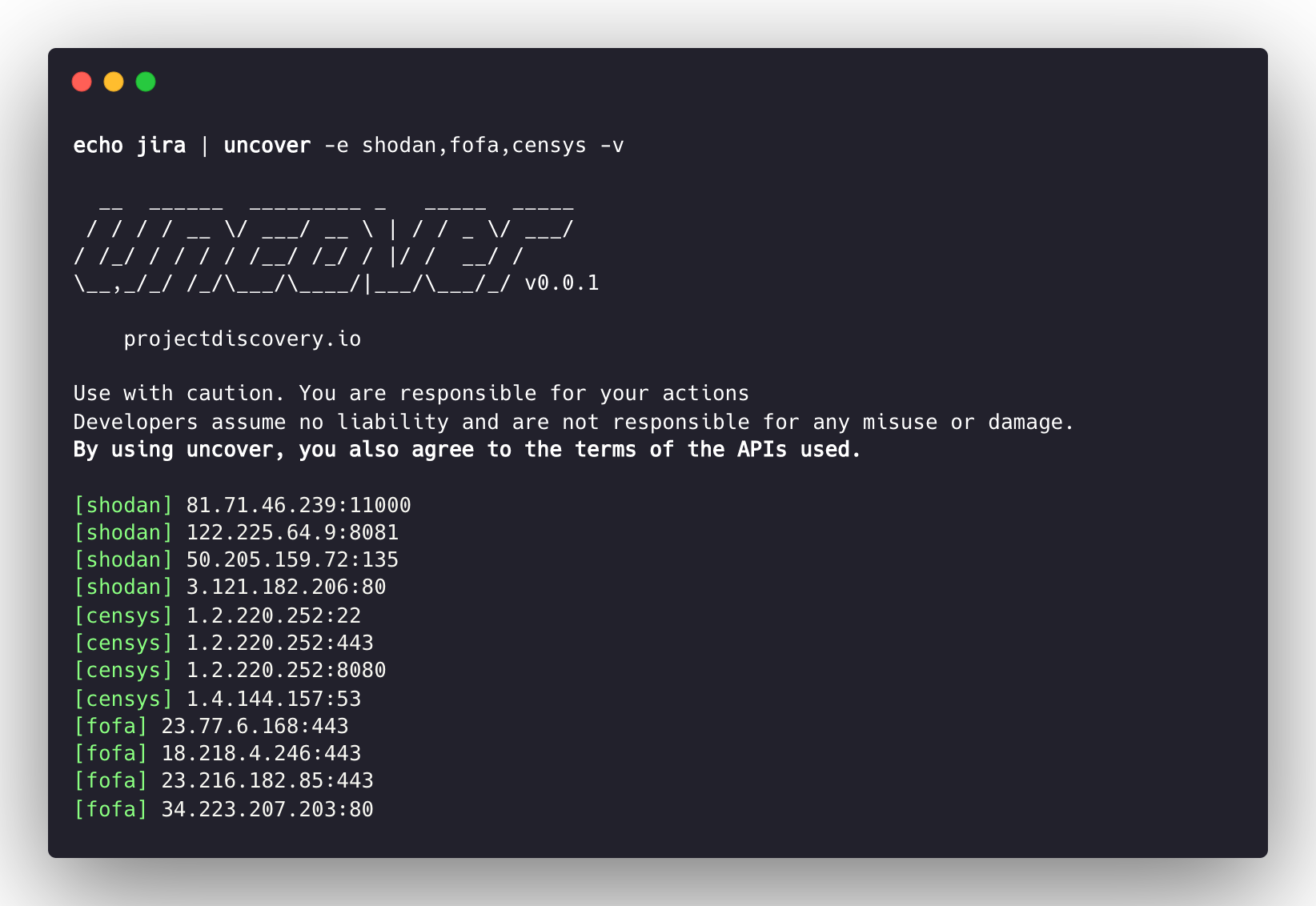
 echo jira | uncover -e shodan,censys,fofa,quake,hunter,zoomeye,netlas,criminalip

  __  ______  _________ _   _____  _____
 / / / / __ / ___/ __  | / / _ / ___/
/ /_/ / / / / /__/ /_/ / |/ /  __/ /
__,_/_/ /_/___/____/|___/___/_/ v0.0.9


    projectdiscovery.io

[WRN] Use with caution. You are responsible for your actions
[WRN] Developers assume no liability and are not responsible for any misuse or damage.
[WRN] By using uncover, you also agree to the terms of the APIs used.

176.31.249.189:5001
13.211.116.80:443
43.130.1.221:631
192.195.70.29:443
52.27.22.181:443
117.48.120.226:8889
106.52.115.145:49153
13.69.135.128:443
193.35.99.158:443
18.202.109.218:8089
101.36.105.97:21379
42.194.226.30:2626 uncover -shodan 'http.component:"Atlassian Jira"' -censys 'services.software.product=`Jira`' -fofa 'app="ATLASSIAN-JIRA"' -quake 'Jira' -hunter 'Jira' -zoomeye 'app:"Atlassian JIRA"' -netlas 'jira' -criminalip 'Jira'
__ ______ _________ _ _____ _____
/ / / / __ / ___/ __ | / / _ / ___/
/ /_/ / / / / /__/ /_/ / |/ / __/ /
__,_/_/ /_/___/____/|___/___/_/ v0.0.9
projectdiscovery.io
[WRN] Use with caution. You are responsible for your actions
[WRN] Developers assume no liability and are not responsible for any misuse or damage.
[WRN] By using uncover, you also agree to the terms of the APIs used.
104.68.37.129:443
162.222.160.42:443
34.255.84.133:443
52.204.121.166:443
23.198.29.120:443
136.156.180.95:443
54.194.233.15:443
104.117.55.155:443
149.81.4.6:443
54.255.218.95:443
3.223.137.57:443
83.228.124.171:443
23.202.195.82:443
52.16.59.25:443
18.159.145.227:443
104.105.53.236:443uncoverは、 Shodan-internetdb APIをサポートして、指定されたIP/CIDR入力の使用可能なポートをプルします。
IP/CIDR shodan入力として提供される場合、 shodan-idbはデフォルトエンジンとして使用されます。
 echo 51.83.59.99/24 | uncover

  __  ______  _________ _   _____  _____
 / / / / __ / ___/ __  | / / _ / ___/
/ /_/ / / / / /__/ /_/ / |/ /  __/ /
__,_/_/ /_/___/____/|___/___/_/ v0.0.9


    projectdiscovery.io

[WRN] Use with caution. You are responsible for your actions
[WRN] Developers assume no liability and are not responsible for any misuse or damage.
[WRN] By using uncover, you also agree to the terms of the APIs used.

51.83.59.1:53
51.83.59.1:10000
51.83.59.2:53
51.83.59.3:25
51.83.59.3:80
51.83.59.3:389
51.83.59.3:443
51.83.59.3:465
51.83.59.3:587
51.83.59.3:993-f, -fieldフラグを使用して、現在、 ip 、 port 、およびhostを返すフィールドを示すことができ、希望のフィールドを返すために使用できます。
 uncover -q jira -f host -silent

ec2-44-198-22-253.compute-1.amazonaws.com
ec2-18-246-31-139.us-west-2.compute.amazonaws.com
tasks.devrtb.com
leased-line-91-149-128-229.telecom.by
74.242.203.213.static.inetbone.net
ec2-52-211-7-108.eu-west-1.compute.amazonaws.com
ec2-54-187-161-180.us-west-2.compute.amazonaws.com
185-2-52-226.static.nucleus.be
ec2-34-241-80-255.eu-west-1.compute.amazonaws.comuncoverには、出力形式のカスタマイズに使用できる-f, -fieldフラグがあります。たとえば、 uncover -f https://ip:port/versionの場合、IP:ポートは、形式を定義したままにしながら出力の結果に置き換えられます。パイプライン内の他のツールへの入力としてすぐに渡すことができるように出力を準備するためにファイル。
 echo kubernetes | uncover -f https://ip:port/version -silent

https://35.222.229.38:443/version
https://52.11.181.228:443/version
https://35.239.255.1:443/version
https://34.71.48.11:443/version
https://130.211.54.173:443/version
https://54.184.250.232:443/versionUncoverの出力は、 STDINを入力として受け入れるワークフローで、他のプロジェクトにさらにパイプ化できます。
uncover -q example -f ip | naabu見つけたホストでのポートスキャンのためにNAABUを実行します。uncover -q title:GitLab | httpx -webサーバーのHTTPXを実行して、発見された結果を調査します。uncover -q 51.83.59.99/24 | httpx -shodan -internetdbから取得したホスト/ポートでHTTPXを実行します。 uncover -q http.title:GitLab -silent | httpx -silent
https://15.185.150.109
https://139.162.137.16
https://164.68.115.243
https://135.125.215.186
https://163.172.59.119
http://15.236.10.197
https://129.206.117.248uncover -q 'org:"Example Inc."' | httpx | nuclei - 脆弱性評価のためにHTTPX /核を実行します。 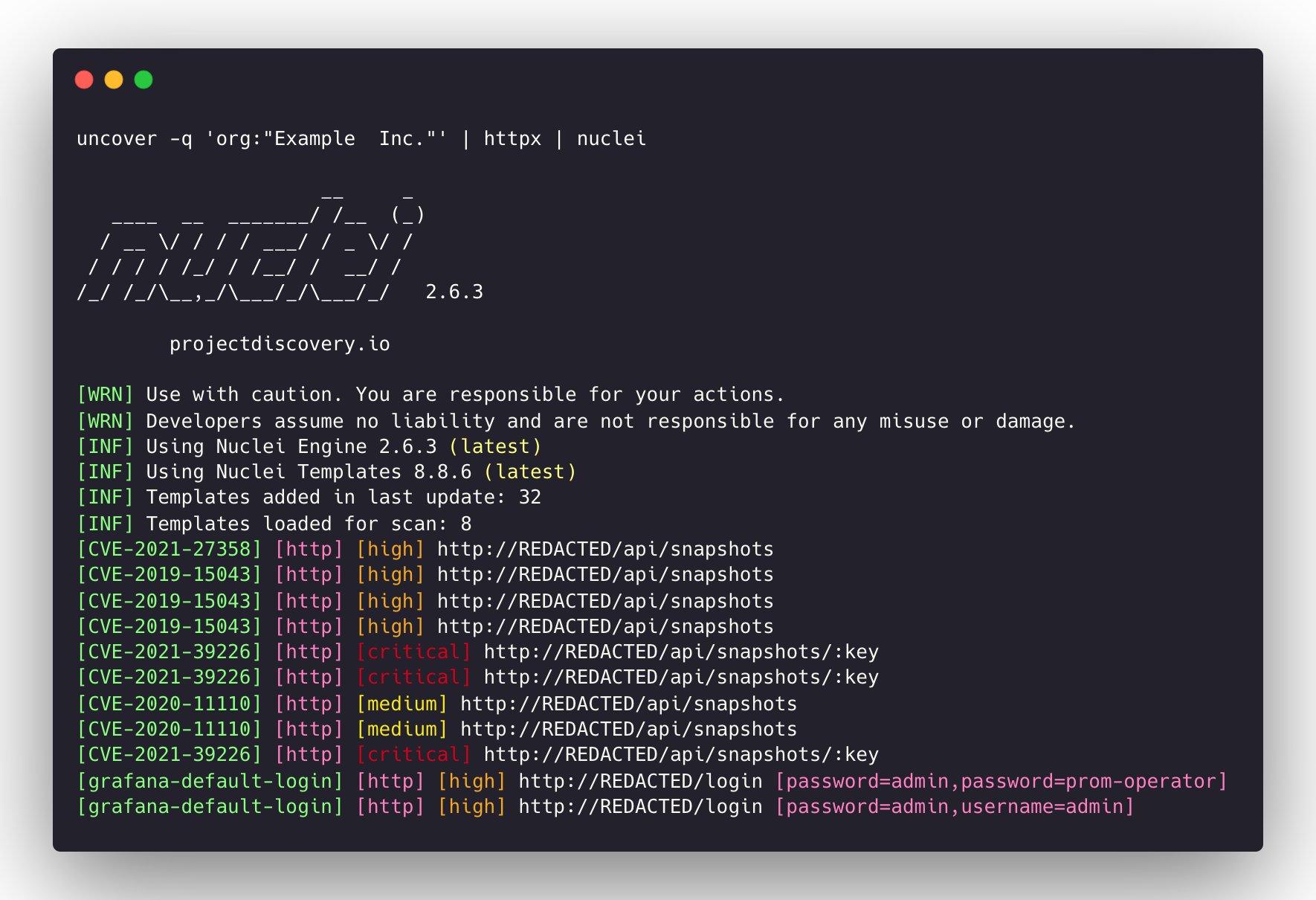
queryフラグは、検索エンジンでサポートされているすべてのフィルターのみをサポートします。100に制限されており、 limitフラグを使用して増加させることができます。shodan-idb APIはAPIキーを必要とせず、箱から出して動作します。shodan-idb APIは、IP/CIDRが入力として提供される場合、デフォルトエンジンとして使用されます。uncoverはで作られていますか? Project -Discoveryチームによる。





