django flix video streaming
1.0.0

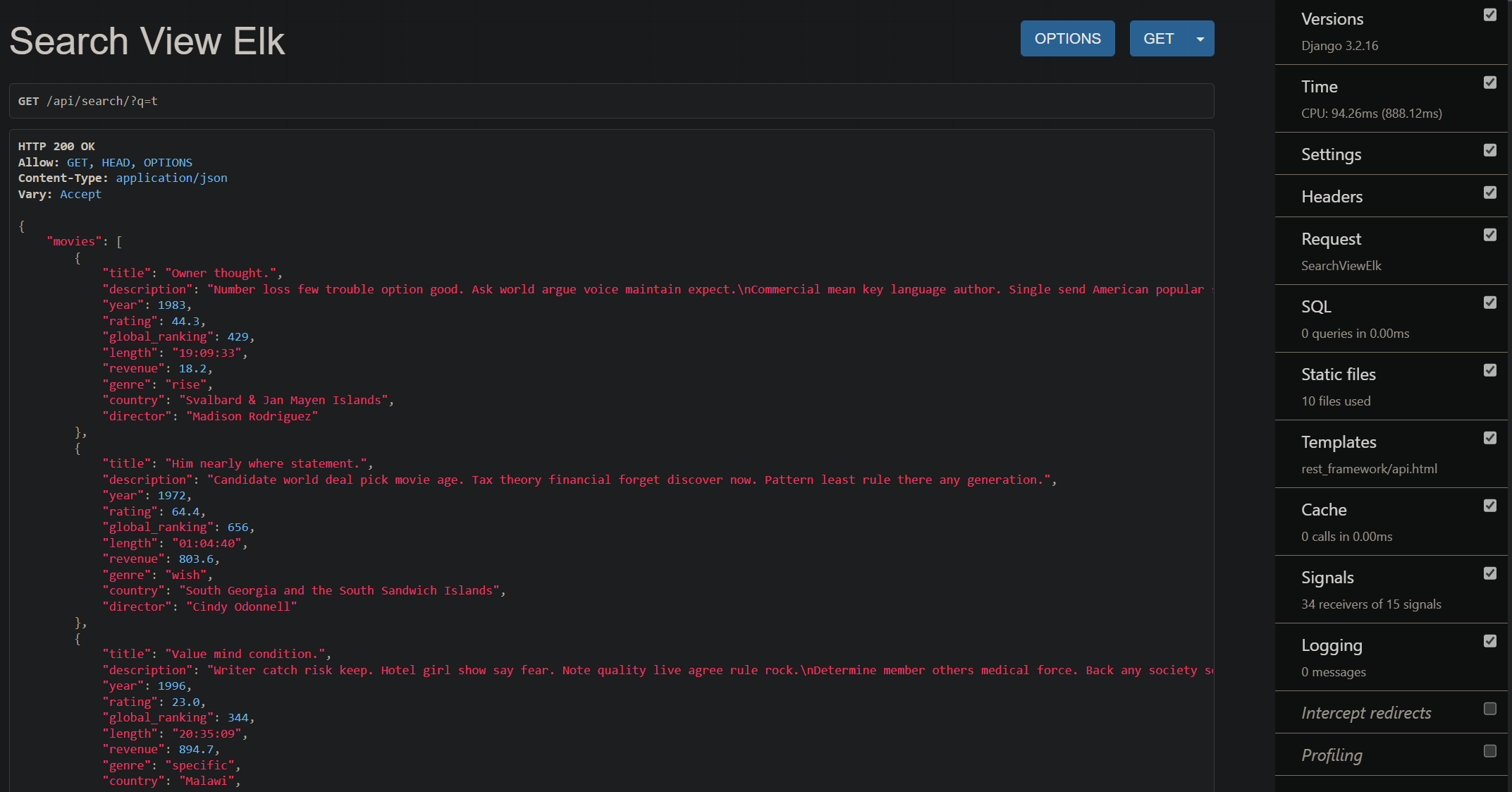
Djangoflixアプリは、数百万のタイトルから映画やテレビ番組を検索できるDjangoアプリです。 ElasticSearch 7を検索エンジンとして使用し、Django-Haystackを使用してDjangoと統合します。これまでのところ、ElasticSearchはテキストを検索するのに最適な検索エンジンであり、非常に高速です。また、Djangoと統合するのは非常に簡単です。アプリを検索している間、年、ジャンル、評価で結果をフィルタリングすることもできます。 icontainsまたはcontainsのようにデフォルトのDjango検索を使用してこの同じ機能を作成すると、結果を検索してフィルタリングするのに多くの時間がかかります。しかし、ElasticSearchでは、非常に速く使いやすいです。
このプロジェクトは機能しており、これにビデオストリーミング機能を追加しようとしています。このレポのコードベースを閲覧するポイントがわからない場合は、コミットを確認してください。
docker-compose up入力するだけで、アプリを実行します。ただし、Dockerなしでアプリを実行したい場合は、以下の手順に従ってくださいgit clone https://github.com/selftaughtdev-me/movie-search-api.gitsudo apt update -y
# install postgresql as sqlite is not efficient enough to handle millions of records
sudo apt install libpq-dev postgresql postgresql-contrib -y
sudo service postgresql start
# install python3 & build-essential
sudo add-apt-repository ppa:deadsnakes/ppa # for all python versions
sudo apt update -y
sudo apt-get install apt-transport-https
sudo apt install python3.8 python3.8-dev python3.8-venv build-essential -y
# install java as it is required for elasticsearch
sudo apt install openjdk-11-jdk openjdk-11-jre -y
# install ElasticSearch
curl -fsSL https://artifacts.elastic.co/GPG-KEY-elasticsearch | sudo apt-key add -
echo " deb https://artifacts.elastic.co/packages/7.x/apt stable main " | sudo tee -a /etc/apt/sources.list.d/elastic-7.x.list
sudo apt update
sudo apt install elasticsearch -y
sudo service elasticsearch start
sudo service elasticsearch statussudo -u postgres psql
CREATE DATABASE django_flix ;
CREATE USER django_flix_user WITH PASSWORD ' html_programmer ' ;
ALTER ROLE django_flix_user SET client_encoding TO ' utf8 ' ;
ALTER ROLE django_flix_user SET default_transaction_isolation TO ' read committed ' ;
ALTER ROLE django_flix_user SET timezone TO ' UTC ' ;
GRANT ALL PRIVILEGES ON DATABASE django_flix TO django_flix_user ;
q # inside project root directory
python3.8 -m venv venv
source venv/bin/activate
pip install --upgrade pip
pip install wheel
pip install -r requirements.txt
# migrate
./manage.py migrate
./manage.py createsuperuser./manage.py generate_test_data 1000000./manage.py runserver
http://localhost:8000/api/ ? q=t
http://localhost:8000/api/search/ ? q=t & facets=year:1983
http://localhost:8000/api/search/ ? q=t & facets=year:1983,genre:rise