micro rt
1.0.0

Layanan mikro raytracing ringan ditulis dengan karat.
Gagasan utamanya adalah dengan mudah membuat gambar secara instan di Terminal, dengan file JSON atau lebih dari HTTP Server.
Terinspirasi oleh Zenity, yang menyediakan Anda untuk membuat UI sederhana di Terminal.
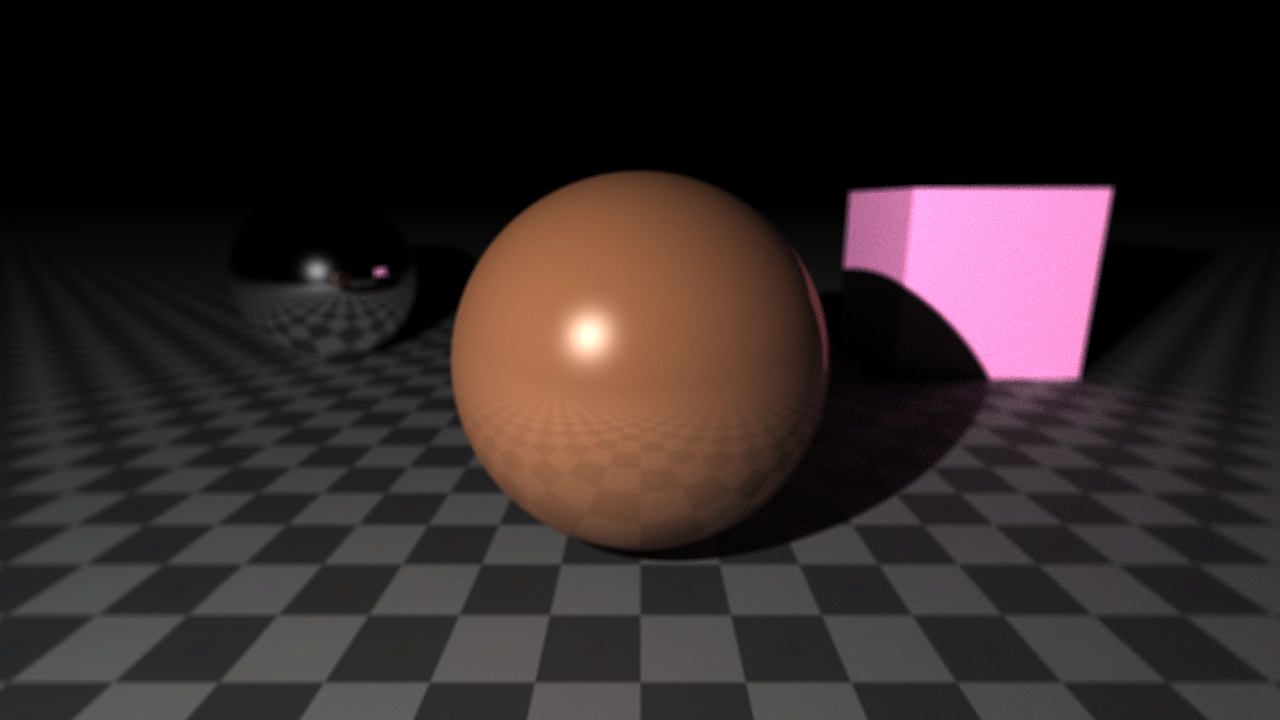
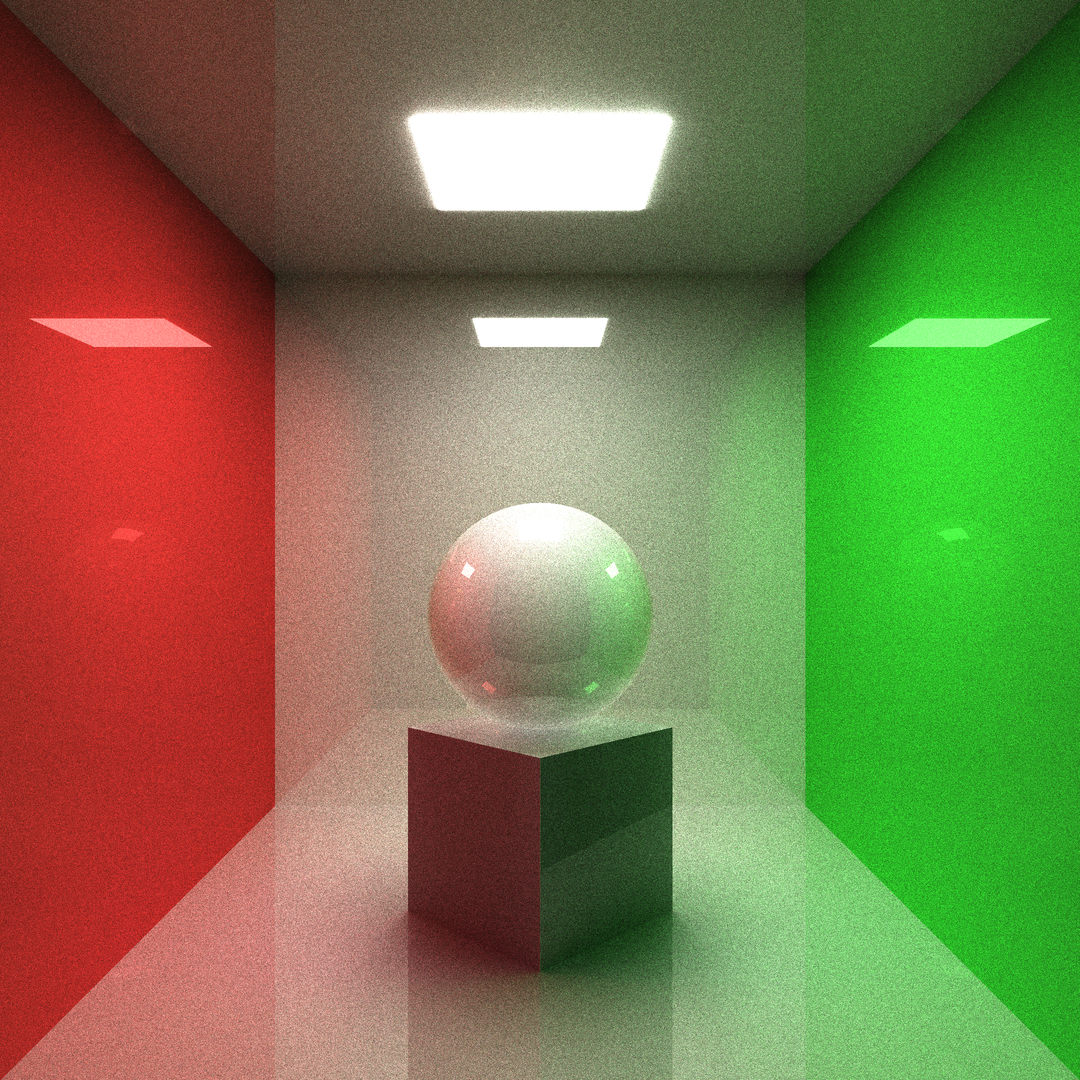
raytrace --obj sph r: 0.15 pos: 0 0 -0.1
         --obj box size: 0.25 0.25 0.25 pos: 0 0 -0.375 dir: 0 0.5 0.5 0
         --obj box size: 0.3 0.3 0.01 pos: 0 0 0.499 emit: 1
         --obj box size: 1 0.01 1 pos: 0 0.5 0
         --obj box size: 1 1 0.01 pos: 0 0 0.5
         --obj box size: 1 1 0.01 pos: 0 0 -0.5
         --obj box size: 0.01 1 1 pos: -0.5 0 0 albedo: ' #ff0000 '
         --obj box size: 0.01 1 1 pos: 0.5 0 0 albedo: ' #00ff00 '
         --cam pos: 0 -1.25 0 fov: 60 gamma: 0.6 exp: 0.8
--update --sample 1024 --ssaa 2 --res 1080 1080Bangun secara statis untuk Linux menggunakan Musl. Eksekusi ini dapat berjalan pada sistem Linux apa pun tanpa lib tambahan.
rustup target add x86_64-unknown-linux-musl
cargo build --release --target x86_64-unknown-linux-musl$ ./raytrace -h
Tiny raytracing microservice.
Usage: raytrace [OPTIONS] [FILE.json]
Arguments:
[FILE.json]
Full render description json input filename
Options:
-v, --verbose
Enable logging
--pretty
Print full render info in json with prettifier
-d, --dry
Dry run (useful with verbose)
-o, --output < FILE.EXT >
Final image output filename
--http < address >
Launch http server
--bounce < BOUNCE >
Max ray bounce
--sample < SAMPLE >
Max path-tracing samples
--loss < LOSS >
Ray bounce energy loss
-u, --update
Save output on each sample
-w, --worker < WORKER >
Parallel workers count
--dim < DIM >
Parallel jobs count on each dimension
-s, --scene < FILE.json >
Scene description json input filename
-f, --frame < FILE.json >
Frame description json input filename
--res < w > < h >
Frame output image resolution
--ssaa < SSAA >
Output image SSAAx antialiasing
--cam < pos: < f32 f32 f 32>> < dir: < f32 f32 f32 f 32>> < fov: < f 32>> < gamma: < f 32>> < exp: < f 32>> < aprt: < f 32>> < foc: < f 32>> ...
Add camera to the scene
--obj [ < type: sphere(sph) | plane(pln) | box | triangle(tri) > < name: < str >> < param: < sphere: r: < f 32>> | < plane: n: < f32 f32 f 32>> | < box: size: < f32 f32 f 32>> | < triangle: < f32 f32 f 32> < f32 f32 f 32> < f32 f32 f32 >>> < pos: < f32 f32 f 32>> < dir: < f32 f32 f32 f 32>> < albedo: < f32 f32 f 32> | hex > < rough: < f 32>> < metal: < f 32>> < glass: < f 32>> < opacity: < f 32>> < emit: < f 32>> < tex: < FILE.ext | < base64 str >>> < rmap: < FILE.ext | < base64 str >>> < mmap: < FILE.ext | < base64 str >>> < gmap: < FILE.ext | < base64 str >>> < omap: < FILE.ext | < base64 str >>> < emap: < FILE.ext | < base64 str >>> ...]
Add renderer to the scene
--light [ < param: < point(pt): < f32 f32 f 32>> | < dir: < f32 f32 f32 >>> < pwr: < f 32>> < col: < f32 f32 f 32> | hex > ...]
Add light source to the scene
--sky << f32 f32 f32>|hex> <pwr>...
Scene sky color
-h, --help
Print help information
-V, --version
Print version information $ ./img2json -h
Convert images to json for micro-rt.
Usage: img2json [OPTIONS] < IMG >
Arguments:
< IMG >
Input image filename
Options:
--pretty
Print json with prettifier
-f, --fmt < fmt: < buf | inl >>
Texture format
-h, --help
Print help information
-V, --version
Print version informationAyo buat adegan sederhana dengan bola di terminal:
raytrace --obj sphere --light point: -0.5 -1 0.5 Ini akan menghasilkan gambar PNG 1280x720: 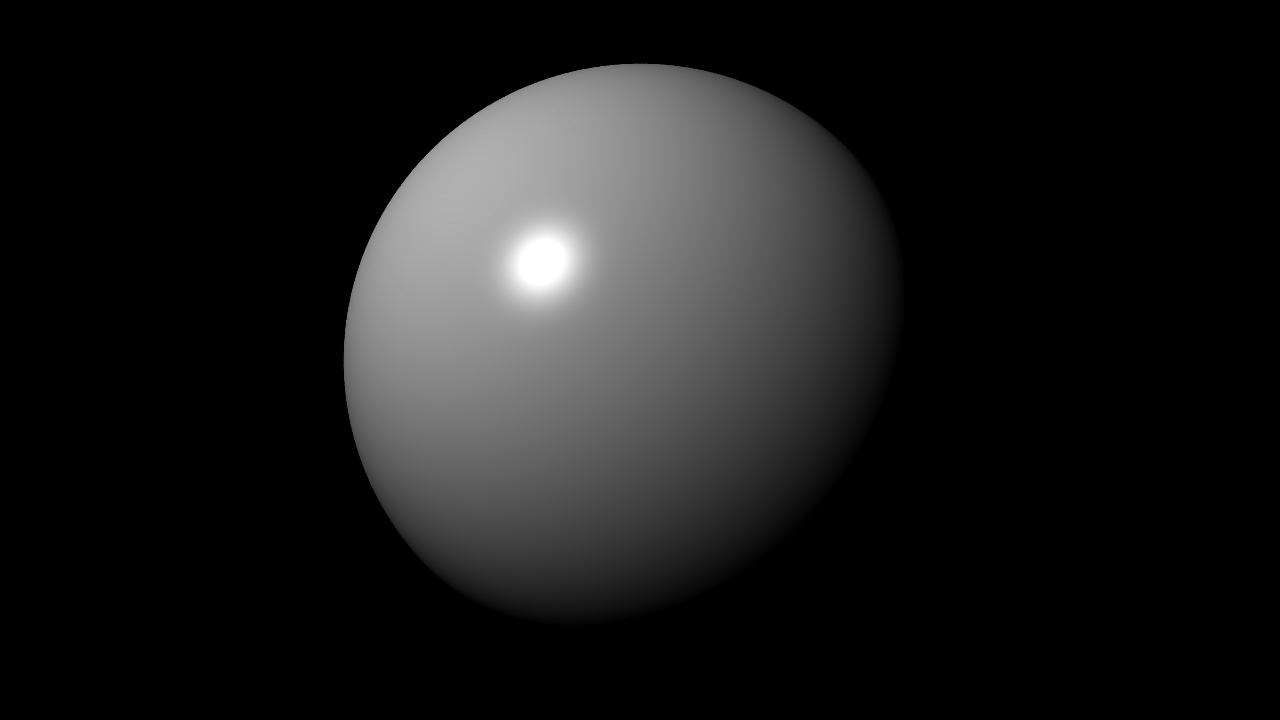
Sekarang mari kita ubah resolusi, file output dan tambahkan beberapa antialiasing:
raytrace --obj sphere --light point: -0.5 -1 0.5 --res 1920 1080 --ssaa 2 -o final.ppm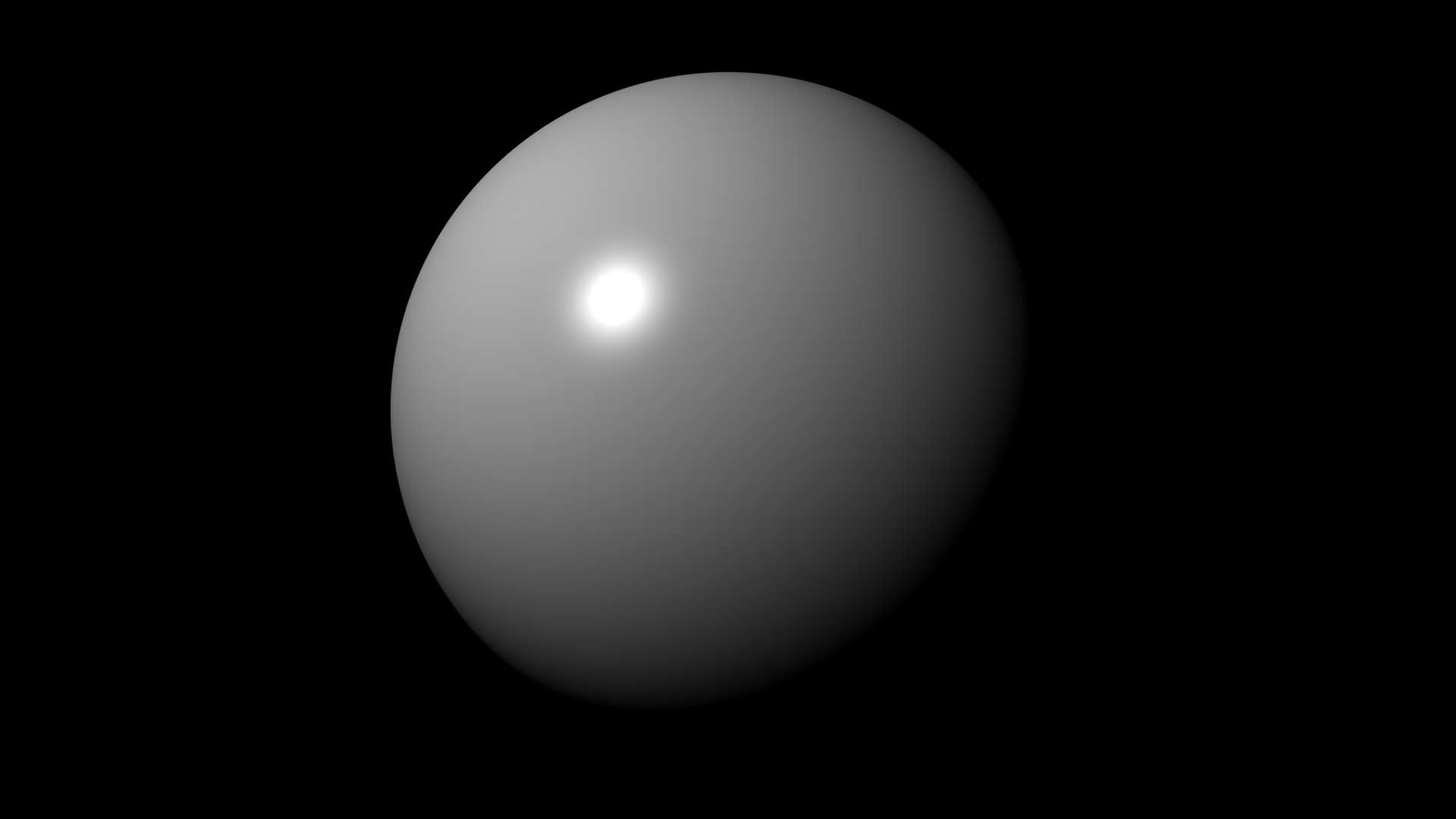
Mari membuat sesuatu yang menarik (ini akan memakan waktu):
raytrace --obj sph r: 0.2 pos: 0.5 0.5 0 albedo: ' #ffc177 ' emit: 1.0
         --obj sph r: 0.2 pos: -0.5 0 0 rough: 1
         --obj sph r: 0.2 pos: 0 0.5 0 albedo: ' #ff0000 '
         --obj sph r: 0.2 pos: 0.5 0 0 metal: 1
         --obj sph r: 0.2 pos: -0.15 -0.5 0 glass: 0.08 opacity: 0
         --obj pln pos: 0 0 -0.201 rough: 1
         --obj pln n: 0 0 -1 pos: 0 0 1 rough: 1
         --obj pln n: -1 0 0 pos: 1 0 0 albedo: ' #00ff00 ' rough: 1
         --obj pln n: 1 0 0 pos: -1 0 0 albedo: ' #ff0000 ' rough: 1
         --obj pln n: 0 -1 0 pos: 0 1 0 rough: 1
         --cam pos: 0 -1.2 0.1 fov: 60 gamma: 0.5 exp: 0.75
         --update --bounce 16 --sample 1024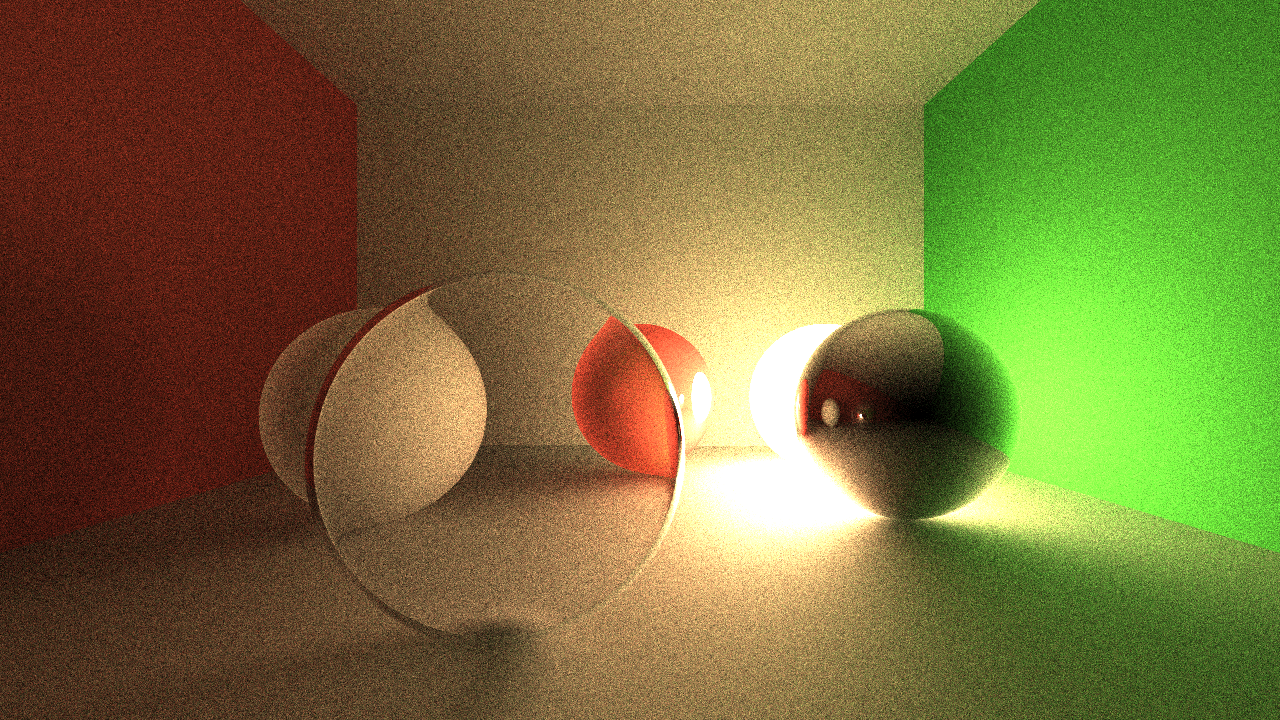
scene.json berisi informasi adegan: {
"renderer" : [
{
"type" : " plane " ,
"n" : [ 0 , -1 , 0 ],
"pos" : [ 0 , 1 , 0 ],
"mat" : {
"rough" : 1
}
},
{
"type" : " plane " ,
"n" : [ 1 , 0 , 0 ],
"pos" : [ -1 , 0 , 0 ],
"mat" : {
"albedo" : [ 1 , 0 , 0 ],
"rough" : 1
}
},
{
"type" : " plane " ,
"n" : [ -1 , 0 , 0 ],
"pos" : [ 1 , 0 , 0 ],
"mat" : {
"albedo" : [ 0 , 1 , 0 ],
"rough" : 1
}
},
{
"type" : " plane " ,
"n" : [ 0 , 0 , -1 ],
"pos" : [ 0 , 0 , 1 ],
"mat" : {
"rough" : 1
}
},
{
"type" : " plane " ,
"n" : [ 0 , 0 , 1 ],
"pos" : [ 0 , 0 , -0.2 ],
"mat" : {
"rough" : 1
}
},
{
"type" : " sphere " ,
"r" : 0.2 ,
"pos" : [ -0.15 , -0.5 , 0 ],
"mat" : {
"glass" : 0.08 ,
"opacity" : 0
}
},
{
"type" : " sphere " ,
"r" : 0.2 ,
"pos" : [ 0.5 , 0 , 0 ],
"mat" : {
"metal" : 1
}
},
{
"type" : " sphere " ,
"r" : 0.2 ,
"pos" : [ 0 , 0.5 , 0 ],
"mat" : {
"albedo" : [ 1 , 0 , 0 ]
}
},
{
"type" : " sphere " ,
"r" : 0.2 ,
"pos" : [ -0.5 , 0 , 0 ],
"mat" : {
"rough" : 1
}
},
{
"type" : " sphere " ,
"r" : 0.2 ,
"pos" : [ 0.5 , 0.5 , 0 ],
"mat" : {
"albedo" : [ 1 , 0.76 , 0.47 ],
"emit" : 1
}
}
]
}frame.json berisi informasi bingkai output: {
"res" : [ 1280 , 720 ],
"ssaa" : 1 ,
"cam" : {
"dir" : [ 0 , 0 , 1 , 0 ],
"exp" : 0.75 ,
"fov" : 70 ,
"gamma" : 0.5 ,
"pos" : [ 0 , -1.2 , 0.1 ]
}
}example.json berisi semua informasi dapat digunakan: {
"rt" : {
"sample" : 512
},
"frame" : {
"cam" : {
"exp" : 0.75 ,
"fov" : 60 ,
"gamma" : 0.5 ,
"pos" : [ 0 , -1.2 , 0.1 ]
}
},
"scene" : {
"renderer" : [
{
"type" : " plane " ,
"n" : [ 0 , -1 , 0 ],
"pos" : [ 0 , 1 , 0 ],
"mat" : {
"rough" : 1
}
},
{
"type" : " plane " ,
"n" : [ 1 , 0 , 0 ],
"pos" : [ -1 , 0 , 0 ],
"mat" : {
"albedo" : " #ff0000 " ,
"rough" : 1
}
},
{
"type" : " plane " ,
"n" : [ -1 , 0 , 0 ],
"pos" : [ 1 , 0 , 0 ],
"mat" : {
"albedo" : " #00ff00 " ,
"rough" : 1
}
},
{
"type" : " plane " ,
"n" : [ 0 , 0 , -1 ],
"pos" : [ 0 , 0 , 1 ],
"mat" : {
"rough" : 1
}
},
{
"type" : " plane " ,
"n" : [ 0 , 0 , 1 ],
"pos" : [ 0 , 0 , -0.2 ],
"mat" : {
"rough" : 1
}
},
{
"type" : " sphere " ,
"r" : 0.2 ,
"pos" : [ -0.15 , -0.5 , 0 ],
"mat" : {
"glass" : 0.08 ,
"opacity" : 0
}
},
{
"type" : " sphere " ,
"r" : 0.2 ,
"pos" : [ 0.5 , 0 , 0 ],
"mat" : {
"metal" : 1
}
},
{
"type" : " sphere " ,
"r" : 0.2 ,
"pos" : [ 0 , 0.5 , 0 ],
"mat" : {
"albedo" : " #ff0000 "
}
},
{
"type" : " sphere " ,
"r" : 0.2 ,
"pos" : [ -0.5 , 0 , 0 ],
"mat" : {
"rough" : 1
}
},
{
"type" : " sphere " ,
"r" : 0.2 ,
"pos" : [ 0.5 , 0.5 , 0 ],
"mat" : {
"albedo" : " #ffc177 " ,
"emit" : 1.0
}
}
]
}
}raytrace --scene scene.json --frame frame.json --sample 1024raytrace example.json --sample 1024
Dalam kebanyakan kasus, file deskripsi render tunggal lebih disukai. Pemisahan pemandangan dan bingkai berguna untuk mengubah beberapa posisi kamera, resolusi dll. Tanpa memperbarui file adegan penuh.
raytrace --http localhost:8888POST Permintaan HTTP dengan Deskripsi Render di JSON BODY: 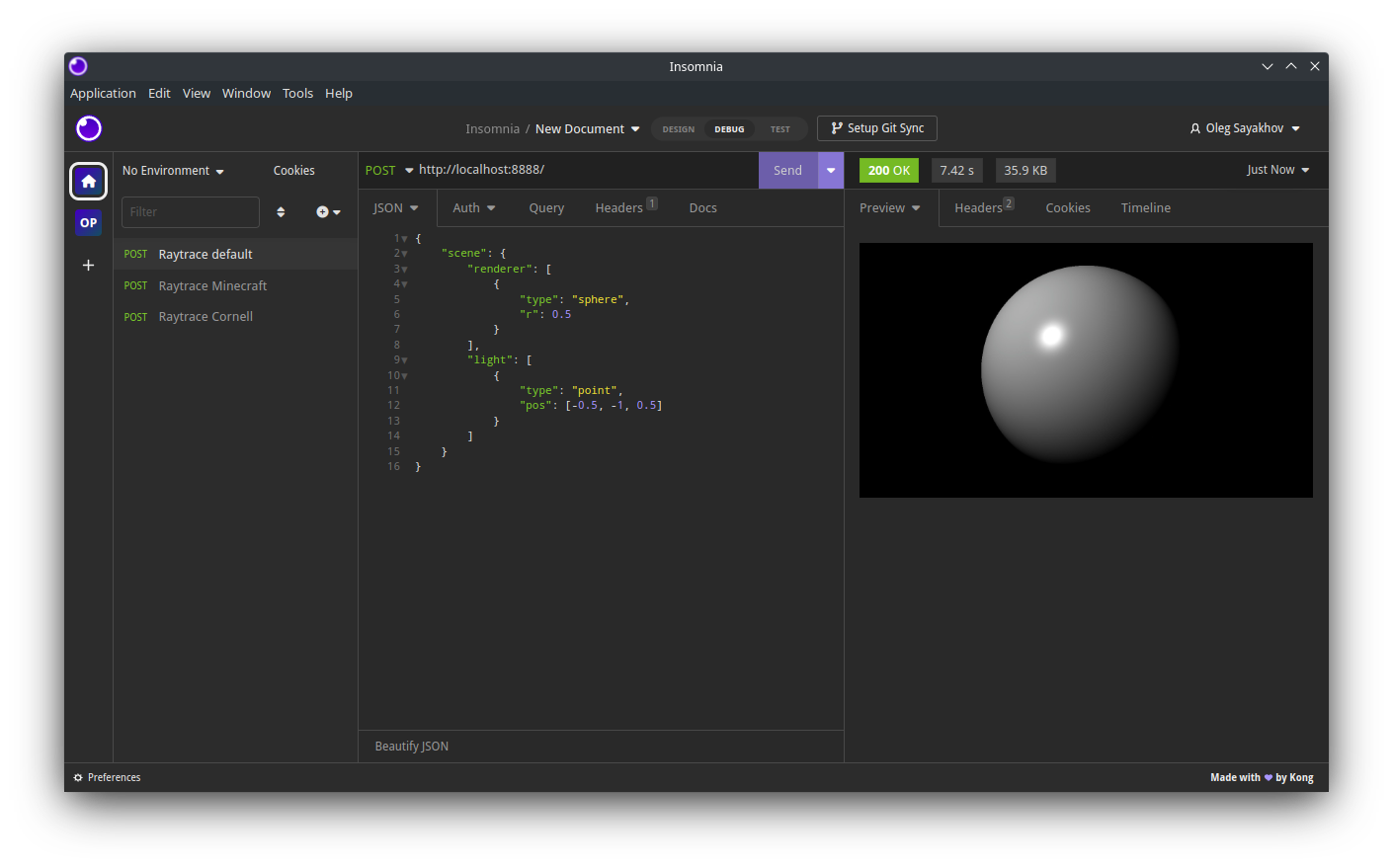
Ini akan mengembalikan respons HTTP dengan output yang dikodekan JPEG.
--verbose,-v flag dengan --dry,-d untuk mendapatkan info render lengkap di JSON dari perintah CLI: raytrace -v -d --obj sphere --light point: -0.5 -1 0.5{ "rt" :{ "bounce" : 8 , "sample" : 16 , "loss" : 0.15 }, "frame" :{ "res" :[ 1280 , 720 ], "ssaa" : 1.0 , "cam" :{ "pos" :[ -0.0 , -1.0 , -0.0 ], "dir" :[ 0.0 , 0.0 , 1.0 , 0.0 ], "fov" : 70.0 , "gamma" : 0.8 , "exp" : 0.2 , "aprt" : 0.001 , "foc" : 100.0 }}, "scene" :{ "renderer" :[{ "type" : " sphere " , "r" : 0.5 , "mat" :{ "albedo" :[ 1.0 , 1.0 , 1.0 ], "rough" : 0.0 , "metal" : 0.0 , "glass" : 0.0 , "opacity" : 1.0 , "emit" : 0.0 , "tex" : null , "rmap" : null , "mmap" : null , "gmap" : null , "omap" : null , "emap" : null }, "pos" :[ 0.0 , 0.0 , 0.0 ], "dir" :[ 0.0 , 0.0 , 1.0 , 0.0 ], "name" : null }], "light" :[{ "type" : " point " , "pos" :[ -0.5 , -1.0 , 0.5 ], "pwr" : 0.5 , "color" :[ 1.0 , 1.0 , 1.0 ]}], "sky" :{ "color" :[ 0.0 , 0.0 , 0.0 ], "pwr" : 0.5 }}}raytrace -v -d --pretty --obj sphere --light point: -0.5 -1 0.5{
"rt" : {
"bounce" : 8 ,
"sample" : 16 ,
"loss" : 0.15
},
"frame" : {
"res" : [ 1280 , 720 ],
"ssaa" : 1 ,
"cam" : {
"pos" : [ 0 , -1 , 0 ],
"dir" : [ 0 , 0 , 1 , 0 ],
"fov" : 70 ,
"gamma" : 0.8 ,
"exp" : 0.2 ,
"aprt" : 0.001 ,
"foc" : 100
}
},
"scene" : {
"renderer" : [
{
"name" : null ,
"type" : " sphere " ,
"r" : 0.5 ,
"mat" : {
"albedo" : [ 1 , 1 , 1 ],
"rough" : 0 ,
"metal" : 0 ,
"glass" : 0 ,
"opacity" : 1 ,
"emit" : 0 ,
"tex" : null ,
"rmap" : null ,
"mmap" : null ,
"gmap" : null ,
"omap" : null ,
"emap" : null
},
"pos" : [ 0 , 0 , 0 ],
"dir" : [ 0 , 0 , -1 , 0 ]
}
],
"light" : [
{
"type" : " point " ,
"pos" : [ -0.5 , -1 , 0.5 ],
"pwr" : 0.5 ,
"color" : [ 1 , 1 , 1 ]
}
],
"sky" : {
"color" : [ 0 , 0 , 0 ],
"pwr" : 0.5
}
}
}TBD ...





