micro rt
1.0.0

Microservice Raytracing léger écrit en rouille.
L'idée principale est de faciliter les images instantanément dans le terminal, avec un fichier JSON ou sur le serveur HTTP.
Inspiré par Zenity, qui vous fournit de créer une interface utilisateur simple dans le terminal.
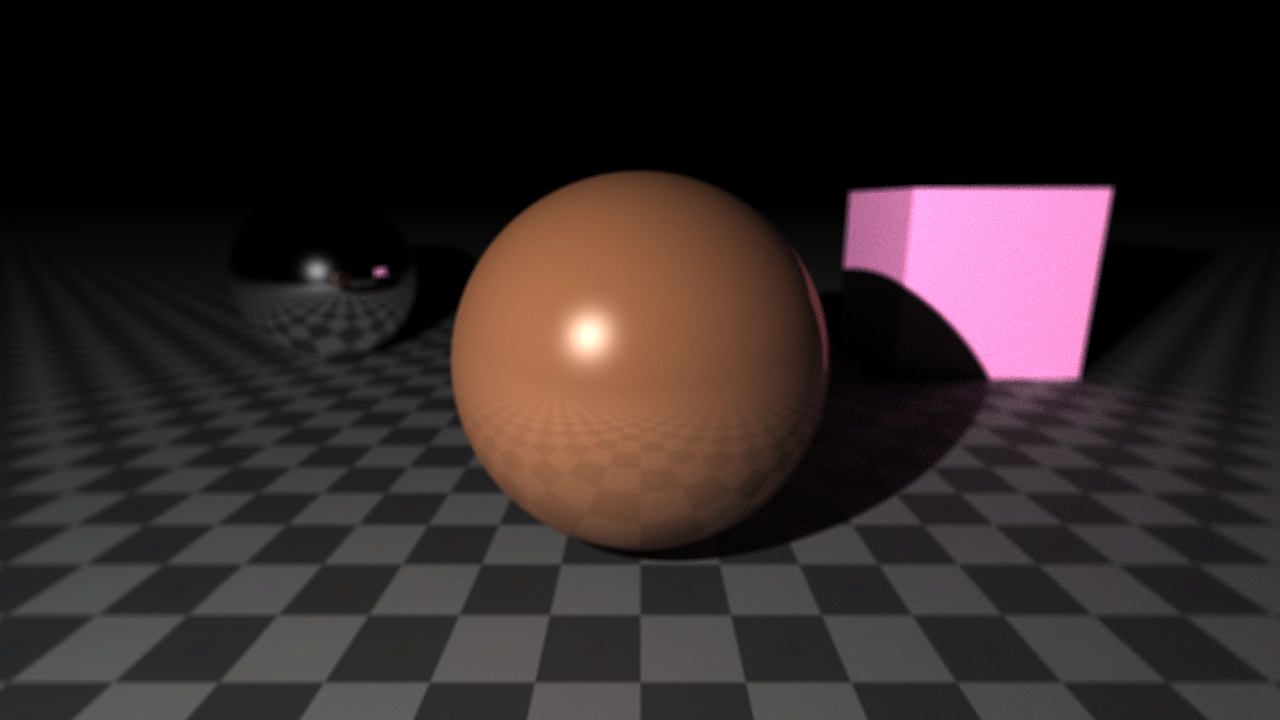
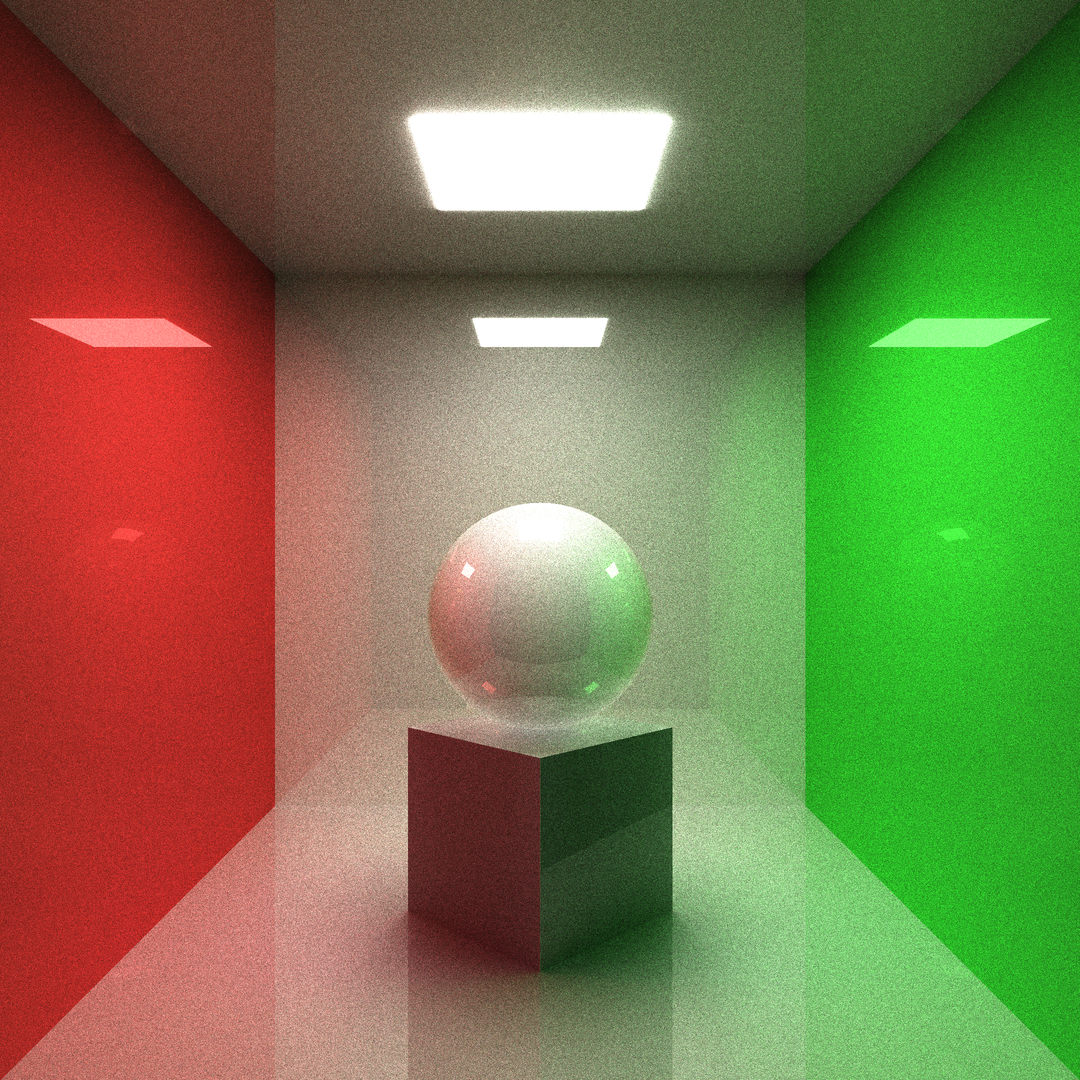
raytrace --obj sph r: 0.15 pos: 0 0 -0.1
         --obj box size: 0.25 0.25 0.25 pos: 0 0 -0.375 dir: 0 0.5 0.5 0
         --obj box size: 0.3 0.3 0.01 pos: 0 0 0.499 emit: 1
         --obj box size: 1 0.01 1 pos: 0 0.5 0
         --obj box size: 1 1 0.01 pos: 0 0 0.5
         --obj box size: 1 1 0.01 pos: 0 0 -0.5
         --obj box size: 0.01 1 1 pos: -0.5 0 0 albedo: ' #ff0000 '
         --obj box size: 0.01 1 1 pos: 0.5 0 0 albedo: ' #00ff00 '
         --cam pos: 0 -1.25 0 fov: 60 gamma: 0.6 exp: 0.8
--update --sample 1024 --ssaa 2 --res 1080 1080Construisez statiquement pour Linux en utilisant MUSL. Cet exécutable peut fonctionner sur n'importe quel système Linux sans aucune LIB supplémentaire.
rustup target add x86_64-unknown-linux-musl
cargo build --release --target x86_64-unknown-linux-musl$ ./raytrace -h
Tiny raytracing microservice.
Usage: raytrace [OPTIONS] [FILE.json]
Arguments:
[FILE.json]
Full render description json input filename
Options:
-v, --verbose
Enable logging
--pretty
Print full render info in json with prettifier
-d, --dry
Dry run (useful with verbose)
-o, --output < FILE.EXT >
Final image output filename
--http < address >
Launch http server
--bounce < BOUNCE >
Max ray bounce
--sample < SAMPLE >
Max path-tracing samples
--loss < LOSS >
Ray bounce energy loss
-u, --update
Save output on each sample
-w, --worker < WORKER >
Parallel workers count
--dim < DIM >
Parallel jobs count on each dimension
-s, --scene < FILE.json >
Scene description json input filename
-f, --frame < FILE.json >
Frame description json input filename
--res < w > < h >
Frame output image resolution
--ssaa < SSAA >
Output image SSAAx antialiasing
--cam < pos: < f32 f32 f 32>> < dir: < f32 f32 f32 f 32>> < fov: < f 32>> < gamma: < f 32>> < exp: < f 32>> < aprt: < f 32>> < foc: < f 32>> ...
Add camera to the scene
--obj [ < type: sphere(sph) | plane(pln) | box | triangle(tri) > < name: < str >> < param: < sphere: r: < f 32>> | < plane: n: < f32 f32 f 32>> | < box: size: < f32 f32 f 32>> | < triangle: < f32 f32 f 32> < f32 f32 f 32> < f32 f32 f32 >>> < pos: < f32 f32 f 32>> < dir: < f32 f32 f32 f 32>> < albedo: < f32 f32 f 32> | hex > < rough: < f 32>> < metal: < f 32>> < glass: < f 32>> < opacity: < f 32>> < emit: < f 32>> < tex: < FILE.ext | < base64 str >>> < rmap: < FILE.ext | < base64 str >>> < mmap: < FILE.ext | < base64 str >>> < gmap: < FILE.ext | < base64 str >>> < omap: < FILE.ext | < base64 str >>> < emap: < FILE.ext | < base64 str >>> ...]
Add renderer to the scene
--light [ < param: < point(pt): < f32 f32 f 32>> | < dir: < f32 f32 f32 >>> < pwr: < f 32>> < col: < f32 f32 f 32> | hex > ...]
Add light source to the scene
--sky << f32 f32 f32>|hex> <pwr>...
Scene sky color
-h, --help
Print help information
-V, --version
Print version information $ ./img2json -h
Convert images to json for micro-rt.
Usage: img2json [OPTIONS] < IMG >
Arguments:
< IMG >
Input image filename
Options:
--pretty
Print json with prettifier
-f, --fmt < fmt: < buf | inl >>
Texture format
-h, --help
Print help information
-V, --version
Print version informationRendons une scène simple avec une sphère dans le terminal:
raytrace --obj sphere --light point: -0.5 -1 0.5 Il produira une image PNG 1280x720: 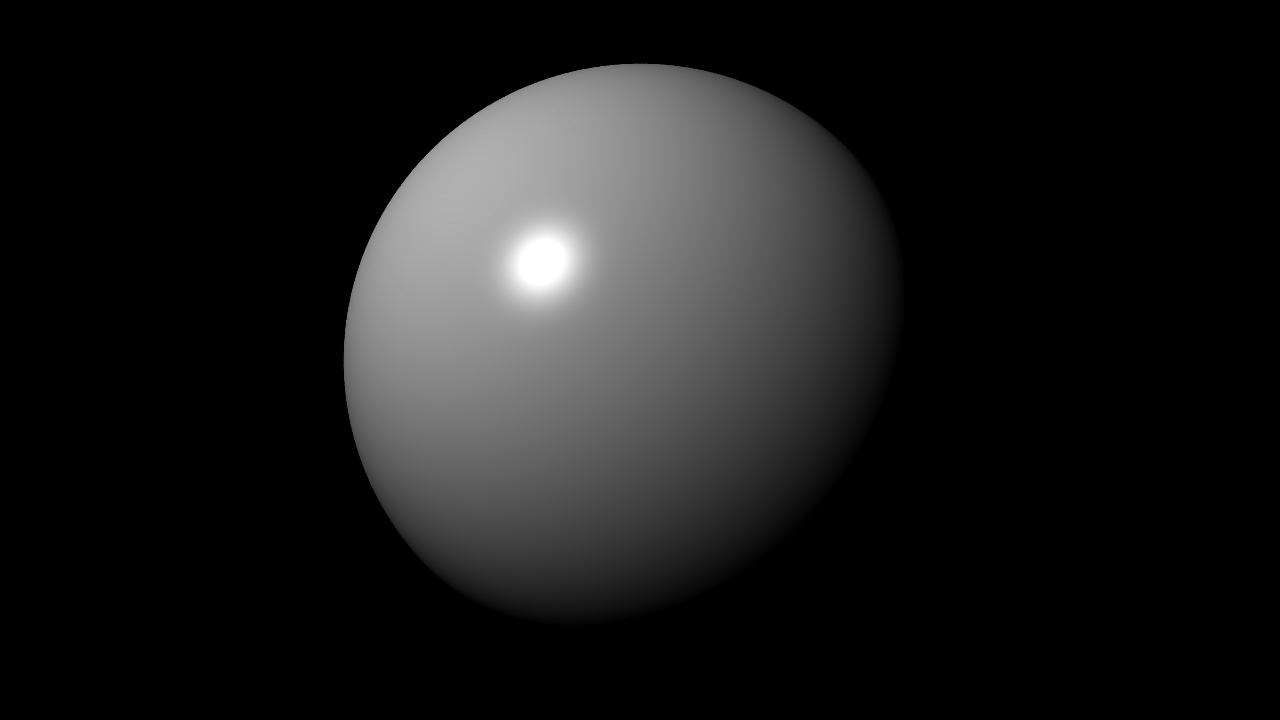
Changeons maintenant la résolution, le fichier de sortie et ajoutons des antialiasing:
raytrace --obj sphere --light point: -0.5 -1 0.5 --res 1920 1080 --ssaa 2 -o final.ppm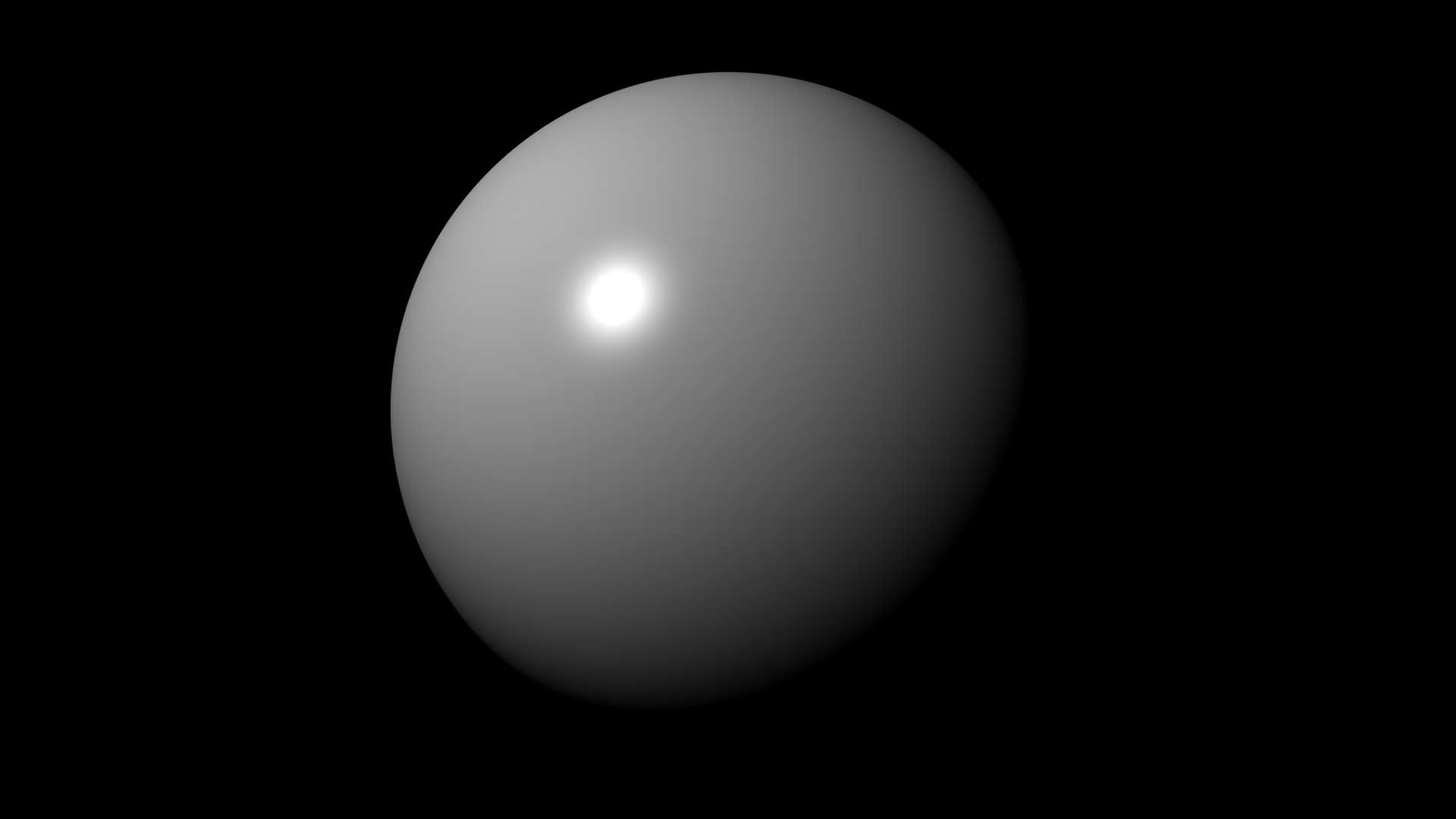
Faisons quelque chose d'intéressant (cela prendra un certain temps):
raytrace --obj sph r: 0.2 pos: 0.5 0.5 0 albedo: ' #ffc177 ' emit: 1.0
         --obj sph r: 0.2 pos: -0.5 0 0 rough: 1
         --obj sph r: 0.2 pos: 0 0.5 0 albedo: ' #ff0000 '
         --obj sph r: 0.2 pos: 0.5 0 0 metal: 1
         --obj sph r: 0.2 pos: -0.15 -0.5 0 glass: 0.08 opacity: 0
         --obj pln pos: 0 0 -0.201 rough: 1
         --obj pln n: 0 0 -1 pos: 0 0 1 rough: 1
         --obj pln n: -1 0 0 pos: 1 0 0 albedo: ' #00ff00 ' rough: 1
         --obj pln n: 1 0 0 pos: -1 0 0 albedo: ' #ff0000 ' rough: 1
         --obj pln n: 0 -1 0 pos: 0 1 0 rough: 1
         --cam pos: 0 -1.2 0.1 fov: 60 gamma: 0.5 exp: 0.75
         --update --bounce 16 --sample 1024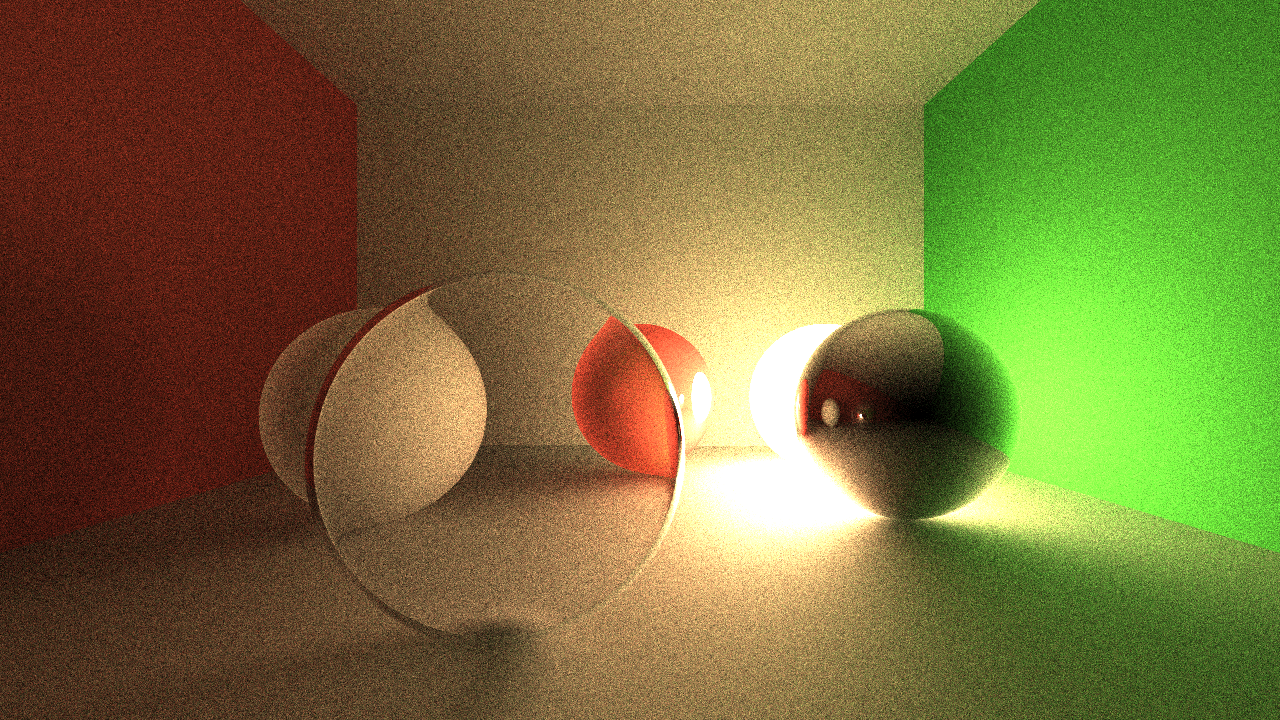
scene.json contient d'abord des informations de scène: {
"renderer" : [
{
"type" : " plane " ,
"n" : [ 0 , -1 , 0 ],
"pos" : [ 0 , 1 , 0 ],
"mat" : {
"rough" : 1
}
},
{
"type" : " plane " ,
"n" : [ 1 , 0 , 0 ],
"pos" : [ -1 , 0 , 0 ],
"mat" : {
"albedo" : [ 1 , 0 , 0 ],
"rough" : 1
}
},
{
"type" : " plane " ,
"n" : [ -1 , 0 , 0 ],
"pos" : [ 1 , 0 , 0 ],
"mat" : {
"albedo" : [ 0 , 1 , 0 ],
"rough" : 1
}
},
{
"type" : " plane " ,
"n" : [ 0 , 0 , -1 ],
"pos" : [ 0 , 0 , 1 ],
"mat" : {
"rough" : 1
}
},
{
"type" : " plane " ,
"n" : [ 0 , 0 , 1 ],
"pos" : [ 0 , 0 , -0.2 ],
"mat" : {
"rough" : 1
}
},
{
"type" : " sphere " ,
"r" : 0.2 ,
"pos" : [ -0.15 , -0.5 , 0 ],
"mat" : {
"glass" : 0.08 ,
"opacity" : 0
}
},
{
"type" : " sphere " ,
"r" : 0.2 ,
"pos" : [ 0.5 , 0 , 0 ],
"mat" : {
"metal" : 1
}
},
{
"type" : " sphere " ,
"r" : 0.2 ,
"pos" : [ 0 , 0.5 , 0 ],
"mat" : {
"albedo" : [ 1 , 0 , 0 ]
}
},
{
"type" : " sphere " ,
"r" : 0.2 ,
"pos" : [ -0.5 , 0 , 0 ],
"mat" : {
"rough" : 1
}
},
{
"type" : " sphere " ,
"r" : 0.2 ,
"pos" : [ 0.5 , 0.5 , 0 ],
"mat" : {
"albedo" : [ 1 , 0.76 , 0.47 ],
"emit" : 1
}
}
]
}frame.json Le fichier contient des informations de trame de sortie: {
"res" : [ 1280 , 720 ],
"ssaa" : 1 ,
"cam" : {
"dir" : [ 0 , 0 , 1 , 0 ],
"exp" : 0.75 ,
"fov" : 70 ,
"gamma" : 0.5 ,
"pos" : [ 0 , -1.2 , 0.1 ]
}
}example.json contient toutes les informations peuvent être utilisées: {
"rt" : {
"sample" : 512
},
"frame" : {
"cam" : {
"exp" : 0.75 ,
"fov" : 60 ,
"gamma" : 0.5 ,
"pos" : [ 0 , -1.2 , 0.1 ]
}
},
"scene" : {
"renderer" : [
{
"type" : " plane " ,
"n" : [ 0 , -1 , 0 ],
"pos" : [ 0 , 1 , 0 ],
"mat" : {
"rough" : 1
}
},
{
"type" : " plane " ,
"n" : [ 1 , 0 , 0 ],
"pos" : [ -1 , 0 , 0 ],
"mat" : {
"albedo" : " #ff0000 " ,
"rough" : 1
}
},
{
"type" : " plane " ,
"n" : [ -1 , 0 , 0 ],
"pos" : [ 1 , 0 , 0 ],
"mat" : {
"albedo" : " #00ff00 " ,
"rough" : 1
}
},
{
"type" : " plane " ,
"n" : [ 0 , 0 , -1 ],
"pos" : [ 0 , 0 , 1 ],
"mat" : {
"rough" : 1
}
},
{
"type" : " plane " ,
"n" : [ 0 , 0 , 1 ],
"pos" : [ 0 , 0 , -0.2 ],
"mat" : {
"rough" : 1
}
},
{
"type" : " sphere " ,
"r" : 0.2 ,
"pos" : [ -0.15 , -0.5 , 0 ],
"mat" : {
"glass" : 0.08 ,
"opacity" : 0
}
},
{
"type" : " sphere " ,
"r" : 0.2 ,
"pos" : [ 0.5 , 0 , 0 ],
"mat" : {
"metal" : 1
}
},
{
"type" : " sphere " ,
"r" : 0.2 ,
"pos" : [ 0 , 0.5 , 0 ],
"mat" : {
"albedo" : " #ff0000 "
}
},
{
"type" : " sphere " ,
"r" : 0.2 ,
"pos" : [ -0.5 , 0 , 0 ],
"mat" : {
"rough" : 1
}
},
{
"type" : " sphere " ,
"r" : 0.2 ,
"pos" : [ 0.5 , 0.5 , 0 ],
"mat" : {
"albedo" : " #ffc177 " ,
"emit" : 1.0
}
}
]
}
}raytrace --scene scene.json --frame frame.json --sample 1024raytrace example.json --sample 1024
Dans la plupart des cas, le fichier de description de rendu unique est plus préféré. La séparation de la scène et du cadre est utile pour modifier la position de la caméra, la résolution, etc. sans mettre à jour le fichier complet de scène.
raytrace --http localhost:8888POST avec description du rendu dans le corps JSON: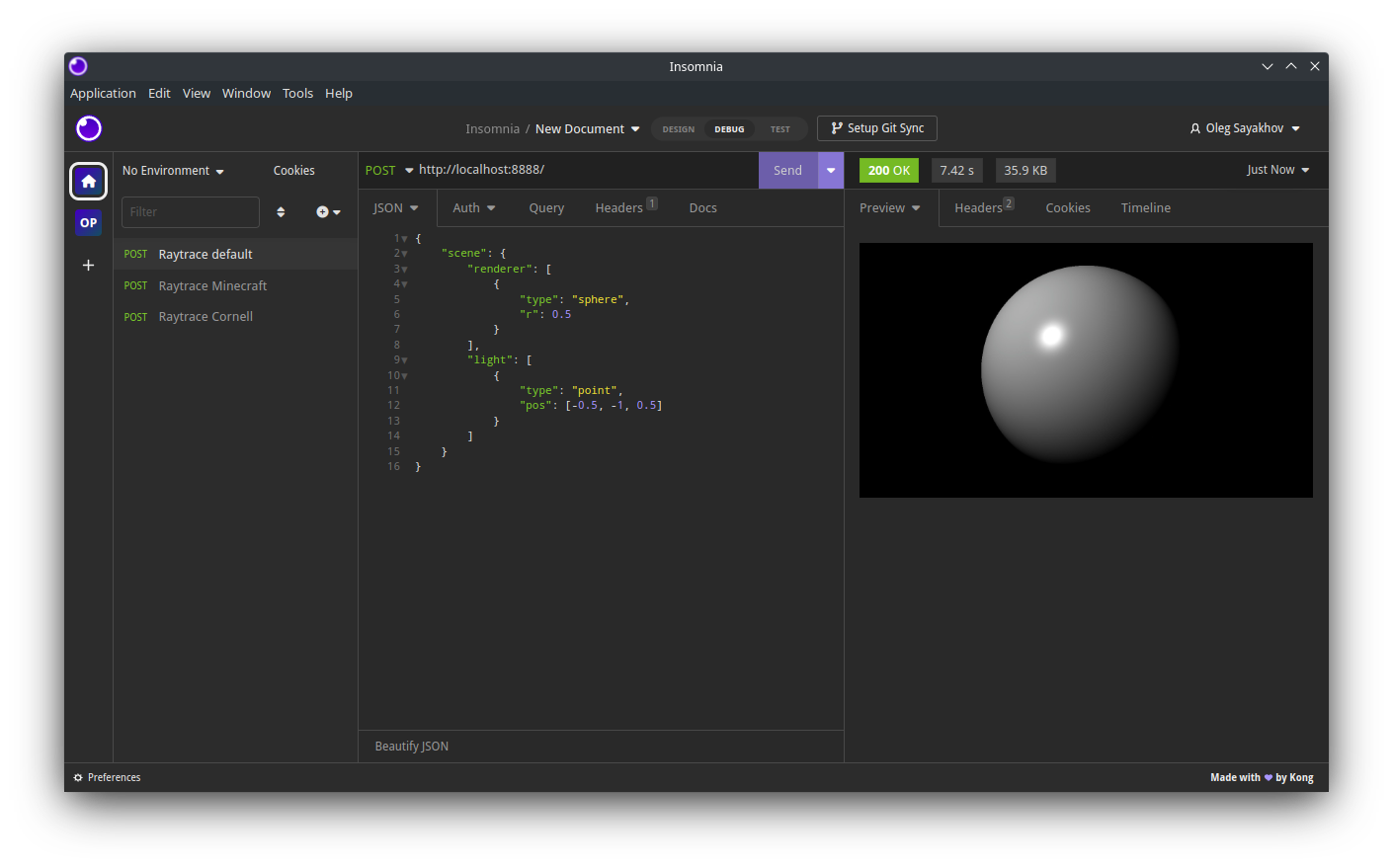
Il renverra une réponse HTTP avec la sortie codée JPEG.
--verbose,-v indicateur avec --dry,-d pour obtenir des informations de rendu complètes dans JSON de la commande CLI: raytrace -v -d --obj sphere --light point: -0.5 -1 0.5{ "rt" :{ "bounce" : 8 , "sample" : 16 , "loss" : 0.15 }, "frame" :{ "res" :[ 1280 , 720 ], "ssaa" : 1.0 , "cam" :{ "pos" :[ -0.0 , -1.0 , -0.0 ], "dir" :[ 0.0 , 0.0 , 1.0 , 0.0 ], "fov" : 70.0 , "gamma" : 0.8 , "exp" : 0.2 , "aprt" : 0.001 , "foc" : 100.0 }}, "scene" :{ "renderer" :[{ "type" : " sphere " , "r" : 0.5 , "mat" :{ "albedo" :[ 1.0 , 1.0 , 1.0 ], "rough" : 0.0 , "metal" : 0.0 , "glass" : 0.0 , "opacity" : 1.0 , "emit" : 0.0 , "tex" : null , "rmap" : null , "mmap" : null , "gmap" : null , "omap" : null , "emap" : null }, "pos" :[ 0.0 , 0.0 , 0.0 ], "dir" :[ 0.0 , 0.0 , 1.0 , 0.0 ], "name" : null }], "light" :[{ "type" : " point " , "pos" :[ -0.5 , -1.0 , 0.5 ], "pwr" : 0.5 , "color" :[ 1.0 , 1.0 , 1.0 ]}], "sky" :{ "color" :[ 0.0 , 0.0 , 0.0 ], "pwr" : 0.5 }}}raytrace -v -d --pretty --obj sphere --light point: -0.5 -1 0.5{
"rt" : {
"bounce" : 8 ,
"sample" : 16 ,
"loss" : 0.15
},
"frame" : {
"res" : [ 1280 , 720 ],
"ssaa" : 1 ,
"cam" : {
"pos" : [ 0 , -1 , 0 ],
"dir" : [ 0 , 0 , 1 , 0 ],
"fov" : 70 ,
"gamma" : 0.8 ,
"exp" : 0.2 ,
"aprt" : 0.001 ,
"foc" : 100
}
},
"scene" : {
"renderer" : [
{
"name" : null ,
"type" : " sphere " ,
"r" : 0.5 ,
"mat" : {
"albedo" : [ 1 , 1 , 1 ],
"rough" : 0 ,
"metal" : 0 ,
"glass" : 0 ,
"opacity" : 1 ,
"emit" : 0 ,
"tex" : null ,
"rmap" : null ,
"mmap" : null ,
"gmap" : null ,
"omap" : null ,
"emap" : null
},
"pos" : [ 0 , 0 , 0 ],
"dir" : [ 0 , 0 , -1 , 0 ]
}
],
"light" : [
{
"type" : " point " ,
"pos" : [ -0.5 , -1 , 0.5 ],
"pwr" : 0.5 ,
"color" : [ 1 , 1 , 1 ]
}
],
"sky" : {
"color" : [ 0 , 0 , 0 ],
"pwr" : 0.5
}
}
}TBD ...





