qui
v1.4.5


Bibliothèque réactive, conviviale et légère nous aidant à créer d'excellents produits pour nos clients. Cette bibliothèque pour Vue 2.x
Livre de contes (démo en direct)
Qu'est-ce que c'est?
Quelques exemples ci-dessous:
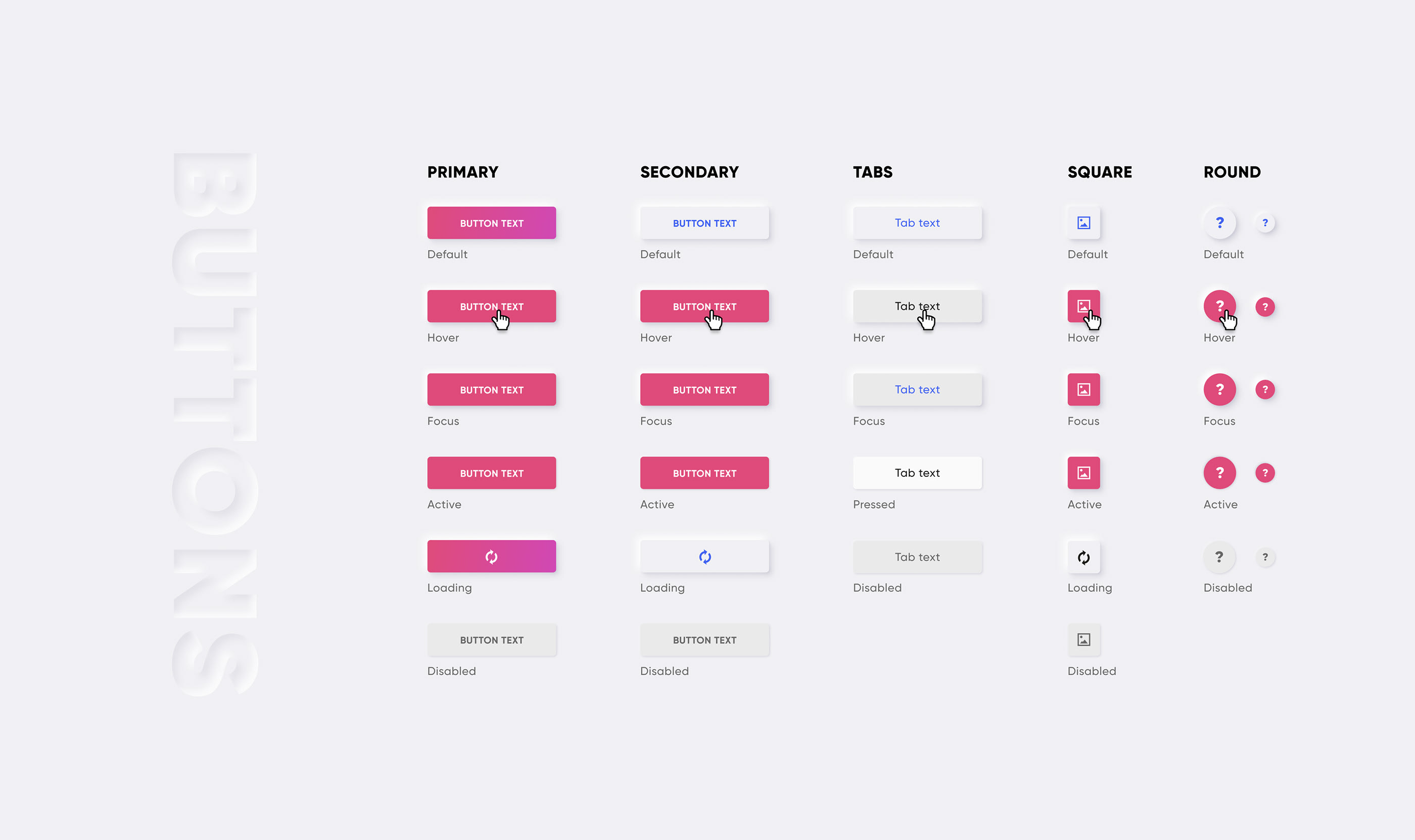
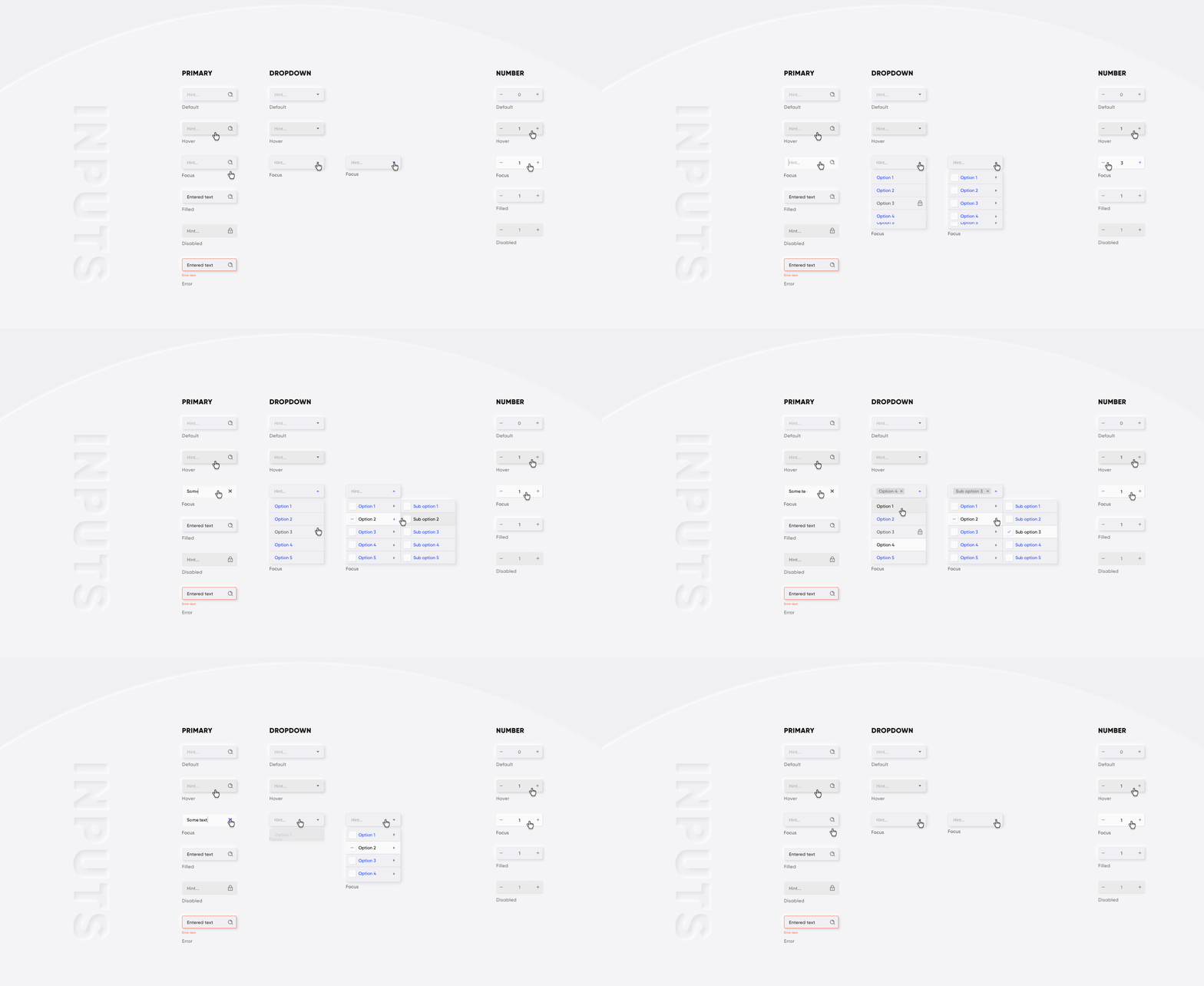

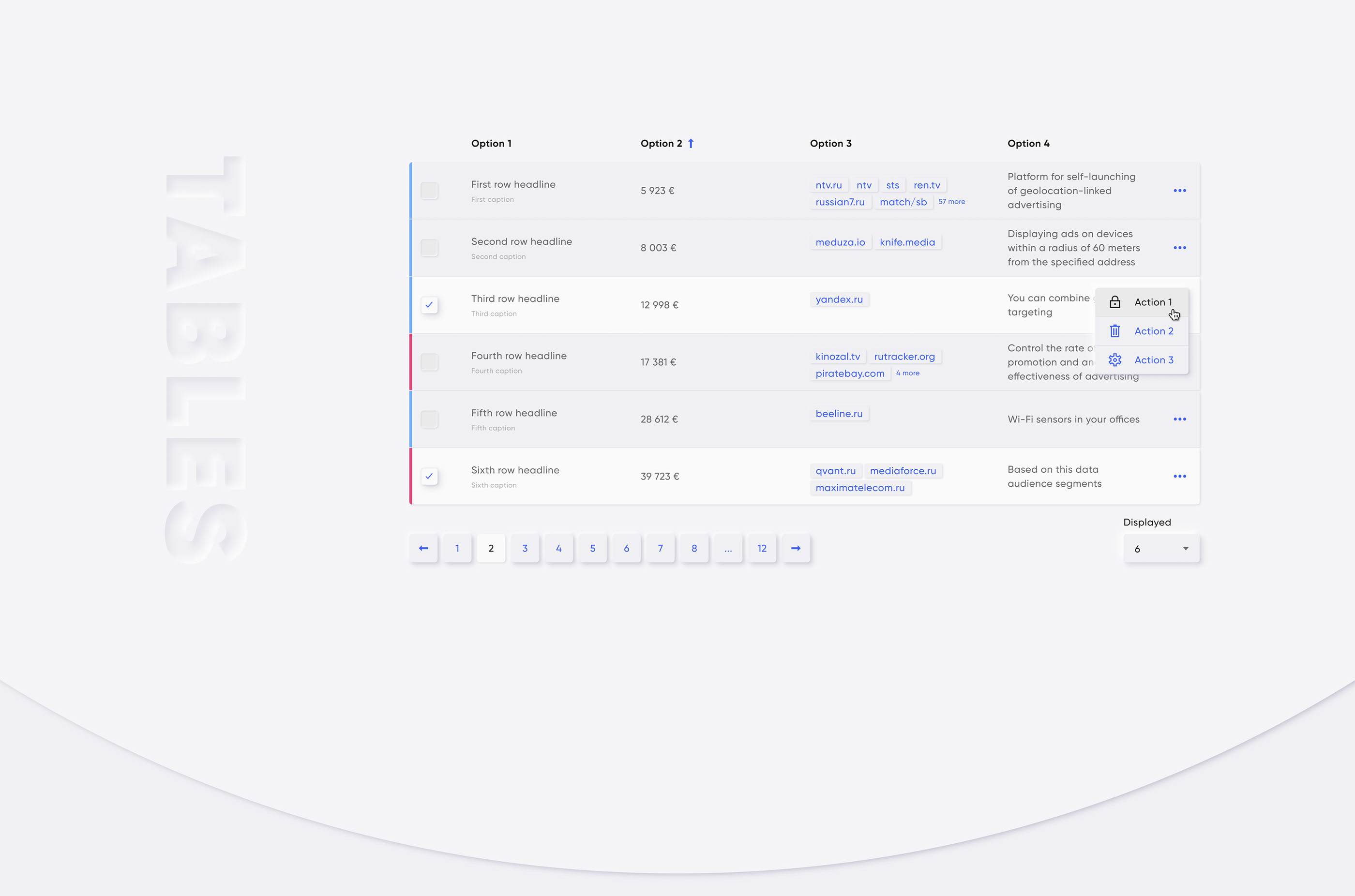
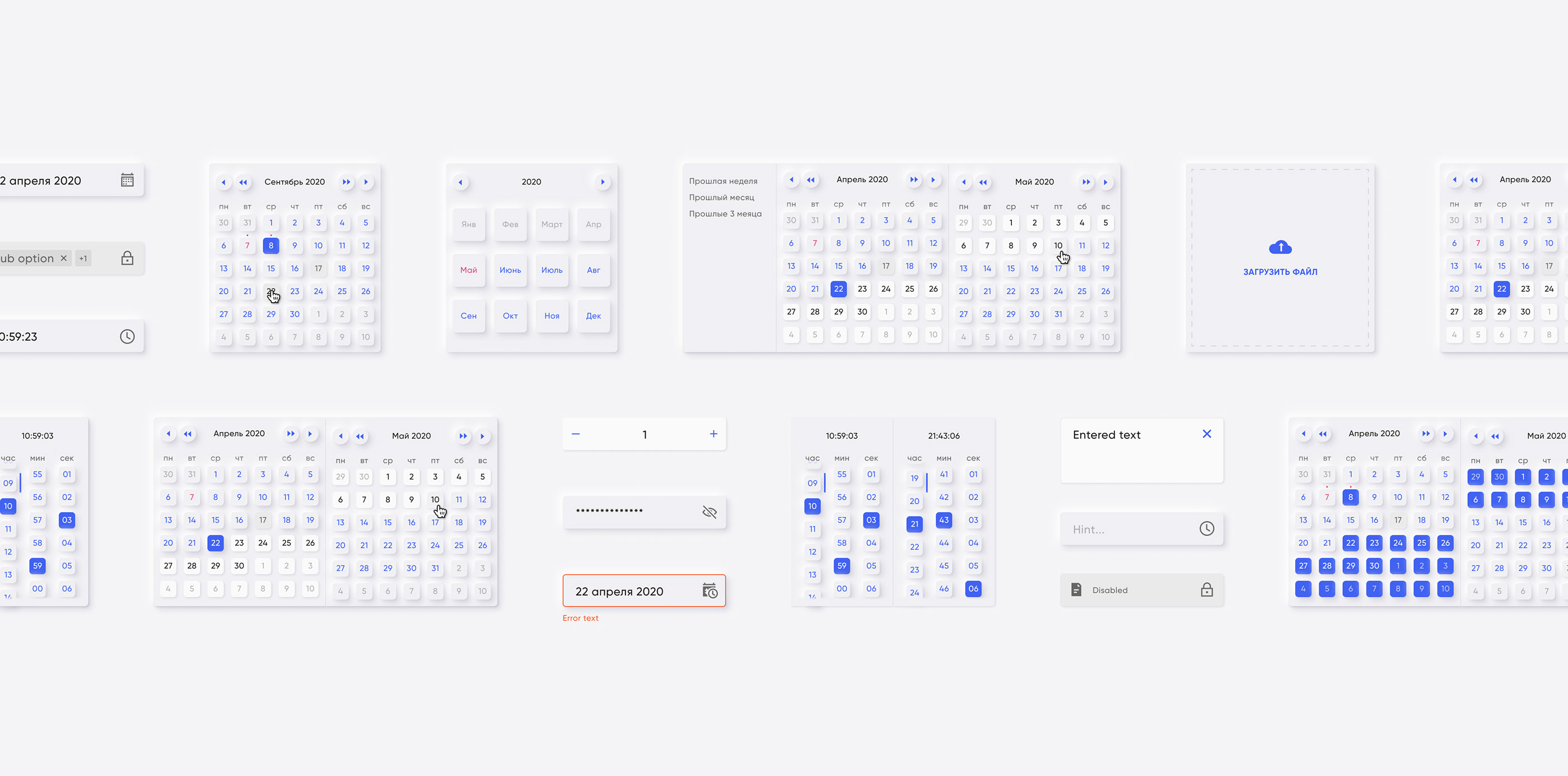
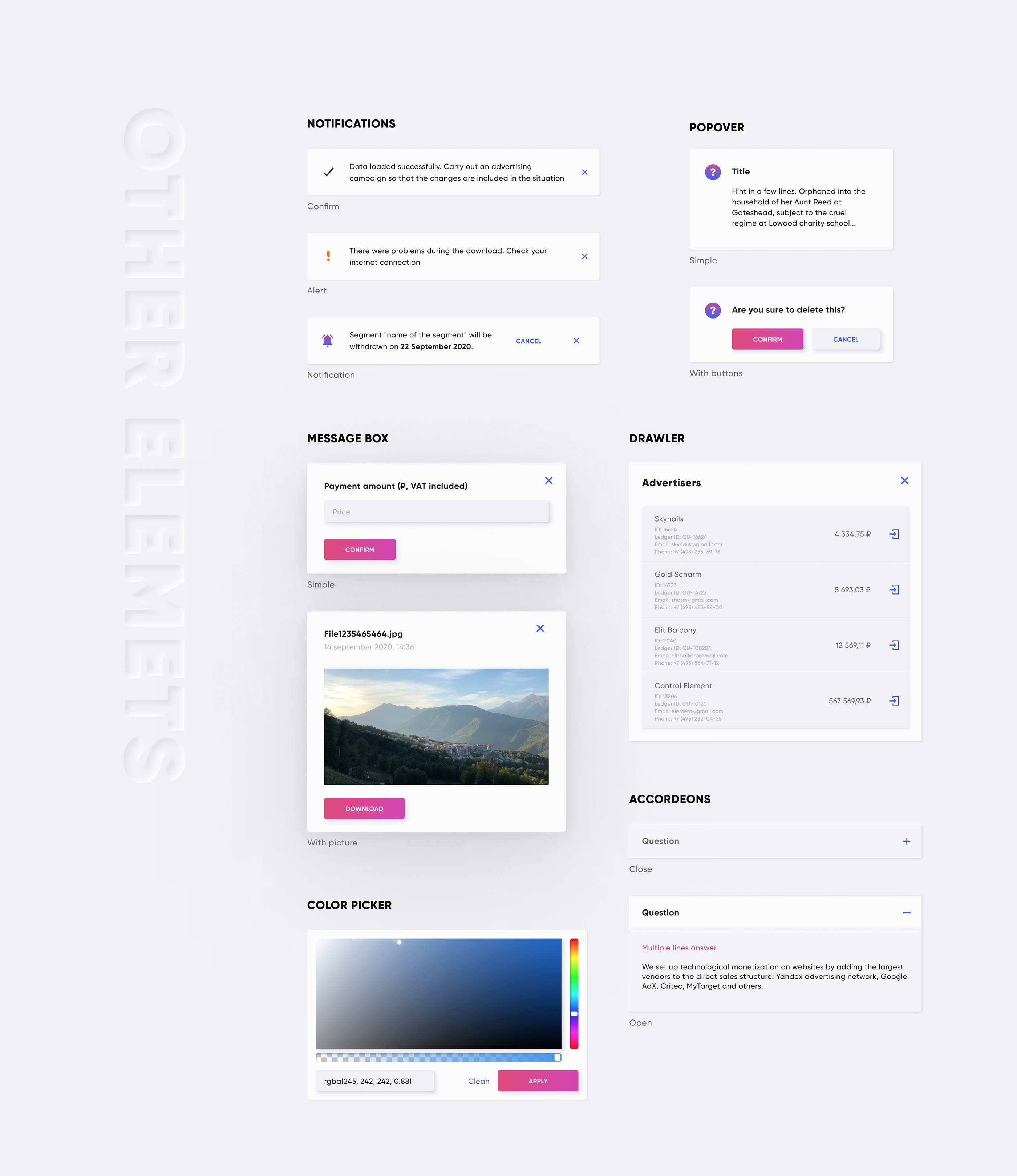
CDN:
 <!-- import CSS -->
< link rel =" stylesheet " href =" https://unpkg.com/@qvant/qui/dist/qui.css " />
<!-- import JavaScript -->
< script src =" https://unpkg.com/@qvant/qui/dist/qui.umd.min.js " > </ script >
NPM | Fil:
npm install @qvant/qui -S
yarn add @qvant/qui
Vous pouvez importer entièrement Qui, ou simplement importer ce dont vous avez besoin. Commençons par une importation complète.
Dans main.js:
 import Vue from 'vue' ;
import Qui from '@qvant/qui' ;
import '@qvant/qui/dist/qui.css' ;

// Setup all components
Vue . use ( Qui ) ;
// that's it! All components will be imported with styles
Dans votre obosant.vue: (exemple)
< template >
  < q-input v-model = " value " />
</ template >
< script >
export default {
  data () {
    return {
      value : ' '
    };
  },
  mounted () {
    // the modals have shortcuts in your components:
    this . $notify ({ ... }) // calls QNotification
    this . $message ({ ... }) // calls QMessageBox
    this . $dialog ({ ... }) // calls QDialog
  }
};
</ script >
... ou configurer une configuration rapide
Dans main.js:
 import Vue from 'vue' ;
import Qui from '@qvant/qui' ;
import '@qvant/qui/dist/qui.css' ;

Vue . use ( Qui , {
  localization : {
    locale : 'en' , // Russian language by default, you can set `en` for English
    customI18nMessages : {
      // rewrite default texts, see the source: src/qComponents/constants/locales
      en : {
        QDatepicker : {
          placeholder : 'Pick your birthday!'
        }
      }
    } ,
    zIndexCounter : 3000 , // zIndexCounter is being used by some components, (e.g QPopover, QSelect, QDialog ...etc), 2000 by default
    prefix : 'yo' // you can change component's prefix, e.g. must be used <yo-input /> instead of <q-input />
  }
} ) ;
Dans votre obosant.vue: (exemple)
< template >
  <!-- placeholder is changed on 'Pick your birthday!' -->
  < yo-datepicker v-model = " value " type = " date " />
</ template >
< script >
export default {
  data () {
    return {
      value : null
    };
  }
};
</ script >
Vous avez maintenant implémenté Vue et Qui à votre projet, et il est temps d'écrire votre code. Veuillez vous référer aux histoires de chaque composant pour apprendre à les utiliser.
Si vous avez un bundler de module (par exemple webpack), vous pouvez importer des composants séparément et prendre soin de la taille de votre bundle
Dans main.js:
 // import the main plugin from another place (it ensures Qui will be installed without any components, but instance will set required properties and directives)
import Qui from '@qvant/qui/src/onDemand' ;

// import the component you want
import QButton from '@qvant/qui/src/qComponents/QButton' ;
// ...or in async way
Vue . component ( 'q-button' , ( ) =>
  import ( /* webpackChunkName: "qui" */ '@qvant/qui/src/qComponents/QButton' )
) ;

// init
Vue . use ( Qui ) ;
Vue . use ( QButton ) ;
Dans main.scss:
 // need to set the path for files with statics
$--base-path : ' ~@qvant/qui/src ' ;
// set main styles
@import ' ~@qvant/qui/src/main.scss ' ;
// notice that you must use `fonts` and `icons` styles for some of components:
@import ' ~@qvant/qui/src/fonts/index.scss ' ;
@import ' ~@qvant/qui/src/icons/index.scss ' ;
Importer tous les styles:
@import ' ~@qvant/qui/src/components.scss ' ;... ou composants séparément:
 @import ' ~@qvant/qui/src/qComponents/QBreadcrumbs/src/q-breadcrumbs.scss ' ;
@import ' ~@qvant/qui/src/qComponents/QButton/src/q-button.scss ' ;
// ...etc import { QMessageBox , QDialog , QNotification } from '@qvant/qui' ;
// or import separately
import QMessageBox from '@qvant/qui/src/qComponents/QMessageBox' ;
import QDialog from '@qvant/qui/src/qComponents/QDialog' ;
import QNotification from '@qvant/qui/src/qComponents/QNotification' ;
Vue . prototype . $message = QMessageBox ;
Vue . prototype . $dialog = QDialog ;
Vue . prototype . $notify = options =>
QNotification ( {
duration : 3000 , // - ms
... options
} ) ; import VueI18n from 'vue-i18n' ;
import { en , ru } from '@qvant/qui/src/qComponents/constants/locales' ;
Vue . use ( VueI18n ) ;
const messages = {
en : {
message : {
hello : 'hello world'
} ,
... en
} ,
ru : {
message : {
hello : 'привет, мир'
} ,
... ru
}
} ;
const i18n = new VueI18n ( {
locale : 'en' ,
messages
} ) ;
new Vue ( {
i18n
} ) . $mount ( '#your-app' ) ; Les navigateurs modernes sont recommandés
Référentiel de clone et exécuter le livre de contes
yarn storybook
npm run storybookMit








