qui
v1.4.5


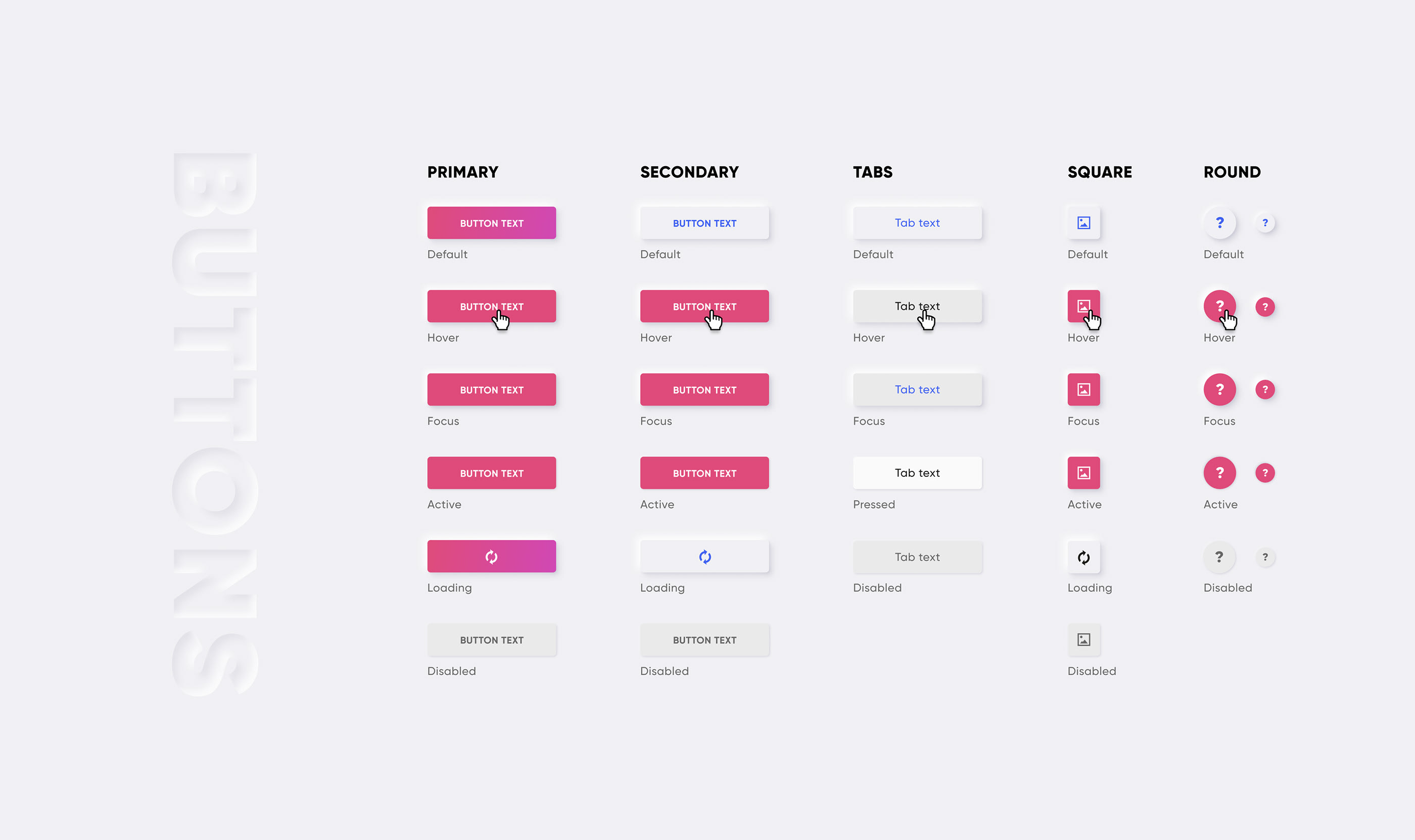
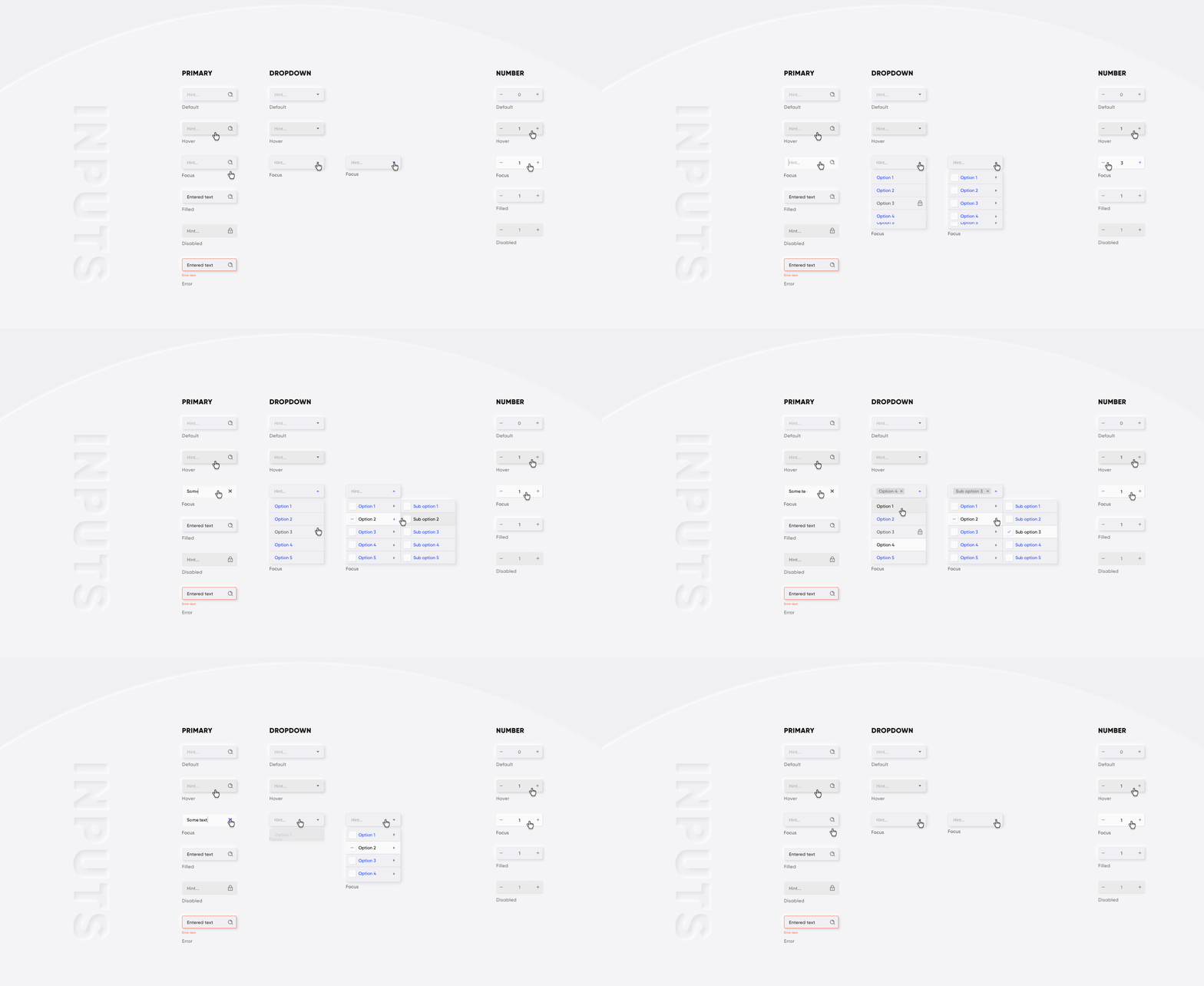
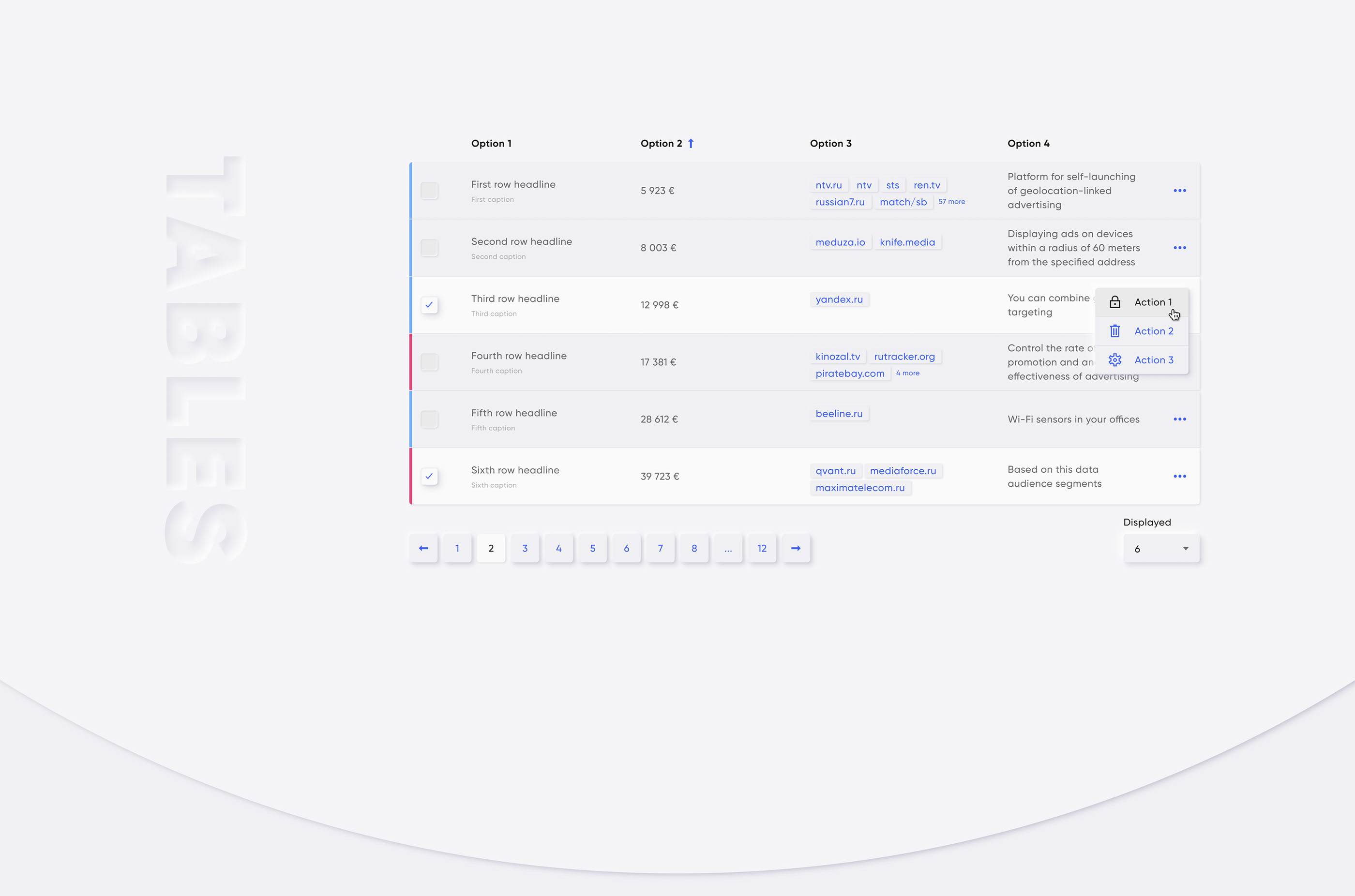
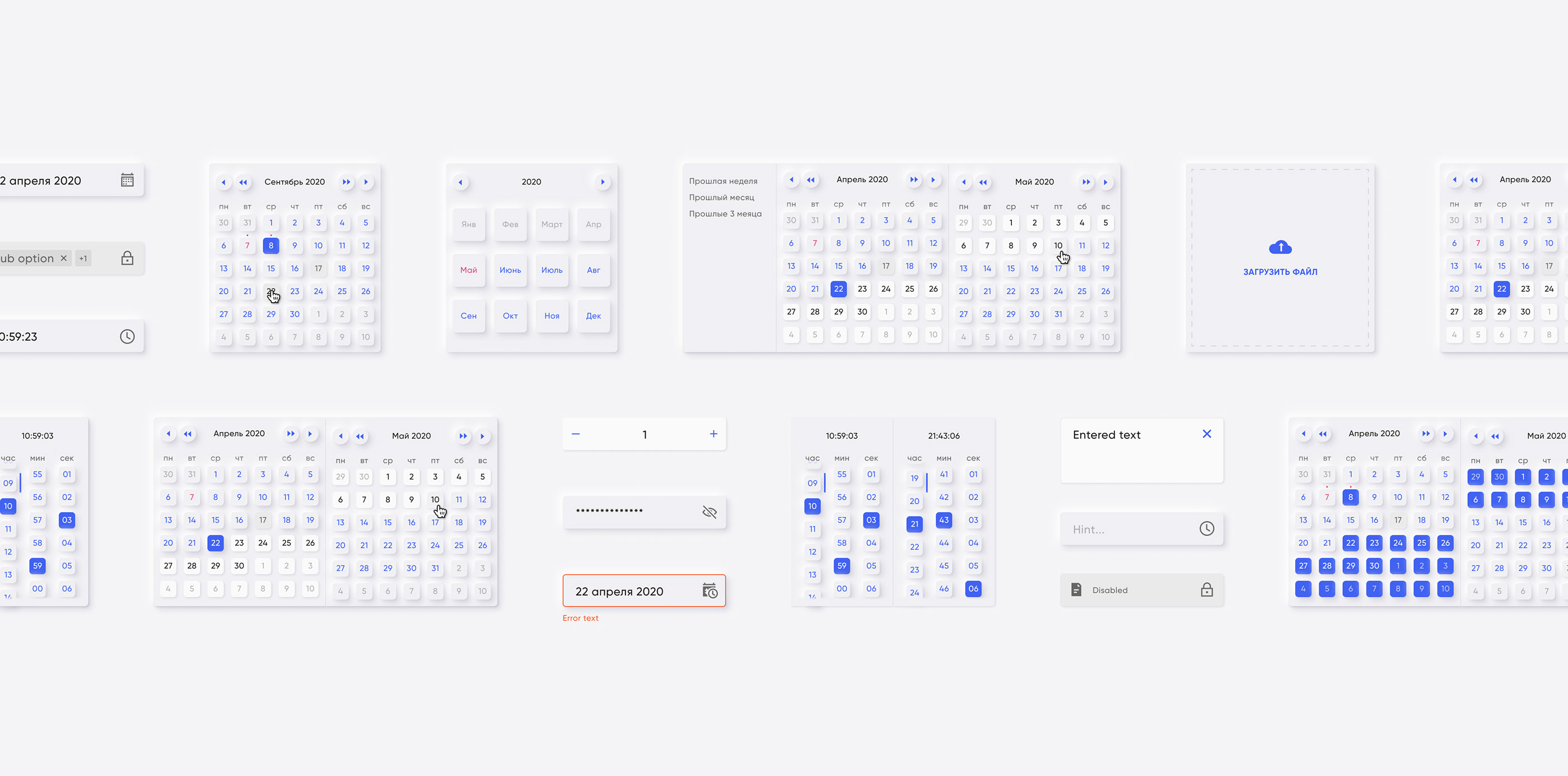
Reaktionsschnelle, benutzerfreundliche und leichte Bibliothek helfen uns dabei, großartige Produkte für unsere Kunden aufzubauen. Diese Bibliothek für Vue 2.x
Storybook (Live -Demo)
Was ist das?
Einige Beispiele unten:

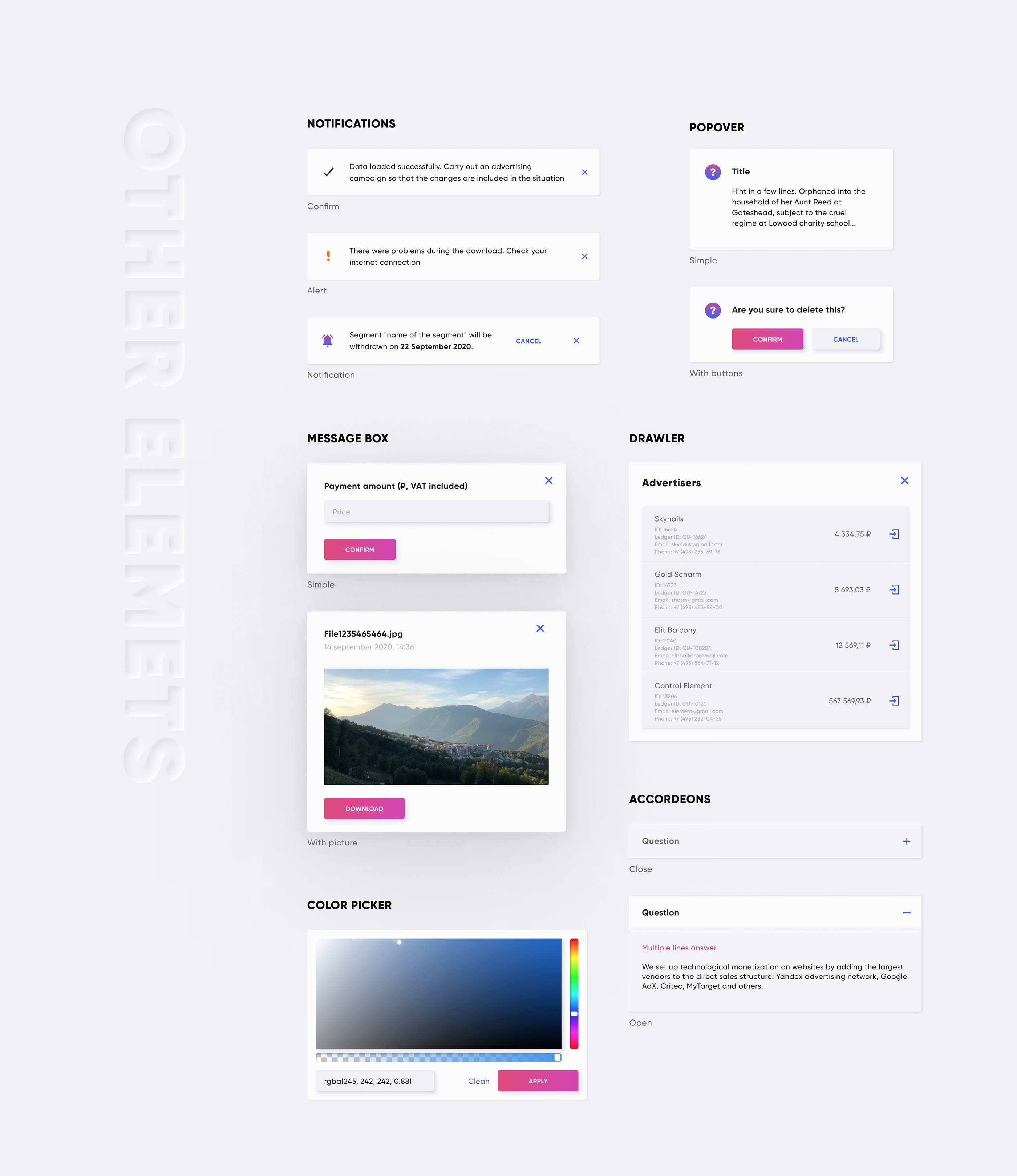
CDN:
 <!-- import CSS -->
< link rel =" stylesheet " href =" https://unpkg.com/@qvant/qui/dist/qui.css " />
<!-- import JavaScript -->
< script src =" https://unpkg.com/@qvant/qui/dist/qui.umd.min.js " > </ script >
Npm | Garn:
npm install @qvant/qui -S
yarn add @qvant/qui
Sie können Qui vollständig importieren oder einfach das importieren, was Sie brauchen. Beginnen wir mit vollemportieren.
In main.js:
 import Vue from 'vue' ;
import Qui from '@qvant/qui' ;
import '@qvant/qui/dist/qui.css' ;

// Setup all components
Vue . use ( Qui ) ;
// that's it! All components will be imported with styles
in YourComponent.vue: (Beispiel)
< template >
  < q-input v-model = " value " />
</ template >
< script >
export default {
  data () {
    return {
      value : ' '
    };
  },
  mounted () {
    // the modals have shortcuts in your components:
    this . $notify ({ ... }) // calls QNotification
    this . $message ({ ... }) // calls QMessageBox
    this . $dialog ({ ... }) // calls QDialog
  }
};
</ script >
... oder das schnelle Setup konfigurieren
In main.js:
 import Vue from 'vue' ;
import Qui from '@qvant/qui' ;
import '@qvant/qui/dist/qui.css' ;

Vue . use ( Qui , {
  localization : {
    locale : 'en' , // Russian language by default, you can set `en` for English
    customI18nMessages : {
      // rewrite default texts, see the source: src/qComponents/constants/locales
      en : {
        QDatepicker : {
          placeholder : 'Pick your birthday!'
        }
      }
    } ,
    zIndexCounter : 3000 , // zIndexCounter is being used by some components, (e.g QPopover, QSelect, QDialog ...etc), 2000 by default
    prefix : 'yo' // you can change component's prefix, e.g. must be used <yo-input /> instead of <q-input />
  }
} ) ;
in YourComponent.vue: (Beispiel)
< template >
  <!-- placeholder is changed on 'Pick your birthday!' -->
  < yo-datepicker v-model = " value " type = " date " />
</ template >
< script >
export default {
  data () {
    return {
      value : null
    };
  }
};
</ script >
Jetzt haben Sie Vue und Qui in Ihr Projekt implementiert, und es ist Zeit, Ihren Code zu schreiben. Bitte beachten Sie die Geschichten der einzelnen Komponenten, um zu erfahren, wie man sie benutzt.
Wenn Sie einen Modul -Bundler (z. B. Webpack) haben, können Sie Komponenten separat importieren und sich um Ihre Bündelgröße kümmern
In main.js:
 // import the main plugin from another place (it ensures Qui will be installed without any components, but instance will set required properties and directives)
import Qui from '@qvant/qui/src/onDemand' ;

// import the component you want
import QButton from '@qvant/qui/src/qComponents/QButton' ;
// ...or in async way
Vue . component ( 'q-button' , ( ) =>
  import ( /* webpackChunkName: "qui" */ '@qvant/qui/src/qComponents/QButton' )
) ;

// init
Vue . use ( Qui ) ;
Vue . use ( QButton ) ;
In main.scss:
 // need to set the path for files with statics
$--base-path : ' ~@qvant/qui/src ' ;
// set main styles
@import ' ~@qvant/qui/src/main.scss ' ;
// notice that you must use `fonts` and `icons` styles for some of components:
@import ' ~@qvant/qui/src/fonts/index.scss ' ;
@import ' ~@qvant/qui/src/icons/index.scss ' ;
Alle Stile importieren:
@import ' ~@qvant/qui/src/components.scss ' ;... oder Komponenten getrennt:
 @import ' ~@qvant/qui/src/qComponents/QBreadcrumbs/src/q-breadcrumbs.scss ' ;
@import ' ~@qvant/qui/src/qComponents/QButton/src/q-button.scss ' ;
// ...etc import { QMessageBox , QDialog , QNotification } from '@qvant/qui' ;
// or import separately
import QMessageBox from '@qvant/qui/src/qComponents/QMessageBox' ;
import QDialog from '@qvant/qui/src/qComponents/QDialog' ;
import QNotification from '@qvant/qui/src/qComponents/QNotification' ;
Vue . prototype . $message = QMessageBox ;
Vue . prototype . $dialog = QDialog ;
Vue . prototype . $notify = options =>
QNotification ( {
duration : 3000 , // - ms
... options
} ) ; import VueI18n from 'vue-i18n' ;
import { en , ru } from '@qvant/qui/src/qComponents/constants/locales' ;
Vue . use ( VueI18n ) ;
const messages = {
en : {
message : {
hello : 'hello world'
} ,
... en
} ,
ru : {
message : {
hello : 'привет, мир'
} ,
... ru
}
} ;
const i18n = new VueI18n ( {
locale : 'en' ,
messages
} ) ;
new Vue ( {
i18n
} ) . $mount ( '#your-app' ) ; Moderne Browser werden empfohlen
Klonrepository und Storybook ausführen
yarn storybook
npm run storybookMIT








