python gradle plugin
2.8.1

Now, you can run Python scripts with Java and Gradle builds only.
This Gradle Plugin automatically downloads and installs specific Conda tool
to run python scripts or other executables (pip, conda etc.) from virtual env.
Python project configuration can be fully automated by Gradle tasks now.
11 or higher6.2 or higher projectRunning python scripts or projects by executing single task which will download and install Python virtual environment.
Additional Python configuration (pip/conda packages installation etc.) can be done by defining Gradle tasks
in build.gradle.kts file.
Apply a plugin to a project as described on gradle portal.
Configure a plugin by specifying desired python version in build script:
pythonPlugin {
    pythonVersion = "3.8.2"
}
Define a task to run desired python script, for example to run quicksort.py script in main dir add the following
task configuration to build script:
tasks {
    register<VenvTask>("runQuickSort") {
            workingDir = projectDir.resolve("main")
            args = listOf("quicksort.py")
    }
}
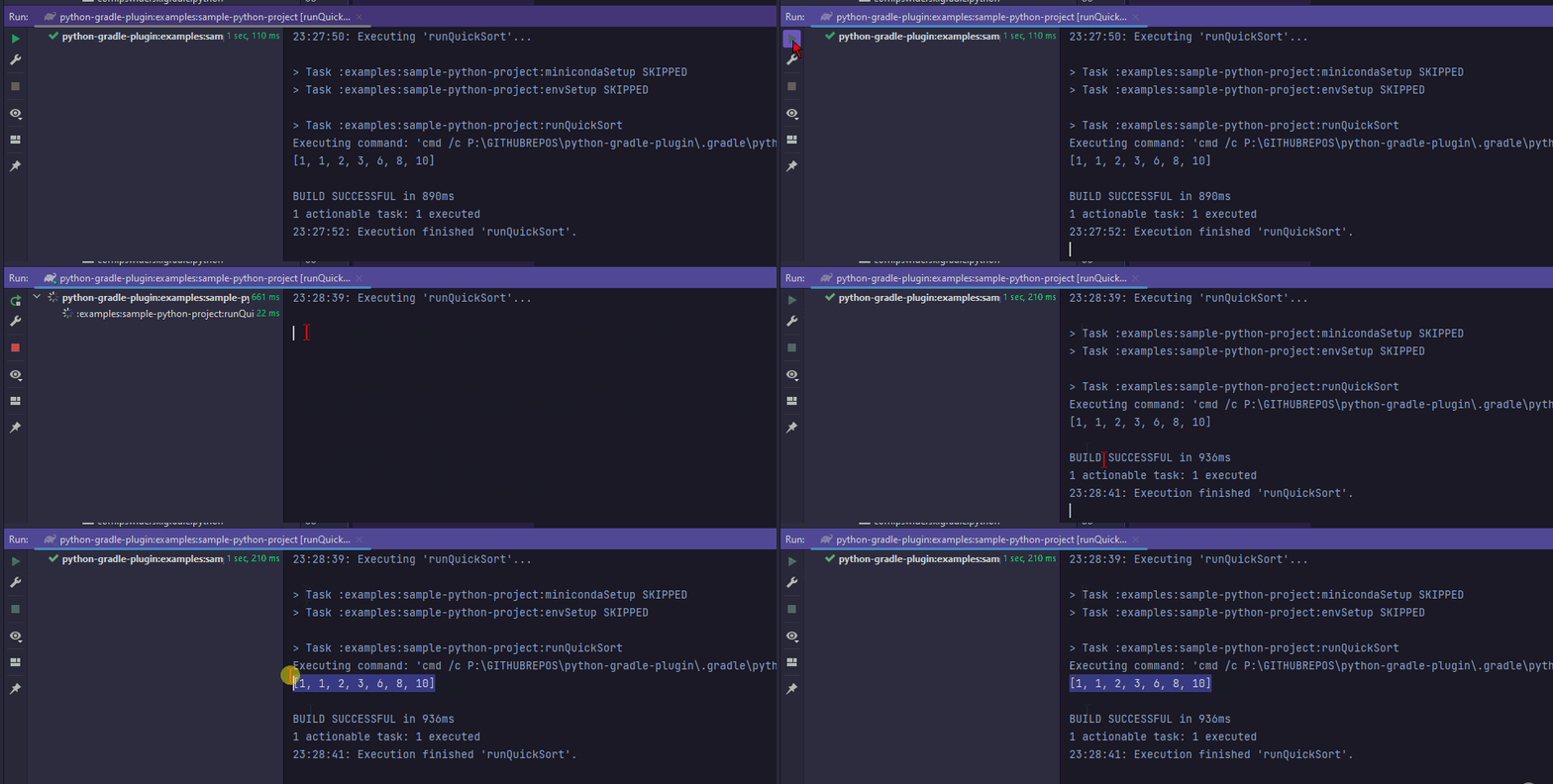
Run python script from gradle:
# Linux
./gradlew runQuickSort
# Windows
gradlew.bat runQuickSort
Wait until Conda is installed and environment set up.
Enjoy :)
Plugin default behavior can be adjusted by specifying the following properties:
pythonVersion -> Python environment version, default 3.13.0, the available ones can be checked
at https://anaconda.org/conda-forge/python/condaVersion -> Miniconda or Anaconda version, default py312_24.9.2-0, the available ones can be checked
at https://repo.anaconda.com/miniconda/ or https://repo.anaconda.com/archive/ (Anaconda)condaInstaller -> Conda environment installer name, default is Miniconda3, for Anaconda change to Anaconda3condaRepoUrl -> repository URL which should be used to download binaries,
default https://repo.anaconda.com/miniconda, for Anaconda https://repo.anaconda.com/archive/condaRepoUsername -> username for the basic auth if needed, absent by defaultcondaRepoPassword -> password for the basic auth, used if condaRepoUsername is specified, should not be
passed directly in script file, can be supplied
by gradle properties
, absent by defaultcondaRepoHeaders -> additional optional headers used for connection, empty map by defaultuseHomeDir -> when true the default install directory will be the one from user.home system property,
false by defaultinstallDir -> property to customize conda installation directory, equals to <rootProjectDir>/.gradle/python by
default or user home if useHomeDir = truesystemArch -> operating system architecture, default is got from os.arch system propertyideaDir -> target .idea directory to detect Intellij project, equals to <rootProjectDir>/.idea by
defaultSample extension configuration inside of build.gradle.kts file:
pythonPlugin {
    pythonVersion = "3.7.0"
    condaVersion = "2022.05"
    condaInstaller = "Anaconda3"
    condaRepoUrl = "https://nexus.com/repositories/conda"
    condaRepoUsername = "user"
    condaRepoPassword = extra["conda.repo.pass"].toString()
    condaRepoHeaders = mapOf(
        "CUSTOM_HEADER_1" to "headerValue1",
        "CUSTOM_HEADER_2" to "headerValue2"
    )
    installDir = file(layout.buildDirectory.dir("python"))
    systemArch = "arm64"
}
VenvTask task propertiesAll tasks which should be executed in virtual env can be customized as well by the following fields:
venvExec -> name of executable from virtual env which will be executed, python by defaultinputFile -> optional input file, none by defaultoutputFile -> optional output file, none by defaultargs -> list of arguments for a venvExec executable, empty by defaultworkingDir -> working directory, project directory by defaultenvironment -> map with environment variables to apply during the execution, empty by defaultSample VenvTask configuration inside of build.gradle.kts file:
register<VenvTask>("runPythonScript") {
    venvExec = "python"
    inputFile = file("inputFile.txt")
    outputFile = file("outputFile.txt")
    args = listOf("--some-flag", "arg1")
    workingDir = projectDir.resolve("main")
    environment = mapOf("ENV_VAR_TO_PRINT" to "sampleEnvVar")
}examples module in this project.Auto import installed Python SDK:
envSetup task.Manual way:
main)
-> Mark Directory as -> as Sources root.Linux - <installDir>/.gradle/python/Linux/<condaInstaller>-<condaVersion>
Windows - <installDir>/.gradle/python/Windows/<condaInstaller>-<condaVersion>
MacOSX - <installDir>/.gradle/python/MacOSX/<condaInstaller>-<condaVersion>
Where <installDir> is the root catalog where the Conda will be installed specified by installDir property,
<condaInstaller> is Conda installer e.g. Miniconda3 and <condaVersion> is Conda installer version e.g.
py38_4.8.3
If you are familiar with conda you can also execute
conda commands like conda deactivate or conda install directly with the binaries from the catalogs above.
It may be required to unset PYTHONPATH in system before running any tasks (https://stackoverflow.com/a/31841132)
You can also run some simple inline Python scripts inside build files like this:
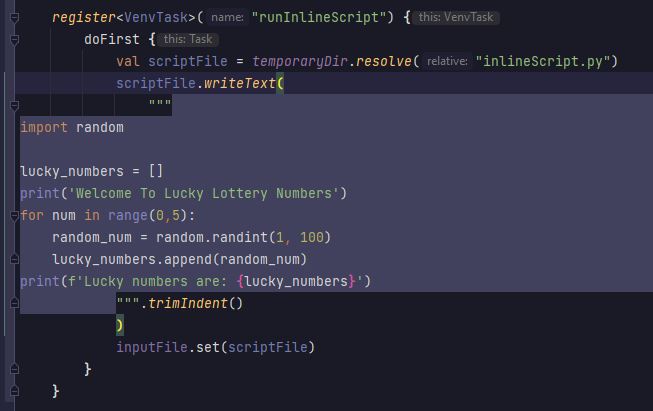
Intellij 'inject language' feature can be useful in such scenario :)
/usr/bin/env: ‘python’: No such file or directory when executing envSetup task -> It is related to the shebang
char limit which is 128.
When installing the conda if the prefix path is longer than the limit the default shebang (#!/usr/bin/env python) is being used in the installed conda script file (condabin/conda).
Since no python binary is accessible by this path the exception is being thrown.
The easiest solution is to store the root project at the shortest possible path or use the installDir
to specify shorter path per particular troublesome subproject.







