codeprompts
v1.0.0

Command line (and TUI) tool for creating LLM prompts from your code using Handlebars templates.
This was a project to brush up on Rust and is based on code2prompt with some additional functionality that I found useful.
Manually copy and pasting code and code snippets to LLMs has several issues:
To get the most out of LLMs, prompting has to be clear, comprehensive, and consistent. How code prompts fixes these issues:
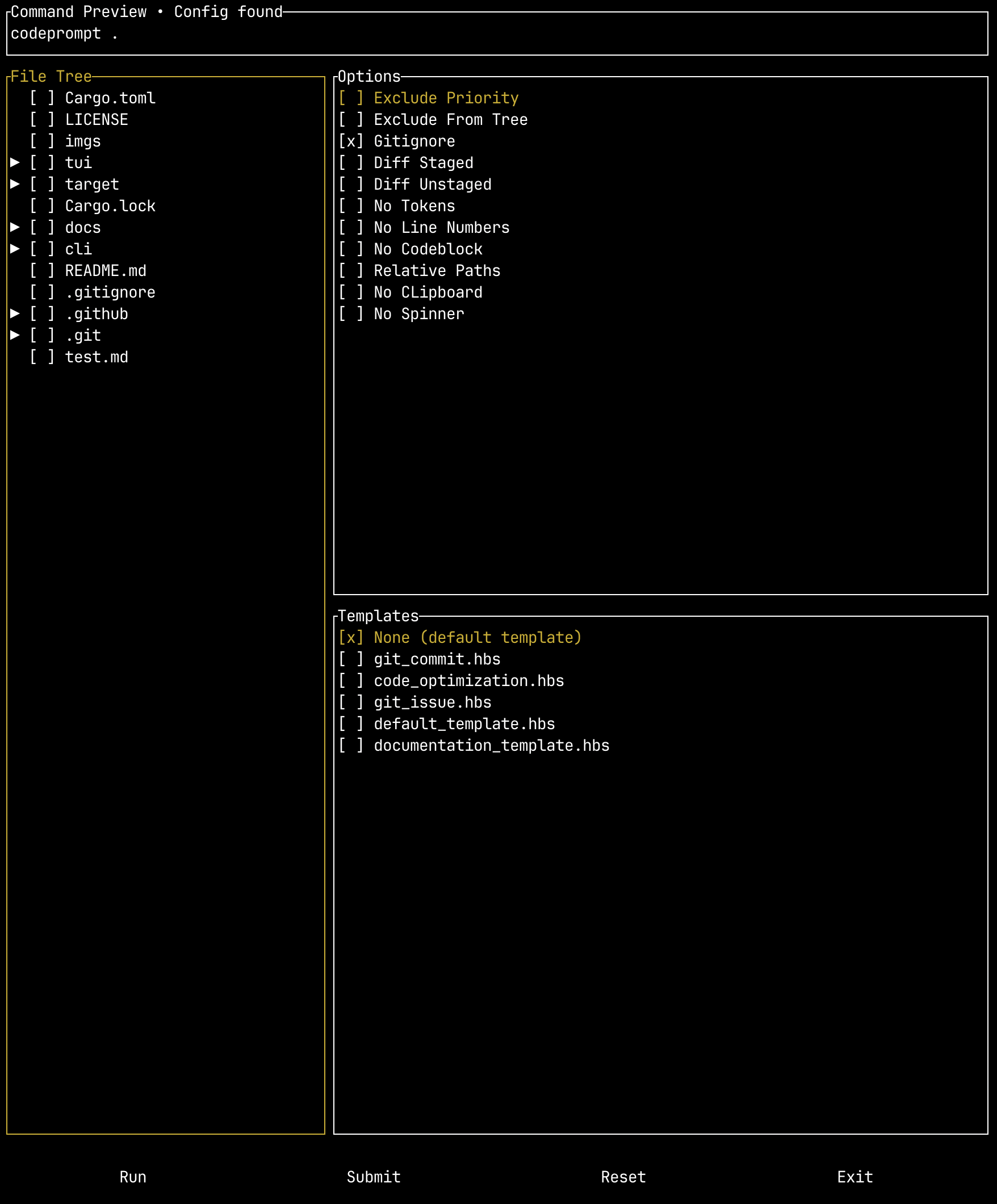
The project also includes an optional TUI wrapper where you can provide a config file to override various flags and see how the command is structured before running it.
To download and use the codeprompts command-line tool, you have two options: you can download the release binary or compile from source. For more detailed steps, including setting up tab completions, see the setup guide.
To download a release binary, go to the releases and download the binary for your OS.
Note: In order to use the TUI binary, you will have to add the CLI binary to your path and either:
codepromptTo build from source you will need to have git, Rust, and Cargo (will be installed with Rust) installed.
First clone the repository:
git clone [email protected]:seankim658/codeprompts.gitAnd then compile a release binary:
cd codeprompts/
cargo build --releaseMore detailed usage guides can be found here.
More extensive documentation on the options can be found here. The code prompts command line tool has the following arguments:
Create standardized LLM prompts from your code

Usage: codeprompt [OPTIONS] [PATH] [COMMAND]

Commands:
  completion  Generate shell completion scripts.
  help        Print this message or the help of the given subcommand(s)

Arguments:
  [PATH]  Path to project directory

Options:
      --include <INCLUDE>    Glob patterns to include
      --exclude <EXCLUDE>    Glob patterns to exclude
      --exclude-priority     Change pattern priority in case of conflict to prioritize the exclusion pattern
      --exclude-from-tree    Eclude files/folders from the source tree based on exclude patterns
      --gitignore            Don't respect .gitignore file
  -d, --diff-staged          Capture the git diff for staged changes only (equivalent to running `git diff --cached` or `git diff --staged`
  -u, --diff-unstaged        Capture the git diff for unstaged changes only (equivalent to running `git diff`)
      --no-tokens            Don't display approximate token count of the genrated prompt
  -c, --encoding <ENCODING>  Tokenizer to use for token count [default: cl100k]
  -o, --output <OUTPUT>      Redirect output to file
  -l, --no-line-numbers      Turn off line numbers in source code blocks
      --no-codeblock         Disable wrapping code inside markdown code blocks
      --relative-paths       Use relative paths instead of absolute paths, including parent directory
      --no-clipboard         Disable copying to clipboard
  -t, --template <TEMPLATE>  Optional path to Handlebars template
      --no-spinner           Whether to render the spinner
      --json                 Whether to print the output as JSON. Defaults to False
      --issue <ISSUE>        Fetch a specific Github issue for the repository
      --verbose              Run in verbose mode to investigate glob pattern matching
  -h, --help                 Print help (see more with '--help')
-V, --version Print versionThe templates use a simple templating language called Handlebars.
The pre-defined templates can be downloaded from the project releases. Download the templates.zip.
Currently, the included pre-defined templates are:
| Template Name | Description |
|---|---|
default_template.hbs |
This is a simple default template that will structure your project path, source tree, and code blocks. |
documentation_template.hbs |
The documentation template creates a prompt for documenting code. The documentation guidelines are consistent with the HIVE lab guidelines and documentation requirements. |
git_commit.hbs |
Template for creating a concise and accurate git commit message. Can be used with both the diff-staged and diff-unstaged options. |
git_issues.hbs |
Template for implementing changes based on a Github issue. |
code_optimization.hbs |
Template for optimizing code in time and space complexity. |








