podlite desktop
0.4.0

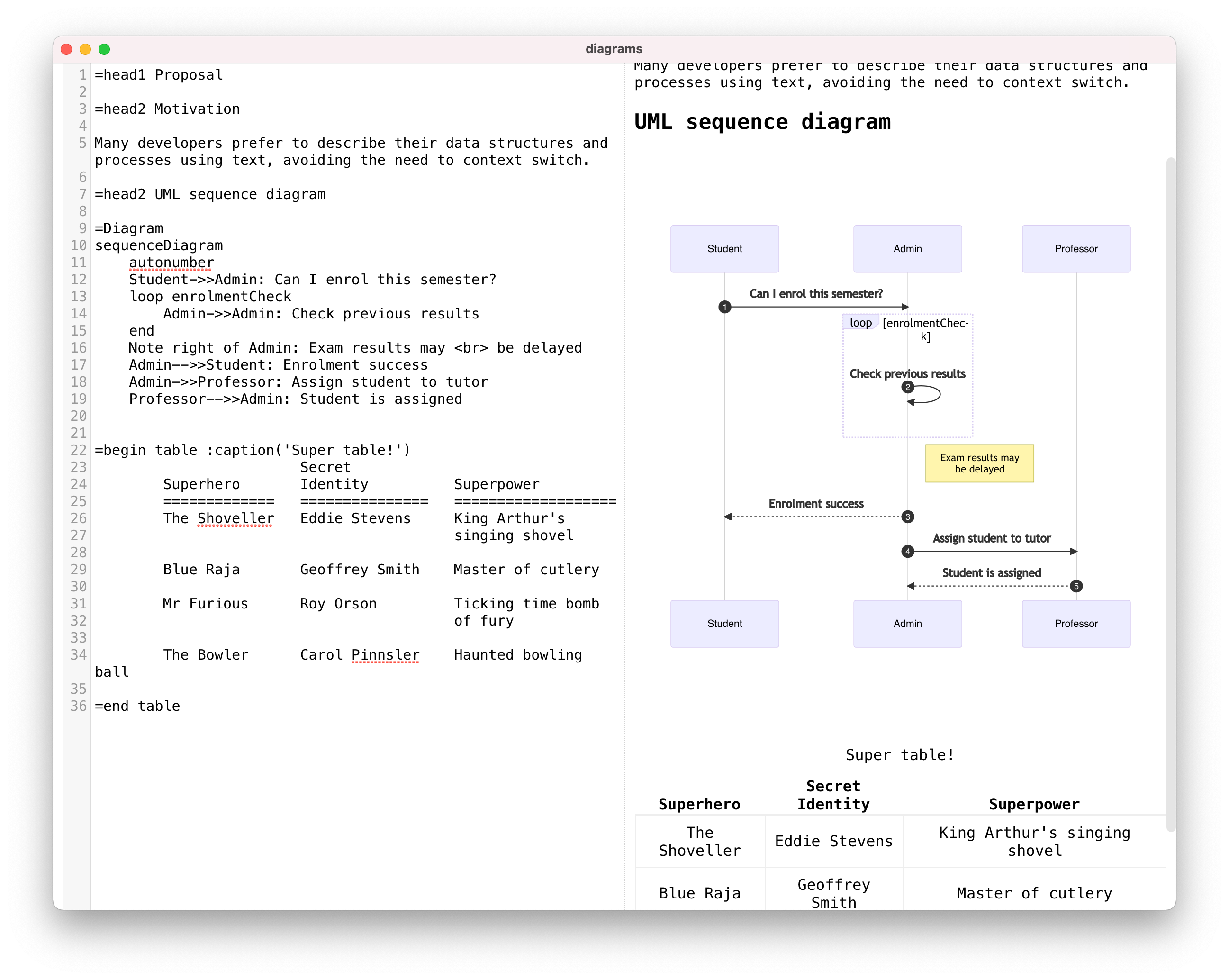
Download the latest release of Podlite editor here:
=markdown - markdown blockYou can switch to write GitHub Flavored Markdown (GFM).
Examples:
=begin markdown

  # Cases

  *Write* the documentation with the markup you __love__!

  * item1
  * item2
  	 * ~~sub item1~~
     * sub item2

=end markdown
Open this example in pod6.in
=useReact, =React - additional blocks to support the "Podlite for Web" packageFor more information, please read the following article: Start your own blog/website with Podlite for Web
=toc - add Table of contentsExamples:
=Toc head1, head2, head3
=for Toc :title('Table of contents')
head1, head2, head3
=picture - use images or video in postsExample:
=picture gatsby-astronaut.png
=picture some-video.mp4
=picture some-video.mp4
This is a caption!
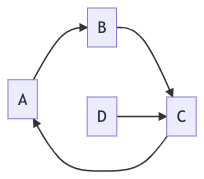
=Mermaid - use diagramsTo render beautiful graphs, sequence and Gantt diagrams and flowcharts, one can use the =Mermaid blocks.
=begin Mermaid
graph LR
        A-->B
        B-->C
        C-->A
        D-->C
=end Mermaid
Open this example in pod6.in
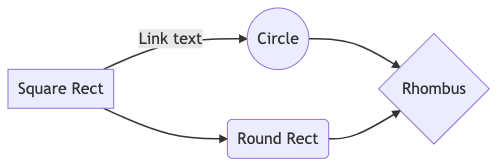
=Mermaid
graph LR
    A[Square Rect] -- Link text --> B((Circle))
    A --> C(Round Rect)
    B --> D{Rhombus}
    C --> D
Open this example in pod6.in
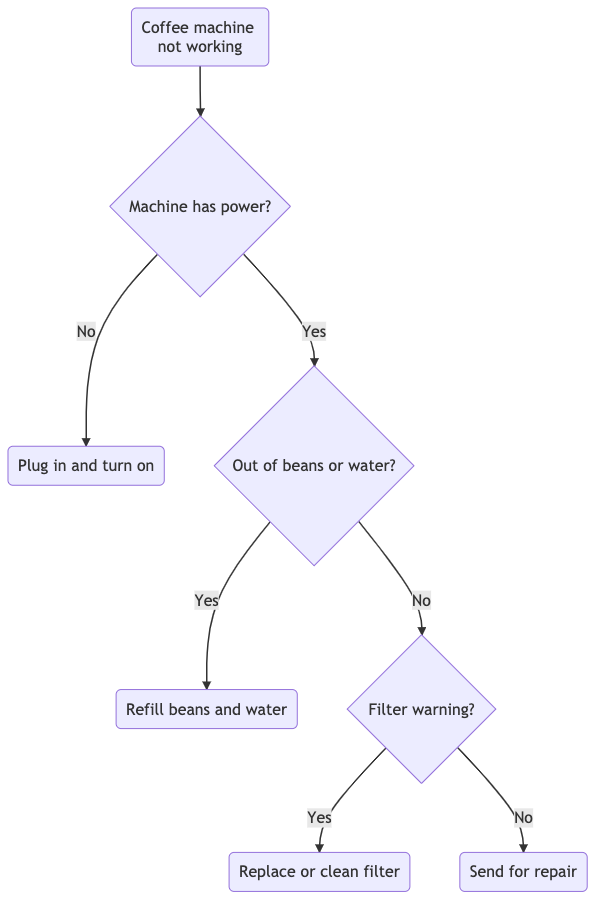
=Mermaid
graph TD
   A(Coffee machine <br>not working) --> B{Machine has power?}
   B -->|No| H(Plug in and turn on)
   B -->|Yes| C{Out of beans or water?} -->|Yes| G(Refill beans and water)
   C -->|No| D{Filter warning?} -->|Yes| I(Replace or clean filter)
   D -->|No| F(Send for repair)
Open this example in pod6.in
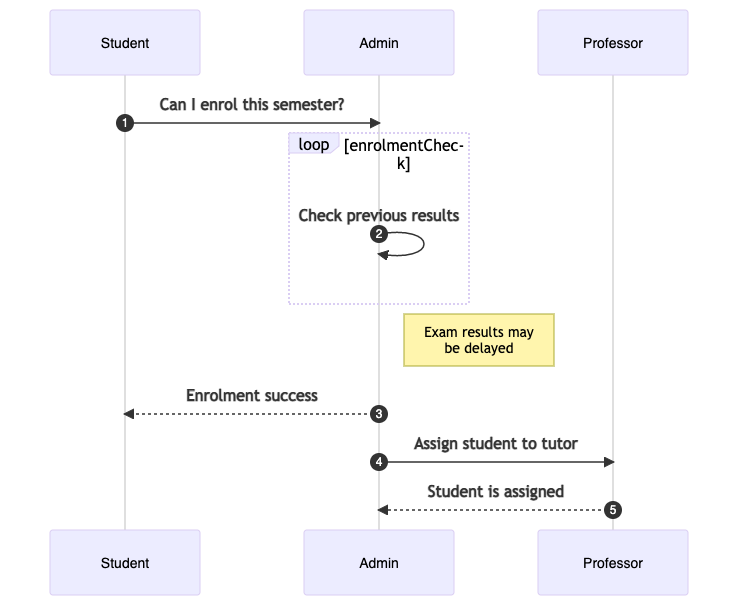
=Mermaid
sequenceDiagram
    autonumber
    Student->>Admin: Can I enrol this semester?
    loop enrolmentCheck
        Admin->>Admin: Check previous results
    end
    Note right of Admin: Exam results may <br> be delayed
    Admin-->>Student: Enrolment success
    Admin->>Professor: Assign student to tutor
    Professor-->>Admin: Student is assigned
Open this example in pod6.in
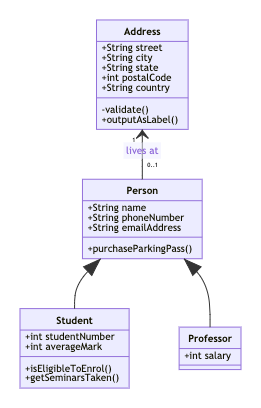
=Mermaid
classDiagram
   Person <|-- Student
   Person <|-- Professor
   Person : +String name
   Person : +String phoneNumber
   Person : +String emailAddress
   Person: +purchaseParkingPass()
   Address "1" <-- "0..1" Person:lives at
   class Student{
      +int studentNumber
      +int averageMark
      +isEligibleToEnrol()
      +getSeminarsTaken()
    }
    class Professor{
      +int salary
    }
    class Address{
      +String street
      +String city
      +String state
      +int postalCode
      +String country
      -validate()
      +outputAsLabel()
    }
Open this example in pod6.in
 =Mermaid
 gantt
 title Example Gantt diagram
    dateFormat  YYYY-MM-DD
    section Team 1
    Research & requirements :done, a1, 2021-04-08, 2021-04-10
    Review & documentation : after a1, 20d
    section Team 2
    Implementation      :crit, active, 2021-04-25  , 20d
    Testing      :crit, 20d

Open this example in pod6.in
Diagrams are created by linking text labels using arrow connectors. You can choose different shapes, add labels to connectors, and style connectors and shapes.
=Diagram uses Mermaid diagramming and charting tool.
Mermaid documentation for the complete syntax
Podlite is a lightweight block-based markup language designed for flexibility and ease of use.
Specification of Podite: podlite.org/specification
A minimal, lightweight starter for creating static blogs/sites using nexjs and Podlite markup language
Podlite online editor: Podlite online: pod6.in
This is an open source program. Feel free to fork and contribute.
In order to keep the match between this documentation and the last release, please contribute and pull requests on the dedicated develop branch.
Copyright (c) 2020 - 2024 Alexandr Zahatski
Released under a MIT License.





