FlashTool
1.0.2

A small plugin that can quickly export flash objects to png . The plug-in supports Flash CS5.5 and later versions.
Main interface
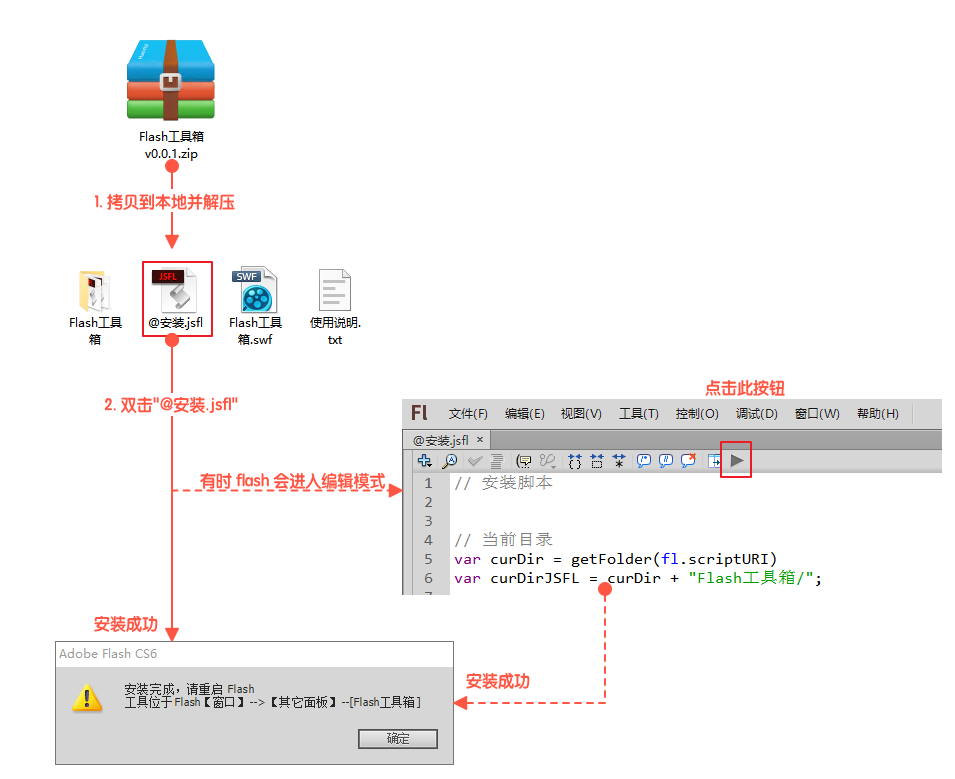
Unzip the zip package, click " @Install.jsfl " to install. After the installation is completed, restart Flash, and start the plug-in in the menu bar " Window " --> Other Panels -- Flash Toolbox (after the installation is completed, both the zip compressed package and the unzipped files can be deleted).
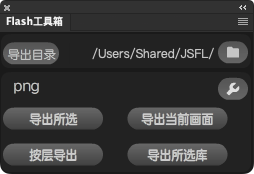
use 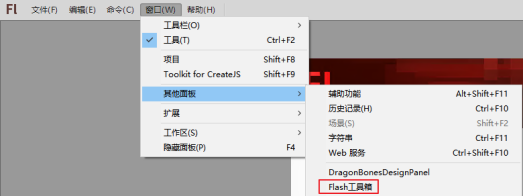
"Export Selected" can merge and export the selected display elements into a png, which is equivalent to copying the selected part to a new document separately. The stage size of the new document is the same as the selected element size, and then exporting it into png.
operate:
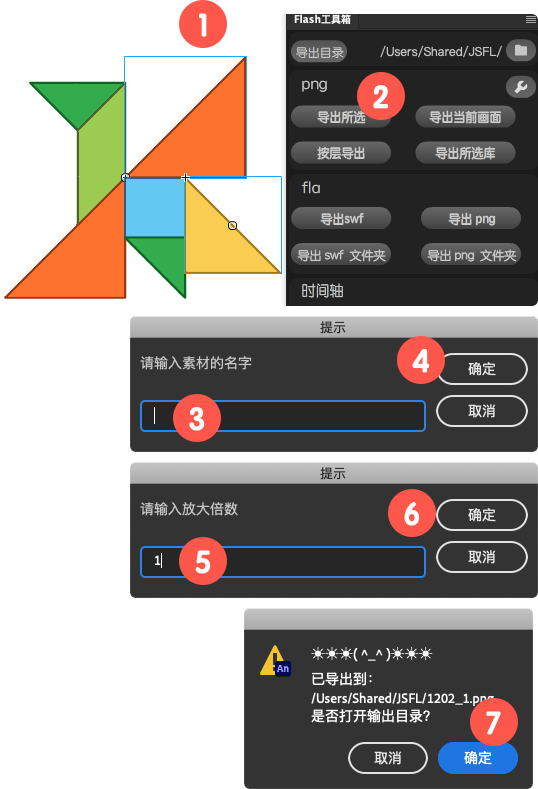
Select any element on the stage (supports multiple elements) and click " Export Selected ";
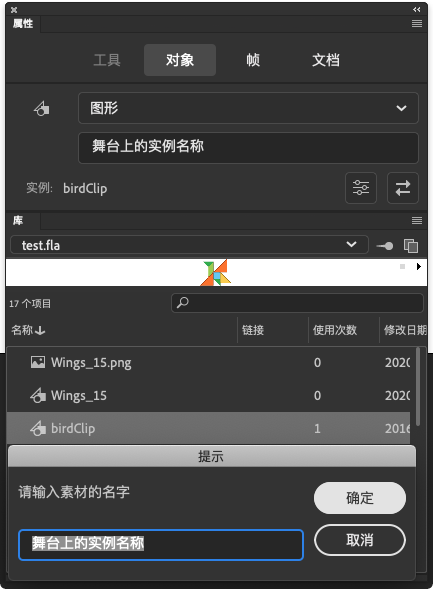
Enter the name of the material in the prompt box, click OK, and go to the next step. (If the component is selected, the instance name of the component on the stage or the name of the component library will be automatically read)
Enter the scaling value in the prompt box. 1 means not scaling, and 1 means magnification twice;
After the export is completed, it will prompt whether to open the output directory. After clicking the "OK" button, the Explorer will be opened and the exported png file will be selected.
Click the folder icon in the plug-in interface to change the export directory 
After clicking, the current stage will be exported into a png. The button function is equivalent to executing the image in Flash.
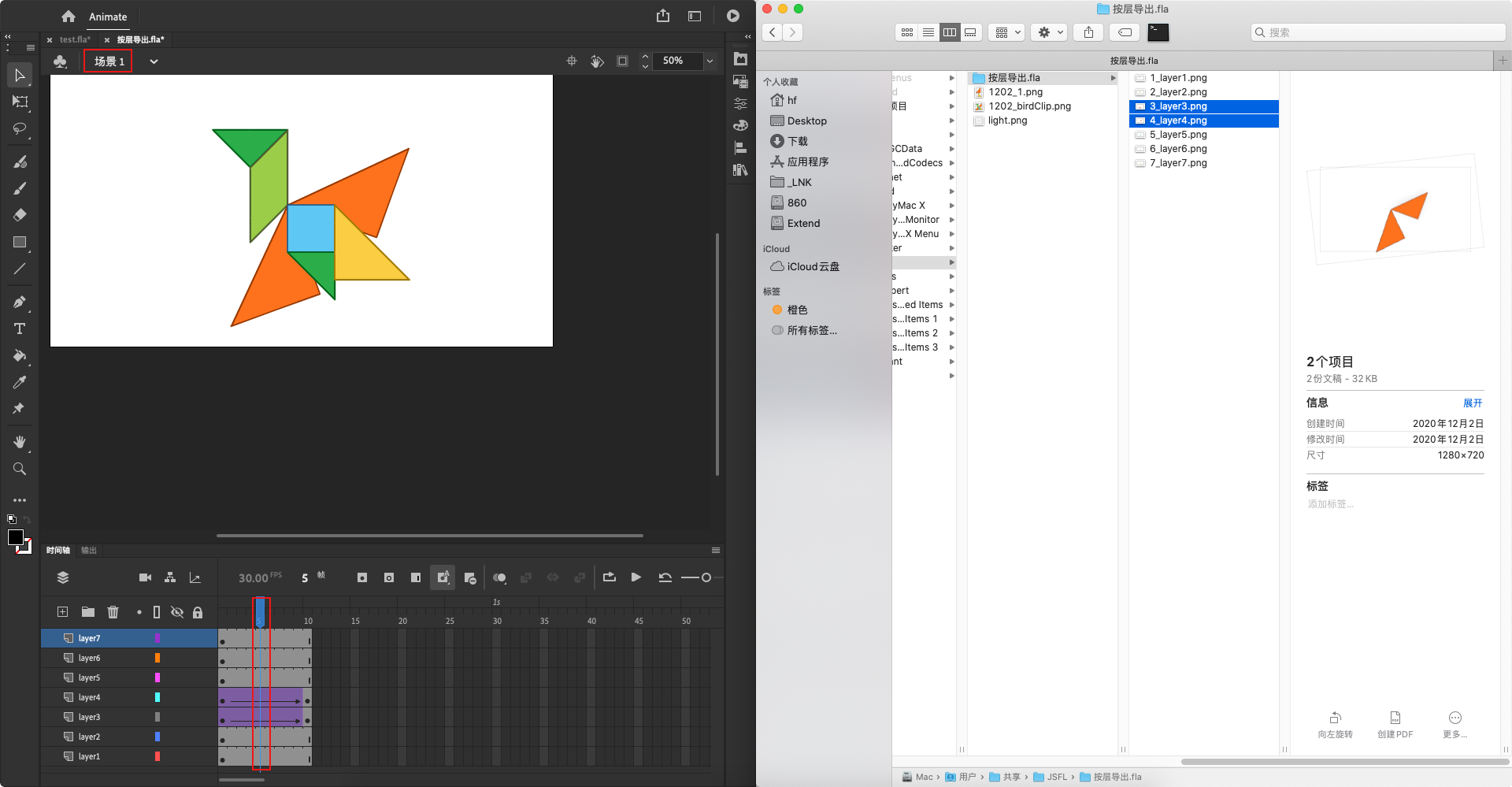
Export each layer of content on the main stage into png, and all the exported layers are the same size. Drag it to PS without manually adjusting the element position.
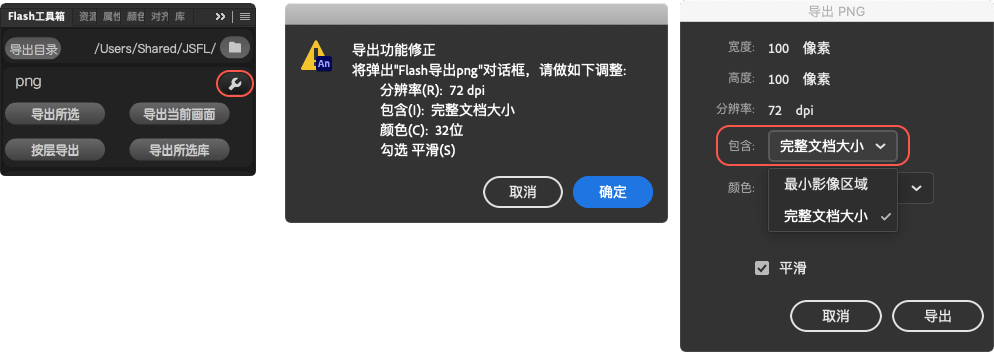
The function of this button is equivalent to selecting a component in the component library, then right-clicking the mouse to perform the " Export PNG Sequence " operation. You can select multiple libraries and click this button to quickly export libraries into png sequences.
The naming format of the sequence frame is " [Export Directory]/[fla Document Name]/[Component Name]_0001.png "
Enjoy!
Finally, if you think this plug-in is good and helpful, you can also invite me to have a cup of coffee.