chatgpt html
1.0.0

This version is developed based on
ChatGPTweb-side agent (free). If you want to use ChatGPT API KEY (paid), please visit chatgpt-web
The premise of using this project is that your server IP is not BAN. Since my own server IP is BAN, I cannot test whether the project is available. Please try it yourself
Put all the following files in the same directory
config.json file, paste the following code and save it {
" __comment01__ " : "邮箱、session_token和access_token三选一" ,
" __comment02__ " : "邮箱认证(暂仅支持普通方式注册的账号,不支持谷歌或微软快捷登录) " ,
" email " : " " ,
" password " : " " ,
" __comment03__ " : " session_token认证(不受账号注册方式影响) " ,
" session_token " : " " ,
" __comment04__ " : " access_token认证(不受账号注册方式影响) " ,
" access_token " : " " ,
" __comment05__ " : "以下为选填字段" ,
" __comment06__ " : "通过代理连接代理端(作者服务器被墙过,代理好像只能用无密码认证的socks5或者http,请自行测试) " ,
" proxy " : " " ,
" __comment07__ " : "使用付费openai账号(官方称速度更快,无频率限制,将false改为true) " ,
" paid " : false
}F12 .__Secure-next-auth.session-token cookie in Application > Storage > Cookies > https://chat.openai.com .Cookie Value field.Log in to the official ChatGPT web version and open https://chat.openai.com/api/auth/session
docker-compose.yml configuration file, paste the following content and save it services:
chatgpt:
image: sheepgreen/chatgpt-html
container_name: htmchat
# environment:
# - CHATGPT_BASE_URL=你的代理服务端地址(不填默认使用作者服务器,目前偶尔会不可用)
volumes:
- ./config.json:/chatgpt-html/config.json
# - ./chat.html:/chatgpt-html/templates/chat.html #默认内置我的UI,如需替换自用网页请取消注释
ports:
- " 9999:8088 " # 8088为容器内端口,不可更换;9999为外部端口,可自行更换
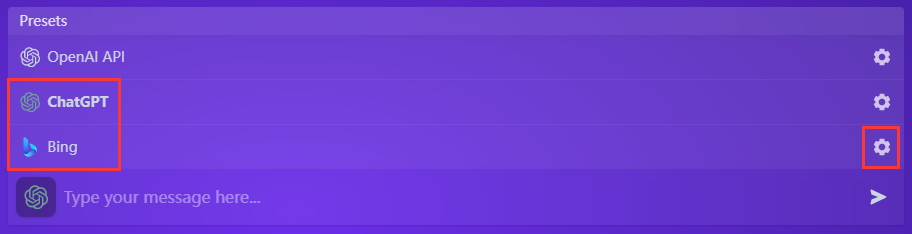
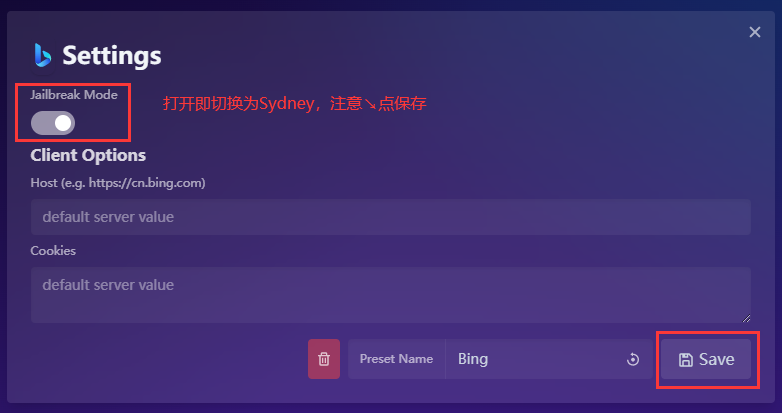
restart: alwaysdocker-compose up -d to start successfully chat.html file, docker restart htmchat is required to take effect Bing is GPT-4, Sydney is a "cracked" Bing (there is no limit of up to 15 conversations per round and up to 150 conversations per day, but the IQ is a little worse). In addition, there are bugs in this project code that need to be improved (if you experience it, you will find it), and there will be no detailed introduction.