serve piper tts
Release 784a881

來自Piper的語音樣本-https://rhasspy.github.io/piper-samples/
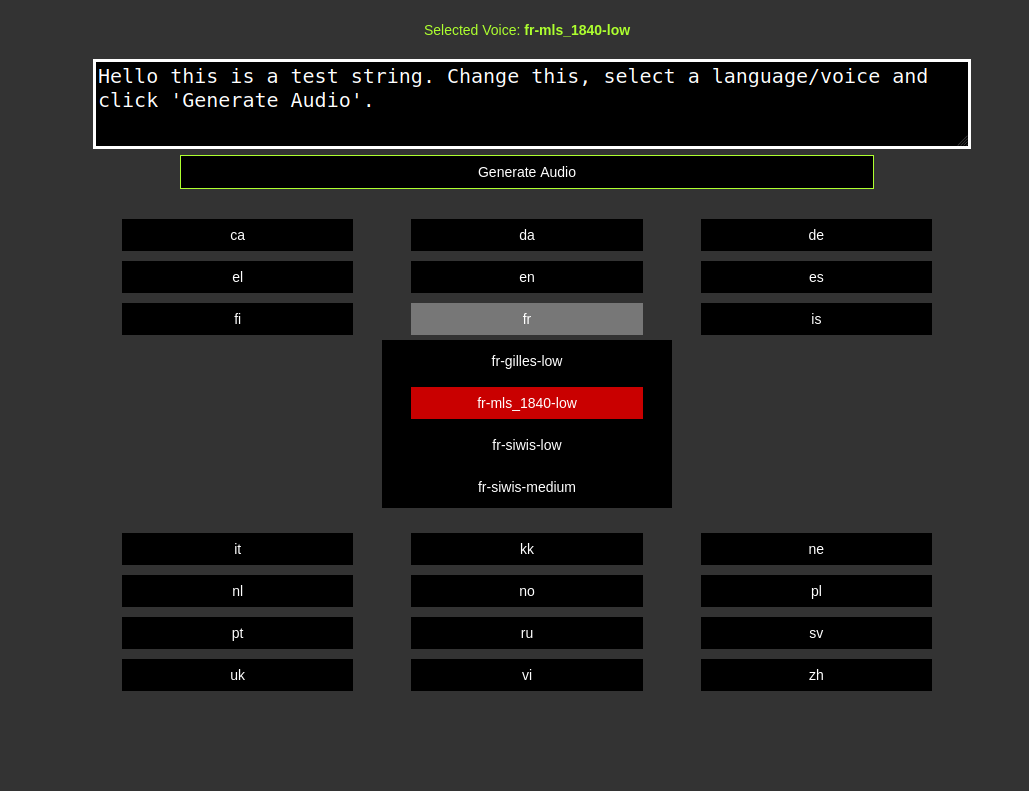
託管API測試服務器(臨時鏈接)-https://voice.arunk140.com/ | https://voice.arunk140.com/api/tts?text=github
Go lang api包裝器周圍的Piper TTS-支持TTS推理和聲音列表
 docker pull ghcr.io/arunk140/serve-piper-tts:latest
docker run -p 8080:8080 ghcr.io/arunk140/serve-piper-tts:latest
或者
docker compose up -d
添加您的Piper語音模型或使用下載腳本(到“模型目錄”)
要下載並提取一種語言的特定文件,請使用以下格式:
./download-voices.sh lang_code
例如下載en(英語)聲音
 chmod +x ./download-voices.sh
./download-voices.sh en
檢查download-voices.sh文件以獲取聲音和支持的語言列表。
從Piper的GitHub發布或使用下載腳本(在同一文件夾中提取)獲取最新的Piper可執行文件
 chmod +x ./download-piper.sh
./download-piper.sh
運行API服務器直接 -
go run .
構建可執行文件並運行 -
 go build
./serve-piper-go
默認情況下在端口8080上運行 - 更新main.go常數更改端口
http://localhost:8080/
文檔中的API文檔







