serve piper tts
Release 784a881

Piperからの音声サンプル-https://rhasspy.github.io/piper-samples/
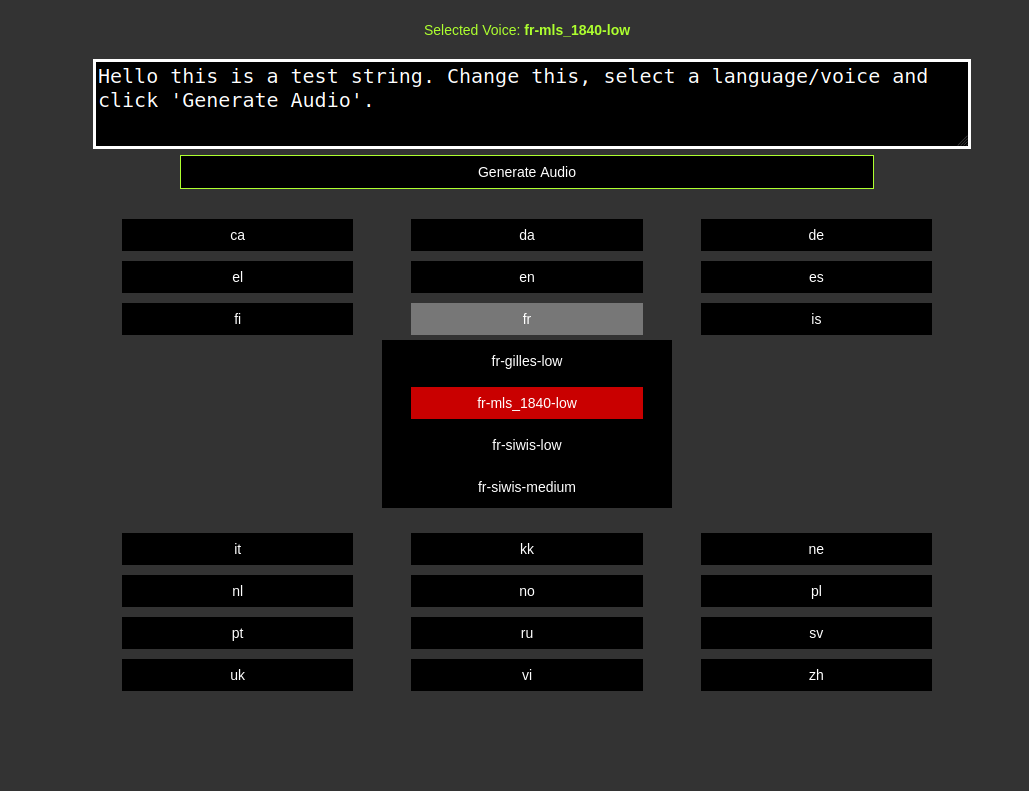
ホストAPIテストサーバー(一時リンク)-https://voice.arunk140.com/ | https://voice.arunk140.com/api/tts?text=github
Piper TTSの周りのLang APIラッパーに行く - TTSの推論と声のリストをサポートします
 docker pull ghcr.io/arunk140/serve-piper-tts:latest
docker run -p 8080:8080 ghcr.io/arunk140/serve-piper-tts:latest
または
docker compose up -d
Piper Voiceモデルを追加するか、ダウンロードスクリプトを使用します(モデルディレクトリに)
言語の特定のファイルをダウンロードして抽出するには、次の形式を使用します。
./download-voices.sh lang_code
たとえば、en(英語)声をダウンロードします
 chmod +x ./download-voices.sh
./download-voices.sh en
ダウンロードvoices.shファイルを確認してください。ボイスとサポート言語のリストを確認してください。
PiperのGitHubリリースまたはダウンロードスクリプトの使用から最新のPiper実行可能ファイルを入手してください(同じフォルダーでダウンロードして抽出)
 chmod +x ./download-piper.sh
./download-piper.sh
APIサーバーDirectyを実行するには -
go run .
実行可能ファイルを構築して実行する -
 go build
./serve-piper-go
デフォルトでポート8080で実行-Main.go定数を更新してポートを変更します
http://localhost:8080/
docs.mdのAPIドキュメント







