re editor
v0.5.8

一個開箱即用的React富文本編輯器
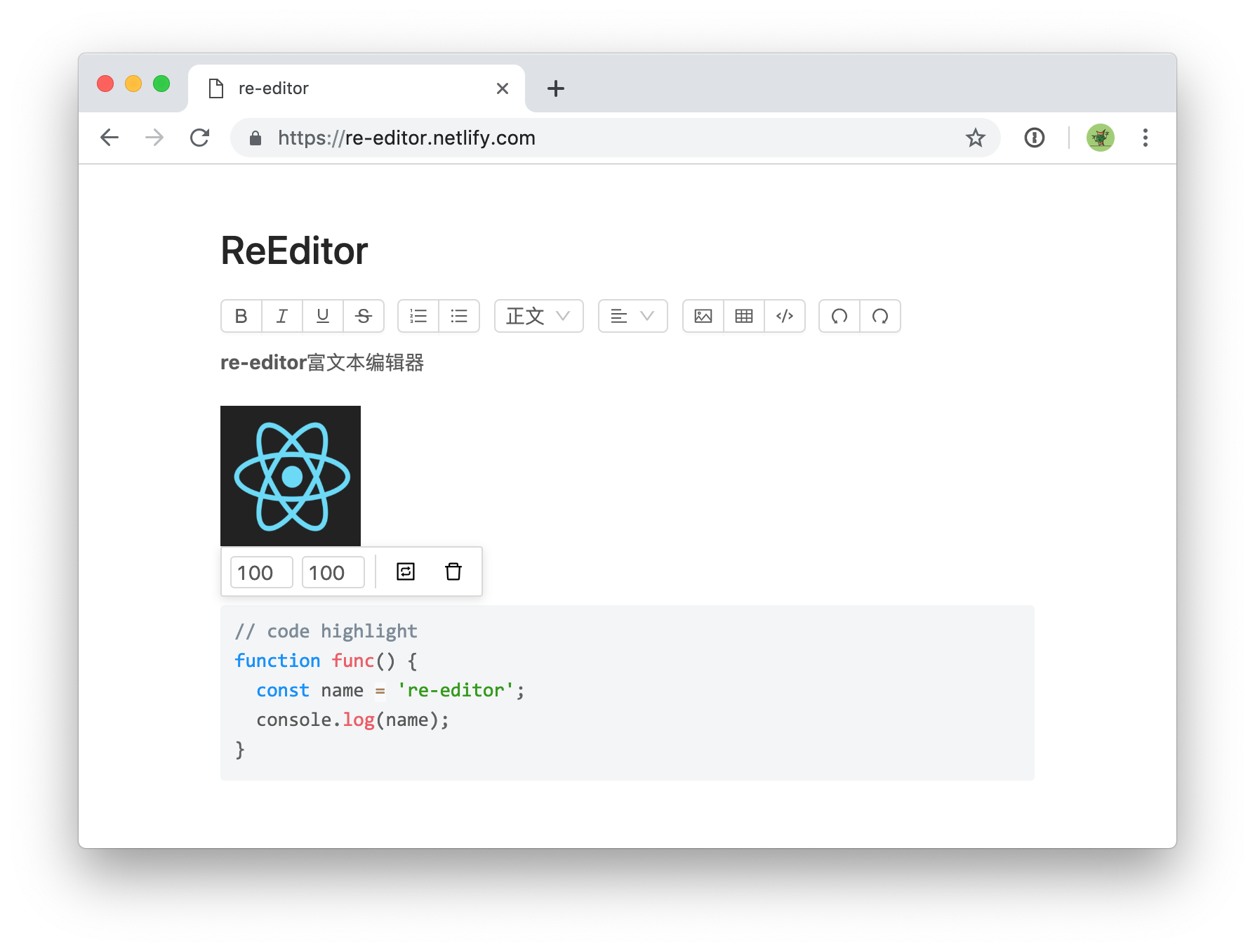
編輯器為適應不同開發需求,提供下面兩種使用方法
re-editor是一個封裝好的組件, 安裝就可以使用, 它裡麵包含@re-editor/core 和@re-editor/toolbar-antd, 工具條默認使用antd風格,如果要使用其他工具條請參考下面自定義文檔
$ npm install re-editor在js裡面引入
import 're-editor/lib/styles/index.css'也可以在css裡面引入(需要css預處理支持)
@import 're-editor/lib/styles/index.css'| 屬性 | 說明 | 類型 |
|---|---|---|
| value | 編輯器的值 | object |
| onChange | 編輯器更改內容的回調 | (value: Value) => void |
| placeholder | 佔位文本 | string |
| readOnly | 只讀模式 | boolean |
| onImageUpload | 自定義圖床 | (file: File) => Promise<url: string> |
| tools | 設置工具欄的顯示內容 | Array<Array |
tools props支持數組形式,如果是二維數組會分組顯示
 tools = { [ 'bold' , 'italic' , 'underline' , 'strikethrough' ] }
// 或者
tools = { [
  [ 'bold' , 'italic' , 'underline' , 'strikethrough' ] ,
  [ 'orderedlist' , 'unorderedlist' ]
] }| 名稱 | 功能 |
|---|---|
| bold | 粗體 |
| italic | 斜體 |
| underline | 下劃線 |
| strikethrough | 刪除線 |
| orderedlist | 有序列表 |
| unorderedlist | 無序列表 |
| heading | 標題 |
| align | 對齊方式 |
| image | 圖片 |
| table | 表格 |
| code | 代碼 |
| undo | 撤銷 |
| redo | 重做 |
| fullscreen | 全螢幕 |
編輯器拆分為兩個部分,內容編輯區域和工具條,下面介紹如何自定義工具條
$ npm install @re-editor/core可以用任何方式創建編輯器工具條,需要將編輯器的實例傳給工具條,可參考re-editor 和@re-editor/toolbar-antd的實現,詳情查看API文檔(這部分文檔還沒寫完,會在近期補全?)
例如實現一個加粗功能:
 import { command } from '@re-editor/core' ;

const Demo = ( props ) => {
  function handleClick ( ) {
    command ( props . editor ) ( 'bold' )
  }
  return < div onClick = { handleClick } > bold </ div >
} slate或draft並不是一個純編輯器,它們更像是一個用於構建編輯器的框架,re-editor是基於slate開發,讓你不必關注构建编辑器的過程。
樣式分為兩部分,node(粗體、h1、h2等)和工具欄,它們都可以通過css重寫基礎樣式,工具欄也可以做到完全重寫樣式可以通過css自定義
使用增量更新,onChange回調的value是immutable格式,可以使用immutable-js-diff等方法獲取diff的內容進行增量更新
圖片默認保存為base64,如果需要將圖片上傳到指定服務器,可使用onImageUpload函數, (file: File) => Promise<url: string> 示例代碼
粗体斜体下划线删除线標下标
有序列表无序列表
左对齐右对齐居中对齐两端对齐
h1 h2 h3 h4 h5 h6
图片表格代码高亮markdown#>-1.其他功能持續增加中...






