re editor
v0.5.8

A React rich text editor out of the box
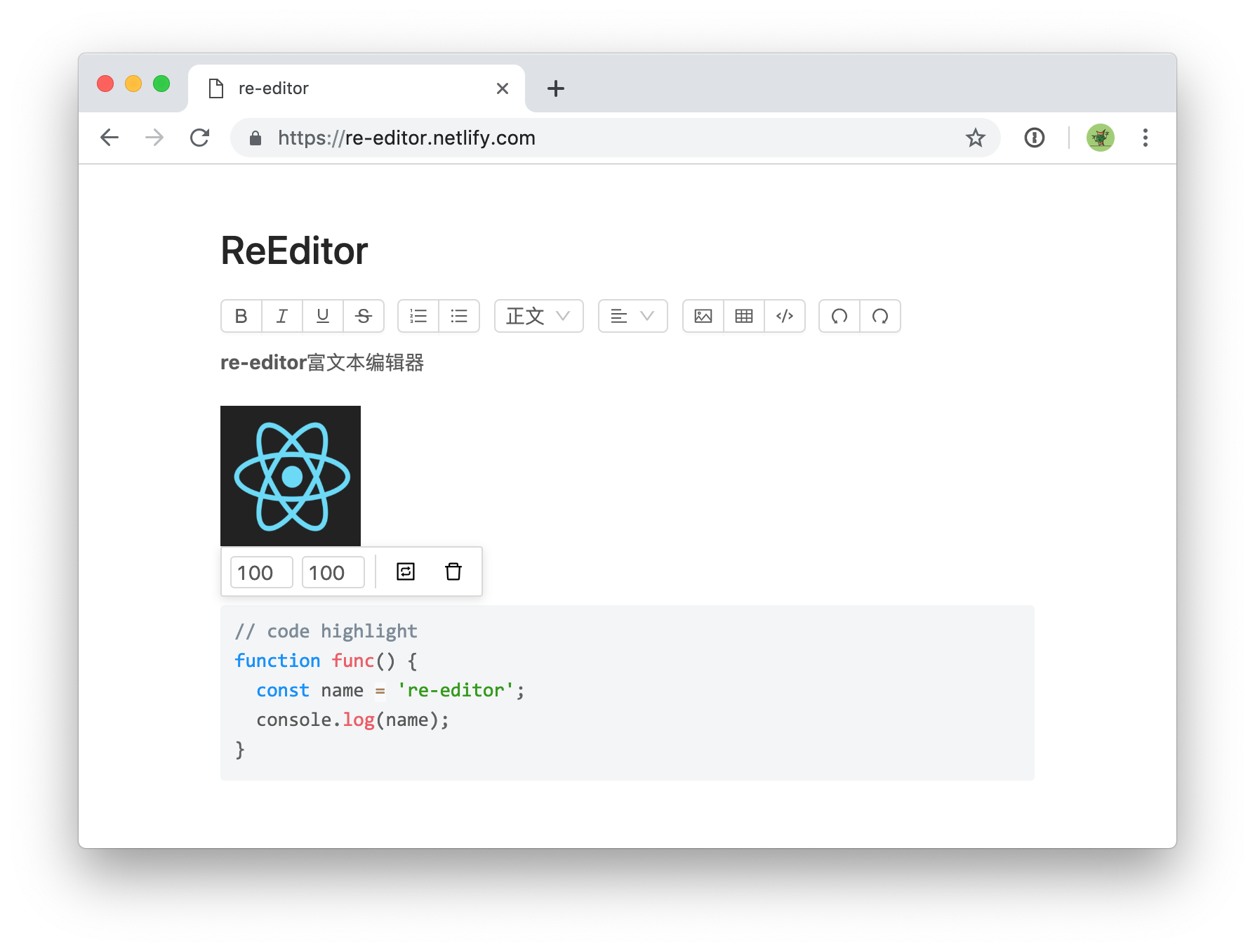
To adapt to different development needs, the editor provides the following two usage methods.
re-editor is an encapsulated component that can be used after installation. It contains @re-editor/core and @re-editor/toolbar-antd. The toolbar uses the antd style by default. If you want to use other toolbars, please refer to the following custom document
$ npm install re-editorIntroduced in js
import 're-editor/lib/styles/index.css'It can also be introduced in CSS (requires CSS preprocessing support)
@import 're-editor/lib/styles/index.css'| property | illustrate | type |
|---|---|---|
| value | Editor's value | object |
| onChange | Callback for editor changes content | (value: Value) => void |
| placeholder | Placeholder text | string |
| readOnly | Read-only mode | boolean |
| onImageUpload | Custom picture bed | (file: File) => Promise<url: string> |
| tools | Set the display content of the toolbar | Array<Array |
tools props support array form, if it is a two-dimensional array, it will be displayed in groups
 tools = { [ 'bold' , 'italic' , 'underline' , 'strikethrough' ] }
// 或者
tools = { [
  [ 'bold' , 'italic' , 'underline' , 'strikethrough' ] ,
  [ 'orderedlist' , 'unorderedlist' ]
] }| name | Function |
|---|---|
| bold | Bold |
| Italic | Italic |
| underline | Underline |
| Strikethrough | Delete line |
| orderedlist | Ordered list |
| unorderedlist | Unordered list |
| Heading | title |
| align | Alignment |
| image | picture |
| table | sheet |
| code | Code |
| undo | Revoke |
| redo | Rework |
| fullscreen | full screen |
The editor is split into two parts, the content editing area and the toolbar. The following describes how to customize the toolbar
$ npm install @re-editor/coreYou can create an editor toolbar in any way. You need to pass the editor instance to the toolbar. You can refer to the implementation of re-editor and @re-editor/toolbar-antd to view the API documentation for details (this part of the document has not been written yet, will it be completed in the near future?)
For example, implement a bold function:
 import { command } from '@re-editor/core' ;

const Demo = ( props ) => {
  function handleClick ( ) {
    command ( props . editor ) ( 'bold' )
  }
  return < div onClick = { handleClick } > bold </ div >
} Slate or draft is not a pure editor, they are more like a framework for building editors. Re-editor is developed based on Slate, so you don't have to pay attention to the process of构建编辑器.
The style is divided into two parts, node (bold, h1, h2, etc.) and the toolbar. They can all rewrite the basic style through css, and the toolbar can also completely rewrite the style through css.
Using incremental update, the value of the onChange callback is in the immutable format. You can use immutable-js-diff and other methods to obtain the content of diff for incremental update
The image is saved as base64 by default. If you need to upload the image to the specified server, you can use the onImageUpload function, (file: File) => Promise<url: string> Sample code
粗体斜体下划线删除线下标
有序列表无序列表
左对齐右对齐居中对齐两端对齐
h1 h2 h3 h4 h5 h6
图片表格代码高亮markdown#>-1.Other functions continue to increase...






