SReC
1.0.0

Sheng Cao,Chao-Yuan Wu,PhilippKrähenbühl。
 @article { cao2020lossless ,
  title = { Lossless Image Compression through Super-Resolution } ,
  author = { Cao, Sheng and Wu, Chao-Yuan and and Kr{"a}henb{"u}hl, Philipp } ,
  year = { 2020 } ,
  journal = { arXiv preprint arXiv:2004.02872 } ,
}
如果您使用我們的代碼庫,請考慮也引用L3C
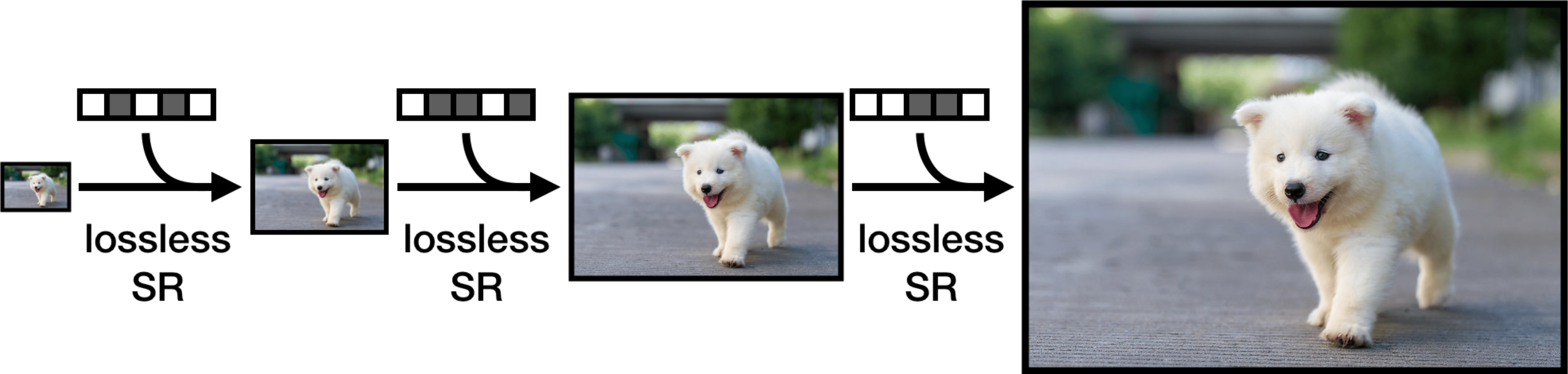
這是SREC在Pytorch中的正式實施。 SREC框架無損壓縮是一個超分辨率問題,並應用神經網絡來壓縮圖像。 SREC可以在實用的運行時實現大型數據集上的最新壓縮率。培訓,壓縮和減壓得到了充分的支持和開源。
我們建議以下步驟開始。
請參閱此處以獲取安裝說明。
我們已經發布了Imagenet64和Open Images(PNG)的訓練有素的型號。所有壓縮結果均以每個子像素(BPSP)的位衡量。
| 數據集 | bpsp | 模型重量 |
|---|---|---|
| Imagenet64 | 4.29 | 模型/Imagenet64.pth |
| 開放圖像 | 2.70 | 模型/開放式 |
要運行代碼,您需要處於頂級目錄。
 python3 -um src.train
  --train-path "path to directory of training images"
  --train-file "list of filenames of training images, one filename per line"
  --eval-path "path to directory of eval images"
  --eval-file "list of filenames of eval images, one filename per line"
  --plot "directory to store model output"
  --batch "batch size"
培訓圖像必須以火車文件中的文件名的形式組織train-path/filename形式。同樣的事情適用於評估圖像。
我們將用於Imagenet64的培訓和評估文件包括在datasets集目錄中。
對於ImagEnet64,我們使用的是略有不同的超參數,而不是開放圖像超參數(默認圖)。根據我們的論文中的設置訓練Imagenet64,運行
 python3 -um src.train
  --train-path "path to directory of training images"
  --train-file "list of filenames of training images, one filename per line"
  --eval-path "path to directory of eval images"
  --eval-file "list of filenames of eval images, one filename per line"
  --plot "directory to store model output"
  --batch "batch size"
  --epochs 10
  --lr-epochs 1
  --crop 64
運行python3 -um src.train --help可調式超參數列表。
給定模型檢查點,該評估理論位/子像素(BPSP)基於對數似然。對數模型BPSP降低了實際壓縮BPSP。
 python3 -um src.eval
  --path "path to directory of images"
  --file "list of filenames of images, one filename per line"
  --load "path to model weights"
安裝了TORCHAC後,您可以運行壓縮/解壓縮以將任何圖像轉換為.srec文件。以下壓縮圖像目錄。
 python3 -um src.encode
  --path "path to directory of images"
  --file "list of filenames of images, one filename per line"
  --save-path "directory to save new .srec files"
  --load "path to model weights"
如果您想要準確的運行時,我們建議使用-O標誌運行Python來禁用斷言。我們還包括一個可選的--decode標誌,以便您可以檢查解壓縮.sRec文件是否提供了原始圖像,並提供用於解碼的運行時。
要將.srec文件轉換為png,您可以運行
 python3 -um src.decode
  --path "path to directory of .srec images"
  --file "list of filenames of .srec images, one filename per line"
  --save-path "directory to save png files"
  --load "path to model weights"
您可以在此處下載Imagenet64培訓和驗證集。
我們使用與L3C相同的開放圖像培訓和驗證圖像。
對於驗證圖像,您可以在此處下載它們。
對於訓練圖像,請克隆L3C存儲庫並從這裡運行腳本
有關開放圖像JPEG和Open Images PNG之間的差異,請參見此問題。
感謝L3C的EDSR,Logistic混合物和算術編碼的實現。特別感謝Fabian Mentzer讓我們知道了開放式圖像的預處理腳本的問題,並迅速解決了它們。








