rubycritic
1.0.0



RubyCritic是一顆圍繞靜態分析的寶石(例如Reek,Flay和Flog),以提供您的紅寶石代碼的質量報告。
該寶石提供了以下功能:
您項目的概述: 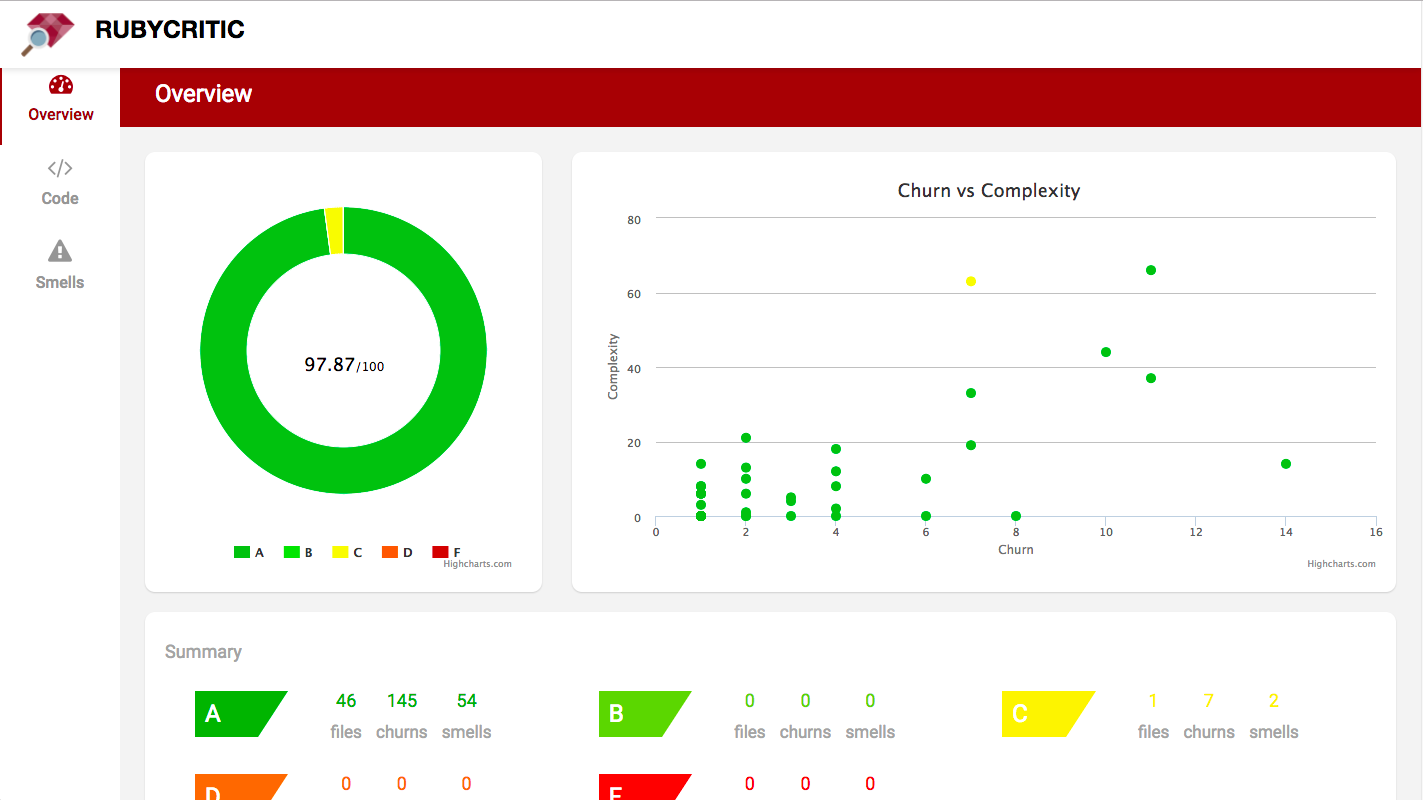
項目文件的索引以及各自的氣味數量: 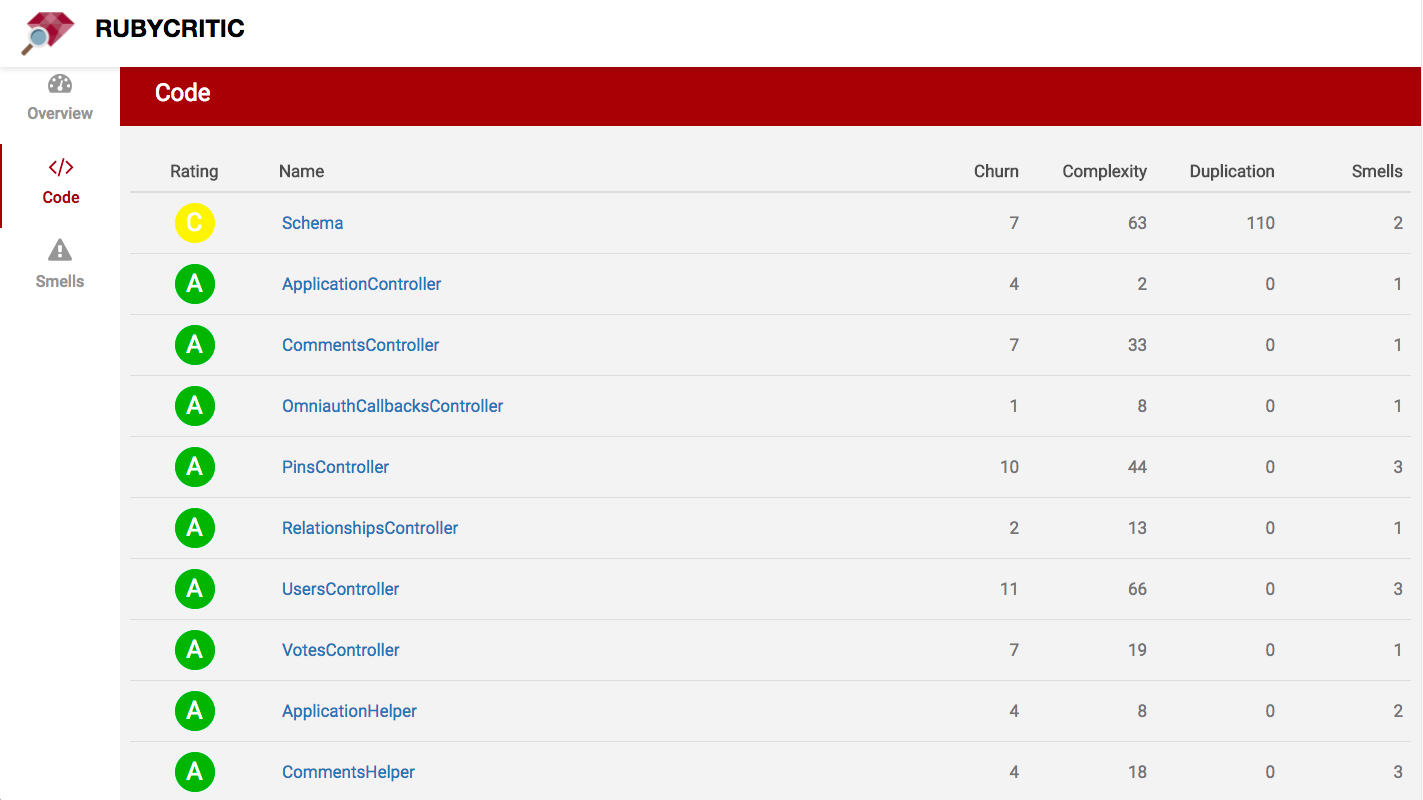
檢測到的氣味的索引: 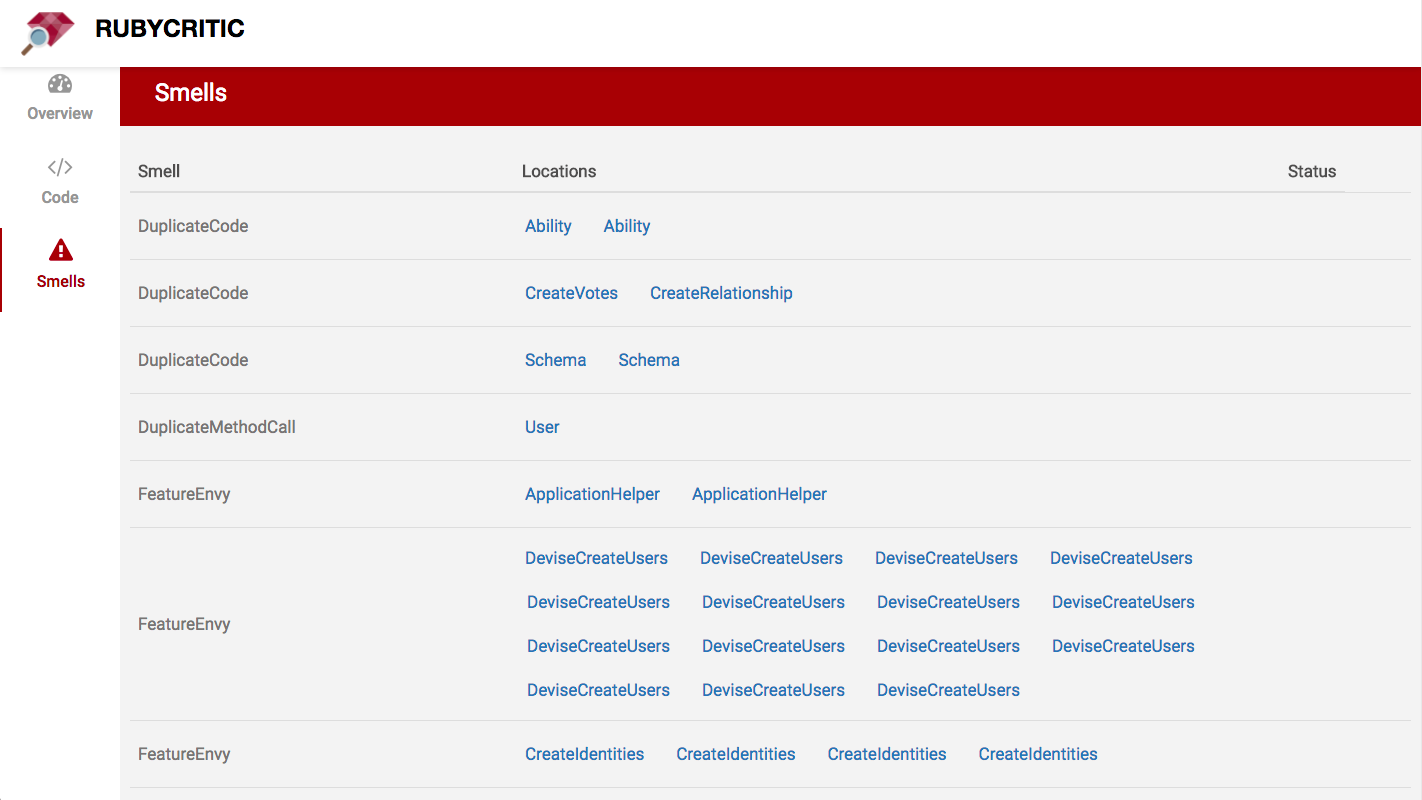
如下分析代碼時:
 class Dirty
  def awful ( x , y )
    if y
      @screen = widgets . map { | w | w . each { | key | key += 3 } }
    end
  end
end
基本上是這樣的事情:

像這樣的東西:
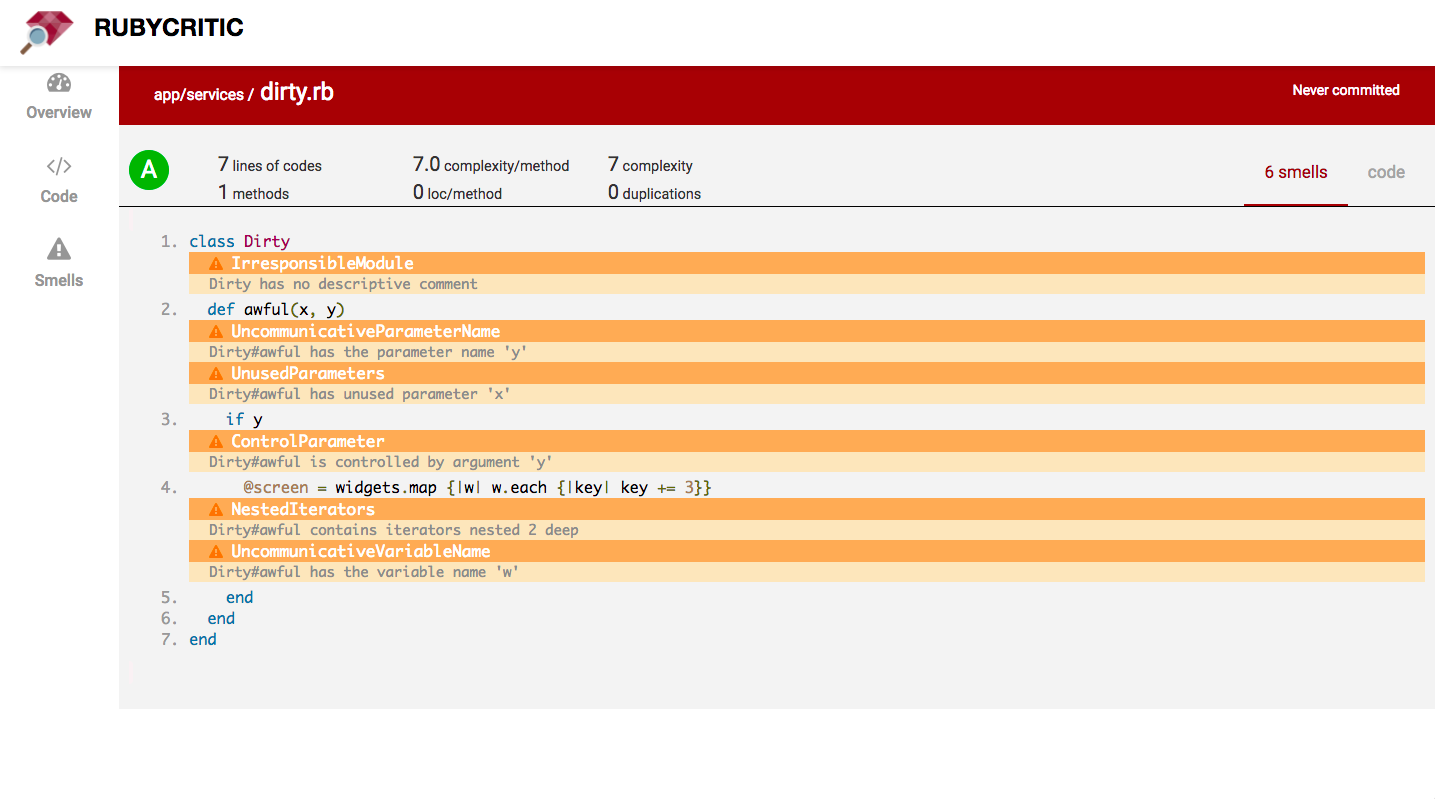
它使用您的源控制系統(目前僅支持Git,Mercurial和Perforce)來比較您當前未承諾的更改與您的上一次提交。
警告:如果您的代碼在運行RubyCritic之後的代碼不如您期望的那樣,請檢查您的源控制系統藏匿處。
查看/docs如果您想了解有關我們的核心指標的更多信息。
可以使用以下命令安裝RubyCritic:
$ gem install rubycritic如果您想使用Bundler安裝RubyCritic,請將此行添加到您的應用程序的Gemfile:
gem "rubycritic" , require : false然後執行:
$ bundle在沒有參數的情況下運行rubycritic將分析當前目錄中的所有Ruby文件:
$ rubycritic另外,您可以將rubycritic傳遞給文件和目錄列表。分析將範圍範圍為提供的文件和目錄:
$ rubycritic app lib/foo.rb對於運行命令行選項的完整列表:
$ rubycritic --help| 命令標誌 | 描述 |
|---|---|
-v / --version | 顯示當前版本並退出 |
-p / --path | 設置將保存報告的路徑(TMP/RubyCritic默認情況下) |
--coverage-path | 設置將保存SimpleCov的路徑(默認情況下為./ coverage) |
-f / --format | 報告以給定格式1的味道1 |
--custom-format path:classname | 負載和實例化自定義格式化器2 |
-s / --minimum-score | 設置最低分數(float:ex:96.28),默認值:0 |
-m / --mode-ci | 使用CI模式3 |
-b / --branch | 設置分支進行比較 |
-t / --maximum-decrease | 兩個分支之間的得分差的閾值4 |
--deduplicate-symlinks | 基於其最終目標的刪除符號鏈接 |
--suppress-ratings | 抑製字母評分 |
--no-browser | 請勿使用瀏覽器打開HTML報告 |
html (默認;將在瀏覽器中打開)jsonconsolelint-b-b一起使用,默認值:0您還可以使用配置文件。只需在您的項目根路徑上創建一個.rubycritic.yml即可。
這是一個例子:
 mode_ci :
  enabled : true # default is false
  branch : ' production ' # default is main
branch : ' production ' # default is main
path : ' /tmp/mycustompath ' # Set path where report will be saved (tmp/rubycritic by default)
coverage_path : ' /tmp/coverage ' # Set path where SimpleCov coverage will be saved (./coverage by default)
threshold_score : 10 # default is 0
deduplicate_symlinks : true # default is false
suppress_ratings : true # default is false
no_browser : true # default is false
formats : # Available values are: html, json, console, lint. Default value is html.
  - console
minimum_score : 95 # default is 0
paths : # Files to analyse. Churn calculation is scoped to these files when using Git SCM.
  - ' app/controllers/ '
- ' app/models/ 'Reek : RubyCritic使用Reek的默認配置加載機制。這意味著,如果您有現有的Reek配置文件,則可以將其放入項目根中, RubyCritic將尊重此配置。flay :我們使用flay的默認配置。flog :我們使用flog的默認配置和幾個較小的調整:all :強迫flog報告所有類和方法的分數。沒有此選項, flog只會給出一定閾值的結果。continue :這樣做, flog無法解析紅寶石文件時不會流產。methods :將flog配置為在方法之外跳過代碼。它可以防止flog報告“方法” private和protected “方法”。它還可以防止flog報告諸如before_action和has_many類的導軌方法。如果您喜歡後衛,您可能會喜歡防護陣容。它會自動分析您的Ruby文件經過修改。
對於連續的集成,您可以給Jenkins CI旋轉。有了它,您可以輕鬆地構建自己的(窮人)代碼氛圍!
您可以以最簡單的形式將RubyCritic用作Rake命令:
 require "rubycritic/rake_task"

RubyCritic :: RakeTask . new
一個更複雜的耙子任務,可以使用所有可用的配置選項,看起來像這樣:
 RubyCritic :: RakeTask . new do | task |
  # Name of RubyCritic task. Defaults to :rubycritic.
  task . name    = 'something_special'

  # Glob pattern to match source files. Defaults to FileList['.'].
  task . paths   = FileList [ 'vendor/**/*.rb' ]

  # You can pass all the options here in that are shown by "rubycritic -h" except for
  # "-p / --path" since that is set separately. Defaults to ''.
  task . options = '--mode-ci --format json'

  # Defaults to false
  task . verbose = true

  # Fail the Rake task if RubyCritic doesn't pass. Defaults to true
  task . fail_on_error = true
end
RubyCritic默認情況下將嘗試使用瀏覽器打開生成的報告。如果您不想要此功能,則可以通過相應地設置選項來防止此行為:
 RubyCritic :: RakeTask . new do | task |
  task . options = '--no-browser'
end
如果您想創建多個耙任務(例如,對於本地和特定於CI的配置),則可以這樣做!如果您決定執行此操作,則應為每個任務提供更清晰的描述:
 # for local
RubyCritic :: RakeTask . new ( "local" , "Run RubyCritic (local configuration)" do | task |
  # ...
end

# for CI
RubyCritic :: RakeTask . new ( "ci" , "Run RubyCritic (CI configuration)" do | task |
  task . options = "--mode-ci"
  # ...
end 參見格式
RubyCritic支持紅寶石版本:
| 紅寶石版本 | 最新的紅寶石版本 |
|---|---|
| 2.4 | v4.7.0 |
| 2.5 | v4.7.0 |
| 2.6 | v4.7.0 |
| 2.7 | v4.9.x |
| 3.0 | 最新的 |
| 3.1 | 最新的 |
| 3.2 | 最新的 |
| 3.3 | 最新的 |
RubyCritic不必是其他代碼質量分析服務的第二選擇。我們可以一起改進它,並繼續基於Ruby生態系統中可用的出色代碼度量工具。
可以說,Better_Errors Gem只有在收到(非常棒的)拉動請求改變其頁面設計後才流行。
同樣,將最受歡迎的收視率或修復現有問題的計算來改善寶石的外觀和感覺的拉動請求將受到歡迎。僅評論一個問題,並就應該如何工作的某種見解。沒有貢獻太小。
參見RubyCritic關於如何進行的貢獻指南。
RubyCritics初始作者是Guilherme Sim市場。
當前的核心團隊由:

RubyCritic由Whitesmith維持和資助。向@WhitesMithco發推文或建議。







