rubycritic
1.0.0



RubyCritic是一颗围绕静态分析的宝石(例如Reek,Flay和Flog),以提供您的红宝石代码的质量报告。
该宝石提供了以下功能:
您项目的概述: 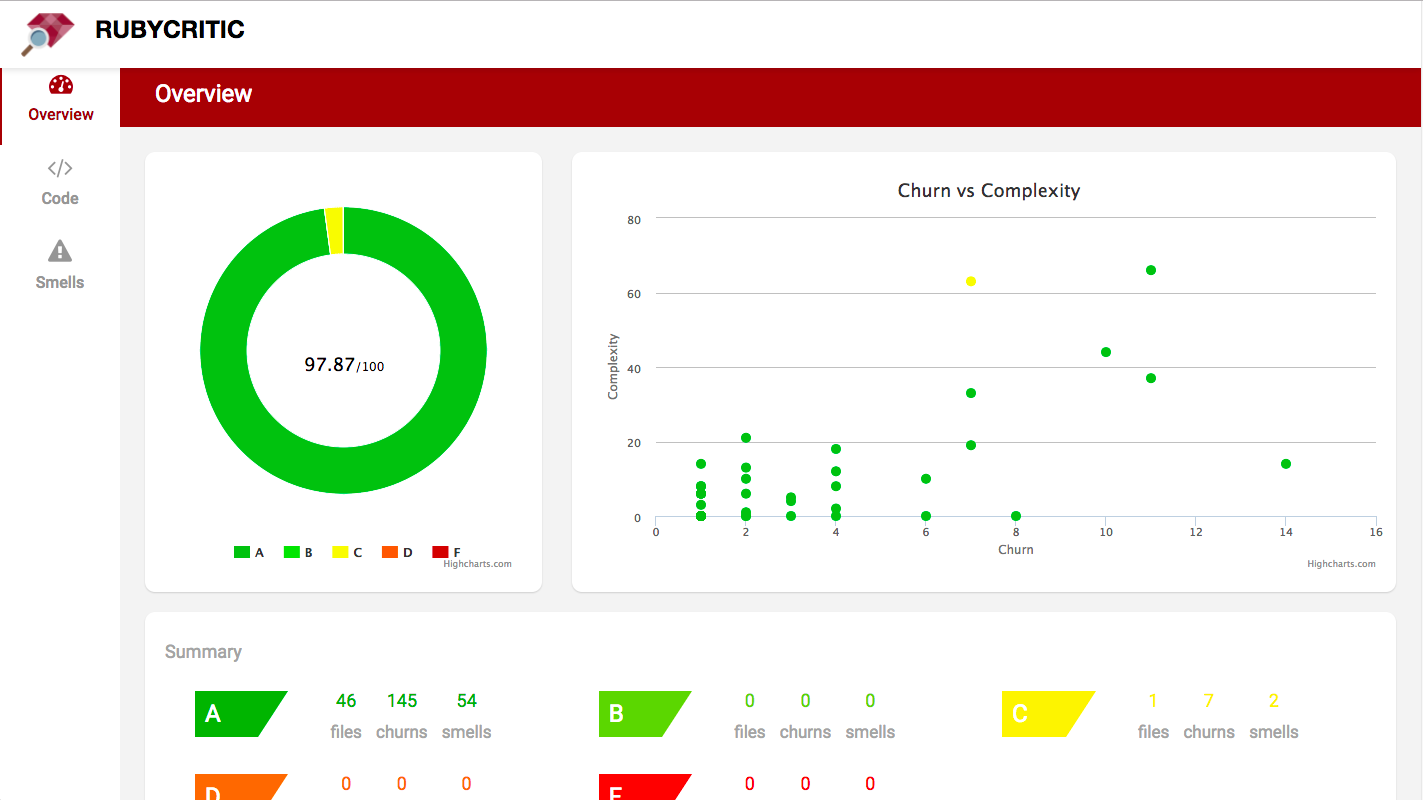
项目文件的索引以及各自的气味数量: 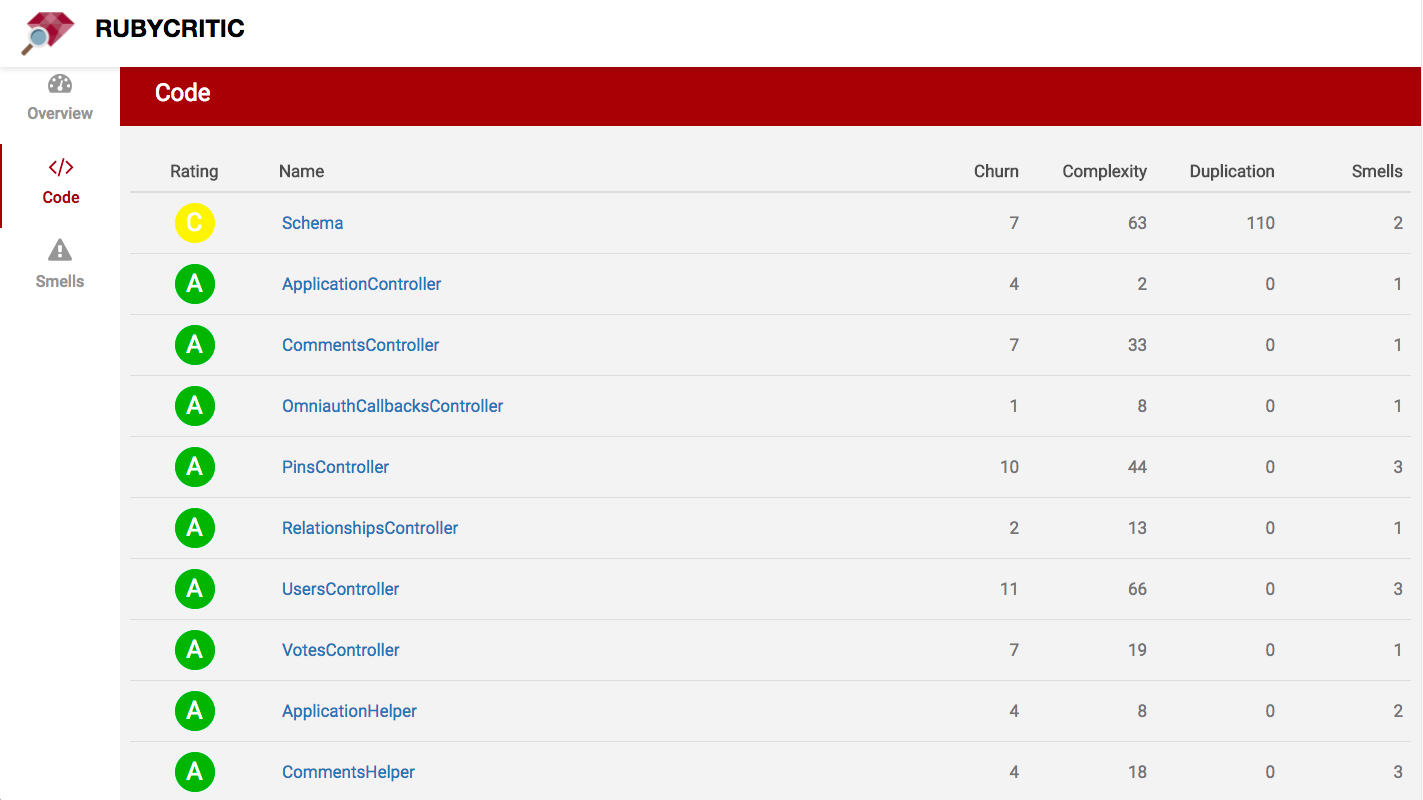
检测到的气味的索引: 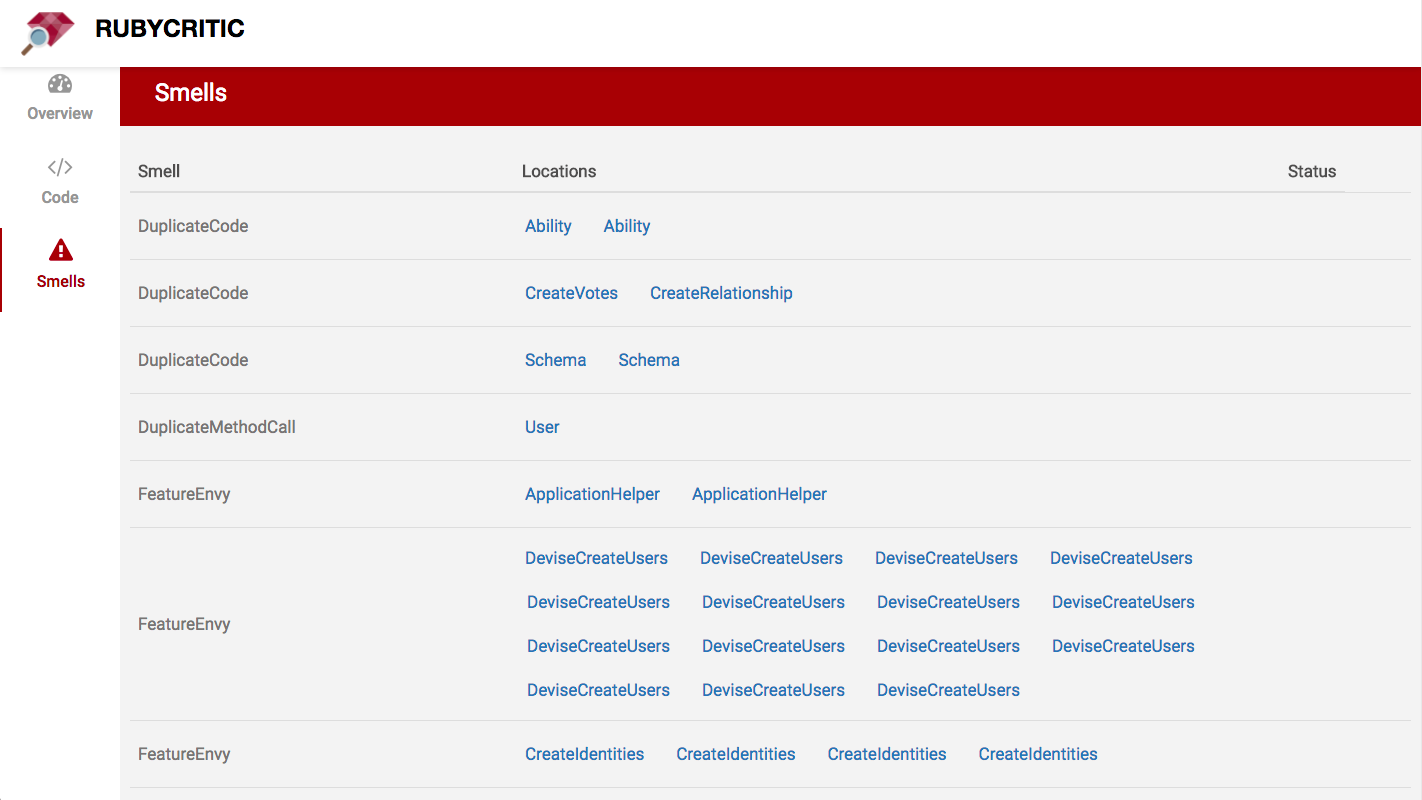
如下分析代码时:
 class Dirty
  def awful ( x , y )
    if y
      @screen = widgets . map { | w | w . each { | key | key += 3 } }
    end
  end
end
基本上是这样的事情:

像这样的东西:
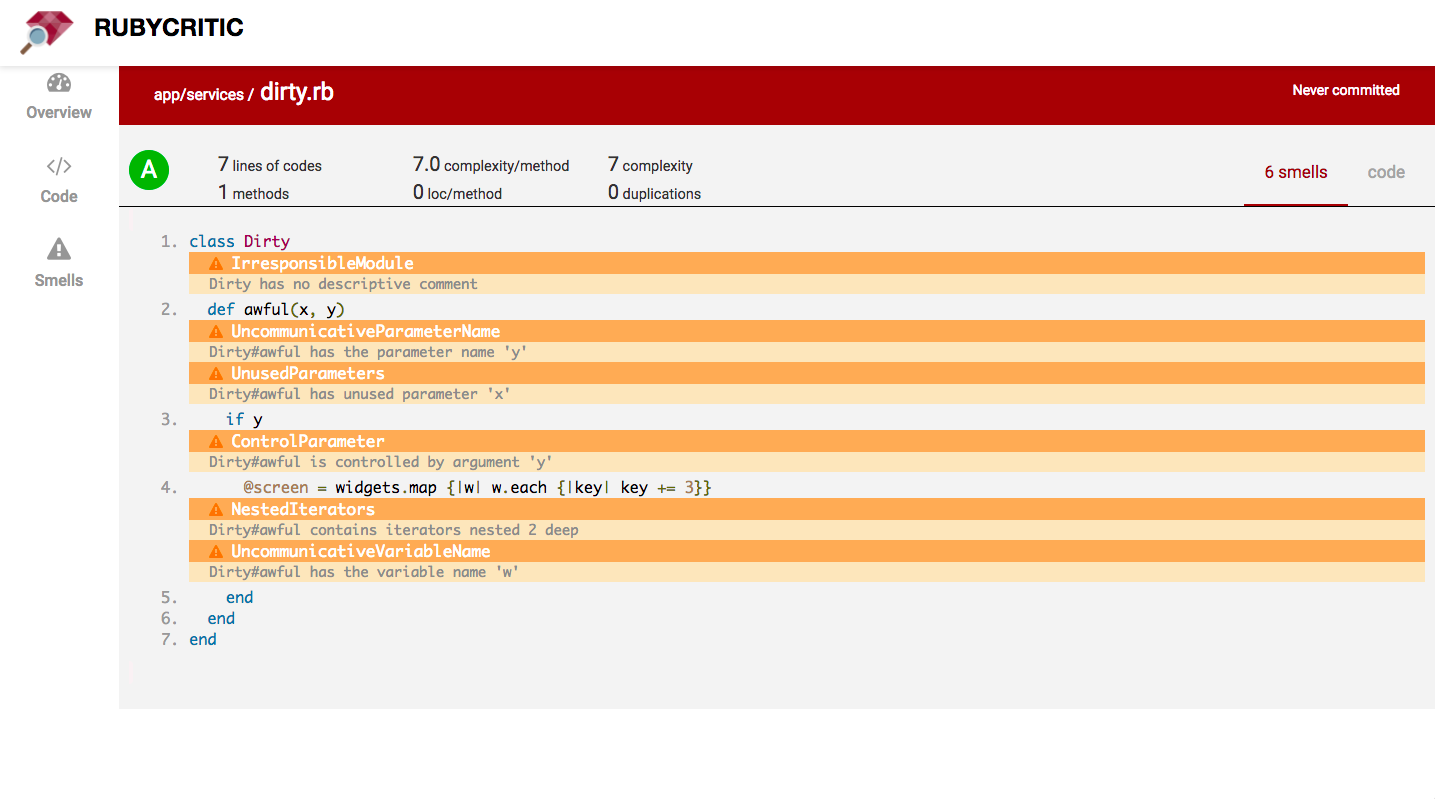
它使用您的源控制系统(目前仅支持Git,Mercurial和Perforce)来比较您当前未承诺的更改与您的上一次提交。
警告:如果您的代码在运行RubyCritic之后的代码不如您期望的那样,请检查您的源控制系统藏匿处。
查看/docs如果您想了解有关我们的核心指标的更多信息。
可以使用以下命令安装RubyCritic:
$ gem install rubycritic如果您想使用Bundler安装RubyCritic,请将此行添加到您的应用程序的Gemfile:
gem "rubycritic" , require : false然后执行:
$ bundle在没有参数的情况下运行rubycritic将分析当前目录中的所有Ruby文件:
$ rubycritic另外,您可以将rubycritic传递给文件和目录列表。分析将范围范围为提供的文件和目录:
$ rubycritic app lib/foo.rb对于运行命令行选项的完整列表:
$ rubycritic --help| 命令标志 | 描述 |
|---|---|
-v / --version | 显示当前版本并退出 |
-p / --path | 设置将保存报告的路径(TMP/RubyCritic默认情况下) |
--coverage-path | 设置将保存SimpleCov的路径(默认情况下为./ coverage) |
-f / --format | 报告以给定格式1的味道1 |
--custom-format path:classname | 负载和实例化自定义格式化器2 |
-s / --minimum-score | 设置最低分数(float:ex:96.28),默认值:0 |
-m / --mode-ci | 使用CI模式3 |
-b / --branch | 设置分支进行比较 |
-t / --maximum-decrease | 两个分支之间的得分差的阈值4 |
--deduplicate-symlinks | 基于其最终目标的删除符号链接 |
--suppress-ratings | 抑制字母评分 |
--no-browser | 请勿使用浏览器打开HTML报告 |
html (默认;将在浏览器中打开)jsonconsolelint-b-b一起使用,默认值:0您还可以使用配置文件。只需在您的项目根路径上创建一个.rubycritic.yml即可。
这是一个例子:
 mode_ci :
  enabled : true # default is false
  branch : ' production ' # default is main
branch : ' production ' # default is main
path : ' /tmp/mycustompath ' # Set path where report will be saved (tmp/rubycritic by default)
coverage_path : ' /tmp/coverage ' # Set path where SimpleCov coverage will be saved (./coverage by default)
threshold_score : 10 # default is 0
deduplicate_symlinks : true # default is false
suppress_ratings : true # default is false
no_browser : true # default is false
formats : # Available values are: html, json, console, lint. Default value is html.
  - console
minimum_score : 95 # default is 0
paths : # Files to analyse. Churn calculation is scoped to these files when using Git SCM.
  - ' app/controllers/ '
- ' app/models/ 'Reek : RubyCritic使用Reek的默认配置加载机制。这意味着,如果您有现有的Reek配置文件,则可以将其放入项目根中, RubyCritic将尊重此配置。flay :我们使用flay的默认配置。flog :我们使用flog的默认配置和几个较小的调整:all :强迫flog报告所有类和方法的分数。没有此选项, flog只会给出一定阈值的结果。continue :这样做, flog无法解析红宝石文件时不会流产。methods :将flog配置为在方法之外跳过代码。它可以防止flog报告“方法” private和protected “方法”。它还可以防止flog报告诸如before_action和has_many类的导轨方法。如果您喜欢后卫,您可能会喜欢防护阵容。它会自动分析您的Ruby文件经过修改。
对于连续的集成,您可以给Jenkins CI旋转。有了它,您可以轻松地构建自己的(穷人)代码氛围!
您可以以最简单的形式将RubyCritic用作Rake命令:
 require "rubycritic/rake_task"

RubyCritic :: RakeTask . new
一个更复杂的耙子任务,可以使用所有可用的配置选项,看起来像这样:
 RubyCritic :: RakeTask . new do | task |
  # Name of RubyCritic task. Defaults to :rubycritic.
  task . name    = 'something_special'

  # Glob pattern to match source files. Defaults to FileList['.'].
  task . paths   = FileList [ 'vendor/**/*.rb' ]

  # You can pass all the options here in that are shown by "rubycritic -h" except for
  # "-p / --path" since that is set separately. Defaults to ''.
  task . options = '--mode-ci --format json'

  # Defaults to false
  task . verbose = true

  # Fail the Rake task if RubyCritic doesn't pass. Defaults to true
  task . fail_on_error = true
end
RubyCritic默认情况下将尝试使用浏览器打开生成的报告。如果您不想要此功能,则可以通过相应地设置选项来防止此行为:
 RubyCritic :: RakeTask . new do | task |
  task . options = '--no-browser'
end
如果您想创建多个耙任务(例如,对于本地和特定于CI的配置),则可以这样做!如果您决定执行此操作,则应为每个任务提供更清晰的描述:
 # for local
RubyCritic :: RakeTask . new ( "local" , "Run RubyCritic (local configuration)" do | task |
  # ...
end

# for CI
RubyCritic :: RakeTask . new ( "ci" , "Run RubyCritic (CI configuration)" do | task |
  task . options = "--mode-ci"
  # ...
end 参见格式
RubyCritic支持红宝石版本:
| 红宝石版本 | 最新的红宝石版本 |
|---|---|
| 2.4 | v4.7.0 |
| 2.5 | v4.7.0 |
| 2.6 | v4.7.0 |
| 2.7 | v4.9.x |
| 3.0 | 最新的 |
| 3.1 | 最新的 |
| 3.2 | 最新的 |
| 3.3 | 最新的 |
RubyCritic不必是其他代码质量分析服务的第二选择。我们可以一起改进它,并继续基于Ruby生态系统中可用的出色代码度量工具。
可以说,Better_Errors Gem只有在收到(非常棒的)拉动请求改变其页面设计后才流行。
同样,将最受欢迎的收视率或修复现有问题的计算来改善宝石的外观和感觉的拉动请求将受到欢迎。仅评论一个问题,并就应该如何工作的某种见解。没有贡献太小。
参见RubyCritic关于如何进行的贡献指南。
RubyCritics初始作者是Guilherme Sim市场。
当前的核心团队由:

RubyCritic由Whitesmith维持和资助。向@WhitesMithco发推文或建议。







