cpm86 hacking
v1.7.0

使用CP/M-86進行一些實驗。重點是PC上的IBM XT CP/M-86和衍生物。但是大多數工具可與Just4Fun V20-MBC SBC一起使用。
CP/M-86 DOC,來源和二進製文件的來源是http://www.cpm.z80.de。
可以在https://github.com/tsupplis/cpm86-kernel上獲得清理分配和內核。此發行版在虛擬環境中運行良好,並用所有已知的補丁(Y2K'友好)修補(其中包含TOD的版本中,該項目中有哪些來源)和友好。
 INF: Usage: ls [-h] | [-a] [-p] [-s|-r] [-l|-b] filepat
INF: File listing utility
INF: where filepat is [user/]filespec with wildcard
INF:     -h for help
INF:     -a for all files (including system)
INF:     -p for for pausing one screen at a time
INF:     -s for alphabetic sorting
INF:     -r for reverse alphabetic sorting
INF:     -l for long listing
INF:     -b for basic listing
 INF: Usage: rm [-h] | [-a][-i] filepat
INF: File delete utility
INF: where filepat is [user/]filespec with wildcard
INF:     -h for help
INF:     -a to include both dir and sys files
INF:     -i for user validation per file
INF:     -f force file deletion even if read only
 INF: Usage: more -h | [infile]
INF: File paging utility
INF: where infile is [user/]filespec
INF:     -h for help
 INF: Usage: write -h | [-a] filename
INF: File write/create utility
INF: where filename is [user/]filespec
INF:     -h for help
INF:     -a to happen to existing file
(用於完成輸入的CTRL-C或CTRL-Z)
 INF: Usage: dump -h | [-p][-r] [infile]
INF: Hexa file dump utility
INF: where infile is [user/]filespec
INF:     -h for help
INF:     -p pausing every page
INF:     -r raw output
 INF: Usage: mode -h | option option ...
INF: Console configuration utility
INF:     -h for help
INF: and options:
INF:      cls          Clear screen
INF:      cursor=on    Show cursor
INF:      cursor=off   Hide cursor
INF:      statln=on    Show status line
INF:      statln=off   Hide status line
INF:      status=      Set status line message
INF:      fg=          Set foreground color (1-F)
INF:      bg=          Set background color (1-F)
 INF: Usage: touch [-h] | filespec
INF: Empty file creation utility
INF:     -h for help
 INF: Usage: wc [-h] | [-a] filepat [filepat] ...
INF: File word/line/character count utility
INF: where filepat is [user/]filespec with wildcard
INF:     -h for help
INF:     -a to include both dir and sys files
 INF: Usage: printenv [-h]
INF: Display environment variables
INF:     -h for help
對於狀態,( s:space,\:, u:upper, l:下)
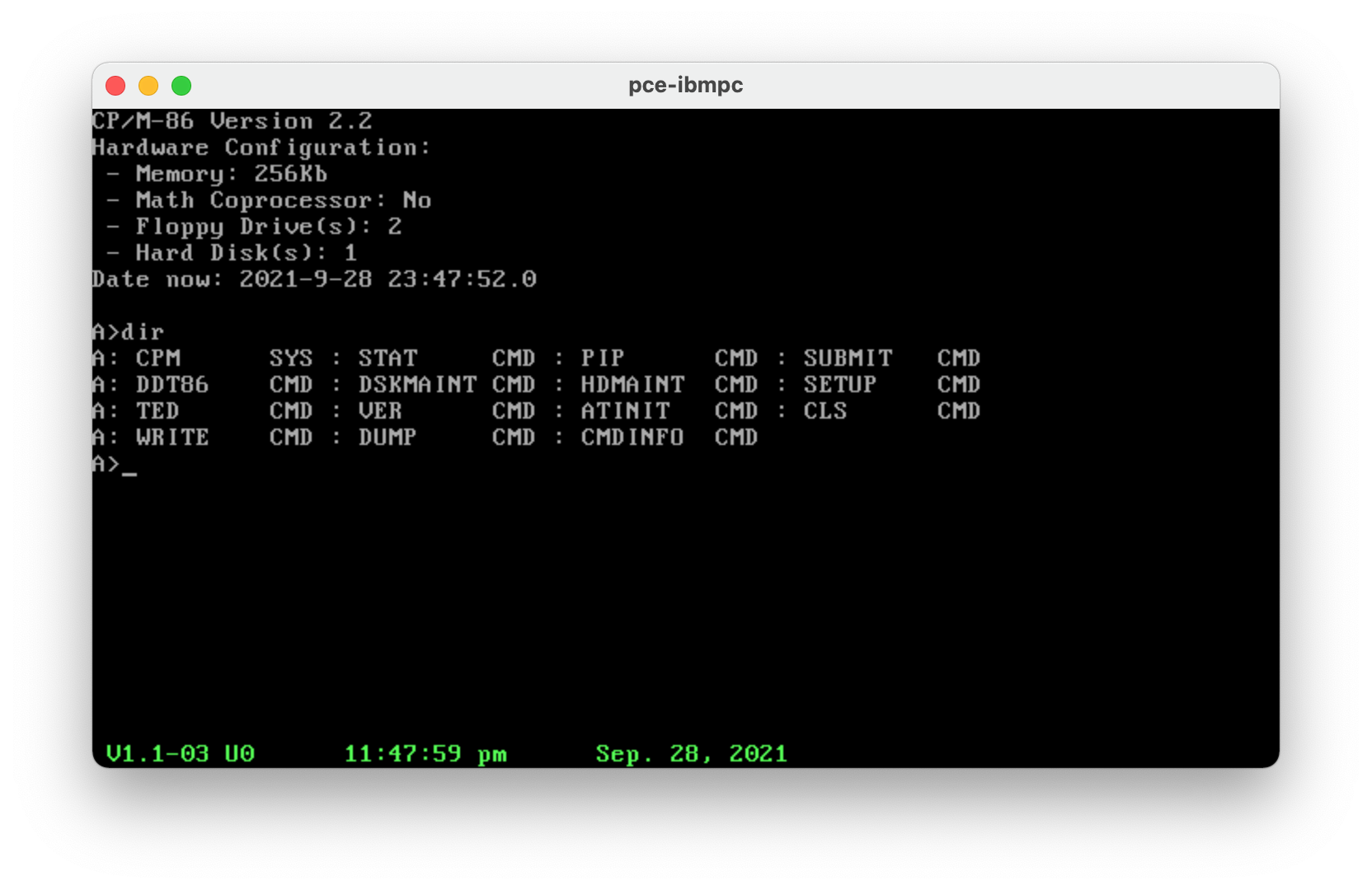
atinit,rtcinit和pceinit工具提供了一個快速配置轉儲,等同於CP/M-86 1.1啟動上顯示的內容
 CP/M-86 1.1, BDO 2.2
Hardware Configuration:
 - System Memory: 640Kb
 - Available Memory: 607Kb
 - Math Coprocessor: No
 - Floppy Drive(s): 2
 - Hard Disk(s): 1
 - Parallel Port(s): 1
 - Serial Port(s): 2
Date now: 2021-9-27 22:17:39.0
所有C工具(RM,LS,模式,更多,寫入,轉儲)都受益於AZTEC C的文件規範模式:[用戶]/[驅動器]:[FILESPEC]。也支持基本<文件和>文件重定向。
除非另有說明,否則所有工具都在處理
對於以下OS,只有文件工具運行良好。通常禁止與BIOS相互作用(Atinit/Attime和Pceinit/PCETIME)...
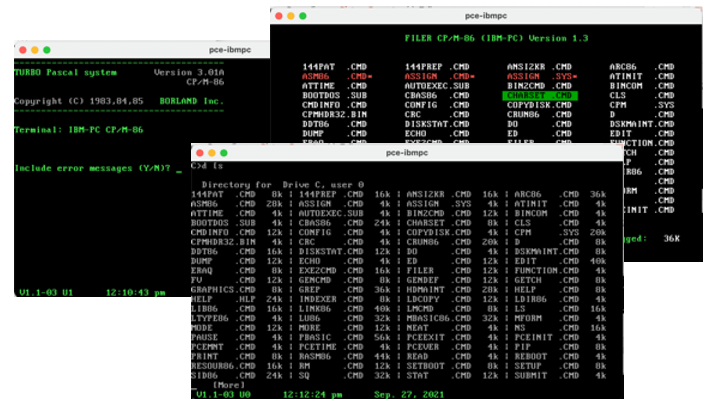
這些OS在軟盤和高清圖像上在PCE上效果非常好。該仿真器很簡單,很小並且可以享用。極好的...
 LINK86 Linkage Editor  02/Feb/87      Version 2.02
Cross Linker: DOS -> CPM-86 & CDOS-286      1/2/86
RASM-86 Assembler 12-Mar-87 PC-DOS Version 1.4a
對於基本的跨開發環境,請查看(https://github.com/tsupplis/cpm86-crossdev)。
還提供了一些針對DOS(AZTEC 3.4)和CP/M-86(AZTEC 3.2)的提交/批次腳本。
儘管是一個非常原始的操作系統(在某些情況下實際上是原始的……例如,沒有時間管理,例如,沒有時間管理),但可以使用幾個好的工具來做很多事情:
這個微小的操作系統最酷的事情是它有多小。我從不在PCE VM上配置超過128K,並且一個人可以作為愛好者扮演。如前所述,它也可以與Just4fun V20-MBC SBC(https://hackaday.io/project/170924-V20-MBC-A-A-V20-808-808-808080-CPU-霍姆布啤酒委員會)一起使用。很酷的另一件事:它符合上面的TOD替換和一個小的視覺駭客。是的,沒有日期管理...
它使MS-DOS的早期來源具有吸引力。 MS-DOS 2.X比CP/M-86更靈活,並且具有更大的生態系統。這使它更多地是一個挑戰;-)
DR工具可通過(http://www.cpm.z80.de/binary.html)和許多其他來源獲得。我在一個非常詳盡的丹麥網站上發現了渦輪Pascal和Poly Pascal的最後一個版本,該網站的重點是RC700系列計算機,這些計算機也是由PCE模仿的。它們不兼容PC,但Pascal都是通用的,並且在基於IBM PC的CP/M-86家族上工作。
但是,需要使用以下定義使用CPMTool從磁盤圖像中提取文件:
 diskdef rc75x
  seclen 1024
  tracks 154
  sectrk 8
  blocksize 2048
  maxdir 512
  boottrk 4
  os 3
end
Turbo Pascal 3.01A是CP/M-86上的最後一個發行(不要忘記使用Tinst配置它),並且使用英語。 Poly Pascal也使用英語,但消息文件和在線幫助在丹麥語中。翻譯它們沒什麼大不了的。 Poly Pascal實際上是渦輪上的雙胞胎,兄弟姐妹或祖先。有點酷玩它。
宏彙編器,C,Pascal,結構基本...我們還需要什麼?
可以使用DOS仿真(EMU2,PCE)或使用雜交OS進行交叉彙編
...運行上面的所有工具(包括其DOS和CP/M版本),您可以直接測試CMD二進製文件。
不幸的是,存在一些DOS的CP/M-86仿真器(AME86.EXE,CPM86.EXE),不幸的是,它們的來源不會在任何地方看到,並且它們需要一些維護。只有基本計劃才能起作用。
最後,也可以完成使用ASM86和GENMD的組裝,但需要在CP/M環境(可以使用CP/M-80或CPM-86衍生物)上進行組裝。
雖然在工具方面有點缺乏……所以我會一點點搬運工具。
仍然是一個有趣的發現和考古學...





