cpm86 hacking
v1.7.0

A couple of experiments for fun with CP/M-86. The focus is on IBM XT CP/M-86 and derivatives on PC. But most of the tools work with the Just4Fun V20-MBC SBC.
The source for CP/M-86 doc, sources and binaries is http://www.cpm.z80.de.
A cleaned-up distribution and kernel is available at https://github.com/tsupplis/cpm86-kernel. This distribution is working well in virtual environments, patched with all known patches, 'y2k' friendly (it contains the version of tod which sources are in this project) and AT friendly.
INF: Usage: ls [-h] | [-a] [-p] [-s|-r] [-l|-b] filepat
INF: File listing utility
INF: where filepat is [user/]filespec with wildcard
INF:     -h for help
INF:     -a for all files (including system)
INF:     -p for for pausing one screen at a time
INF:     -s for alphabetic sorting
INF:     -r for reverse alphabetic sorting
INF:     -l for long listing
INF:     -b for basic listing
INF: Usage: rm [-h] | [-a][-i] filepat
INF: File delete utility
INF: where filepat is [user/]filespec with wildcard
INF:     -h for help
INF:     -a to include both dir and sys files
INF:     -i for user validation per file
INF:     -f force file deletion even if read only
INF: Usage: more -h | [infile]
INF: File paging utility
INF: where infile is [user/]filespec
INF:     -h for help
INF: Usage: write -h | [-a] filename
INF: File write/create utility
INF: where filename is [user/]filespec
INF:     -h for help
INF:     -a to happen to existing file
(Ctrl-C or Ctrl-Z used to finish input)
INF: Usage: dump -h | [-p][-r] [infile]
INF: Hexa file dump utility
INF: where infile is [user/]filespec
INF:     -h for help
INF:     -p pausing every page
INF:     -r raw output
INF: Usage: mode -h | option option ...
INF: Console configuration utility
INF:     -h for help
INF: and options:
INF:      cls          Clear screen
INF:      cursor=on    Show cursor
INF:      cursor=off   Hide cursor
INF:      statln=on    Show status line
INF:      statln=off   Hide status line
INF:      status=      Set status line message
INF:      fg=          Set foreground color (1-F)
INF:      bg=          Set background color (1-F)
INF: Usage: touch [-h] | filespec
INF: Empty file creation utility
INF:     -h for help
INF: Usage: wc [-h] | [-a] filepat [filepat] ...
INF: File word/line/character count utility
INF: where filepat is [user/]filespec with wildcard
INF:     -h for help
INF:     -a to include both dir and sys files
INF: Usage: printenv [-h]
INF: Display environment variables
INF:     -h for help
For the status, (s: space, \: , u: upper, l: lower)
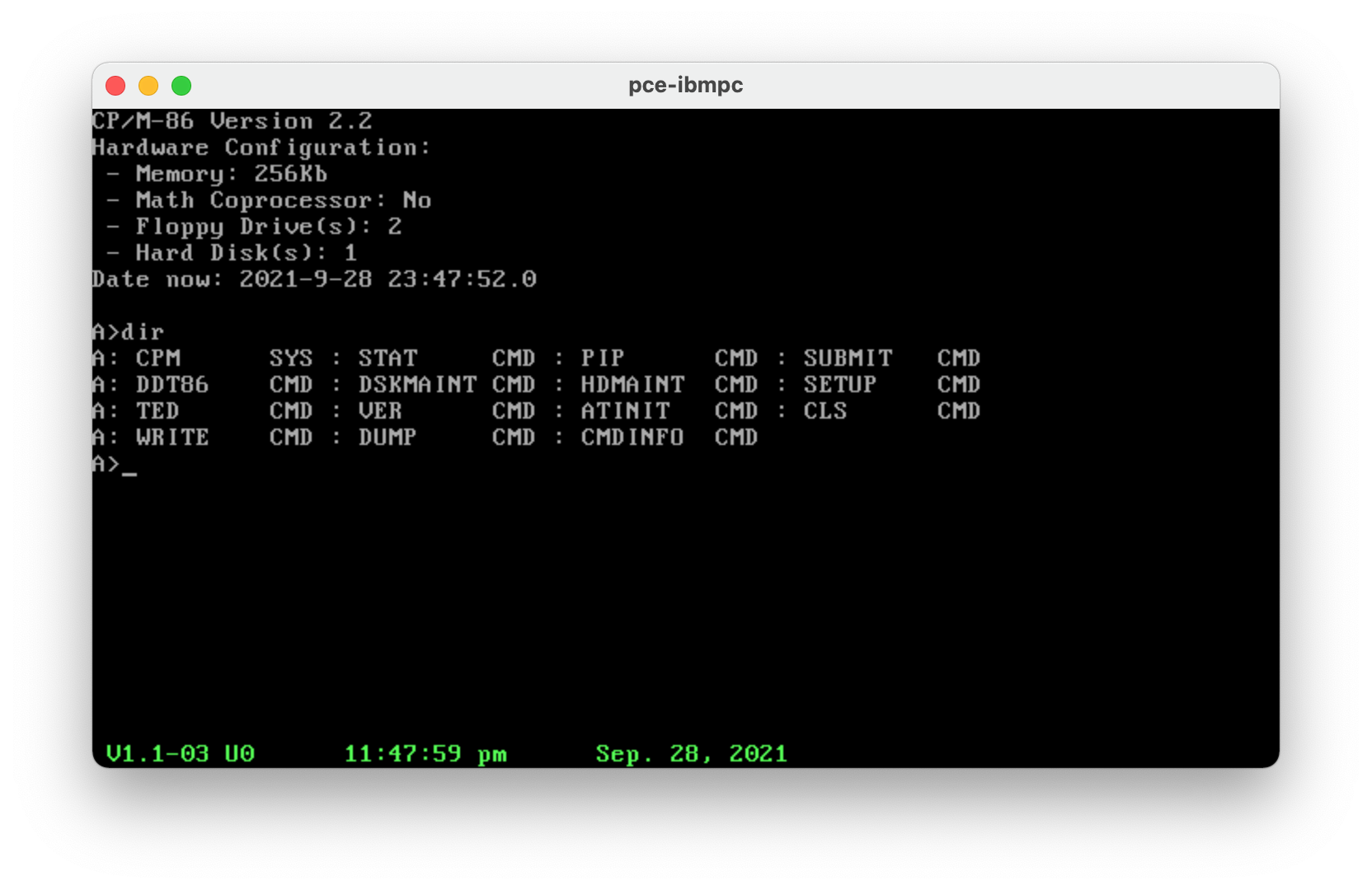
ATINIT, RTCINIT and PCEINIT tools provide a quick configuration dump equivalent to what CP/M-86 1.1 displays on boot
CP/M-86 1.1, BDO 2.2
Hardware Configuration:
 - System Memory: 640Kb
 - Available Memory: 607Kb
 - Math Coprocessor: No
 - Floppy Drive(s): 2
 - Hard Disk(s): 1
 - Parallel Port(s): 1
 - Serial Port(s): 2
Date now: 2021-9-27 22:17:39.0
All the C tools (rm, ls, mode, more, write, dump) benefit from the file specification pattern of Aztec C: [user]/[drive]:[filespec]. as well basic <file and >file redirects are supported.
Unless mentioned otherwise, all the tools are working on
For the following OSes, only the files tools work well. Interacting with the bios is generally prohibited (ATINIT/ATTIME and PCEINIT/PCETIME)...
Those OSes work incredibly well on PCE on floppy and HD images. This emulator is simple, small and works a treat. Fantastic...
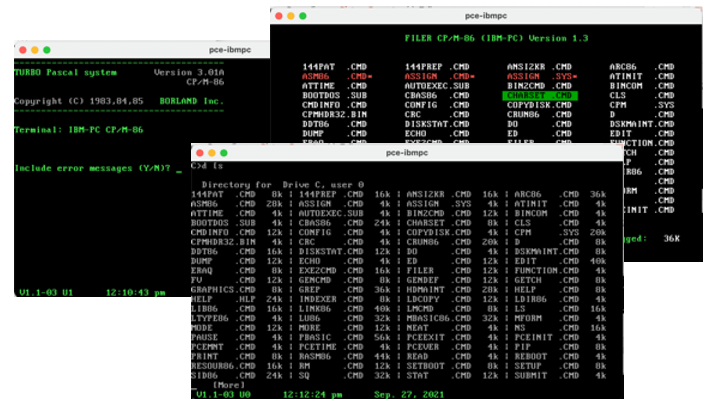
LINK86 Linkage Editor  02/Feb/87      Version 2.02
Cross Linker: DOS -> CPM-86 & CDOS-286      1/2/86
RASM-86 Assembler 12-Mar-87 PC-DOS Version 1.4a
For a rudimentary, cross development environment, look at (https://github.com/tsupplis/cpm86-crossdev).
Some submit/batch scripts are provided for dos (aztec 3.4) and cp/m-86 (aztec 3.2) are also available.
Despite being a very primitive OS (in some cases actually enjoyably primitive...No time management at all outside of the clock, for example), it is possible to do quite an amount of things with a couple of good tools:
The big cool thing with this tiny OS is how small it is. I never configure more than 128K on my PCE VM and a single person can play as a hobbyist with it. As mention earlier it works also super well with the Just4Fun V20-MBC SBC (https://hackaday.io/project/170924-v20-mbc-a-v20-8088-8080-cpu-homebrew-computer). Cool other thing: it is Y2K compliant with TOD replacement above and a small visual hack. Yep no date management ...
It makes The early sources of MS-DOS as attractive. MS-DOS 2.X is far more flexible and has a bigger ecosystem than CP/M-86. This makes it more of a challenge ;-)
DR tools are available through (http://www.cpm.z80.de/binary.html) and many other sources. I found the last release of Turbo Pascal and Poly Pascal on a very exhaustive danish site focused on the RC700 series computers who are by the way also emulated by PCE. They are not PC compatible but both pascal are generic and work on the IBM PC based CP/M-86 family.
But the files need to be extracted from disk images using cpmtools using the following definition:
diskdef rc75x
  seclen 1024
  tracks 154
  sectrk 8
  blocksize 2048
  maxdir 512
  boottrk 4
  os 3
end
Turbo Pascal 3.01A is the last releasse on CP/M-86 (Don't forget to configure it using tinst) and is in english. Poly pascal is also in english but the message file and the online help are in Danish. Not a big deal to translate them. Poly Pascal is really a twin, sibling or ancestor of Turbo Pascal. Kinda cool to play with it.
Macro assembler, C, Pascal, Structure Basic ... what else do we need?
Cross Compilation can be done either using DOS emulation (emu2, pce) or using a hybrid OS
... run all the tools above (Both in their DOS and CP/M version) and you can test directly the cmd binaries.
A few CP/M-86 emulators for DOS exist (ame86.exe, cpm86.exe) unfortunately their sources are not to be seen anywhere and they woulld need a bit of maintenance. only rudimentary programs work.
Finally, Assembly using asm86 and gencmd can also be done but it needs to be done on CP/M environments (CP/M-80 or CPM-86 derivatives can be used)
It is a bit lacking on the tooling side though ... so I will port tools little by little for comfort sake.
Still it is a funny bit of discovery and archeology...





