cgartlab.github.io
1.0.0

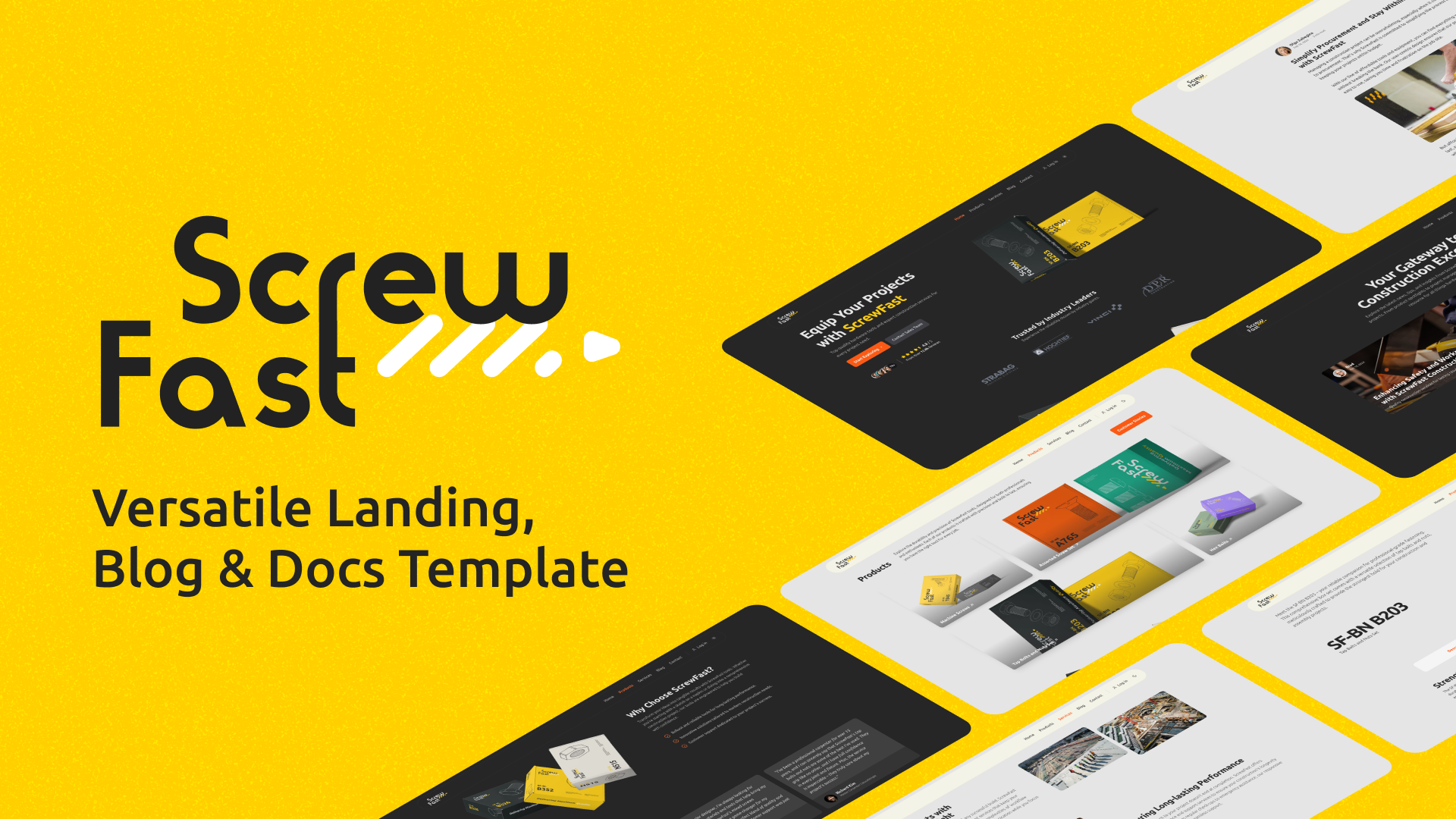
ScrewFast是一種開源模板,旨在快速有效的Web項目設置,將極簡主義與功能融為一體。無論您是展示投資組合,啟動公司登陸頁面還是運行博客,ScrewFast都提供了您所需的一切。通過結合Astro,Tailwind CSS和Preline UI的功能,該模板為您的網絡存在提供了功能性且美觀的解決方案。
查看現場演示
社會共享部分:
書籤按鈕組件:
localStorage參考。localStorage ,以持續書籤帖子。後反饋組件:
星光文檔主題集成:
圖標集組件:
<Icon name="iconName" />在您的Astro組件中渲染任何預定義的圖標SVG。國際化(I18N)特徵:
LanguagePicker組件。monolingual-site分支訪問單語版本。 具有滾動進度指標的目錄(TOC)的動態表:
筆記
目前,尚無計劃改進或已知錯誤。如果您遇到任何問題,請在我們的問題頁面上報告他們,或開始討論以分享想法,建議或提出問題。
本指南將為您提供必要的步驟,以設置並熟悉當地開發機上的Astro項目。
要開始,請單擊Use this template按鈕(右上角的大綠色)按鈕,以在GitHub帳戶中的此模板中創建自己的存儲庫。
創建存儲庫後,您可以使用以下命令將其克隆到本地計算機上:
git clone https://github.com/[YOUR_USERNAME]/[YOUR_REPO_NAME].git
cd [YOUR_REPO_NAME]首先安裝項目依賴項。打開終端,導航到項目的根目錄,然後執行:
npm install此命令將安裝package.json文件中定義的所有必要依賴項。
使用依賴項安裝,您可以利用以下NPM腳本來管理項目的開發生命週期:
npm run dev :啟動具有啟用熱重載的本地開發服務器。npm run preview :在部署前在本地為您提供構建輸出。npm run build :將您的網站捆綁到靜態文件中以進行生產。有關Astro CLI命令的詳細幫助,請訪問Astro的文檔。
在部署之前,您需要創建生產構建:
npm run build這將與您的構建站點(可通過Astro中的Outdir配置)創建一個dist/目錄。
單擊下面的按鈕開始在Vercel上部署您的項目:
單擊下面的按鈕開始在Netlify上部署您的項目:
ScrewFast組織模塊化組件,內容和佈局,以簡化開發和內容管理。
src/
├── assets/
│   ├── scripts/          # JS scripts
│   └── styles/           # CSS styles
├── components/           # Reusable components
│   ├── Meta.astro        # Meta component for SEO
│   ├── sections/         # Components for various sections of the website
│   ├── ThemeIcon.astro   # Component for toggling light/dark themes
│   └── ui/               # UI components categorized by functionality
├── content/              # Markdown files for blog posts, insights, products, and site configuration
│   ├── blog/
│   ├── docs/
│   ├── insights/
│   ├── products/
│   └── config.ts         # Contains site-wide configuration options
├── data_files/           # Strings stored as JSON files
├── images/               # Static image assets for use across the website
├── layouts/              # Components defining layout templates
│   └── MainLayout.astro  # The main wrapping layout for all pages
├── pages/                # Astro files representing individual pages and website sections
│   ├── 404.astro         # Custom 404 page
│   ├── blog/
│   ├── fr/               # Localized content
│   ├── contact.astro
│   ├── index.astro       # The landing/home page
│   ├── insights/
│   ├── products/
│   ├── robots.txt.ts     # Dynamically generates robots.txt
│   └── services.astro
└── utils/                # Shared utility functions and helpers
直接提供給瀏覽器的靜態文件位於項目根部的public目錄內。
public/
└── banner-pattern.svg
螺絲釘允許輕鬆自定義適合您的特定需求。以下是您可以配置組件和內容的幾種方法:
某些組件的屬性定義為組件文件中的打字稿變量。這是自定義FeaturesGeneral部分的一個示例:
 // Define the string variables title and subTitle for the main heading and sub-heading text.
const title : string = "Meeting Industry Demands" ;
const subTitle : string =
  "At ScrewFast, we tackle the unique challenges encountered in the hardware and construction sectors." ;
對於諸如證明或統計信息之類的內容的集合,請編輯對象的相應數組:
 // An array of testimonials
const testimonials : Testimonial [ ] = [ ... ] ;

// An array of statistics
const statistics : StatProps [ ] = [ ... ] ;
修改這些數組中的內容以反映您的數據。
您可以將值直接傳遞給頁面文件中的道具,以獲取跨頁的組件。這是具有內聯道具的HeroSection和ClientsSection組件的示例:
 < HeroSection
  subTitle =" Top-quality hardware tools and expert construction services for every project need. "
  primaryBtn =" Start Exploring "
  primaryBtnURL =" /explore "
/>

< ClientsSection
  title =" Trusted by Industry Leaders "
  subTitle =" Experience the reliability chosen by industry giants. "
/>編輯道具,例如title , subTitle , primaryBtn等,以個性化這些部分。確保您維護道具的結構和數據類型。
編輯utils目錄中的navigation.ts文件以管理導航欄和頁腳鍊接:
編輯navBarLinks數組以調整導航欄鏈接:
 // An array of links for the navigation bar
export const navBarLinks : NavLink [ ] = [
  { name : "Home" , url : "/" } ,
  { name : "Products" , url : "/products" } ,
  { name : "Services" , url : "/services" } ,
  { name : "Blog" , url : "/blog" } ,
  { name : "Contact" , url : "/contact" } ,
] ;用顯示文本替換name ,並用網站上的頁面上的適當路徑替換url 。
同樣,通過編輯footerLinks數組來調整頁腳中顯示的鏈接:
 // An array of links for the footer
export const footerLinks : FooterLinkSection [ ] = [
  {
    section : "Product" ,
    links : [
      { name : "Tools & Equipment" , url : "/tools-equipment" } ,
      { name : "Construction Services" , url : "/construction-services" } ,
      { name : "Pricing" , url : "/pricing" } ,
    ] ,
  } ,
  {
    section : "Company" ,
    links : [
      { name : "About us" , url : "/about" } ,
      { name : "Blog" , url : "/blog" } ,
      { name : "Careers" , url : "/careers" } ,
      { name : "Customers" , url : "/customers" } ,
    ] ,
  } ,
] ; footerLinks陣列中的每個部分都代表一組鏈接。更新小組標題的section值,並根據需要修改每個鏈接的name和url 。
用您的社交媒體概況替換socialLinks對像中的佔位符網址:
 // An object of links for social icons
export const socialLinks : SocialLinks = {
  facebook : "#" ,
  twitter : "#" ,
  github : "#" ,
  linkedin : "#" ,
  instagram : "#" ,
} ;
筆記
請記住,添加完整且有效的URL以使導航正常運行。這些自定義將在您的Astro站點中反映出,從而促進所有頁面的一致性。
我們有兩個選擇導航欄組件的選項: Navbar.astro用於常規的navbar和NavbarMegaMenu.astro用於Mega菜單。兩者都位於src/components/sections/navbar&footer中。
可以在MainLayout.astro中配置Navbar.astro和NavbarMegaMenu.astro組件,使您可以選擇最適合您項目的導航風格。要自定義這些組件,您可以在src/components/sections/navbar&footer下直接修改它們,以應用特定的配置或設計更新。
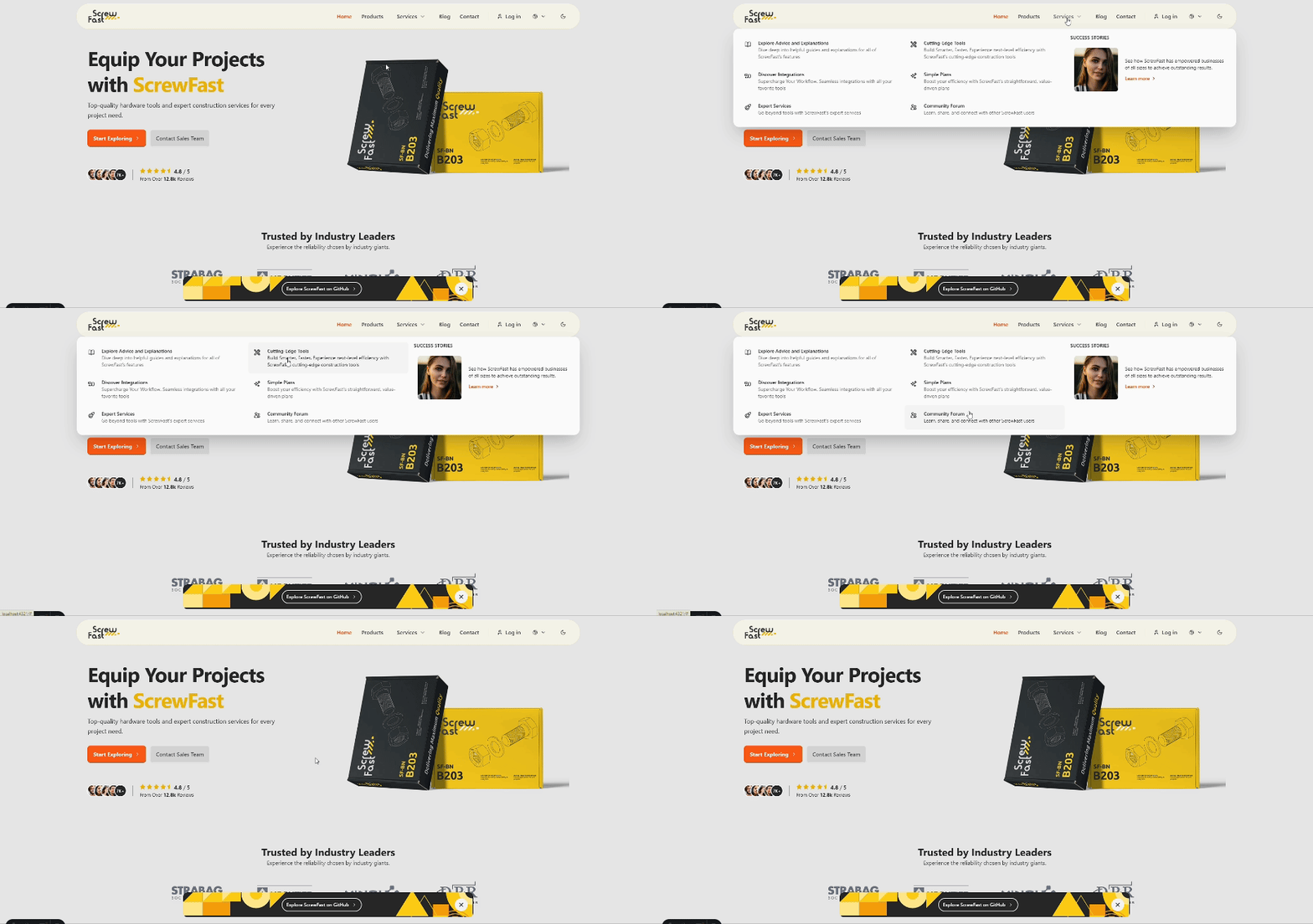
ScrewFast現在配備了Starlight,旨在通過文檔來提高用戶體驗。這個現代而優雅的主題包括一套功能,以使內容更容易訪問和愉悅。
關鍵功能:
使用Starlight,您可以訪問強大的功能和集成以及適合您需求的廣泛定制選項。
筆記
潛入星光的全面功能列表,並通過訪問主題的文檔網站來學習如何簡化開發過程。
重要的
如果您的星光站點中的側邊欄不在滾動,並且必須手動拖動滾動欄,請從src/components/ui/starlight/Head.astro中刪除與Lenis平滑滾動庫相關的腳本標籤。
與Lenis一起體驗黃油般光滑的滾動。我們已經整合了Lenis,以提供增強的滾動體驗,既流暢又反應迅速。
這是我們在src/assets/scripts/lenisSmoothScroll.js中設置Lenis的方式:
 // src/assets/scripts/lenisSmoothScroll.js
import "@styles/lenis.css" ;

import Lenis from "lenis" ;

const lenis = new Lenis ( ) ;

function raf ( time ) {
    lenis . raf ( time ) ;
    requestAnimationFrame ( raf ) ;
}

requestAnimationFrame ( raf ) ;然後將其添加到MainLayout.astro :
< script >
  import "@scripts/lenisSmoothScroll.js";
</ script >
請注意,光滑滾動會影響某些設備上的可訪問性和性能,因此請務必在不同環境中對其進行全面測試。
筆記
如果您想刪除Lenis並返回到瀏覽器的默認滾動行為,請發表評論或刪除MainLayout.astro文件和/starlight/Head.astro的這些行,如果您使用的是DOCS。
對於單個產品頁面,GSAP已集成為添加引人入勝的動畫,該動畫在產品頁面加載後立即執行。您可以在位於src/pages/products/[...slug].astro src/pages/insights/[...slug].astro頁面文件的腳本部分中找到並修改GSAP配置。
< script >
  import { gsap } from "gsap";
  // Initialize GSAP animations...
</ script >
自定義動畫:
請在此腳本中量身定制GSAP動畫,以適合您項目的外觀和感覺。提供的示例是一個起點,代表瞭如何利用GSAP作為產品頁面加載的立即視覺影響。
修改或刪除動畫:
gsap.from()方法中的屬性和參數,或根據需要添加新的GSAP動畫調用。筆記
我們選擇保持集成精益和專注,但是GSAP的綜合文檔可以用於更複雜的動畫:GSAP文檔。
為了實現更清潔,更寬敞的設計,默認的滾動條已在視覺上刪除。儘管此選擇符合該項目的美學目標,但重要的是要考慮到隱藏捲軸有時會影響可訪問性和用戶體驗。我們建議在您的用戶群及其需求的背景下評估此設計決策。
對於那些喜歡定制風格的滾動條的人,我們建議使用尾風 - 旋風插件,該插件添加了滾動式滾動式滾動式滾動式公用事業,以允許更具控制的自定義,也可以符合可訪問性標準。
筆記
如果您希望返回默認的滾動條,可以發表評論或刪除以下CSS,從src/layouts/MainLayout.astro :
 < style >
.scrollbar-hide::-webkit-scrollbar {
  display: none;
}
.scrollbar-hide {
  -ms-overflow-style: none;
  scrollbar-width: none;
}
</ style >此外,更新<html>標籤以刪除scrollbar-hide類,導致以下內容:
< html lang =" en " class =" scroll-pt-16 " >螺絲快速模板中的SEO配置旨在使用戶能夠優化其網站在搜索引擎和社交媒體平台上的可見性。本文檔概述了有效管理SEO設置的實施詳細信息和使用說明。
SEO配置已使用constants.ts文件集中。該文件管理與SEO相關的數據,例如頁面標題,描述,結構化數據和打開的圖形標籤,為SEO管理提供了更結構化和可管理的方法。
要自定義SEO設置,請修改constants.ts中的值。關鍵配置包括站點,SEO和OG,允許開發人員定義範圍內的SEO參數。
// constants.ts

export const SITE = {
  title : " ScrewFast " ,
  // Other SITE properties...
} ;

export const SEO = {
  title : SITE . title ,
  // Other SEO properties...
} ;

export const OG = {
  title : ` ${ SITE . title }: Hardware Tools & Construction Services ` ,
  // Other OG properties...
} ;在佈局中應用元數據(例如MainLayout.astro )時,您可以將所需的元數據值作為props傳遞給Meta組件:
 ---
// In MainLayout.astro file
const { meta } = Astro . props ;

interface Props {
  meta ? : string ;
}
---

< Meta meta = { meta } />對於特定於頁面的SEO替代,開發人員可以在特定頁面文件中傳遞各個模式屬性。
 ---
import { SITE } from " @/data_files/constants " ;
---
< MainLayout
  title = { ` Example Page | ${ SITE . title } ` }
  structuredData = { {
    " @type " : " WebPage " ,
    // Other structured data properties...
  } }
>
  <!-- Page content -->
</ MainLayout >
使用此設置,元組件將接收自定義元描述,並將其應用於頁面的元數據。如果沒有傳遞自定義值,則將使用Meta.astro的默認值。
對於更強大的SEO策略,您可以在Meta.astro組件中創建其他屬性。例如,您可能需要在特定於Twitter特定的元數據中包含特定的打開圖標籤或文章發布日期或標籤。
可以通過Meta.astro組件來管理JSON-LD格式的結構化數據,從而改善了搜索引擎如何了解您的頁面內容,並使用豐富的片段可能會增強搜索結果。使用相關schema.org類型和屬性修改structuredData屬性:
< MainLayout
  structuredData = { {
    " @context " : " https://schema.org " ,
    " @type " : " WebSite " ,
    " name " : " ScrewFast " ,
    " url " : " https://screwfast.uk " ,
    " description " : " Discover top-quality hardware tools and services "
  } }
>在模板提供自定義SEO解決方案的同時,您可以選擇使用Astro集成(例如Astro SEO)來獲得其他SEO功能和優化。集成這樣的軟件包可能會提供更多自動化的元數據管理和其他以SEO為中心的功能。
使用src/pages/robots.txt.ts中的代碼動態生成robots.txt 。此配置遵循Astro文檔的示例:
 import type { APIRoute } from 'astro' ;

const robotsTxt = `
User-agent: *
Allow: /

Sitemap: ${ new URL ( 'sitemap-index.xml' , import . meta . env . SITE ) . href }
` . trim ( ) ;

export const GET : APIRoute = ( ) => {
  return new Response ( robotsTxt , {
    headers : {
      'Content-Type' : 'text/plain; charset=utf-8' ,
    } ,
  } ) ;
} ;在根目錄中添加.vscode/settings.json文件,將圖像積分直接集成到Markdown編輯器中的內容集合中。此功能可以輕鬆創建使用媒體文件的標記鏈接,並無縫複製到工作區中。
() 。src/images/content/<path>中組織的。 getting-started.png src/content/post-1.md
到post-1.mdsrc/images/content/post-1/getting-started.png 。 筆記
請記住在放置圖像時按Shift 。
通過這些內置的Astro集成最大化網站的效率:
astro.config.mjs文件中配置壓縮機: export default defineConfig ( {
// ...other Astro configurations
integrations : [ ... other Astro integrations , compressor ( { gzip : false , brotli : true } ) ] ,
} ) ;astro.config.mjs文件中指定您的網站的基本URL和任何其他選項: export default defineConfig ( {
// ...
site : 'https://example.com' ,
integrations : [ sitemap ( ) ] ,
} ) ;Astro的偉大之處在於它豐富的集成生態系統,使您可以根據自己的確切需求來量身定制項目功能。隨意探索Astro集成頁面,並在您認為合適的情況下添加其他功能。
該項目是使用各種工具和技術來構建的,以增強其性能,可維護性和開發人員的經驗。以下是關鍵工具及其在項目中的角色的列表:
使用Preline UI(一個全面的開源組件庫)構建了Navbars,Modals和Actialions等交互式組件。
在我們的項目中造型利用了尾風CSS提供的公用事業優先類。這種方法使我們能夠以速度和效率創建自定義佈局和組件。
為了確保一致的代碼格式,特別是對於類排序,我們集成了prettier-plugin-tailwindcss插件。以下配置在項目根部的.prettierrc文件中設置:
{
  "plugins" : [ " prettier-plugin-tailwindcss " ]
}我們將項目部署在Vercel上,利用他們的無縫CI/CD工作流程的強大平台。使用vercel.json ,我們設置了嚴格的安全標頭和緩存策略,以確保遵守安全和績效最佳實踐:
{
  "headers" : [
    {
      "source" : " /(.*) " ,
      "headers" : [
        {
          "key" : " Content-Security-Policy " ,
          "value" : " default-src 'self'; [other-directives] "
        },
        " Additional security headers... "
      ]
    }
  ]
}為了獲得最佳的站點性能,我們使用process-html.mjs後處理HTML文件,該文件是一個自定義腳本,可在構建階段後縮小HTML,以減少文件大小並改善負載時間。
這是我們的HTML縮略腳本中的片段: process-html.mjs :
 / process-html.mjs
// Post-build HTML minification script snippet
// ...
await Promise . all (
  files . map ( async ( file ) => {
    // File processing and minification logic
  } )
) ;
我們鼓勵您參考每個工具的詳細文檔,以充分了解其功能以及它們如何為該項目做出貢獻:
如果您有興趣提供幫助,則可以通過幾種方式做出貢獻:
該項目根據麻省理工學院許可發布。請閱讀許可證文件以獲取更多詳細信息。
注意:此網站模板與所展示的公司沒有隸屬關係。徽標僅用於演示目的,應在自定義版本中替換。





