cgartlab.github.io
1.0.0

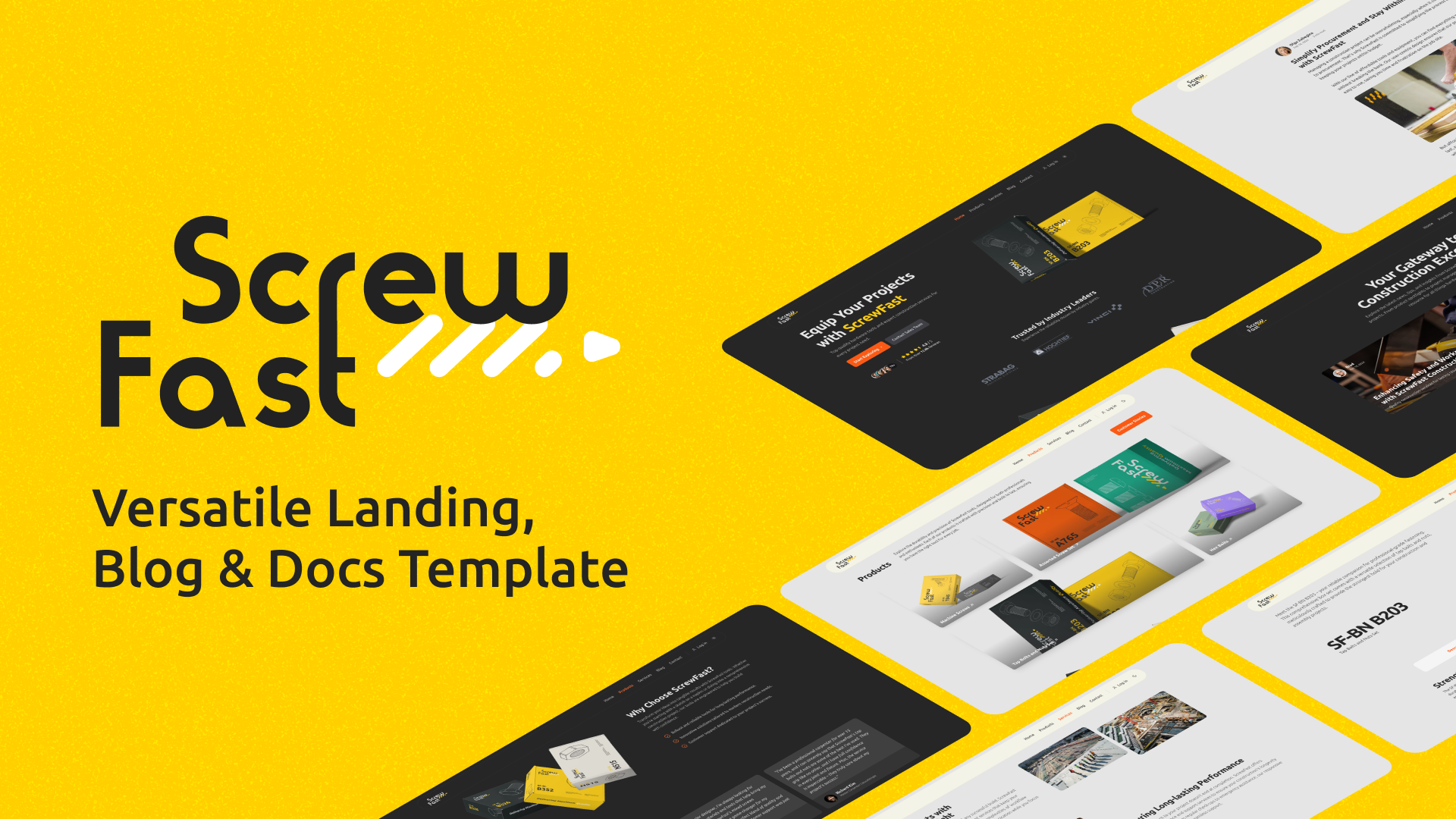
ScrewFast是一种开源模板,旨在快速有效的Web项目设置,将极简主义与功能融为一体。无论您是展示投资组合,启动公司登陆页面还是运行博客,ScrewFast都提供了您所需的一切。通过结合Astro,Tailwind CSS和Preline UI的功能,该模板为您的网络存在提供了功能性且美观的解决方案。
查看现场演示
社会共享部分:
书签按钮组件:
localStorage参考。localStorage ,以持续书签帖子。后反馈组件:
星光文档主题集成:
图标集组件:
<Icon name="iconName" />在您的Astro组件中渲染任何预定义的图标SVG。国际化(I18N)特征:
LanguagePicker组件。monolingual-site分支访问单语版本。 具有滚动进度指标的目录(TOC)的动态表:
笔记
目前,尚无计划改进或已知错误。如果您遇到任何问题,请在我们的问题页面上报告他们,或开始讨论以分享想法,建议或提出问题。
本指南将为您提供必要的步骤,以设置并熟悉当地开发机上的Astro项目。
要开始,请单击Use this template按钮(右上角的大绿色)按钮,以在GitHub帐户中的此模板中创建自己的存储库。
创建存储库后,您可以使用以下命令将其克隆到本地计算机上:
git clone https://github.com/[YOUR_USERNAME]/[YOUR_REPO_NAME].git
cd [YOUR_REPO_NAME]首先安装项目依赖项。打开终端,导航到项目的根目录,然后执行:
npm install此命令将安装package.json文件中定义的所有必要依赖项。
使用依赖项安装,您可以利用以下NPM脚本来管理项目的开发生命周期:
npm run dev :启动具有启用热重载的本地开发服务器。npm run preview :在部署前在本地为您提供构建输出。npm run build :将您的网站捆绑到静态文件中以进行生产。有关Astro CLI命令的详细帮助,请访问Astro的文档。
在部署之前,您需要创建生产构建:
npm run build这将与您的构建站点(可通过Astro中的Outdir配置)创建一个dist/目录。
单击下面的按钮开始在Vercel上部署您的项目:
单击下面的按钮开始在Netlify上部署您的项目:
ScrewFast组织模块化组件,内容和布局,以简化开发和内容管理。
src/
├── assets/
│   ├── scripts/          # JS scripts
│   └── styles/           # CSS styles
├── components/           # Reusable components
│   ├── Meta.astro        # Meta component for SEO
│   ├── sections/         # Components for various sections of the website
│   ├── ThemeIcon.astro   # Component for toggling light/dark themes
│   └── ui/               # UI components categorized by functionality
├── content/              # Markdown files for blog posts, insights, products, and site configuration
│   ├── blog/
│   ├── docs/
│   ├── insights/
│   ├── products/
│   └── config.ts         # Contains site-wide configuration options
├── data_files/           # Strings stored as JSON files
├── images/               # Static image assets for use across the website
├── layouts/              # Components defining layout templates
│   └── MainLayout.astro  # The main wrapping layout for all pages
├── pages/                # Astro files representing individual pages and website sections
│   ├── 404.astro         # Custom 404 page
│   ├── blog/
│   ├── fr/               # Localized content
│   ├── contact.astro
│   ├── index.astro       # The landing/home page
│   ├── insights/
│   ├── products/
│   ├── robots.txt.ts     # Dynamically generates robots.txt
│   └── services.astro
└── utils/                # Shared utility functions and helpers
直接提供给浏览器的静态文件位于项目根部的public目录内。
public/
└── banner-pattern.svg
螺丝钉允许轻松自定义适合您的特定需求。以下是您可以配置组件和内容的几种方法:
某些组件的属性定义为组件文件中的打字稿变量。这是自定义FeaturesGeneral部分的一个示例:
 // Define the string variables title and subTitle for the main heading and sub-heading text.
const title : string = "Meeting Industry Demands" ;
const subTitle : string =
  "At ScrewFast, we tackle the unique challenges encountered in the hardware and construction sectors." ;
对于诸如证明或统计信息之类的内容的集合,请编辑对象的相应数组:
 // An array of testimonials
const testimonials : Testimonial [ ] = [ ... ] ;

// An array of statistics
const statistics : StatProps [ ] = [ ... ] ;
修改这些数组中的内容以反映您的数据。
您可以将值直接传递给页面文件中的道具,以获取跨页的组件。这是具有内联道具的HeroSection和ClientsSection组件的示例:
 < HeroSection
  subTitle =" Top-quality hardware tools and expert construction services for every project need. "
  primaryBtn =" Start Exploring "
  primaryBtnURL =" /explore "
/>

< ClientsSection
  title =" Trusted by Industry Leaders "
  subTitle =" Experience the reliability chosen by industry giants. "
/>编辑道具,例如title , subTitle , primaryBtn等,以个性化这些部分。确保您维护道具的结构和数据类型。
编辑utils目录中的navigation.ts文件以管理导航栏和页脚链接:
编辑navBarLinks数组以调整导航栏链接:
 // An array of links for the navigation bar
export const navBarLinks : NavLink [ ] = [
  { name : "Home" , url : "/" } ,
  { name : "Products" , url : "/products" } ,
  { name : "Services" , url : "/services" } ,
  { name : "Blog" , url : "/blog" } ,
  { name : "Contact" , url : "/contact" } ,
] ;用显示文本替换name ,并用网站上的页面上的适当路径替换url 。
同样,通过编辑footerLinks数组来调整页脚中显示的链接:
 // An array of links for the footer
export const footerLinks : FooterLinkSection [ ] = [
  {
    section : "Product" ,
    links : [
      { name : "Tools & Equipment" , url : "/tools-equipment" } ,
      { name : "Construction Services" , url : "/construction-services" } ,
      { name : "Pricing" , url : "/pricing" } ,
    ] ,
  } ,
  {
    section : "Company" ,
    links : [
      { name : "About us" , url : "/about" } ,
      { name : "Blog" , url : "/blog" } ,
      { name : "Careers" , url : "/careers" } ,
      { name : "Customers" , url : "/customers" } ,
    ] ,
  } ,
] ; footerLinks阵列中的每个部分都代表一组链接。更新小组标题的section值,并根据需要修改每个链接的name和url 。
用您的社交媒体概况替换socialLinks对象中的占位符网址:
 // An object of links for social icons
export const socialLinks : SocialLinks = {
  facebook : "#" ,
  twitter : "#" ,
  github : "#" ,
  linkedin : "#" ,
  instagram : "#" ,
} ;
笔记
请记住,添加完整且有效的URL以使导航正常运行。这些自定义将在您的Astro站点中反映出,从而促进所有页面的一致性。
我们有两个选择导航栏组件的选项: Navbar.astro用于常规的navbar和NavbarMegaMenu.astro用于Mega菜单。两者都位于src/components/sections/navbar&footer中。
可以在MainLayout.astro中配置Navbar.astro和NavbarMegaMenu.astro组件,使您可以选择最适合您项目的导航风格。要自定义这些组件,您可以在src/components/sections/navbar&footer下直接修改它们,以应用特定的配置或设计更新。
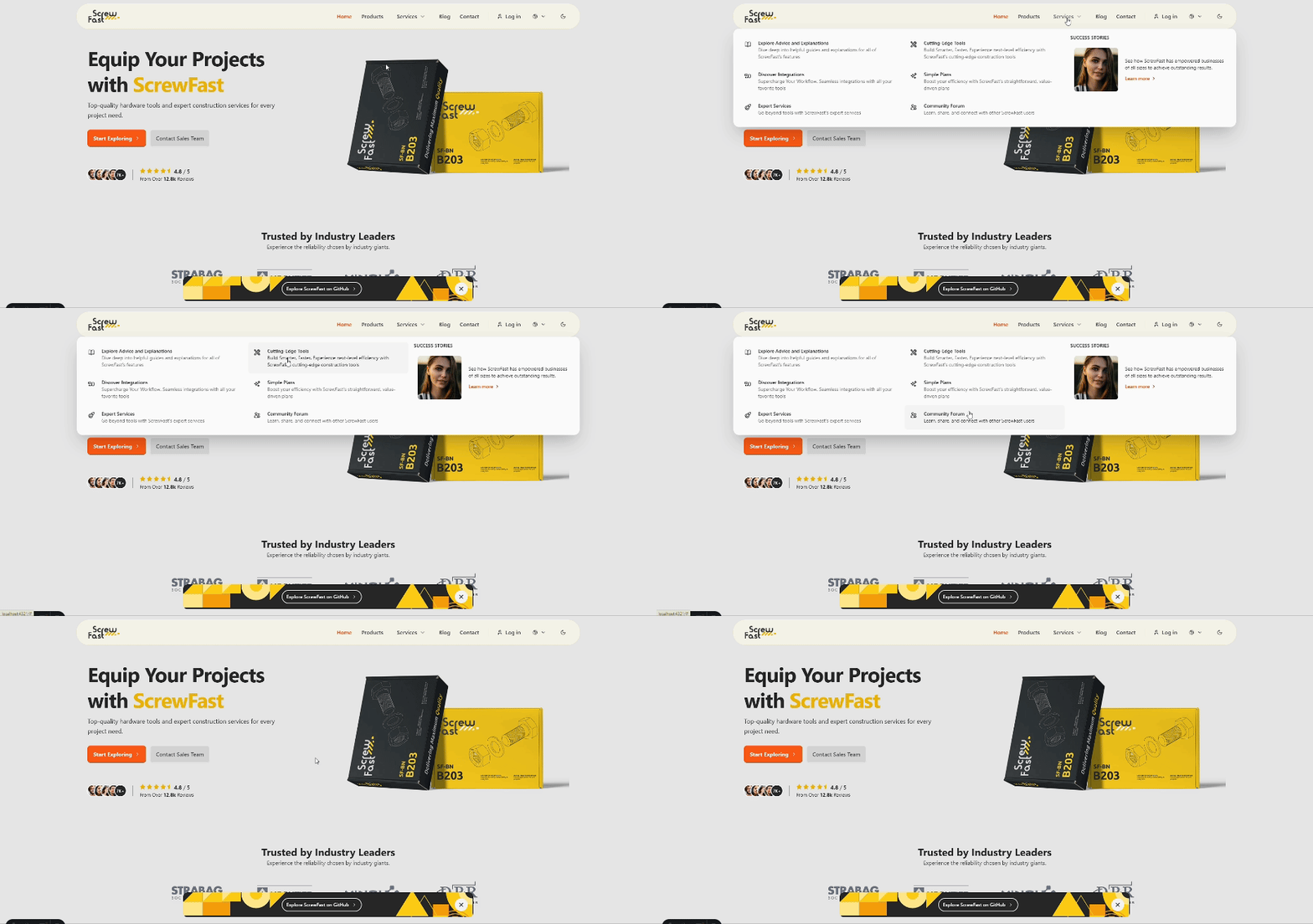
ScrewFast现在配备了Starlight,旨在通过文档来提高用户体验。这个现代而优雅的主题包括一套功能,以使内容更容易访问和愉悦。
关键功能:
使用Starlight,您可以访问强大的功能和集成以及适合您需求的广泛定制选项。
笔记
潜入星光的全面功能列表,并通过访问主题的文档网站来学习如何简化开发过程。
重要的
如果您的星光站点中的侧边栏不在滚动,并且必须手动拖动滚动栏,请从src/components/ui/starlight/Head.astro中删除与Lenis平滑滚动库相关的脚本标签。
与Lenis一起体验黄油般光滑的滚动。我们已经整合了Lenis,以提供增强的滚动体验,既流畅又反应迅速。
这是我们在src/assets/scripts/lenisSmoothScroll.js中设置Lenis的方式:
 // src/assets/scripts/lenisSmoothScroll.js
import "@styles/lenis.css" ;

import Lenis from "lenis" ;

const lenis = new Lenis ( ) ;

function raf ( time ) {
    lenis . raf ( time ) ;
    requestAnimationFrame ( raf ) ;
}

requestAnimationFrame ( raf ) ;然后将其添加到MainLayout.astro :
< script >
  import "@scripts/lenisSmoothScroll.js";
</ script >
请注意,光滑滚动会影响某些设备上的可访问性和性能,因此请务必在不同环境中对其进行全面测试。
笔记
如果您想删除Lenis并返回到浏览器的默认滚动行为,请发表评论或删除MainLayout.astro文件和/starlight/Head.astro的这些行,如果您使用的是DOCS。
对于单个产品页面,GSAP已集成为添加引人入胜的动画,该动画在产品页面加载后立即执行。您可以在位于src/pages/products/[...slug].astro src/pages/insights/[...slug].astro页面文件的脚本部分中找到并修改GSAP配置。
< script >
  import { gsap } from "gsap";
  // Initialize GSAP animations...
</ script >
自定义动画:
请在此脚本中量身定制GSAP动画,以适合您项目的外观和感觉。提供的示例是一个起点,代表了如何利用GSAP作为产品页面加载的立即视觉影响。
修改或删除动画:
gsap.from()方法中的属性和参数,或根据需要添加新的GSAP动画调用。笔记
我们选择保持集成精益和专注,但是GSAP的综合文档可以用于更复杂的动画:GSAP文档。
为了实现更清洁,更宽敞的设计,默认的滚动条已在视觉上删除。尽管此选择符合该项目的美学目标,但重要的是要考虑到隐藏卷轴有时会影响可访问性和用户体验。我们建议在您的用户群及其需求的背景下评估此设计决策。
对于那些喜欢定制风格的滚动条的人,我们建议使用尾风 - 旋风插件,该插件添加了滚动式滚动式滚动式滚动式公用事业,以允许更具控制的自定义,也可以符合可访问性标准。
笔记
如果您希望返回默认的滚动条,可以发表评论或删除以下CSS,从src/layouts/MainLayout.astro :
 < style >
.scrollbar-hide::-webkit-scrollbar {
  display: none;
}
.scrollbar-hide {
  -ms-overflow-style: none;
  scrollbar-width: none;
}
</ style >此外,更新<html>标签以删除scrollbar-hide类,导致以下内容:
< html lang =" en " class =" scroll-pt-16 " >螺丝快速模板中的SEO配置旨在使用户能够优化其网站在搜索引擎和社交媒体平台上的可见性。本文档概述了有效管理SEO设置的实施详细信息和使用说明。
SEO配置已使用constants.ts文件集中。该文件管理与SEO相关的数据,例如页面标题,描述,结构化数据和打开的图形标签,为SEO管理提供了更结构化和可管理的方法。
要自定义SEO设置,请修改constants.ts中的值。关键配置包括站点,SEO和OG,允许开发人员定义范围内的SEO参数。
// constants.ts

export const SITE = {
  title : " ScrewFast " ,
  // Other SITE properties...
} ;

export const SEO = {
  title : SITE . title ,
  // Other SEO properties...
} ;

export const OG = {
  title : ` ${ SITE . title }: Hardware Tools & Construction Services ` ,
  // Other OG properties...
} ;在布局中应用元数据(例如MainLayout.astro )时,您可以将所需的元数据值作为props传递给Meta组件:
 ---
// In MainLayout.astro file
const { meta } = Astro . props ;

interface Props {
  meta ? : string ;
}
---

< Meta meta = { meta } />对于特定于页面的SEO替代,开发人员可以在特定页面文件中传递各个模式属性。
 ---
import { SITE } from " @/data_files/constants " ;
---
< MainLayout
  title = { ` Example Page | ${ SITE . title } ` }
  structuredData = { {
    " @type " : " WebPage " ,
    // Other structured data properties...
  } }
>
  <!-- Page content -->
</ MainLayout >
使用此设置,元组件将接收自定义元描述,并将其应用于页面的元数据。如果没有传递自定义值,则将使用Meta.astro的默认值。
对于更强大的SEO策略,您可以在Meta.astro组件中创建其他属性。例如,您可能需要在特定于Twitter特定的元数据中包含特定的打开图标签或文章发布日期或标签。
可以通过Meta.astro组件来管理JSON-LD格式的结构化数据,从而改善了搜索引擎如何了解您的页面内容,并使用丰富的片段可能会增强搜索结果。使用相关schema.org类型和属性修改structuredData属性:
< MainLayout
  structuredData = { {
    " @context " : " https://schema.org " ,
    " @type " : " WebSite " ,
    " name " : " ScrewFast " ,
    " url " : " https://screwfast.uk " ,
    " description " : " Discover top-quality hardware tools and services "
  } }
>在模板提供自定义SEO解决方案的同时,您可以选择使用Astro集成(例如Astro SEO)来获得其他SEO功能和优化。集成这样的软件包可能会提供更多自动化的元数据管理和其他以SEO为中心的功能。
使用src/pages/robots.txt.ts中的代码动态生成robots.txt 。此配置遵循Astro文档的示例:
 import type { APIRoute } from 'astro' ;

const robotsTxt = `
User-agent: *
Allow: /

Sitemap: ${ new URL ( 'sitemap-index.xml' , import . meta . env . SITE ) . href }
` . trim ( ) ;

export const GET : APIRoute = ( ) => {
  return new Response ( robotsTxt , {
    headers : {
      'Content-Type' : 'text/plain; charset=utf-8' ,
    } ,
  } ) ;
} ;在根目录中添加.vscode/settings.json文件,将图像积分直接集成到Markdown编辑器中的内容集合中。此功能可以轻松创建使用媒体文件的标记链接,并无缝复制到工作区中。
() 。src/images/content/<path>中组织的。 getting-started.png src/content/post-1.md
到post-1.mdsrc/images/content/post-1/getting-started.png 。 笔记
请记住在放置图像时按Shift 。
通过这些内置的Astro集成最大化网站的效率:
astro.config.mjs文件中配置压缩机: export default defineConfig ( {
// ...other Astro configurations
integrations : [ ... other Astro integrations , compressor ( { gzip : false , brotli : true } ) ] ,
} ) ;astro.config.mjs文件中指定您的网站的基本URL和任何其他选项: export default defineConfig ( {
// ...
site : 'https://example.com' ,
integrations : [ sitemap ( ) ] ,
} ) ;Astro的伟大之处在于它丰富的集成生态系统,使您可以根据自己的确切需求来量身定制项目功能。随意探索Astro集成页面,并在您认为合适的情况下添加其他功能。
该项目是使用各种工具和技术来构建的,以增强其性能,可维护性和开发人员的经验。以下是关键工具及其在项目中的角色的列表:
使用Preline UI(一个全面的开源组件库)构建了Navbars,Modals和Actialions等交互式组件。
在我们的项目中造型利用了尾风CSS提供的公用事业优先类。这种方法使我们能够以速度和效率创建自定义布局和组件。
为了确保一致的代码格式,特别是对于类排序,我们集成了prettier-plugin-tailwindcss插件。以下配置在项目根部的.prettierrc文件中设置:
{
  "plugins" : [ " prettier-plugin-tailwindcss " ]
}我们将项目部署在Vercel上,利用他们的无缝CI/CD工作流程的强大平台。使用vercel.json ,我们设置了严格的安全标头和缓存策略,以确保遵守安全和绩效最佳实践:
{
  "headers" : [
    {
      "source" : " /(.*) " ,
      "headers" : [
        {
          "key" : " Content-Security-Policy " ,
          "value" : " default-src 'self'; [other-directives] "
        },
        " Additional security headers... "
      ]
    }
  ]
}为了获得最佳的站点性能,我们使用process-html.mjs后处理HTML文件,该文件是一个自定义脚本,可在构建阶段后缩小HTML,以减少文件大小并改善负载时间。
这是我们的HTML缩略脚本中的片段: process-html.mjs :
 / process-html.mjs
// Post-build HTML minification script snippet
// ...
await Promise . all (
  files . map ( async ( file ) => {
    // File processing and minification logic
  } )
) ;
我们鼓励您参考每个工具的详细文档,以充分了解其功能以及它们如何为该项目做出贡献:
如果您有兴趣提供帮助,则可以通过几种方式做出贡献:
该项目根据麻省理工学院许可发布。请阅读许可证文件以获取更多详细信息。
注意:此网站模板与所展示的公司没有隶属关系。徽标仅用于演示目的,应在自定义版本中替换。





